

Wire Ethernet Wall Jack: Types, Install Tips & More
What Is a Wire Ethernet Wall Jack and Why Does It Matter?
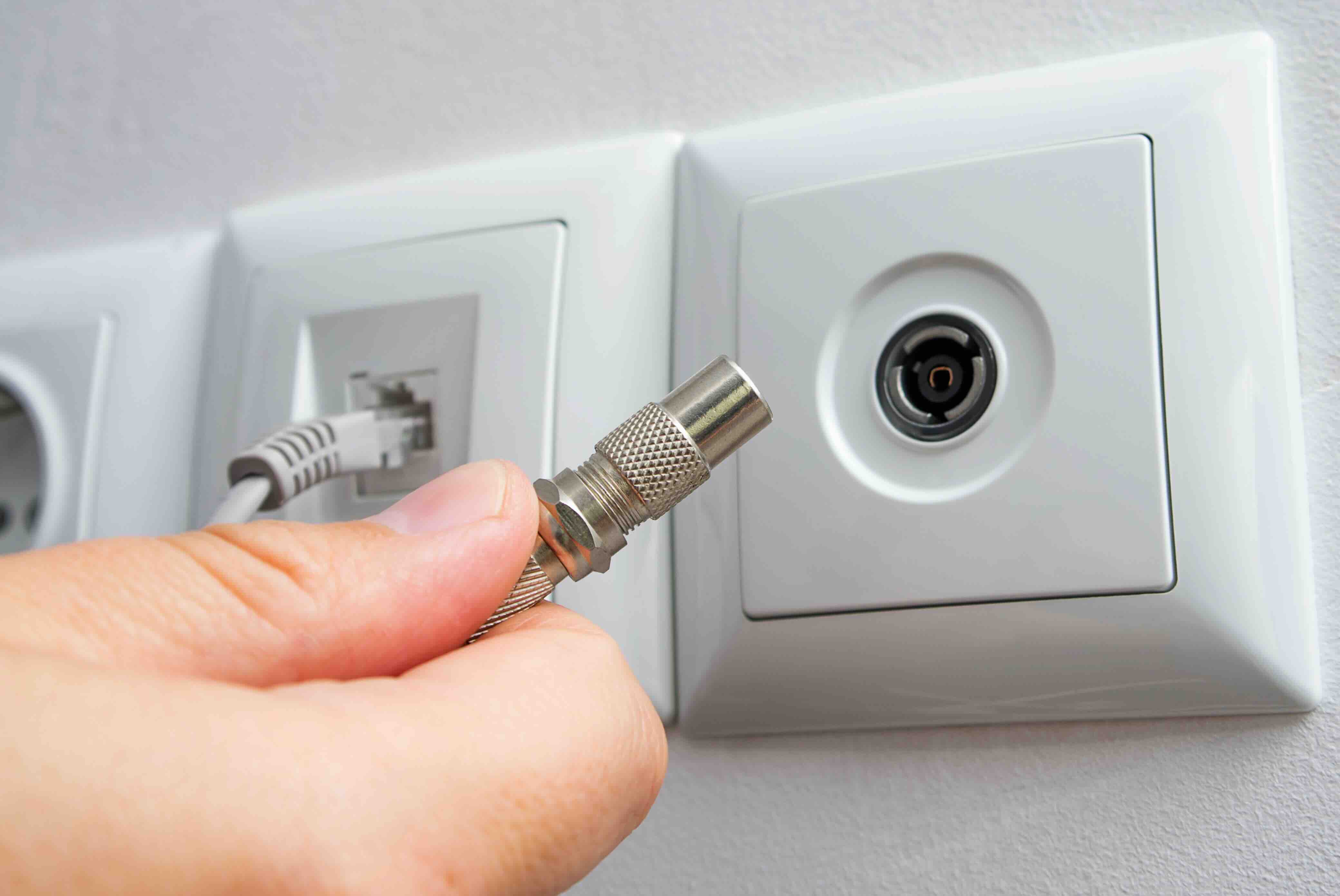
If you have ever looked at the rectangular port built into your wall and wondered exactly what it does or how it got there, you are not alone. A wire ethernet wall jack is essentially the termination point for structured cabling inside your home, office, or commercial space. It is the physical interface where your ethernet cable run ends and your device plugs in. Think of it as the bridge between the wiring inside your walls and the devices sitting on your desk. Without it, you would have loose cable ends dangling out of drywall, which is not a great look for anyone. The jack gives that wiring a clean, functional endpoint that accepts standard RJ45 connectors, the same plug type at the end of patch cables that connect to your laptop, router, or switch.
How a Wired Ethernet Wall Jack Actually Works
The mechanics here are pretty straightforward once you break them down. Inside the wall, a structured ethernet cable runs from a central location, usually a network closet, server rack, or patch panel, through the wall cavity, and terminates at the back of the wall jack. That termination is done through a process called punch-down, where individual wire pairs are pressed into color-coded slots on the back of the keystone insert. The jack then snaps into a wall plate or surface-mount box, exposing the front-facing RJ45 port. When you plug a patch cable into the front, the signal travels through the jack, through the in-wall cable, and connects your device to whatever network equipment is at the other end. It is a passive component, meaning it does not require power, it just provides a reliable, standards-compliant connection point.
Types of Ethernet Wall Jacks: Cat5e, Cat6, and Cat6A
Not all ethernet wall jacks are the same, and the category rating of your jack should match the cable you are running. This is where a lot of people make mistakes during installation. Using a Cat5e jack on a Cat6 cable run is technically possible but you are leaving performance on the table. Here is a quick breakdown of the most common types:
- Cat5e jacks support speeds up to 1 Gbps at 100 MHz and are still widely used in residential settings
- Cat6 jacks support up to 10 Gbps at shorter distances with 250 MHz bandwidth, ideal for most modern offices
- Cat6A jacks support full 10 Gbps at distances up to 100 meters with 500 MHz bandwidth, suited for demanding enterprise environments
- Shielded jacks include foil or braided shielding to reduce electromagnetic interference in dense or industrial installations
Choosing the right category from the start saves a lot of headaches later. If you are wiring a new space today, Cat6 is the practical minimum. Cat6A is the better long-term investment for commercial builds.
Keystone Jacks vs. Fixed Wall Plates: Understanding the Difference
There are two main formats you will encounter when shopping for ethernet wall jacks. The first is the keystone jack, which is a modular, snap-in component that fits into a compatible keystone wall plate or surface-mount box. The benefit here is flexibility. You can mix ethernet ports, HDMI, coax, or USB modules in a single plate. The second format is the fixed or integrated wall plate, where the RJ45 port is built directly into the plate itself. These are simpler and often cheaper, but they are less adaptable. For most structured wiring projects, keystone jacks are the preferred choice because they allow you to build out a cleaner, more customizable installation. If you are setting up multiple rooms or office spaces, the modularity of keystone systems is genuinely useful.
T568A vs. T568B Wiring Standards: Which One Should You Use?
When you are punching down wire pairs into the back of an ethernet wall jack, you have to follow a wiring standard. There are two options: T568A and T568B. Both are recognized by TIA and EIA standards, and both work fine. The difference is purely in which color-coded pairs go into which slots. T568B is more commonly used in North American commercial installations, while T568A is the standard preferred for government buildings and some international projects. The most important rule is consistency. Whichever standard you choose, use it on both ends of every cable run. Mixing standards on opposite ends creates a crossover cable, which has specific uses but will not work as a standard network connection. Most pre-made patch panels and keystones are color-coded to support both, so just pick one and stick with it.
Installation Tips for Ethernet Wall Jacks
Installing an ethernet wall jack is a manageable project for anyone comfortable with basic tools. Here are practical tips to get it right the first time:
- Strip only about an inch of the outer jacket from your cable before punching down the pairs
- Do not untwist wire pairs more than half an inch, as excessive untwisting increases crosstalk and degrades performance
- Use a proper punch-down tool rather than a screwdriver to ensure solid termination contact
- Label both ends of your cable runs before closing up the wall
- Test every run with a cable tester before finishing the installation
- Use low-voltage mounting brackets behind the wall plate for a clean and code-compliant install
Taking the time to do these steps properly is worth it. A bad termination is one of the most common causes of intermittent network issues, and tracking it down after the wall is closed is not fun.
Key Advantages of Wired Ethernet Wall Jacks Over Wireless
Wireless networking has come a long way, but a hardwired connection through an ethernet wall jack still offers measurable advantages for performance-critical applications. Latency is lower and more consistent with a physical connection, which matters for video conferencing, VoIP, gaming, and media production workflows. Bandwidth is more reliable because wired connections do not experience interference from neighboring networks or physical obstructions. Security is also an inherent benefit since a wired jack does not broadcast a signal that unauthorized users could intercept. For businesses especially, structured cabling with wall jacks represents a one-time infrastructure investment that pays dividends in reliability and performance for years.
Common Drawbacks and Limitations to Know
It would not be fair to talk about ethernet wall jacks without acknowledging some practical limitations. The most obvious is the upfront installation effort. Running cable through walls, especially in existing buildings, takes time and sometimes requires professional installation. Cable runs also max out at 100 meters per segment under standard ethernet specifications, so large buildings need intermediate distribution points. Jacks can also become a bottleneck if the wrong category is used relative to the rest of the network. Finally, once the wall is closed, making changes to the cable routing is significantly more disruptive than reconfiguring a wireless access point. Planning your layout carefully before installation is essential.
Why Monoprice Is the Right Choice for Your Ethernet Wall Jack Needs
When it comes to sourcing ethernet wall jacks, keystones, wall plates, and structured cabling components, the quality and value equation matters a great deal over the lifetime of a network installation. Monoprice has built a well-earned reputation for delivering exactly that combination. Whether you are a first-time homeowner setting up a dedicated home office run or an integrator managing a multi-room commercial deployment, Monoprice offers the components and consistency that professional-grade installations require. The keystone jacks, wall plates, and patch panels in the Monoprice catalog are manufactured to meet current TIA and EIA standards, meaning they are designed to perform reliably alongside Cat5e, Cat6, and Cat6A cable systems. The pricing structure is one of the most competitive in the industry, which is especially meaningful when you are buying at volume. Discover the full range of ethernet wall jacks and structured wiring solutions for home and business networking and see how much further your infrastructure budget can go without compromising on performance or build quality. For integrators, IT managers, and serious home networkers alike, Monoprice is the kind of supplier that makes a project easier to execute and easier to justify on paper.
Frequently Asked Questions About Ethernet Wall Jacks
What is the purpose of an ethernet wall jack?
An ethernet wall jack provides a clean, permanent termination point for in-wall network cable runs, allowing devices to connect to a wired network via a standard RJ45 patch cable.
Do I need a Cat6 jack if I am using Cat6 cable?
Yes. The jack should match the cable category to maintain the full performance rating of your cable run. Mismatching categories can reduce speed and increase signal degradation.
What is a keystone jack?
A keystone jack is a modular ethernet port insert that snaps into compatible wall plates or surface-mount boxes, offering flexibility to mix different port types in a single installation.
What is the difference between T568A and T568B wiring?
Both are valid wiring standards for ethernet termination. T568B is more common in North American commercial settings. The key is to use the same standard on both ends of every cable run.
Can I install an ethernet wall jack myself?
Yes, with basic tools including a punch-down tool, cable stripper, and cable tester, a DIY installation is achievable. Following wiring standards and testing each run before closing the wall is critical.
How far can an ethernet cable run from a wall jack?
Standard ethernet specifications limit cable runs to 100 meters, or approximately 328 feet, per segment. Runs longer than this require a switch or intermediate distribution point.
What causes a wall jack to stop working?
Common causes include a poor punch-down termination, a damaged cable inside the wall, a faulty keystone insert, or a patch cable that has failed. Testing with a cable tester helps isolate the issue quickly.
Is a wired ethernet connection faster than Wi-Fi?
In most real-world scenarios, yes. A properly installed wired connection delivers lower latency, more consistent throughput, and less susceptibility to interference compared to wireless networking.
Can one ethernet wall jack support multiple devices?
A single jack supports one device at a time. To connect multiple devices from one wall jack, plug a network switch into the jack to expand the number of available ports.
What tools do I need to terminate an ethernet wall jack?
You will need a punch-down tool, a cable jacket stripper, a cable tester, and optionally a low-voltage mounting bracket for a code-compliant in-wall installation.


