

Where Does the Ethernet Cable Go? A Complete Guide
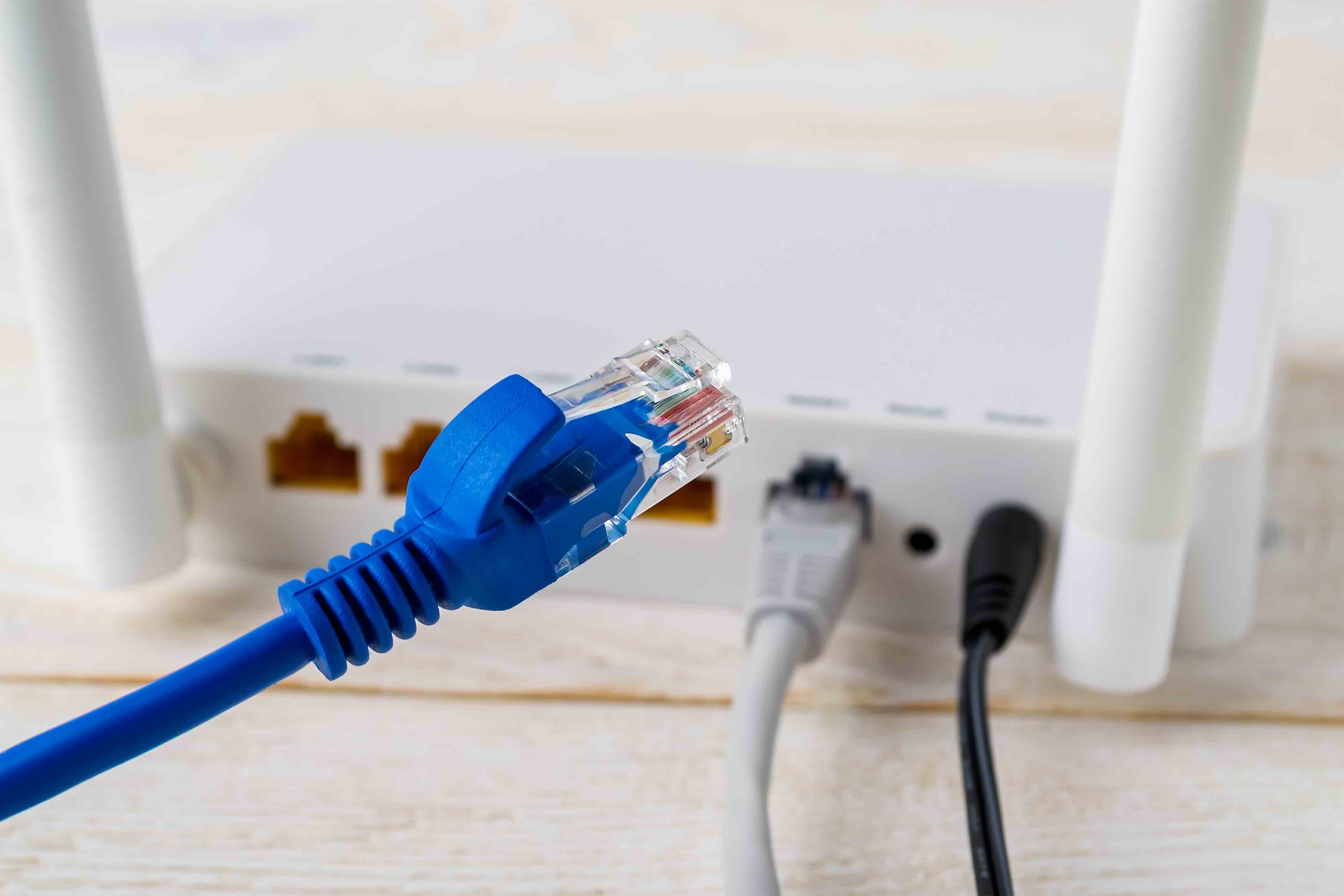
Where Does the Ethernet Cable Go? A Complete Guide to Wired Network Connections
It sounds like a basic question -- and honestly, it kind of is -- but "where does the ethernet cable go" gets searched thousands of times a month, and for good reason. Whether you're setting up a home network for the first time, troubleshooting a slow connection, or helping a family member get online, knowing exactly where ethernet cables plug in and why it matters is genuinely useful knowledge. This guide breaks it all down in plain language, from the physical ports to the practical setup decisions that affect your daily internet experience.
What Is an Ethernet Cable and What Does It Actually Do
An ethernet cable is a physical networking cable used to connect devices to a local area network. It transmits data using electrical signals over copper wire -- usually twisted pairs of wire bundled inside a protective jacket. Unlike Wi-Fi, which sends data wirelessly through radio frequencies, an ethernet connection is direct, consistent, and significantly less prone to interference. The cable acts as a dedicated highway between your device and your network infrastructure, whether that is a router, switch, modem, or wall port. Categories like Cat5e, Cat6, and Cat6A define the cable's performance capability, but the physical connector on each end -- called an RJ45 connector -- is standardized and fits into any standard ethernet port.
Where Does the Ethernet Cable Plug In on Your Device
On the device side, the ethernet cable connects to the ethernet port, sometimes labeled LAN or RJ45. You will typically find this port on the side or back of a desktop computer, on the rear or side edge of a laptop (if it has one), on gaming consoles, smart TVs, and network-attached storage devices. The port is slightly wider than a standard phone jack and has a small plastic clip that locks the connector into place. If your laptop does not have a built-in ethernet port -- which is increasingly common with thinner designs -- you can use a USB to ethernet adapter or a USB-C ethernet adapter to add that capability without much hassle.
Where Does the Other End of the Ethernet Cable Go
This is where most people get a little uncertain, so let's go through the main options clearly. The other end of your ethernet cable connects to one of the following, depending on your network setup:
- A router's LAN port -- this is the most common setup for home users connecting a single device directly to the network
- A network switch -- used when you need more wired connections than your router offers
- A modem with a built-in router -- also called a gateway device, common in ISP-provided equipment
- A wall ethernet jack -- found in office buildings, dorms, hotels, and structured home wiring setups
- A patch panel -- used in professional and enterprise environments to manage multiple connections in one organized location
Each of these endpoints serves a slightly different purpose, but the cable behavior is the same -- it transmits data between two points using a direct physical connection.
Router vs Switch vs Modem: Understanding the Difference
A modem connects your home to the internet service provided by your ISP. A router manages traffic between devices on your local network and directs internet data to the right device. A switch expands the number of available wired ports by connecting to your router and providing additional LAN connections. In many home setups, the modem and router are combined into one device. For more complex setups -- like a home office, media room, or small business -- a dedicated switch becomes essential for managing multiple wired devices without signal degradation or port limitations. Understanding these roles helps you figure out exactly where each ethernet cable should terminate.
Wall Ethernet Ports: What They Are and How They Work
If you're in an office, a newer home, or a college dorm, you may have ethernet wall jacks installed in the walls. These look similar to electrical outlets but feature an RJ45 port. Behind that wall plate, a cable runs through the wall and terminates at either a patch panel in a network closet or directly at a router or switch. Plugging your ethernet cable into a wall jack connects your device to whatever network infrastructure is on the other end. This is a clean, professional solution that avoids cable clutter and provides stable, reliable connectivity throughout a building without relying on wireless signals.
Wired vs Wireless: Key Advantages of Using Ethernet
There's a real performance difference between ethernet and Wi-Fi, and it tends to matter most when you need reliability rather than convenience. Here's what wired connections consistently deliver over wireless:
- Lower latency, which matters for gaming, video calls, and real-time applications
- More consistent speeds without fluctuation from interference or distance
- Higher security since physical access to the network is required
- Better performance in dense environments with many connected devices
- Easier troubleshooting because connection issues are more predictable and isolated
That said, ethernet does require physical cable runs, which can be inconvenient in spaces that weren't pre-wired. For most stationary devices -- desktop computers, gaming consoles, smart TVs, and network equipment -- a wired connection is almost always the better technical choice.
Common Drawbacks and Limitations of Ethernet Connections
Ethernet is not without its limitations, and it's worth being realistic about them. The most obvious is the cable itself -- you're physically tethered to a port, which limits mobility. Running cables through walls, across rooms, or between floors requires planning, tools, and sometimes professional installation. Cable length also matters; standard ethernet cable runs are rated up to 328 feet (100 meters) before signal degradation becomes an issue. Beyond that, you would need additional network equipment to extend the run. Additionally, older cable categories like Cat5 may not support the bandwidth needed for modern gigabit or multi-gigabit connections, meaning an upgrade to Cat6 or Cat6A could be necessary to get full performance out of your network infrastructure.
Practical Tips for Setting Up and Managing Ethernet Cables
Getting your ethernet setup right from the start saves time and reduces frustration down the road. A few practical considerations that make a real difference: use the correct cable category for your network speed requirements -- Cat6 is a solid choice for most home and small business setups offering up to 10 Gbps over shorter distances. Label both ends of every cable if you are running multiple connections. Avoid sharp bends or pinching cables under furniture, as this can damage the internal wiring over time. Use cable management clips, raceways, or wall conduit to keep runs clean and protected. And always test a new cable connection before assuming it is the source of a network problem -- a loose or poorly terminated connector is one of the most common causes of intermittent connectivity issues.
Why Monoprice Is the Right Choice for Your Ethernet Cabling Needs
When you are ready to build out a wired network -- whether it's a single cable run from your desk to your router or a full structured cabling installation across a home or business -- the quality of your cable matters more than most people realize. Cheap, poorly constructed cables can introduce signal loss, fail at the terminations, or simply not deliver the rated speeds you are expecting. That is exactly why so many IT professionals, AV integrators, and network installers trust Monoprice for their cabling infrastructure. Monoprice offers a full line of high-performance ethernet networking cables and wired connectivity solutions designed to deliver reliable gigabit and multi-gigabit performance at a price point that makes sense for both home users and enterprise deployments. Every cable is built to spec, clearly labeled by category, and backed by the kind of product confidence that comes from years of delivering real value to real users. If you want wired networking done right without overpaying, Monoprice is the practical, professional choice.
Frequently Asked Questions About Ethernet Cable Connections
Where does an ethernet cable plug into a router?
An ethernet cable plugs into one of the LAN ports on the back of your router. These ports are typically numbered and labeled LAN. The WAN or internet port is separate and connects to your modem.
Can I plug an ethernet cable directly into a modem?
Yes, you can connect a single device directly to a modem using an ethernet cable, but this bypasses your router and its firewall, which is a security risk. Most users should connect to a router instead.
What does the wall ethernet port connect to?
A wall ethernet port connects through in-wall cabling to either a patch panel in a network closet or directly to a router or switch. The endpoint depends on how the building's network infrastructure was designed.
Does it matter which ethernet port I use on a switch?
No, most unmanaged switches allow you to use any available port interchangeably. Managed switches may have port-specific configurations, but for standard connectivity any open port will work.
How long can an ethernet cable run before losing signal?
The maximum recommended length for a standard ethernet cable run is 328 feet or 100 meters. Beyond that distance, signal degradation can reduce performance and cause connection instability.
What is the difference between Cat5e, Cat6, and Cat6A ethernet cable?
Cat5e supports up to 1 Gbps at 100 meters. Cat6 supports up to 10 Gbps at shorter distances up to 55 meters. Cat6A supports 10 Gbps at the full 100-meter distance and is the better long-term investment for new installations.
Do I need a special ethernet cable for gaming?
No special cable is required for gaming, but a Cat6 or higher ethernet cable is recommended to ensure low latency and consistent speeds. The key benefit for gaming is the stable, interference-free connection that wired ethernet provides over Wi-Fi.
Why does my ethernet cable keep disconnecting?
Intermittent ethernet disconnections are usually caused by a damaged cable, a loose RJ45 connector, a failing network port, or outdated network drivers. Testing with a known working cable is the fastest way to isolate the issue.
Can I use an ethernet cable with a laptop that has no ethernet port?
Yes. A USB to ethernet adapter or USB-C ethernet adapter allows you to connect an ethernet cable to a laptop without a built-in RJ45 port. These adapters are widely available and easy to use.
Is ethernet faster than Wi-Fi?
In most real-world conditions, yes. Ethernet provides more consistent speeds, lower latency, and fewer interruptions compared to Wi-Fi, particularly in environments with multiple connected devices or physical obstructions between the router and the device.


