

What Is Inside an HDMI Cable and Why It Matters
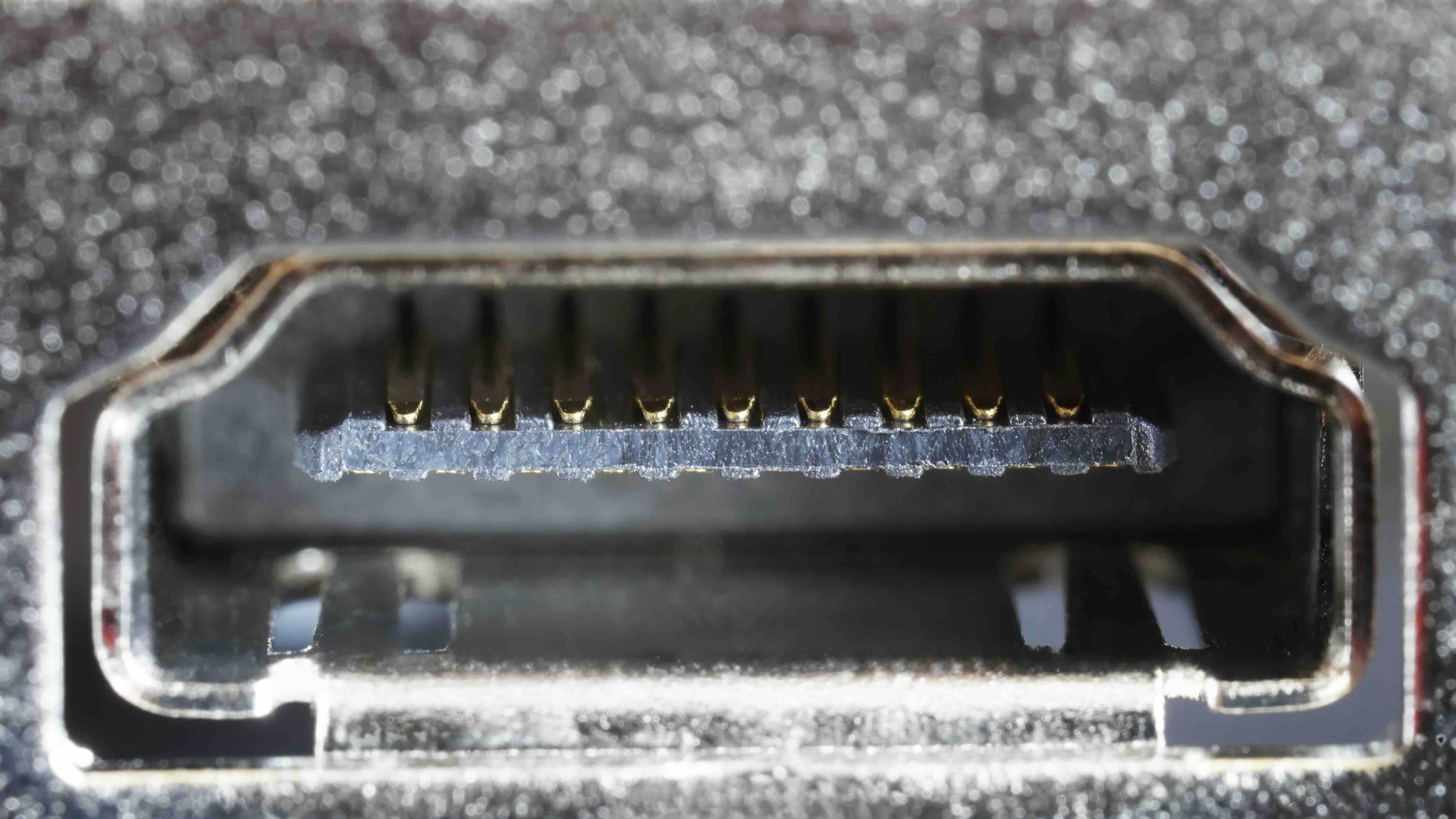
What Is Inside an HDMI Cable and Why Does It Matter?
Most people plug in an HDMI cable and never think twice about what is actually happening inside that thin sleeve of plastic and metal. Which is fair, honestly. It works or it does not. But if you have ever wondered why some cables handle 4K with no issues while others drop signal or cause flickering, the answer is almost entirely about what is going on beneath the jacket. Understanding the internal construction of an HDMI cable helps you make smarter buying decisions, troubleshoot problems faster, and stop overpaying for marketing instead of engineering. So let us get into it.
The Basic Anatomy of an HDMI Cable
At its core, an HDMI cable is a bundle of carefully arranged conductors and shielding layers working together to carry high-speed digital signals from one device to another. It is more complex than it looks. A standard HDMI cable contains 19 pins, each connected to its own conductor path, all traveling through the same outer jacket. The cable has to manage simultaneous transmission of video, audio, control signals, and even power in some configurations. Getting all of that right without interference is an engineering challenge, not a trivial one.
The Twisted Pairs: Where the Signal Lives
The core of the HDMI signal is carried by three TMDS data channels, which stands for Transition Minimized Differential Signaling. Each of these channels is a twisted pair of conductors, and there is also a fourth twisted pair for the TMDS clock signal. That gives you four twisted pairs total for the primary video and audio data. The twisting is not decorative. It is a deliberate engineering choice that reduces electromagnetic interference by ensuring that any noise picked up by the pair is cancelled out when the signals are compared at the receiving end. Higher quality cables use tighter, more consistent twisting and thicker gauge conductors, which directly affects how well the cable handles long runs and high bandwidth signals.
Shielding Layers and Why They Are Critical
Wrapped around those twisted pairs is shielding, and this is where cable quality starts to diverge significantly. A well-built HDMI cable typically uses individual foil shields around each twisted pair, plus an overall braid or foil shield around the entire conductor bundle. Some premium cables layer both. This shielding keeps outside interference from corrupting the signal and also prevents the cable itself from radiating interference that could affect nearby electronics. Thin or incomplete shielding is one of the most common reasons a cheaper cable struggles in demanding setups, particularly in rack-mounted AV environments or near other high-frequency cables.
Additional Conductors: Control, Power, and Ethernet
Beyond the four twisted pairs, an HDMI cable carries several other conductors with specific jobs. There is a dedicated channel for the Hot Plug Detect signal, which tells source devices that a display has been connected. There is also the DDC channel, used for EDID communication, which is how a TV or monitor tells a source device what resolutions and audio formats it supports. CEC, or Consumer Electronics Control, runs through the cable as well and allows connected devices to control each other with a single remote. HDMI cables rated for Ethernet also include a dedicated channel for that purpose. And then there are the power pins, which supply a small voltage used by some adapters and accessories. Every one of these functions has its own conductor or pair running through the cable alongside the main signal paths.
Cable Gauge, Materials, and Build Quality
The conductor gauge matters more than most people realize. Thicker conductors, measured by a lower AWG number, carry signals more reliably over longer distances. A 28 AWG cable might work fine for a three-foot desktop run, but push that same cable to fifteen feet carrying 4K HDR signal and you are asking for trouble. Higher bandwidth versions like HDMI 2.1 are especially sensitive to conductor quality because they are pushing significantly more data per second. Oxygen-free copper is a common material choice for better conductivity and long-term stability, and the quality of the connector termination at each end plays a role too. A well-crimped, gold-plated connector with proper strain relief at the jacket entry point will outlast a cheaply terminated one in almost any environment.
HDMI Versions and How Internal Design Scales
The internal construction of an HDMI cable has to scale with the version it is designed to support. Here is how the major versions stack up in terms of what the internal design has to support:
- HDMI 1.4 supports up to 10.2 Gbps bandwidth and handles 1080p and basic 4K at limited frame rates
- HDMI 2.0 raises that to 18 Gbps, enabling full 4K at 60Hz with HDR support
- HDMI 2.1 pushes to 48 Gbps, supporting 8K at 60Hz and 4K at 120Hz with full HDR passthrough
- Ultra High Speed HDMI cables certified for 2.1 require tighter tolerances, better shielding, and higher quality conductors throughout
Trying to run an HDMI 2.1 signal through an older cable built to 1.4 specs is a setup for signal loss and frustration. The cable version matters as much as the device version.
Common Problems Caused by Poor Internal Construction
When an HDMI cable fails, it is usually the internals that are to blame. Signal flickering is often tied to inconsistent shielding or a loose conductor at the termination point. Handshake issues, where devices cannot agree on a resolution or format, are frequently caused by problems with the DDC conductors or the Hot Plug Detect line. Picture dropout at high resolutions usually points to insufficient conductor gauge or bandwidth rating for the task at hand. Knowing this helps narrow down troubleshooting quickly instead of cycling through every setting in a display menu looking for an answer that is actually sitting on the floor behind the TV.
Why Monoprice Should Be Your Go-To Source for HDMI Cables
If there is one thing that becomes obvious after learning what is actually inside an HDMI cable, it is that construction quality is everything. That is exactly where Monoprice has built its reputation. For years, integrators, IT professionals, and home theater enthusiasts have trusted Monoprice because the brand delivers cables engineered to perform, not just packaged to sell. Every internal detail, conductor gauge, shielding configuration, connector termination, is treated as a performance variable. Whether you need a two-foot desktop cable or a 25-foot active cable for a complex install, finding the right high-speed HDMI cables built for 4K and 8K performance at Monoprice means getting a product that has been spec-checked against real-world demands. The value proposition is straightforward: premium internal construction, rigorous certification where applicable, and pricing that does not punish you for knowing what you need. That is the Monoprice difference, and it shows in the performance.
Frequently Asked Questions About What Is Inside an HDMI Cable
How many wires are inside a standard HDMI cable?
A standard HDMI cable contains 19 conductors in total, including four twisted pairs for TMDS data and clock signals, plus additional individual conductors for functions like CEC, DDC, Hot Plug Detect, and power delivery.
Does a more expensive HDMI cable actually perform better?
Not always, but cable construction does matter. Cables with better shielding, thicker conductors, and proper termination handle longer runs and higher bandwidth signals more reliably. The key is matching the cable spec to the actual use case, not just buying the most expensive option on the shelf.
What is TMDS and why does it matter in HDMI cables?
TMDS stands for Transition Minimized Differential Signaling. It is the method used to transmit video and audio data through the twisted pairs inside an HDMI cable. The differential nature of the signal helps cancel out noise and interference, which is why twisted pair construction is essential to HDMI performance.
Can I use an HDMI 2.0 cable for an HDMI 2.1 device?
In some cases the cable will still function, but it will not support the full 48 Gbps bandwidth that HDMI 2.1 is capable of. For 8K signals or 4K at 120Hz with HDR, you need an Ultra High Speed HDMI cable certified to the 2.1 standard.
What causes HDMI signal flickering?
Flickering is commonly caused by inadequate shielding inside the cable, a loose or poorly terminated connector, a cable that is too long for its gauge, or a mismatch between cable bandwidth rating and the signal being sent.
Does HDMI cable length affect signal quality?
Yes. Longer passive HDMI cables require thicker conductors and better shielding to maintain signal integrity. For runs beyond 15 to 20 feet, active HDMI cables with built-in signal boosters or fiber optic HDMI cables are the more reliable choice.
What is CEC in an HDMI cable?
CEC stands for Consumer Electronics Control. It is a single-wire protocol carried inside every HDMI cable that allows multiple connected devices to communicate and be controlled by a single remote. Features like ARC and device auto-switching depend on CEC functioning correctly.
Is gold plating on HDMI connectors just marketing?
Gold plating serves a real purpose. Gold resists oxidation better than bare copper or nickel, which helps maintain a clean electrical connection over time, especially in environments where connectors are plugged and unplugged repeatedly or exposed to humidity.
What is the difference between a standard and high-speed HDMI cable?
Standard HDMI cables are rated for up to 4.95 Gbps and handle 1080i or 720p. High-speed cables support up to 10.2 Gbps for 1080p and basic 4K. Premium High Speed and Ultra High Speed ratings go further, supporting 18 Gbps and 48 Gbps respectively for modern 4K and 8K applications.
Why do some HDMI cables have thicker jackets than others?
A thicker outer jacket usually indicates more internal shielding layers and heavier gauge conductors inside. It also provides better physical protection and strain relief, which matters in professional installations where cables are routed through walls, conduit, or furniture.


