

What Is HDMI and Why It Matters for Your Setup
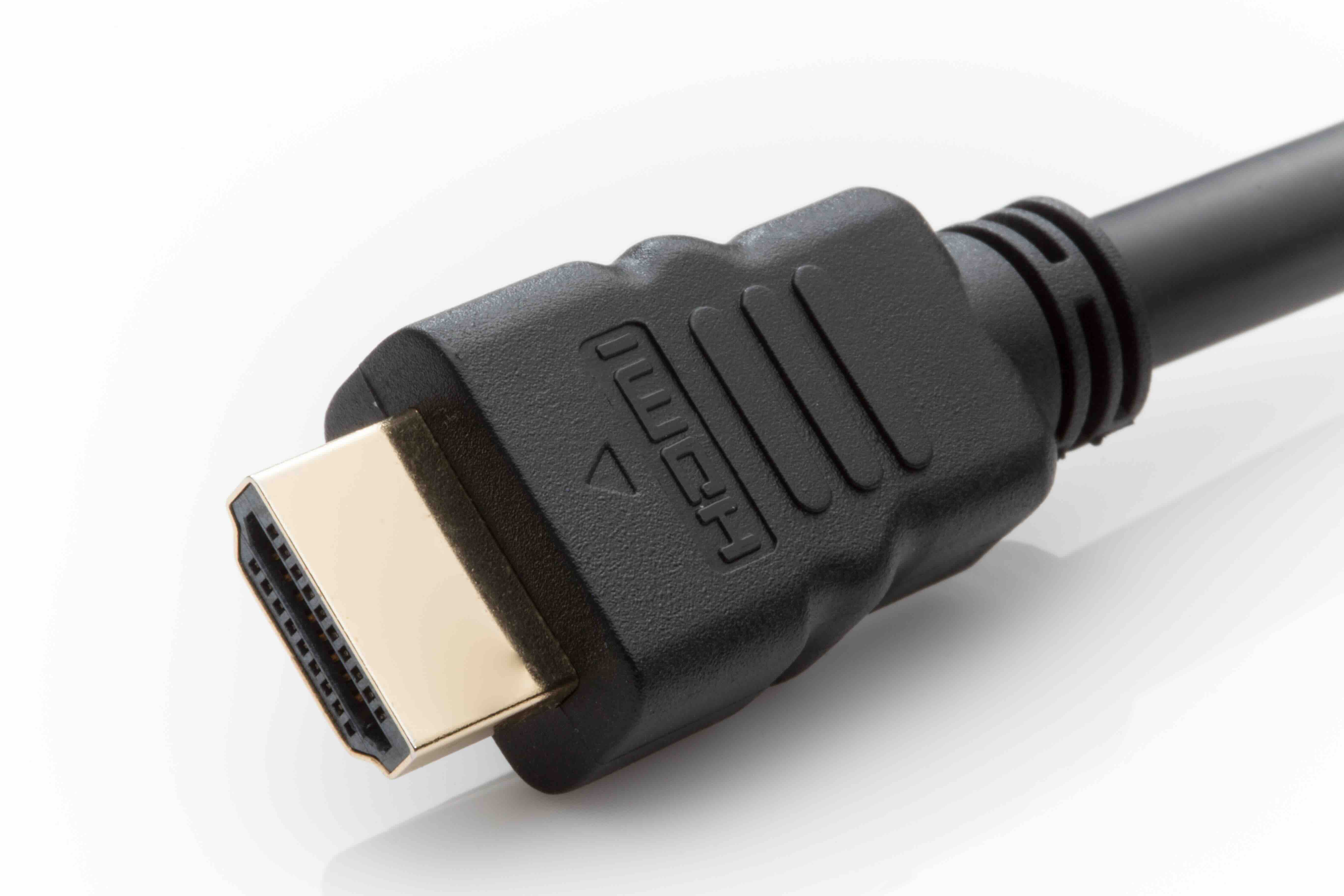
What Is an HDMI Connection and Why Does It Matter?
If you have ever connected a laptop to a monitor, plugged a gaming console into a TV, or set up a home theater system, there is a very strong chance you have already used an HDMI connection without giving it much thought. HDMI -- which stands for High-Definition Multimedia Interface -- is one of the most widely adopted audio and video transmission standards in the world. It carries both high-definition video and multi-channel audio through a single cable, eliminating the tangle of separate cords that used to be standard practice. Introduced in 2002 and developed collaboratively by major consumer electronics manufacturers, HDMI has become the default connection type for televisions, monitors, projectors, soundbars, Blu-ray players, and just about anything else that outputs or receives video. It is the kind of technology that quietly makes modern entertainment and productivity possible, and understanding it can genuinely help you make smarter purchasing and setup decisions.
How Does an HDMI Connection Actually Work?
At its core, an HDMI connection transmits uncompressed digital video data and compressed or uncompressed digital audio data between two devices. The cable itself contains 19 pins arranged within the connector, each serving a specific role in the transmission of data, clock signals, and power. Unlike older analog standards such as VGA or component video, HDMI sends everything as a digital signal, which means less signal degradation over the cable length and no need for analog-to-digital conversion at the receiving end. The interface also supports a communication protocol called HDCP, or High-bandwidth Digital Content Protection, which is the system that allows streaming services and disc players to verify that the connected display is authorized to receive protected content. On top of that, HDMI includes a return channel feature called ARC -- Audio Return Channel -- and its newer version eARC, which allows audio to travel back from a TV to a soundbar or receiver without a separate optical cable. The whole system is remarkably efficient once you understand what is happening beneath the surface.
HDMI Versions Explained: What Has Changed Over the Years
Not all HDMI cables and ports are created equal, and version numbers actually matter quite a bit when you are trying to get the best possible picture and sound. HDMI 1.4 introduced support for 4K resolution at 30 frames per second and added the ARC feature. HDMI 2.0 pushed bandwidth significantly higher, enabling 4K at 60 frames per second and support for HDR content. Then came HDMI 2.1, which is the current high-water mark -- it supports 8K at 60Hz, 4K at 120Hz, Dynamic HDR, enhanced ARC, and variable refresh rate for gaming displays. If you are building or upgrading a home theater or gaming setup today, HDMI 2.1 compatibility is something worth looking for in both your cable and your devices. The version of the cable needs to match the capabilities of your source and display to get the full benefit. A lot of people overlook this and end up wondering why their 4K TV is not performing the way they expected.
Types of HDMI Connectors and Which One You Need
HDMI comes in several physical connector sizes, and knowing which one your device uses saves a lot of frustration at setup time. The standard Type A connector is the full-size version found on most televisions, monitors, AV receivers, and desktop graphics cards. The Type C connector, often called Mini HDMI, shows up on some laptops, tablets, and cameras. The Type D connector, or Micro HDMI, is even smaller and appears on compact cameras and older smartphones. There is also a Type B connector, which is dual-link and supports extremely high resolutions, though it is rarely encountered outside of professional video environments. For most home and office applications, you are working with Type A. If you are connecting a DSLR camera or a portable device, double-check whether it uses Mini or Micro before you buy a cable, because the wrong adapter is a hassle nobody needs.
Key Advantages of Using HDMI
HDMI has dominated the AV connection landscape for over two decades for good reason. The advantages it offers are both practical and significant for everyday users and professional installers alike.
- Single-cable convenience for both audio and video
- Supports high resolutions including 4K and 8K
- Carries advanced audio formats like Dolby Atmos and DTS:X
- Enables device control through the CEC protocol across compatible devices
- Widely supported across virtually all modern display and source hardware
- ARC and eARC reduce cable clutter in home theater setups
- HDCP compliance ensures compatibility with protected streaming and disc content
- Plug-and-play functionality with no driver installation required
These advantages are not just theoretical. In practice, simplifying your cable setup and ensuring the highest possible signal quality has a real impact on the day-to-day experience of using your equipment. Less troubleshooting, better picture quality, and more reliable audio routing are the outcomes that matter.
Common Limitations and Drawbacks to Be Aware Of
No technology is without tradeoffs, and HDMI is no exception. Cable length is one of the more practical constraints -- passive HDMI cables begin to experience signal degradation beyond about 25 feet, which can be a genuine issue for larger rooms or commercial installations. Active cables and HDMI over fiber solutions exist to address this, but they add cost. Another consideration is version compatibility: if your source device outputs HDMI 2.1 signals but your cable is only rated for HDMI 2.0 bandwidth, you will not get the full performance. HDCP handshake failures are another common source of frustration, particularly when older equipment is involved, and they can result in a blank screen or error message even when everything appears to be connected correctly. Finally, HDMI does not natively support daisy-chaining multiple displays the way DisplayPort does, which is a limitation worth knowing about for multi-monitor productivity setups.
HDMI vs. DisplayPort vs. USB-C: How They Compare
HDMI is not the only digital video connection standard in use today, and depending on your setup, one of its alternatives might actually serve you better. DisplayPort is commonly found on computer monitors and graphics cards, and it has strong support for multi-monitor daisy-chaining and high refresh rates favored by PC gamers. USB-C with DisplayPort Alt Mode or Thunderbolt 3 and 4 support allows modern laptops to output video through a single versatile port that also handles power and data. The right choice depends on what you are connecting. For home theater and television-based setups, HDMI is almost always the standard because televisions and AV receivers are built around it. For professional monitor setups and high-frame-rate PC gaming, DisplayPort has some technical advantages. For portable devices and modern ultrabooks, USB-C is increasingly the most practical option. Many installations use a combination of all three, which is why understanding each one helps.
Practical Tips for Getting the Most Out of Your HDMI Setup
A few straightforward practices can make a meaningful difference in both performance and reliability when working with HDMI connections. First, always match the cable version to the capabilities of your devices -- using an older cable with a newer display or source device is one of the most common causes of underperformance. Second, keep cable runs as short as practically possible; if you need longer runs, invest in active cables or an HDMI signal extender rather than relying on a passive cable to do too much. Third, check that both your source and display are set to output and receive at the intended resolution and refresh rate -- device settings often default to lower values and need manual adjustment. Fourth, when dealing with multi-device setups involving a receiver or switch, verify HDCP version compatibility across all connected hardware. These are not complicated steps, but skipping them accounts for a disproportionate share of AV setup headaches.
Why Monoprice Is the Smart Choice for HDMI Cables and AV Connectivity
When it comes to sourcing reliable, high-performance HDMI cables and accessories without overpaying, few brands have built the kind of consistent track record that Monoprice has. The company has spent years earning the trust of both everyday consumers and professional AV integrators by delivering products that meet or exceed industry standards at pricing that makes sense for any budget. Whether you need a certified Ultra High Speed HDMI 2.1 cable for a 4K gaming setup or a bulk order of standard HDMI cables for a commercial installation, Monoprice has the inventory and the expertise to cover it. Their cables are backed by real certifications, including compliance with HDMI.org standards, which means the performance claims are not just marketing language. For anyone serious about their AV setup, Monoprice HDMI cables and AV connectivity solutions represent the kind of value-driven, performance-first approach that professionals and home users alike can rely on. It is one of those purchasing decisions that just makes sense the more you look into it.
Frequently Asked Questions About HDMI Connections
What does HDMI stand for?
HDMI stands for High-Definition Multimedia Interface. It is a standardized digital interface used to transmit uncompressed video and audio data between compatible devices through a single cable.
Does the HDMI cable version actually matter?
Yes, it does. Different HDMI versions support different maximum resolutions, refresh rates, and features. For example, HDMI 2.1 is required to support 4K at 120Hz or 8K at 60Hz, while older versions cap out at lower performance levels.
Can I use any HDMI cable with any HDMI port?
Physically, standard HDMI connectors are compatible across versions. However, the bandwidth capabilities of the cable must match or exceed the output of your source device to achieve the intended resolution and refresh rate.
What is the maximum length for an HDMI cable?
Passive HDMI cables reliably perform up to about 25 feet. Beyond that, signal degradation can occur. For longer runs, active HDMI cables, fiber optic HDMI cables, or HDMI extenders are recommended.
What is HDMI ARC and do I need it?
ARC stands for Audio Return Channel. It allows a television to send audio back to a connected soundbar or AV receiver through the same HDMI cable used for video, eliminating the need for a separate optical audio cable. eARC, found in HDMI 2.1, supports higher-quality audio formats including Dolby Atmos and DTS:X.
What causes an HDMI handshake failure?
HDMI handshake failures typically occur when two connected devices cannot complete the HDCP authentication process. This can happen due to version incompatibility, faulty cables, or outdated firmware on one of the connected devices.
Is HDMI 2.1 worth it for gaming?
For users with a 4K display capable of 120Hz or a console such as the PlayStation 5 or Xbox Series X, HDMI 2.1 is a meaningful upgrade. It enables higher frame rates at 4K resolution and supports variable refresh rate technology for smoother gameplay.
What is the difference between HDMI and DisplayPort?
Both are digital video standards, but they serve slightly different use cases. HDMI is the dominant standard for televisions and home theater equipment. DisplayPort is more common in computer monitors and supports multi-monitor daisy-chaining, which HDMI does not natively offer.
Can HDMI carry surround sound?
Yes. HDMI supports a wide range of audio formats including standard stereo, 5.1 and 7.1 surround sound, Dolby TrueHD, DTS-HD Master Audio, and with eARC, object-based formats like Dolby Atmos and DTS:X.
Do more expensive HDMI cables actually perform better?
Not necessarily. Digital signals either transmit correctly or they do not. A certified HDMI cable that meets the required specification for your setup will perform the same as a cable priced much higher. What matters is that the cable is rated for the bandwidth your devices require, not the price tag attached to it.


