

What Is an S-Video Cable and Why It Mattered
What Is an S-Video Cable and Why Did It Matter So Much
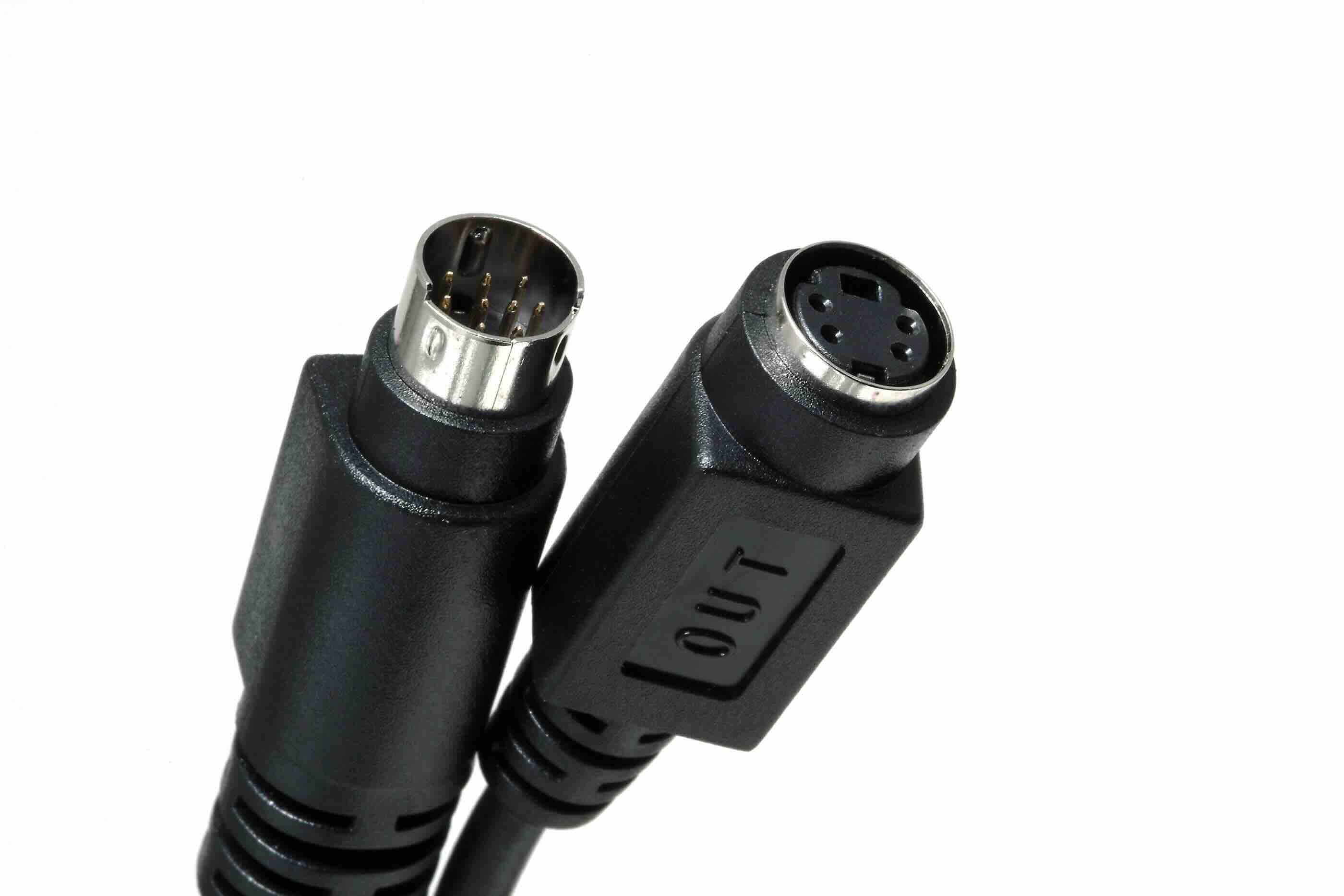
If you have ever dug through a box of old electronics and pulled out a small round connector with several tiny pins arranged in a circle, there is a good chance you were holding an S-Video cable. It looks a little unassuming, honestly -- not much to look at compared to modern HDMI cables -- but back in its prime, this connector was considered a genuine upgrade for anyone who cared about picture quality. S-Video, which stands for Separate Video, was a standard analog video interface that transmitted video signals in a way that significantly improved image quality over older composite video connections. It does not carry audio, just video, and that distinction actually matters more than it sounds. Understanding what S-Video is, how it worked, and where it still shows up today helps paint a clearer picture of how video technology evolved into what we use now.
How S-Video Works: Separating the Signal
Here is the core idea behind S-Video, and it is actually pretty elegant once you see it. Traditional composite video cables bundle all the video information -- brightness, color, sync -- into a single signal traveling down one wire. That bundling causes something called chroma dot crawl and color bleeding, which are basically visual artifacts that make the image look softer or noisier than it should. S-Video fixes that by splitting the signal into two separate channels: luminance, referred to as the Y channel, which carries brightness and sync data, and chrominance, referred to as the C channel, which carries the color information. By keeping these two components apart during transmission, the cable avoids the interference problems that plague composite connections. The result is a cleaner, sharper image with better color accuracy. It is not a revolutionary leap, but it was a meaningful and practical one for its era.
The Physical Design of an S-Video Connector
S-Video cables use a 4-pin mini-DIN connector as the standard configuration, though a 7-pin variant also exists for certain professional and extended applications. The connector is circular, relatively compact, and has a small notch or key that ensures it only inserts one way -- which is helpful because the pins are close together and fragile. The cable itself typically carries two signal pairs, each shielded individually to minimize crosstalk between the luminance and chrominance channels. It is worth noting that the connectors can feel a little delicate, and forcing them in the wrong orientation is a fast way to bend a pin. Handle them carefully, especially on older equipment where the ports may have some wear.
What Devices Used S-Video Connections
S-Video had a long run across consumer electronics and professional video gear. During the late 1980s through the mid-2000s, it appeared on a wide range of devices. Some of the most common equipment that featured S-Video ports included the following:
- VCRs and S-VHS players
- DVD players and recorders
- Camcorders and analog video cameras
- CRT televisions and monitors
- Video game consoles, particularly from the Nintendo and Sega eras
- Laptop computers and desktop graphics cards
- Projectors and display equipment used in education and business settings
The format found a comfortable home in both consumer and semi-professional environments. It was the kind of connection that someone who genuinely cared about image quality would seek out, even if they were not a full broadcast professional. For many users, going from composite to S-Video on a DVD player connected to a television was a noticeable and satisfying improvement.
Key Advantages of S-Video Cables
Even now, it is worth recognizing what S-Video did well. The advantages were real and practical for the time, and they help explain why the standard lasted as long as it did. The primary benefits include improved image sharpness and reduced color bleeding compared to composite video, better performance with content that had fine detail or saturated colors, relatively simple implementation that did not require complex encoding or decoding, and compatibility across a broad range of consumer and professional equipment from multiple manufacturers. It was also more affordable and accessible than component video for budget-conscious setups, while still delivering a meaningful quality improvement. For anyone building a home theater or video editing workflow in the 1990s or early 2000s, S-Video was often the sweet spot between cost and quality.
The Limitations and Drawbacks You Should Know
S-Video was not without its shortcomings, and being honest about them is important if you are evaluating older equipment. The format is strictly analog, which means it does not support digital video signals or HDCP content protection. It also has a resolution ceiling -- S-Video is generally considered suitable up to about 480i or 576i, the standard definition resolutions common before high-definition video became mainstream. It carries no audio whatsoever, so separate audio cables are always required, which adds complexity to a cable setup. It also falls behind component video in terms of raw image quality, since component separates the signal even further into three channels. And of course, compared to modern standards like HDMI or DisplayPort, S-Video is simply outclassed in every measurable dimension. It is a legacy format at this point, and while it still has niche applications, it is not a viable choice for any modern display or source equipment.
S-Video vs. Composite vs. Component: Quick Comparison
It helps to place S-Video in context alongside the other analog video formats it coexisted with. Composite video uses a single RCA connector and bundles all video data together, producing the lowest image quality of the three. S-Video improves on composite by separating luminance from chrominance, delivering a noticeably cleaner picture. Component video goes further still, splitting the signal into three separate channels -- typically Y, Pb, and Pr -- and supports higher resolutions including 480p, 720p, and 1080i. Each step up in signal separation generally corresponds to an improvement in image quality, assuming the source material and display are capable of taking advantage of it. S-Video sits in the middle of this analog hierarchy, better than composite, not as capable as component, and entirely separate from digital standards like HDMI.
When You Might Still Encounter S-Video Today
S-Video is genuinely a legacy technology, but it has not completely disappeared. Retro gaming enthusiasts frequently seek out S-Video cables for classic consoles because the image improvement over composite is significant on period-accurate CRT displays. Video archivists and digitization professionals still work with equipment that outputs S-Video when converting old VHS or Hi8 footage. Certain older projectors and display devices in educational or institutional settings may still have S-Video inputs in active use. If you are working with any of this kind of equipment, having access to quality S-Video cables, adapters, or capture cards that support the format is a practical necessity. The format may be old, but its relevance in specific workflows has not fully faded.
Why Monoprice Is the Right Source for Your Cable and AV Connectivity Needs
When you are trying to source the right cables for a legacy setup, a retro gaming configuration, a video digitization project, or really any AV connectivity need, the quality and reliability of the cable itself matters more than most people expect. Cheap, poorly constructed cables introduce signal degradation, interference, and frustration. Monoprice has built a trusted reputation for delivering high-performance cables and AV accessories at pricing that makes genuine sense, whether you are an individual enthusiast or a procurement team sourcing for an organization. For anyone exploring connectivity options across the full range of analog and digital standards, the best place to start is with professional-grade video cables and AV connectivity solutions that are engineered to perform and priced to deliver real value. Monoprice products are designed with the practical user in mind -- clear specs, consistent quality, and no unnecessary markup.
Frequently Asked Questions About S-Video Cables
What does S-Video stand for?
S-Video stands for Separate Video. The name refers to the way the format transmits video by separating the signal into two distinct components: luminance, which carries brightness and sync, and chrominance, which carries color information.
Is S-Video better than composite video?
Yes, S-Video generally produces a noticeably better image than composite video. By keeping the luminance and color signals separate, it avoids the color bleeding and dot crawl artifacts that are common with composite connections.
Does S-Video carry audio?
No. S-Video is a video-only format and does not transmit any audio signal. Separate audio cables, typically RCA stereo cables, are required when using S-Video in a home theater or media setup.
What resolution does S-Video support?
S-Video is a standard definition format. It generally supports resolutions up to 480i in North American formats and 576i in PAL-based regions. It does not support progressive scan or high-definition resolutions.
Can I connect S-Video to an HDMI television?
Not directly. Modern HDMI televisions do not include S-Video inputs. However, active converter boxes and adapters are available that can convert an S-Video signal to HDMI output, allowing older source devices to connect to current displays.
What type of connector does an S-Video cable use?
Standard S-Video cables use a 4-pin mini-DIN connector. A 7-pin variant also exists for specific professional applications. The connector is circular with a small alignment key to ensure correct insertion.
Is S-Video still used today?
S-Video is considered a legacy format, but it still appears in retro gaming setups, video digitization and archiving workflows, and older institutional AV equipment that has not been upgraded to modern standards.
How does S-Video compare to component video?
Component video delivers better image quality than S-Video because it splits the signal into three separate channels rather than two. Component also supports higher resolutions including 480p, 720p, and 1080i, while S-Video is limited to standard definition interlaced formats.
Why does S-Video look better on CRT displays for retro gaming?
CRT televisions were designed to work with analog signals and standard definition resolutions. When a retro console outputs S-Video to a CRT, the display processes the separated luminance and color channels cleanly, producing sharper and more accurate color reproduction than composite video on the same screen.
Can I make my own S-Video cable or should I buy one?
While technically possible to construct an S-Video cable with the right components, the individual signal pairs require proper shielding to maintain signal integrity. Purchasing a properly manufactured and shielded S-Video cable is the more reliable and practical approach for consistent performance.


