

What Is an HDMI Cord and What Is It Used For?
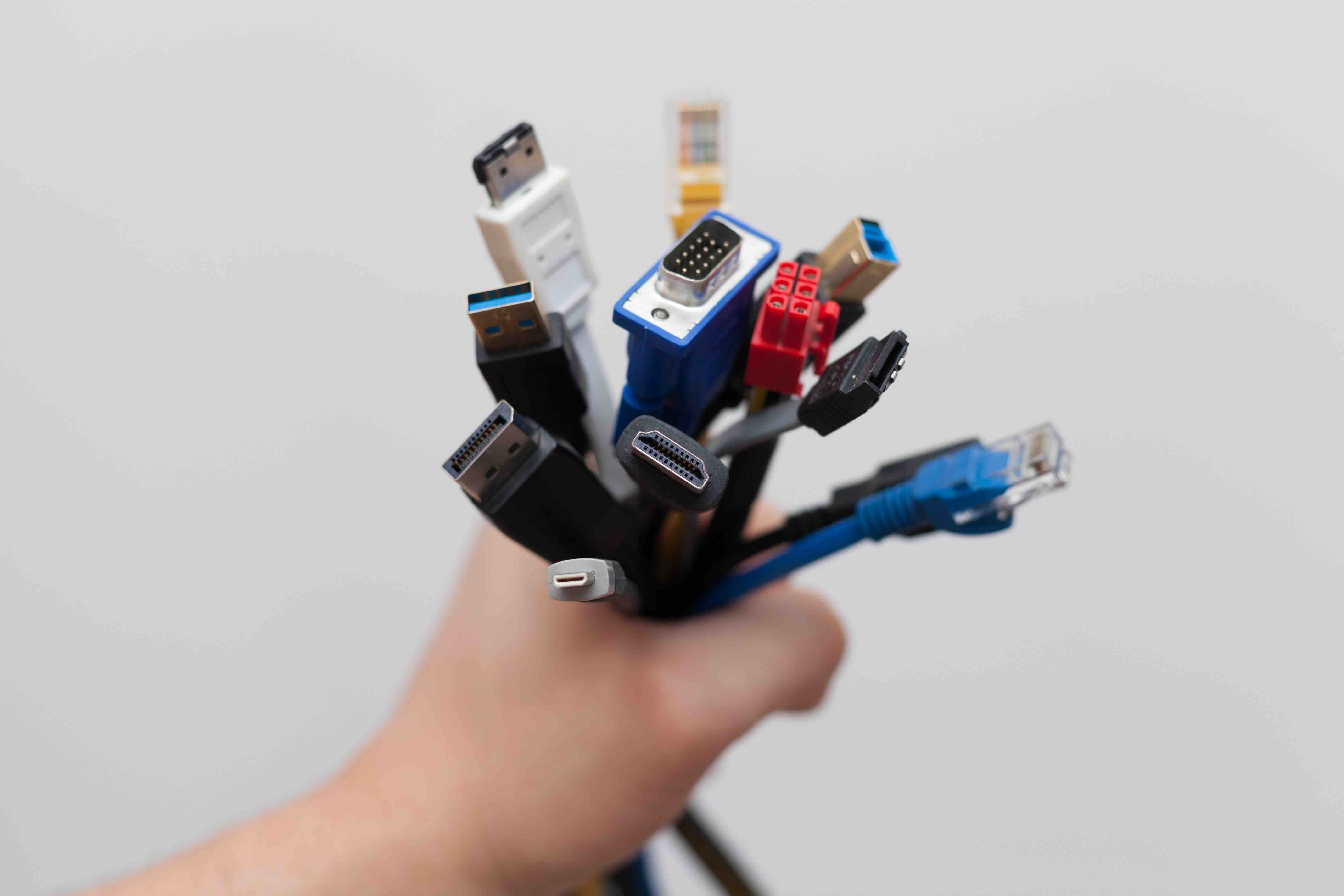
What Is an HDMI Cord and Why Does It Matter?
If you have ever plugged a laptop into a monitor, connected a gaming console to a TV, or set up a home theater system, you have almost certainly dealt with an HDMI cord. HDMI stands for High-Definition Multimedia Interface, and it is honestly one of those connectors that most people use every single day without giving it much thought. Which is fine, until something stops working or you need to buy a new one and suddenly there are like a dozen options staring back at you. So let us break this down properly. An HDMI cord is a cable that transmits both high-definition video and audio signals simultaneously over a single connection. That is the core thing to understand. One cable, two types of data, no mess. It replaced older, more cumbersome setups that required separate cables for video and audio, and it changed how consumers and professionals alike approach AV connectivity.
How Does an HDMI Cable Actually Work?
Right, so the actual mechanics here are worth understanding. An HDMI cable uses a series of twisted wire pairs inside its shielding to carry digital signals from a source device, say a Blu-ray player or a laptop, to a display device like a television or projector. The signal is entirely digital, which matters a lot. Unlike older analog connections such as component or composite cables, HDMI does not degrade the signal through conversion. What goes in is what comes out, provided the cable and both connected devices are functioning properly. The connector at each end typically has 19 pins that handle different data channels, including video, audio, and a dedicated channel for device communication called the Consumer Electronics Control, or CEC. That CEC channel is actually what allows your TV remote to control volume on a connected soundbar in some setups. Most people do not realize that is the cable making that happen.
The Different Types of HDMI Cables Explained
This is where things can get a little confusing, and it is worth slowing down here. Not all HDMI cables are built the same, and the version or category of the cable determines what it can actually support. Here is a practical overview of the main types you will encounter:
- Standard HDMI Cable: Supports up to 1080i or 720p resolution. Fine for older televisions and basic setups.
- High Speed HDMI Cable: Handles 1080p, 4K at 30Hz, and 3D content. This is what most people should be using for modern setups.
- Premium High Speed HDMI Cable: Certified for 4K at 60Hz with HDR. Designed for higher bandwidth demands and more color depth.
- Ultra High Speed HDMI Cable: The current top tier. Supports 8K at 60Hz, 4K at 120Hz, and Dynamic HDR. Built for HDMI 2.1 devices like newer gaming consoles and premium displays.
- HDMI with Ethernet: Includes an additional data channel for internet connectivity shared between devices. Useful in specific smart home configurations.
Matching the cable type to your actual devices is critical. Running a Standard HDMI cable to a 4K HDR display will produce a signal, but you will not get the performance your equipment is actually capable of delivering.
What Can You Use an HDMI Cord For?
The range of applications is genuinely broad. HDMI cords are used in home entertainment setups connecting streaming devices, gaming consoles, Blu-ray players, cable boxes, and soundbars to televisions. In professional AV environments, they connect presentation laptops to conference room displays, feed signals into AV distribution systems, and link cameras to monitors for live production work. In gaming, HDMI 2.1 cables have become essential for anyone running a PlayStation 5 or Xbox Series X at full capability, since those consoles output 4K at 120Hz and support Variable Refresh Rate. Home theater enthusiasts rely on Ultra High Speed HDMI to carry uncompressed audio formats like Dolby Atmos and DTS:X alongside high-resolution video. And increasingly, content creators use HDMI to route footage from cameras into capture cards for live streaming. The use cases are everywhere.
Key Advantages of Using HDMI Cables
There are real, practical reasons HDMI became the dominant standard in consumer and professional AV. The single-cable convenience alone is significant. Before HDMI, running audio and video separately meant more connections, more potential failure points, and more clutter. Beyond that, the digital signal transmission ensures consistent quality without the signal degradation associated with analog cables. HDMI also supports the Audio Return Channel, known as ARC, and its newer iteration eARC, which allows audio to be sent back from a TV to a connected audio device without an additional cable. For installers, system integrators, and home users alike, that is a meaningful simplification. The hot-plug capability means devices can be connected and recognized without powering the system down. And as display technology advances, the HDMI specification has kept pace, supporting increasing resolutions, refresh rates, and color spaces without abandoning the same familiar connector form factor.
Common Drawbacks and Limitations to Know
No technology is without its trade-offs, and HDMI is no exception. Cable length is probably the most immediate limitation. Standard passive HDMI cables begin to show signal degradation beyond roughly 25 feet, though this varies by cable quality and the resolution being transmitted. For longer runs, active HDMI cables or fiber optic HDMI solutions become necessary, and those come at a higher cost. The wide range of HDMI versions and cable categories also creates real confusion for consumers who do not know what they need. Plugging in the wrong cable type will work in a basic sense but may bottleneck the performance of connected devices. Additionally, HDMI cables are not universally immune to physical wear. The connector itself can loosen over time with repeated plugging and unplugging, particularly in high-traffic setups. For critical installations, this means cable management and connector quality are not minor details.
How to Choose the Right HDMI Cable for Your Setup
The honest answer is simpler than the marketing noise might suggest. Start with your devices. If you are connecting a 4K HDR television to a recent streaming stick or gaming console, Premium High Speed HDMI is a solid baseline. If your devices support HDMI 2.1 features like 4K at 120Hz or 8K output, you need an Ultra High Speed HDMI cable certified for 48Gbps bandwidth. Do not overbuy either. If your TV is a 1080p model, spending significantly more on an Ultra High Speed cable delivers zero visible benefit. Cable length matters too. Measure the actual run before purchasing. For distances under 15 feet, a high-quality passive cable will handle virtually anything. Beyond 25 feet, consider an active or fiber HDMI cable. And look for cables that carry certification marks from HDMI.org, which verifies they meet the stated specifications. A cable making bold performance claims without that certification is a risk not worth taking.
HDMI vs. Other Display Cables: A Quick Comparison
HDMI is not the only game in town, and it is worth knowing where it stands relative to its alternatives. DisplayPort, commonly found on computer monitors and graphics cards, offers comparable and in some cases higher bandwidth than HDMI, and it supports daisy-chaining multiple monitors together, which HDMI does not. USB-C with DisplayPort or Thunderbolt alt mode is increasingly common on laptops and mobile devices, offering similar capabilities in a smaller connector. VGA and DVI are legacy standards, analog and digital respectively, that lack audio support and are largely limited to older equipment. For most living room and home theater applications, HDMI remains the clear standard. For PC and workstation setups, DisplayPort often wins on technical grounds. Understanding the distinction helps when building out or upgrading any AV or computing environment.
Why Monoprice Is the Right Source for Your HDMI Cable Needs
When you need reliable, certified HDMI cables without overpaying for packaging and branding, Monoprice consistently delivers. The product line covers every cable category from Standard through Ultra High Speed HDMI 2.1, with options built to meet the actual performance demands of modern displays, gaming consoles, and professional AV systems. Whether you are outfitting a single home theater setup or sourcing cables in quantity for a commercial installation, the value proposition is direct and honest. Certified performance, real specifications, and pricing that respects your budget. For anyone serious about getting the most from their AV equipment, sourcing from a trusted supplier matters more than it might seem. You can find the full lineup of certified, high-performance cables and AV accessories through Monoprice HDMI cables and AV connectivity solutions, where the specs are transparent and the options cover every setup from casual consumer to professional integrator. No guesswork, no inflated prices, just the right cable for the job.
Frequently Asked Questions About HDMI Cords
What does an HDMI cord do?
An HDMI cord transmits digital audio and video signals simultaneously between two devices over a single cable, connecting things like televisions, monitors, gaming consoles, laptops, and projectors.
Does the quality of an HDMI cable affect picture quality?
For most standard setups within normal cable lengths, a certified HDMI cable will deliver the same digital signal as a more expensive one. However, cable category matters. Using an underpowered cable for a 4K HDR or 8K setup can bottleneck performance or cause signal issues.
What is the difference between HDMI 2.0 and HDMI 2.1?
HDMI 2.0 supports up to 4K at 60Hz. HDMI 2.1 supports up to 10K resolution, 4K at 120Hz, 8K at 60Hz, Variable Refresh Rate, and higher bandwidth up to 48Gbps, making it essential for current-generation gaming consoles and premium displays.
How long can an HDMI cable be before signal loss occurs?
Passive HDMI cables typically perform reliably up to about 25 feet. Beyond that distance, signal degradation can occur, and active HDMI cables or fiber optic HDMI solutions are recommended for longer runs.
Can I use any HDMI cable with my 4K TV?
Not for optimal performance. A Standard HDMI cable will produce a basic signal, but for 4K HDR content you need at minimum a Premium High Speed HDMI cable, and for 4K at 120Hz you need an Ultra High Speed HDMI 2.1 cable.
What is ARC and eARC on an HDMI cable?
ARC stands for Audio Return Channel, and eARC is the enhanced version. These features allow audio to travel from your TV back to a connected soundbar or AV receiver without needing a separate optical or analog audio cable.
Is there a difference between HDMI cables for gaming versus regular use?
For current-generation gaming at 4K and 120Hz with Variable Refresh Rate support, you specifically need an Ultra High Speed HDMI cable rated for 48Gbps. Standard or even Premium High Speed cables will not support those features fully.
Do HDMI cables carry sound as well as video?
Yes. One of the primary advantages of HDMI over older cable standards is that it carries both high-definition video and multi-channel audio through the same single cable, including advanced formats like Dolby Atmos and DTS:X.
What does HDMI certification mean and why does it matter?
HDMI certification from HDMI.org verifies that a cable has been tested and confirmed to meet the bandwidth and performance specifications it claims. Uncertified cables may not reliably deliver the performance they advertise.
Can HDMI cables go bad over time?
Yes. Physical wear, connector loosening from repeated use, and damaged shielding can all cause an HDMI cable to fail or produce intermittent signal issues. In high-use environments, periodic replacement or inspection is a reasonable practice.


