

What Is an HDMI Connector? Types, Versions and Uses
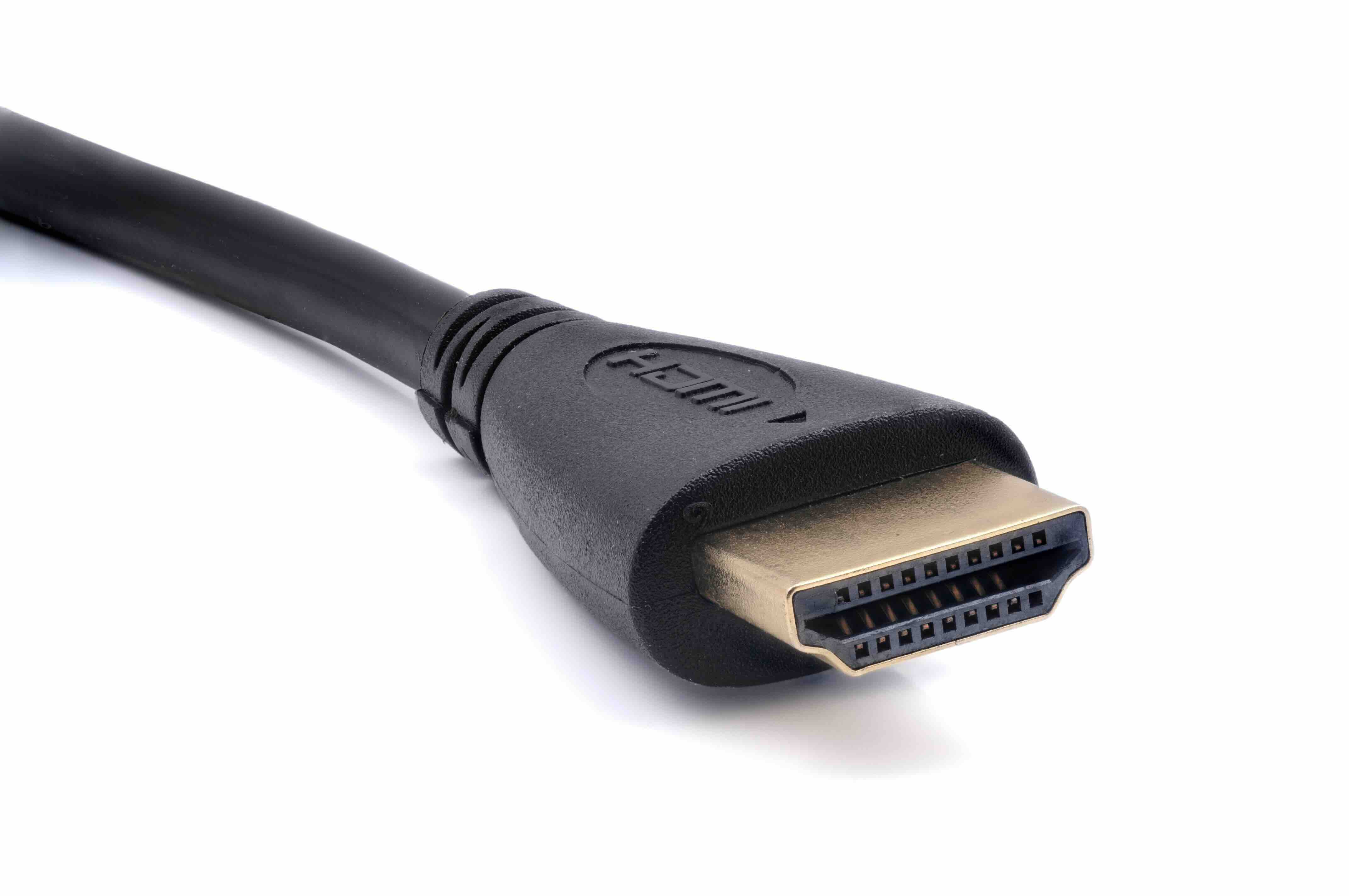
What Is an HDMI Connector and Why Does It Matter?
If you have ever plugged a laptop into a monitor, connected a streaming device to a television, or set up a home theater, you have almost certainly used an HDMI connector. It is one of the most widely used interface standards in the consumer electronics and professional AV industries, and for good reason. HDMI, which stands for High-Definition Multimedia Interface, was developed to simplify the way audio and video signals travel between devices. Before its introduction, you often needed separate cables for audio and video, which made installations messy and inefficient. HDMI changed all of that by carrying both signals through a single cable. Understanding what an HDMI connector is, how it works, and which version is right for your setup can save you from compatibility headaches and unnecessary spending.
How Does an HDMI Connector Work?
At its core, an HDMI connector transmits digital audio and video data simultaneously through a single cable using a technology called Transition Minimized Differential Signaling, or TMDS. The connector itself contains 19 pins arranged to handle data channels, a clock signal, power, and a dedicated line for device communication through what is called the Consumer Electronics Control protocol, commonly known as CEC. This allows connected devices to talk to each other, so something like pressing play on a Blu-ray player can automatically power on your television and switch to the correct input. The physical connector plugs into an HDMI port and locks into place with enough friction to stay secure during normal use. The signal travels entirely in digital form, which means there is no analog conversion loss and the picture and sound quality you get out is effectively identical to what was sent in.
A Look at the Different HDMI Connector Types
Not all HDMI connectors are the same size or shape, and that distinction matters depending on the device you are working with. There are five defined HDMI connector types, and knowing which one applies to your gear is a basic but important step before purchasing a cable.
- Type A is the standard full-size HDMI connector found on televisions, desktop monitors, AV receivers, and most desktop computers.
- Type B was defined early in the HDMI specification but was never widely adopted commercially and is rarely seen in practical use.
- Type C is the Mini HDMI connector, often found on older DSLR cameras, some tablets, and portable devices.
- Type D is the Micro HDMI connector, used on smartphones, action cameras, and compact portable devices where space is limited.
- Type E is an automotive-grade locking connector designed specifically for in-vehicle infotainment systems.
For most home and office setups, you will be working with Type A. Mini and Micro HDMI connectors show up frequently in camera and mobile workflows. It is worth double-checking your device's port before ordering, since using the wrong connector type is a common and easily avoided mistake.
Understanding HDMI Versions and Their Capabilities
HDMI has gone through several major revisions since its introduction in 2002, and each version expanded what the standard can carry. HDMI 1.4 brought support for 4K resolution and 3D video. HDMI 2.0 significantly increased bandwidth to 18 Gbps, enabling 4K at 60Hz with High Dynamic Range, which became important for modern gaming and streaming. HDMI 2.1 is the current high watermark, offering up to 48 Gbps of bandwidth and supporting resolutions up to 10K, 4K at 120Hz, 8K at 60Hz, and features like Variable Refresh Rate and Auto Low Latency Mode, both of which are critical for gaming performance. The version of HDMI supported by your source device, your cable, and your display all need to align for you to take full advantage of the specification. A cable rated for HDMI 2.0 will physically fit into an HDMI 2.1 port, but it will not deliver 2.1-level performance.
Key Advantages of Using HDMI
HDMI has maintained its position as the dominant AV connector standard for decades, and that staying power is not accidental. The benefits are practical, proven, and relevant across consumer, commercial, and professional installations.
- Single cable simplicity carries both high-resolution video and multi-channel audio without additional wiring.
- Wide compatibility spans televisions, monitors, projectors, gaming consoles, streaming devices, laptops, AV receivers, and commercial displays.
- Support for advanced audio formats including Dolby TrueHD and DTS-HD Master Audio at full lossless quality.
- CEC functionality enables device automation and reduces the number of remote controls needed in a system.
- HDCP content protection ensures compatibility with streaming services and Blu-ray that require copy protection compliance.
- Scalability from basic 1080p home setups all the way to 8K and 10K professional and commercial environments.
Common Drawbacks and Limitations to Know About
HDMI is not without its limitations. Cable length is one of the more practical constraints. Passive HDMI cables begin to experience signal degradation at lengths beyond about 25 feet, depending on the cable quality and the resolution being transmitted. Longer runs require active cables, fiber optic HDMI cables, or signal extenders. The physical connector can also be somewhat fragile, particularly the Micro and Mini variants, which are not designed for frequent plugging and unplugging. Version fragmentation is another ongoing source of confusion. With HDMI 1.4, 2.0, and 2.1 all still in circulation, it is easy to buy a cable that is technically labeled HDMI without knowing whether it meets your performance requirements. And while HDMI handles audio and video efficiently, it does not carry USB data, which means it is not a replacement for display connections that double as charging or data transfer interfaces like USB-C with DisplayPort Alt Mode.
HDMI vs. DisplayPort vs. USB-C: How They Compare
When choosing a display connection, HDMI is often compared to DisplayPort and USB-C. DisplayPort, commonly found on PC graphics cards and monitors, supports higher refresh rates at given resolutions and is generally preferred for high-performance PC gaming setups. It also supports daisy-chaining multiple monitors through a single connection on compatible hardware. USB-C with DisplayPort Alt Mode or Thunderbolt offers the added benefit of a single cable that handles video, audio, data, and power delivery, which makes it attractive for laptops and compact workstations. HDMI, however, has the widest device support of any of the three, especially in consumer electronics, televisions, projectors, and AV receivers. For most living room setups, home theaters, and commercial display installations, HDMI remains the most universally compatible and practical option available.
Practical Tips for Choosing the Right HDMI Cable
Cable selection does not need to be complicated, but there are a few things worth keeping in mind before you buy. First, match the cable specification to your actual use case. If you are running a 4K 60Hz setup, a high-speed HDMI cable rated for HDMI 2.0 bandwidth is sufficient. If you are gaming at 4K 120Hz or preparing for an 8K display, look for an Ultra High Speed HDMI cable certified for HDMI 2.1. Second, pay attention to cable length relative to your signal requirements. For runs beyond 15 to 20 feet, consider an active cable or a fiber optic HDMI solution. Third, look for cables that are certified by HDMI.org rather than relying solely on marketing claims. Certification testing provides documented assurance that the cable will perform as specified. Finally, do not assume that a higher price automatically means better performance. Well-constructed cables from reputable manufacturers at fair price points perform just as well as overly expensive alternatives in controlled real-world conditions.
Why Monoprice Is the Smart Choice for HDMI Cables and Connectivity
When it comes to getting reliable HDMI performance without paying inflated retail margins, Monoprice has built a well-earned reputation as a trusted source for cables, adapters, and AV accessories across both consumer and commercial markets. The product lineup covers everything from standard high-speed HDMI cables for basic home theater setups to Ultra High Speed HDMI 2.1 certified cables designed for 8K displays and next-generation gaming systems. Every cable in the lineup is built to deliver the bandwidth and signal integrity the specification demands, and many are backed by HDMI.org certification so you are not guessing about performance. Whether you are an AV integrator sourcing cables for a commercial installation or a home user trying to connect a new console to a 4K television, the Monoprice catalog has the right option at a price that makes sense. Explore the full range of high-speed HDMI cables and AV connectivity solutions to find exactly what your setup requires without overspending on brand name markup. Value, performance, and reliability are not mutually exclusive when you are buying from a company that has spent years proving that point across millions of satisfied customers.
Frequently Asked Questions About HDMI Connectors
What does HDMI stand for?
HDMI stands for High-Definition Multimedia Interface. It is a standardized audio and video interface used to transmit digital data between devices such as televisions, monitors, gaming consoles, computers, and AV receivers through a single cable.
Are all HDMI cables the same?
No. HDMI cables are rated by specification version and bandwidth capacity. Standard HDMI cables support up to 1080p, High Speed cables support 4K at 30Hz, Premium High Speed cables support 4K at 60Hz with HDR, and Ultra High Speed cables support 8K and 4K at 120Hz for HDMI 2.1 applications.
What is the maximum length for an HDMI cable?
Passive HDMI cables typically perform reliably up to around 25 feet depending on cable quality and resolution. For longer runs, active HDMI cables, fiber optic HDMI cables, or signal extenders are recommended to maintain signal integrity.
Can I use an older HDMI cable with a newer device?
Yes, HDMI is backward compatible, meaning older cables and ports will still work with newer devices. However, the connection will only perform at the capability level of the oldest component in the chain, so an older cable may limit the resolution or refresh rate of a newer device.
What is the difference between HDMI 2.0 and HDMI 2.1?
HDMI 2.0 supports up to 18 Gbps of bandwidth, enabling 4K at 60Hz with HDR. HDMI 2.1 increases bandwidth to 48 Gbps, supporting 4K at 120Hz, 8K at 60Hz, Variable Refresh Rate, and Auto Low Latency Mode, making it the preferred standard for modern gaming and high-resolution displays.
What is CEC in HDMI?
CEC stands for Consumer Electronics Control. It is a feature built into the HDMI specification that allows connected devices to communicate with and control each other, such as automatically switching a television to the correct input when a connected device powers on.
What is the difference between Mini HDMI and Micro HDMI?
Mini HDMI, also called Type C, is slightly smaller than the standard connector and is often found on DSLR cameras and some tablets. Micro HDMI, also called Type D, is even smaller and appears on smartphones, action cameras, and other compact devices. Both carry the same signal as the standard Type A connector.
Does HDMI support audio as well as video?
Yes. One of the core advantages of HDMI is that it carries both high-definition video and multi-channel audio through a single cable. It supports formats including standard stereo audio, 5.1 and 7.1 surround sound, and lossless formats like Dolby TrueHD and DTS-HD Master Audio.
Is HDMI better than DisplayPort?
Neither is universally better. HDMI has broader device compatibility, especially with televisions, projectors, and consumer AV equipment. DisplayPort is commonly preferred for PC gaming monitors due to its higher refresh rate capabilities and multi-monitor daisy-chaining support. The best choice depends on your specific devices and use case.
What does HDCP mean on an HDMI connection?
HDCP stands for High-bandwidth Digital Content Protection. It is a copy protection protocol embedded in the HDMI specification that prevents unauthorized duplication of digital content. Streaming services, Blu-ray players, and cable boxes require HDCP compliance to display protected content on connected displays.


