What Is an HDMI Cable Used For? A Complete Guide
What Is an HDMI Cable and Why Does It Matter?
If you have ever connected a laptop to a monitor, plugged a gaming console into a TV, or set up a home theater system, you have almost certainly dealt with an HDMI cable. It is one of those things that most people use without really thinking about. You grab a cable, plug it in, and expect it to work. But there is actually a lot going on inside that slim connector, and understanding what an HDMI cable does -- and how to choose the right one -- can genuinely change how your devices perform. So let's get into it.
What Does HDMI Stand For?
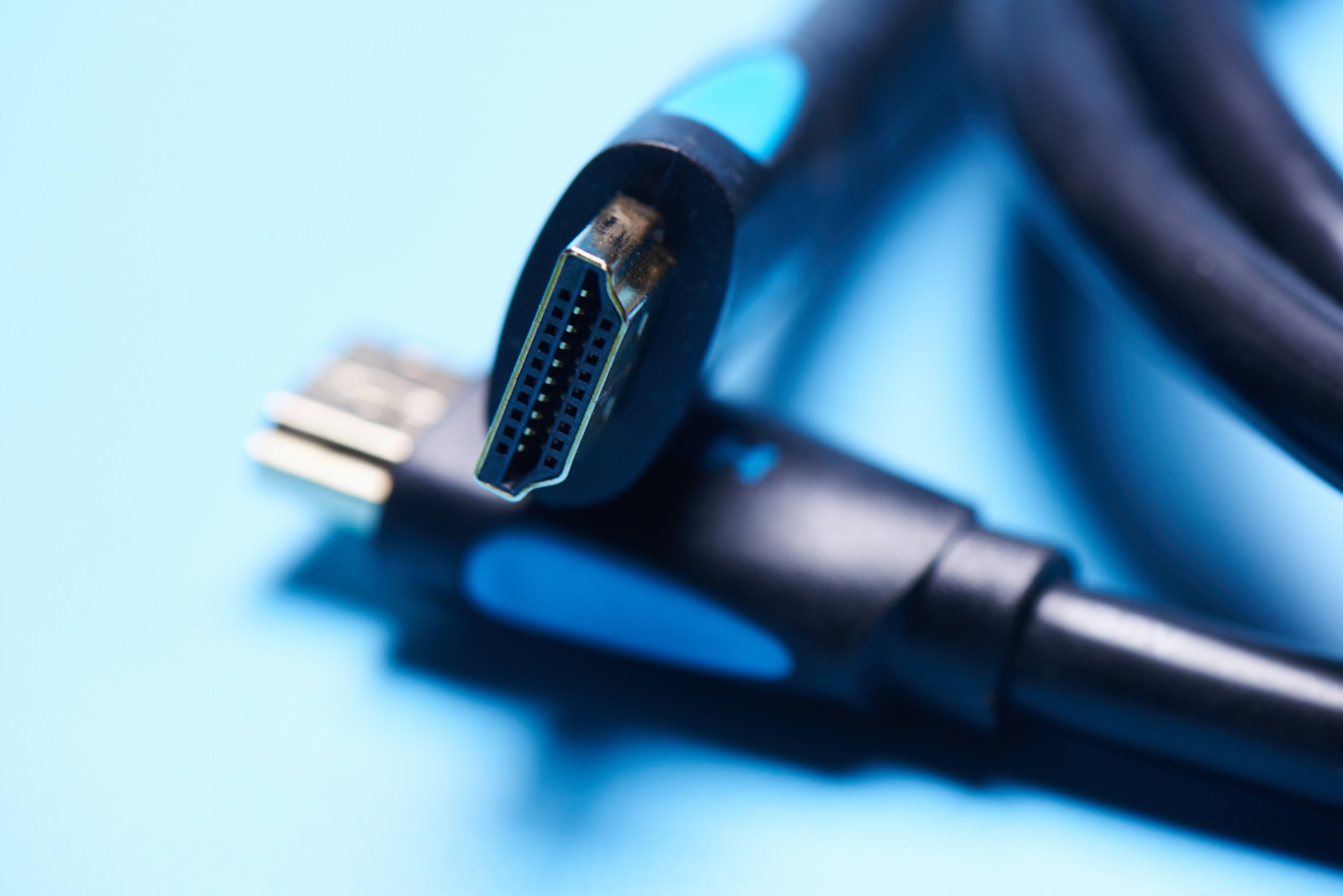
HDMI stands for High-Definition Multimedia Interface. The name is fairly descriptive once you break it down. It is an interface -- meaning a connection point -- that handles high-definition multimedia, specifically both audio and video, through a single cable. Before HDMI became the industry standard, you often needed separate cables for audio and video signals. Component cables, composite cables, separate optical audio lines -- it was a mess. HDMI consolidated all of that into one clean, digital connection. The standard was introduced back in 2002 and has gone through multiple revisions since, each one expanding bandwidth capacity, resolution support, and feature sets.
What Is an HDMI Cable Used For?
The primary use case for an HDMI cable is transmitting high-quality digital audio and video signals between two compatible devices. That covers a wide range of everyday scenarios. Connecting a 4K Blu-ray player to a television. Running video from a desktop GPU to a monitor. Linking a streaming stick, game console, or set-top box to a display. Routing audio to an AV receiver in a home theater setup. In professional environments, HDMI cables are used for presentation displays, digital signage, broadcast monitoring, and live event production. It is genuinely one of the most versatile connection standards available, which is a big part of why it has remained dominant for over two decades.
How Does an HDMI Cable Actually Work?
HDMI transmits data digitally, which is a key distinction from older analog standards. Inside the cable are multiple twisted-pair conductors that carry what is called TMDS -- Transition Minimized Differential Signaling. This is the mechanism that encodes and sends the video and audio data without signal degradation over the cable length. Newer HDMI versions, particularly HDMI 2.1, use a different signaling architecture called FRL -- Fixed Rate Link -- to support the massive bandwidth demands of 8K and high frame rate 4K content. The cable also carries a small power line, a control channel called CEC, and a return audio channel, all working simultaneously. The result is a single-cable solution that handles virtually everything a modern display setup requires.
HDMI Versions Explained: Does the Version Actually Matter?
Yes, the version matters more than most people realize. Each revision of the HDMI specification increased bandwidth and added new capabilities. Here is a quick breakdown of what each major version brought to the table:
- HDMI 1.4 -- Supports 1080p and 4K at 30Hz, introduced Audio Return Channel (ARC) and 3D support
- HDMI 2.0 -- Supports 4K at 60Hz, 18Gbps bandwidth, wide color gamut, and HDR
- HDMI 2.0b -- Added HDR10 and Dolby Vision support
- HDMI 2.1 -- Supports 4K at 120Hz, 8K at 60Hz, 48Gbps bandwidth, enhanced ARC (eARC), Variable Refresh Rate (VRR), and Auto Low Latency Mode (ALLM)
If you are running a next-gen gaming console, a high-refresh-rate monitor, or a premium home theater system, you want HDMI 2.1 cables that are certified to handle the full 48Gbps bandwidth. Using an older cable with a newer device will not break anything, but you may not get the full performance your hardware is capable of delivering. That matters if you paid for top-tier gear.
Key Advantages of Using HDMI Cables
HDMI has a lot going for it, and the list of advantages is substantial. The single-cable convenience is probably the biggest one for most users. But beyond that, the digital signal format means no quality loss from source to display -- what gets sent is what gets displayed. HDMI also supports deep color, wide color gamut formats like BT.2020, and multiple HDR standards including HDR10, Dolby Vision, and HLG. For gamers, features like VRR, ALLM, and Quick Frame Transport in HDMI 2.1 meaningfully reduce input lag and screen tearing. For home theater users, eARC enables lossless Dolby Atmos and DTS:X passthrough from a TV to a soundbar or receiver without needing a separate audio cable. These are not small features -- they represent real improvements to the viewing and gaming experience.
Common Drawbacks and Limitations to Know
No standard is without its trade-offs. HDMI has a few limitations worth knowing before you invest in a setup. Cable length is one. Standard passive HDMI cables begin to experience signal degradation beyond about 25 feet. For longer runs, you need either active HDMI cables, fiber optic HDMI cables, or an HDMI extender solution. Another limitation is that HDMI does not natively support daisy-chaining multiple monitors from a single output the way DisplayPort does. There is also some version confusion in the market -- not all cables labeled "HDMI 2.1" are certified to carry the full 48Gbps bandwidth, so buying from reputable sources and checking for certification matters. The connector itself, while durable under normal use, can wear over time if cables are frequently plugged and unplugged in tight spots.
Practical Tips for Choosing the Right HDMI Cable
Shopping for HDMI cables should not be complicated. A few straightforward guidelines will steer you in the right direction every time. Match the cable version to your hardware requirements -- if your setup supports HDMI 2.1, get a certified 2.1 cable. For runs longer than 15 feet, consider an active cable to maintain signal integrity. Check for certifications from HDMI.org if you are buying premium cables for demanding applications. Do not overpay for overmarketed cables with claims that go beyond what the spec physically supports. Quality construction -- proper shielding, solid connectors, durable jacketing -- matters more than brand markup. Buy cables appropriate for the environment: in-wall installations require CL2 or CL3 rated cables for safety compliance.
Where to Buy HDMI Cables Without Overpaying
There is a wide gap between what premium-marketed HDMI cables cost and what they actually deliver compared to properly spec'd, certified alternatives. The technology industry has known this for years. If a cable meets the required specification and is certified to do so, it will perform identically to a cable that costs three times as much. This is why sourcing from a value-focused, technically credible supplier makes so much sense. For anyone building out a home theater, a professional AV installation, a gaming room, or an enterprise display environment, high-performance HDMI cables for 4K and 8K displays from Monoprice deliver certified performance at pricing that respects your budget. Monoprice has built a well-earned reputation among AV integrators, IT professionals, and enthusiast consumers alike for producing cables and connectivity solutions that perform to spec without the inflated price tag. Whether you need a single HDMI 2.1 cable for a gaming setup or bulk quantities for a commercial installation, the product line covers it with the quality assurance and technical backing to support confident purchasing decisions.
Frequently Asked Questions About HDMI Cables
What is the main purpose of an HDMI cable?
An HDMI cable transmits digital audio and video signals between compatible devices such as televisions, monitors, projectors, gaming consoles, streaming devices, and computers through a single connection.
Does the quality of an HDMI cable affect picture and sound quality?
As long as a cable is properly certified to the required specification and meets the bandwidth demands of your setup, it will deliver identical signal quality to more expensive alternatives. Construction quality affects durability and reliability, not the digital signal itself.
What is the difference between HDMI 2.0 and HDMI 2.1?
HDMI 2.0 supports up to 4K at 60Hz with 18Gbps bandwidth. HDMI 2.1 supports up to 10K resolution, 4K at 120Hz, 8K at 60Hz, with 48Gbps bandwidth and adds features like VRR, ALLM, and eARC.
How long can an HDMI cable be before signal loss occurs?
Passive HDMI cables generally perform reliably up to about 25 feet. For longer distances, active HDMI cables or fiber optic HDMI cables are recommended to maintain full signal integrity.
Can I use an older HDMI cable with a newer device?
Yes, HDMI is backward compatible. However, an older cable may limit the performance of a newer device. For example, using an HDMI 1.4 cable with a 4K/120Hz display will cap output at lower resolutions or frame rates.
What does ARC and eARC mean on an HDMI port?
ARC stands for Audio Return Channel, which allows audio to travel from a TV back to a receiver or soundbar over the same HDMI cable. eARC, introduced in HDMI 2.1, supports higher bandwidth audio formats including lossless Dolby Atmos and DTS:X.
Do all HDMI cables support 4K?
Not all HDMI cables support 4K at the highest frame rates. HDMI 1.4 cables support 4K at only 30Hz. HDMI 2.0 cables support 4K at 60Hz. Full 4K at 120Hz requires a certified HDMI 2.1 cable with 48Gbps bandwidth.
Is HDMI the same as DisplayPort?
No. Both carry digital audio and video, but they are different standards. DisplayPort natively supports multi-monitor daisy chaining and is common in PC monitors, while HDMI is more universal across consumer electronics including televisions, projectors, and AV equipment.
What does CEC mean in relation to HDMI?
CEC stands for Consumer Electronics Control. It allows HDMI-connected devices to communicate and control each other, such as automatically turning on a TV when a connected device powers up or controlling volume through a single remote.
How do I know which HDMI cable to buy for my setup?
Identify the maximum resolution and refresh rate your display and source device support, then match the cable version to those requirements. For 4K at 60Hz, HDMI 2.0 is sufficient. For 4K at 120Hz or 8K content, you need a certified HDMI 2.1 cable with full 48Gbps bandwidth support.