

What Is an AV Cable and Why It Still Matters Today
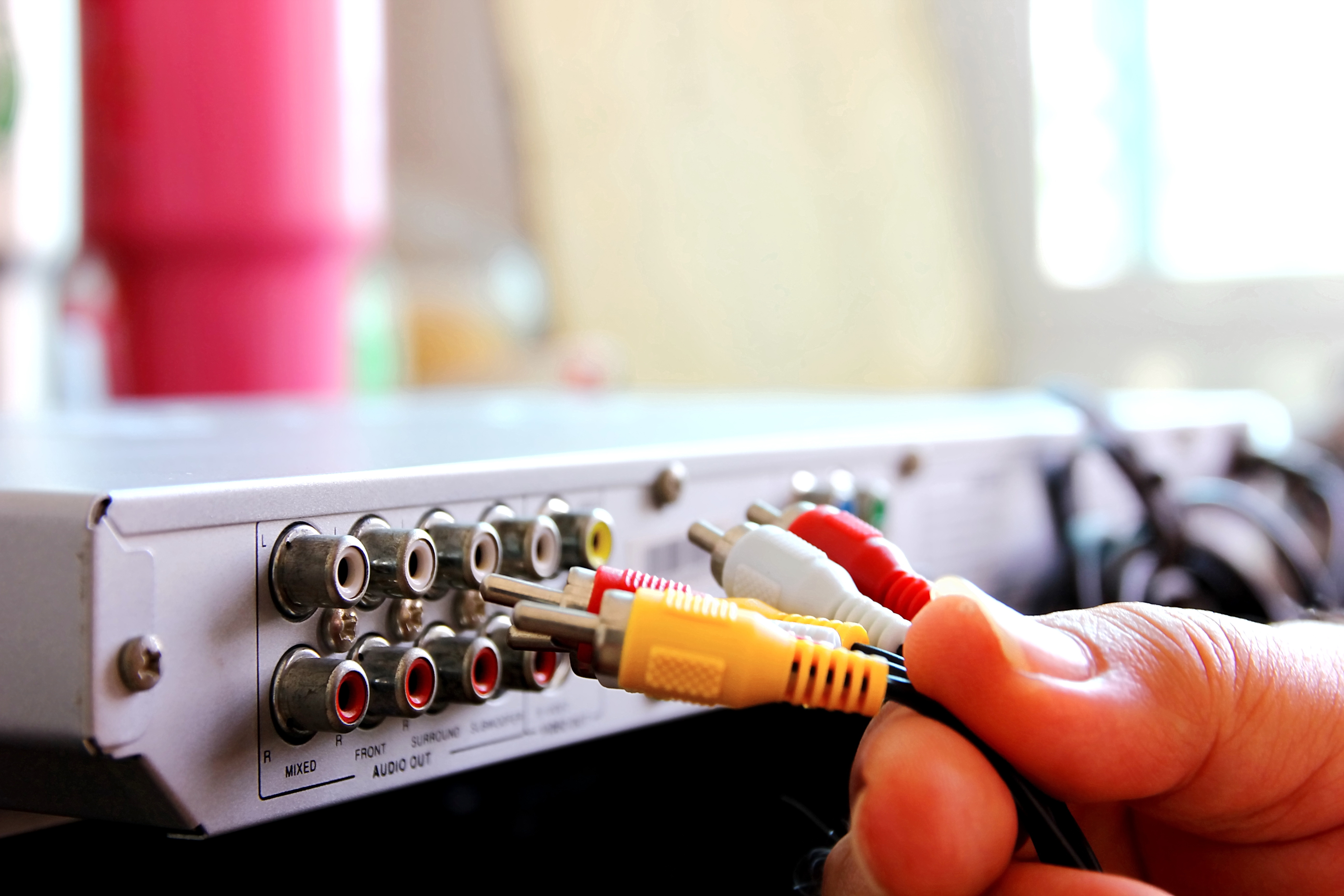
What Is an AV Cable and Why Does It Still Matter?
So here's the thing -- if you've ever plugged a DVD player into a TV, connected a projector in a conference room, or set up a basic sound system without Wi-Fi involved, you've used an AV cable. AV stands for audio/video, and these cables are exactly what the name says: physical connectors that carry audio and video signals from one device to another. Simple concept, right? But the more you dig into it, the more you realize how much variety exists within that category, and how often people confuse the types, misuse them, or write them off too early. AV cables transmit audio and video signals between devices and still deliver reliable performance for entertainment setups, classrooms, and pro AV installs -- and that's worth understanding properly before you make any buying decision.
How AV Cables Actually Work
At a fundamental level, an AV cable carries an electrical signal from a source device -- a camera, gaming console, media player, or mixer -- to a display or speaker system. The signal travels through a conductive core, which is usually copper, surrounded by insulation and often a shielding layer to protect against electromagnetic interference. That shielding matters more than people think, especially in environments with lots of electronics nearby. Depending on the type of cable, the signal can be analog or digital, composite or component, single-channel or multi-channel. The cable doesn't process anything on its own -- it's a conduit. But the quality of that conduit directly affects what you hear and see on the other end. A poorly shielded cable in a noisy environment will show you exactly what's at stake.
The Main Types of AV Cables You Should Know
There are more types than most people expect, and each one was built for a specific purpose. Knowing the difference can save you a frustrating afternoon of troubleshooting.
- Composite AV Cable -- The classic three-connector setup: yellow for video, red and white for right and left audio channels. It's analog and limited to standard definition, but still widely used in older equipment and budget installs.
- Component Video Cable -- Splits the video signal into three separate channels (Y, Pb, Pr) for better color accuracy and supports up to 1080i resolution. Often paired with separate audio cables.
- Coaxial Cable -- Carries RF signals and is common in cable TV setups and antenna connections. Durable, well-shielded, and built for long runs.
- RCA Cable -- Often confused with composite, but RCA is actually the connector type. Used across multiple formats for both audio and video.
- S-Video Cable -- Separates luminance and chrominance for sharper standard-definition video than composite. Less common now but still present in legacy AV systems.
- HDMI -- This is the modern standard. It carries high-definition audio and video over a single cable, supports 4K and 8K, and handles formats like HDR and Dolby Atmos. Technically still an AV cable by function.
- DisplayPort -- Popular in PC and professional monitor setups, often preferred for high refresh rates and daisy-chaining displays.
- VGA -- Analog video only, still found in classrooms and older commercial installs where replacement infrastructure hasn't caught up yet.
Key Advantages of Using AV Cables
People sometimes assume that wireless is always the better option. It isn't -- not always. AV cables have real, measurable advantages that matter in specific contexts. First, there's latency. A wired AV connection introduces virtually zero lag, which is critical for live event production, gaming, and broadcast environments. Second, reliability. There's no interference from competing wireless signals, no dropped connections, no pairing issues. You plug it in and it works. Third, cost. A solid set of AV cables is often significantly cheaper than equivalent wireless transmission systems, particularly at scale. Fourth, security. For corporate and government AV installs, a physical connection means the signal doesn't travel through the air where it can be intercepted. These aren't minor perks -- they're decisive factors for a lot of installations.
Common Drawbacks Worth Considering
That said, AV cables aren't perfect for every situation, and being honest about the limitations helps you plan better. Cable runs have physical distance limits before signal degradation becomes a problem, though active cables and signal extenders can push those limits considerably. Cable management in a large installation can become complex and expensive if not planned well upfront. Older analog AV formats simply can't support the resolution and dynamic range that modern displays demand, which is why legacy composite setups look noticeably soft on a 4K screen. And if you're working in a space where aesthetics matter -- a minimalist home theater, for example -- running cables cleanly takes planning. None of these are dealbreakers, but they're real factors that should inform which type of AV cable you choose and how you deploy it.
AV Cables in Real-World Applications
Walk into almost any functioning AV environment and you'll find cables doing critical work behind the scenes. In classrooms, VGA and HDMI cables still connect laptops to projectors because they're simple, universally understood, and require zero IT overhead. In professional broadcast and live event setups, component and coaxial cables handle signal routing across long distances with precision. Home theater systems rely heavily on HDMI for 4K content delivery, while older media rooms might still run composite or component connections to legacy receivers and displays. In corporate conference rooms, HDMI and DisplayPort cables handle presentation feeds, video conferencing equipment, and digital signage. The point is -- AV cables aren't nostalgic. They're operational infrastructure across almost every environment where media gets displayed or heard.
How to Choose the Right AV Cable for Your Setup
The right cable depends on three things: what your source device outputs, what your display or speaker system accepts, and what resolution or audio quality you need. Start at both ends of the connection and work inward. If your projector only has VGA inputs and your laptop only has USB-C, you need an adapter and a VGA cable -- not an HDMI. If you're running a home theater and your receiver supports HDMI ARC, use it. If you're building a permanent install in a commercial space, invest in higher-quality, better-shielded cables rated for in-wall use. Cable length matters too -- if you're running more than 25 feet of HDMI without an active cable or extender, signal integrity can drop. Always match the cable to the job, not just what happens to be nearby.
Tips for Getting the Most Out of Your AV Cables
A few practical habits will extend the life of your cables and keep your signal clean. Always secure connectors properly -- a partially seated RCA or HDMI plug will cause intermittent signal issues that are genuinely difficult to diagnose. Use cable ties or Velcro straps to organize runs and reduce stress on connectors. Avoid sharp bends, especially near the ends, since that's where internal conductor damage most commonly occurs. Store cables loosely coiled, not tightly wrapped, to prevent the internal shielding from breaking down over time. If you're running cables in a wall or conduit, use cables rated for that purpose -- CL2 or CL3 rated for in-wall, plenum-rated for air-handling spaces. These aren't overcomplicated recommendations. They're straightforward habits that protect the investment you've already made.
Why Monoprice Is the Right Source for Your AV Cable Needs
When you're sourcing AV cables -- whether it's a single HDMI for a home theater or a full set of cables for a commercial AV install -- quality and value both matter. Monoprice has built a reputation as a trusted source for integrators, IT professionals, and home AV enthusiasts who want performance without paying a premium for branding alone. The product lineup is extensive, the specs are transparent, and the pricing reflects a real commitment to making professional-grade connectivity accessible. If you're looking for reliable, high-performance audio and video cable solutions for every kind of setup, shop AV cables and connectivity solutions at Monoprice and see exactly why the brand has become a go-to for people who know what they need and don't want to overpay for it. From composite to HDMI to component and beyond, the selection covers every format and every use case -- home, commercial, or professional production.
Frequently Asked Questions About AV Cables
What does AV cable stand for?
AV stands for audio/video. An AV cable is any cable designed to transmit audio signals, video signals, or both simultaneously between two devices.
Are AV cables still relevant in a wireless world?
Yes. AV cables remain essential in professional AV installations, classrooms, broadcast environments, and home theaters where reliability, low latency, and signal quality are priorities that wireless systems cannot always guarantee.
What is the difference between composite and component AV cables?
Composite AV cables combine all video information into a single yellow connector, resulting in lower image quality. Component cables split the video signal into three separate channels, producing significantly better color accuracy and supporting higher resolutions up to 1080i.
Can I use an AV cable with a modern 4K TV?
Most modern 4K TVs do not include composite or component inputs. You would need an adapter or converter to use older AV cables with a current display, and the output will still be limited to the resolution the source cable supports.
How long can an AV cable run be before signal loss occurs?
It depends on the cable type. Analog cables like composite can typically run 25 to 50 feet before noticeable degradation. Standard HDMI cables are generally reliable up to about 25 feet. Active HDMI cables and signal extenders can push runs to 100 feet or more.
What is the best AV cable for a home theater system?
HDMI is the recommended choice for modern home theaters. It supports 4K and 8K resolution, HDR, and multi-channel audio formats like Dolby Atmos over a single cable, simplifying setup while delivering the highest performance.
Is there a difference between cable quality for AV connections?
Yes. Cable construction, shielding quality, and connector build affect signal integrity, especially over longer runs or in environments with significant electromagnetic interference. Better-constructed cables maintain cleaner signals and tend to last longer under regular use.
What type of AV cable is used in classrooms and conference rooms?
HDMI and VGA are the most common formats in educational and corporate environments. HDMI is standard for newer equipment, while VGA remains in use where older projectors and displays have not been replaced.
Do AV cables require special installation for in-wall runs?
Yes. Cables installed inside walls must meet specific safety ratings. CL2 and CL3 ratings are required for in-wall use in residential settings. Plenum-rated cables are required in air-handling spaces within commercial buildings to meet fire safety codes.
Can a bad AV cable cause poor picture or sound quality?
Absolutely. A damaged, poorly shielded, or improperly seated AV cable can introduce signal noise, cause intermittent dropout, reduce image sharpness, or produce audio distortion. Replacing a faulty cable is often the first and most effective troubleshooting step.


