

What Is a VGA Cord Used For and Do You Still Need One
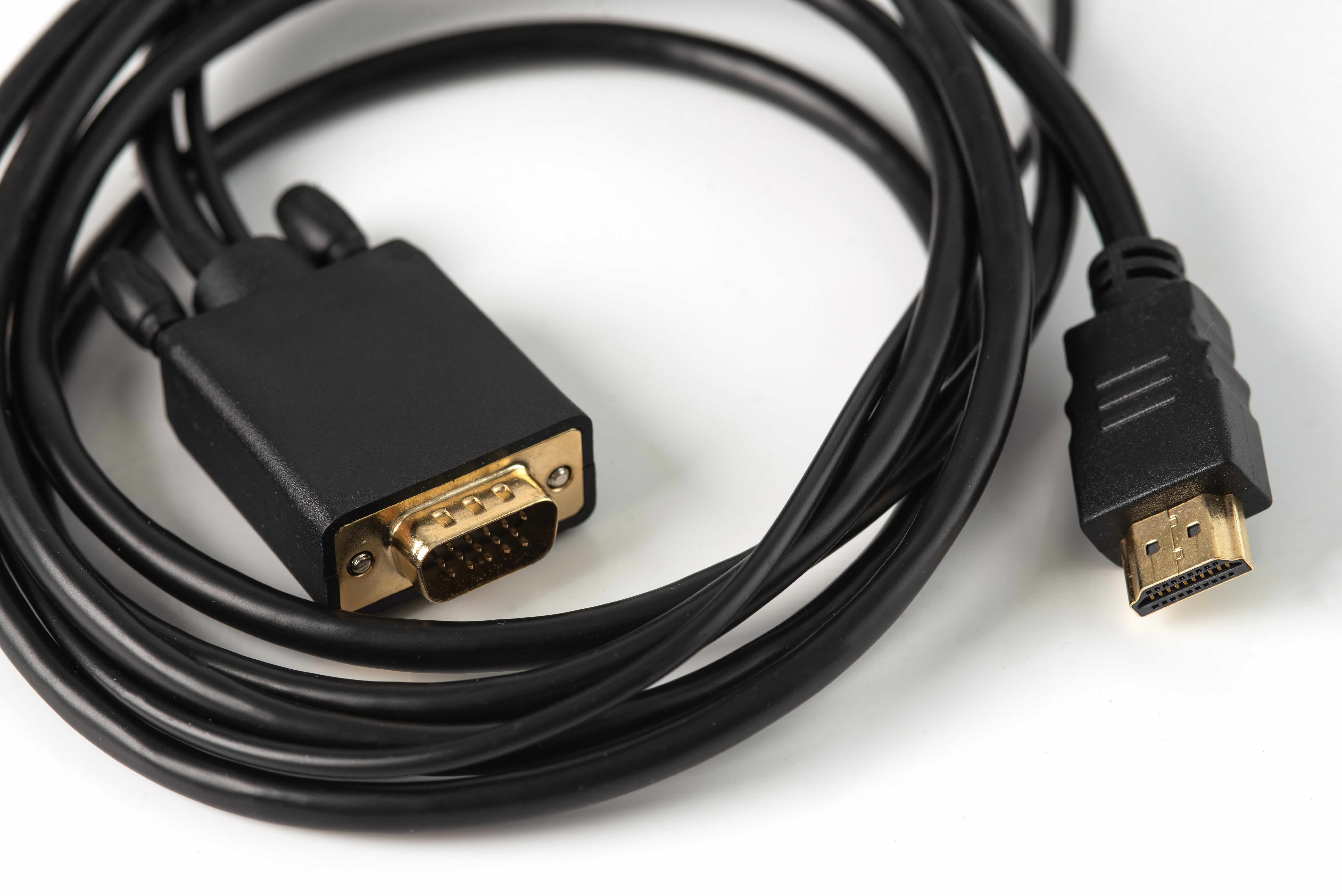
What Is a VGA Cord and Why Does It Still Matter in Today's Tech World
There is a good chance you have seen one of these cables before -- maybe coiled up in a drawer, attached to an older monitor, or bundled with a projector at a conference room setup. The VGA cord, short for Video Graphics Array, has been around since 1987 and, honestly, it refuses to disappear. It is one of those analog video standards that just kept hanging on long after newer options came along. If you are wondering what a VGA cord is actually used for, or whether it still has a place in a modern setup, this breakdown covers everything you need to know. No fluff, just what matters.
A Quick Look at What VGA Actually Is
VGA stands for Video Graphics Array, and it was originally developed by IBM as a display standard. The connector itself is a 15-pin, D-shaped plug -- sometimes called a DE-15 or HD-15 connector -- and it carries analog video signals from a source device to a display. It supports resolutions up to 640x480 natively, though over the years it has been pushed to handle higher resolutions like 1080p with varying results. The cable does not carry audio, which is something worth knowing upfront. It is a video-only connection. That is an important distinction when you are trying to figure out what else you might need for a complete setup.
What Is a VGA Cord Used For
This is the core question. VGA cords are used primarily to connect computers and laptops to monitors, projectors, televisions, and other display devices that support the VGA input. For years, this was the default way you connected a PC to a screen. It is still widely used in a handful of specific environments where legacy hardware has not been replaced. Common applications include corporate conference rooms with older projectors, school classrooms with aging display setups, budget desktop monitors, and legacy industrial or government equipment. It also shows up in situations where someone needs a straightforward, no-fuss display connection and the hardware already supports it. There is no configuration required. You plug it in, secure the thumbscrews, and the signal goes through.
How Does a VGA Cable Actually Work
VGA transmits video as an analog signal. The graphics card or integrated GPU in your computer converts digital image data into an analog signal, which travels through the cable to the monitor, where it gets converted back. Because this is an analog process, signal quality can degrade over longer cable runs, and you may notice some softness or interference at higher resolutions. The cable itself contains multiple conductors -- separate ones for red, green, and blue color channels, plus horizontal and vertical sync signals. That is where the 15 pins come in. Each has a job. The quality of the cable, particularly its shielding and conductor gauge, makes a real difference in picture clarity, especially over distances beyond ten or fifteen feet.
Key Advantages of Using a VGA Cable
It would be easy to dismiss VGA as outdated, but there are real, practical reasons people still reach for these cables in certain situations. Understanding those reasons helps you make smarter decisions about your own setup.
- Universal compatibility with legacy hardware and older monitors
- Extremely affordable compared to newer cable types
- No drivers or software required for basic display output
- Widely supported by projectors, especially in education and corporate environments
- Simple plug-and-play installation with locking thumbscrew connectors
- Available in long lengths for flexible installation scenarios
These are not trivial benefits. For anyone managing a mixed hardware environment or working with equipment that simply does not have HDMI or DisplayPort inputs, VGA is often the most practical path forward. It works, it is cheap, and it does not require any troubleshooting beyond making sure the connection is seated properly.
Common Drawbacks Worth Knowing About
VGA has real limitations, and it is worth being direct about them. The analog signal means you will never get the pixel-perfect sharpness that a digital connection like HDMI or DisplayPort delivers. At resolutions above 1080p, VGA simply does not perform well -- it was not designed for that. There is no audio signal, so you will need a separate cable for sound. The connector is also physically larger and less refined than modern alternatives. Over longer cable runs, signal degradation becomes a visible problem without proper shielding. And increasingly, newer laptops and graphics cards have dropped the VGA port entirely, which means you may need an adapter to use this type of cable at all. These are fair trade-offs if the use case fits, but going in with clear expectations matters.
VGA vs. HDMI vs. DisplayPort: Understanding Your Options
If you are evaluating VGA against newer alternatives, the differences come down to a few key factors. HDMI carries both high-definition video and audio over a single cable and supports resolutions well beyond 1080p. DisplayPort is built for high-performance computing and gaming, supporting very high refresh rates and resolutions. Both are digital connections, which means cleaner, sharper signal transmission without the analog degradation you get with VGA. USB-C with video output is another modern option gaining traction, especially in laptops. VGA falls behind in raw performance by every measurable standard. But if your display only has a VGA input, none of that matters -- you use what the hardware supports. The smarter play is knowing when VGA is the right tool and when it is time to upgrade the display or use an adapter.
Practical Tips for Getting the Best Performance from a VGA Cable
If you are working with VGA, there are a few things you can do to get the most out of it. Cable quality is not something to cut corners on, especially for longer runs. A well-shielded cable with quality connectors will noticeably outperform a bargain-bin option. Keep cable lengths under 25 feet when possible to minimize signal degradation. Make sure the thumbscrews are tightened on both ends -- a loose connection is one of the most common causes of display issues. When connecting to a projector or monitor, match the output resolution from your computer to what the display natively supports. And if your device no longer has a VGA port, a quality active adapter can help bridge the gap without sacrificing too much signal quality.
Why Monoprice Is the Right Source for Your VGA Cable Needs
When it comes to sourcing reliable cables and display connectivity solutions, the brand you choose matters more than most people realize. Monoprice has built a well-earned reputation as a trusted supplier of high-performance AV and networking cables that deliver quality without the inflated price tags of big-box alternatives. Whether you are managing a corporate AV environment, setting up a classroom projector, or just need a dependable cable for a legacy monitor, Monoprice has the right product at the right price. Their VGA cables are built with proper shielding and precision connectors that maintain signal integrity across the full cable length. If you are ready to shop reliable VGA cables and display connectivity accessories, explore Monoprice VGA cables and monitor connection solutions that are trusted by IT professionals, integrators, and everyday users alike. The value is real, the quality is consistent, and the selection covers everything from basic desktop setups to more demanding installation scenarios.
Frequently Asked Questions About VGA Cords
What does VGA stand for?
VGA stands for Video Graphics Array. It is a display standard and connector type developed by IBM in 1987, primarily used to transmit analog video signals between computers and display devices.
Does a VGA cable carry audio?
No. VGA cables carry video signals only. If you need audio alongside your video connection, you will need a separate audio cable or a different connection type such as HDMI, which carries both video and audio in a single cable.
What resolution does VGA support?
VGA was originally designed for 640x480 resolution, but it can support higher resolutions such as 1080p under the right conditions. Signal quality and sharpness tend to degrade at higher resolutions due to its analog nature.
Can I use a VGA cable with a modern laptop?
Many modern laptops no longer include a VGA port. You can still use a VGA cable with a modern laptop by connecting an active VGA adapter to a USB-C, HDMI, or DisplayPort output on the laptop.
How long can a VGA cable run before signal quality degrades?
For most setups, keeping VGA cable runs under 25 feet is recommended. Beyond that length, analog signal degradation can become visible as image softness or interference, especially at higher resolutions.
Is VGA better or worse than HDMI?
HDMI is technically superior to VGA in nearly every measurable way. It supports higher resolutions, carries both audio and video digitally, and delivers sharper image quality. VGA remains useful when hardware compatibility requires it.
What devices commonly use VGA connections?
Older desktop monitors, projectors in classrooms and conference rooms, legacy desktop computers, and certain industrial or government equipment commonly use VGA connections. It remains present in environments where hardware has not been upgraded to newer standards.
Why does my VGA connection look blurry?
Blurry VGA output is usually caused by one of three things: a low-quality or poorly shielded cable, a resolution mismatch between your computer output and the display's native resolution, or a loose connector on either end of the cable.
Can VGA support 1080p HD video output?
VGA can transmit 1080p video, but because it is an analog signal, the result may not match the sharpness of a digital connection like HDMI or DisplayPort at the same resolution. Cable quality plays a significant role in the outcome.
Is VGA still worth using in 2024?
Yes, in the right context. If your existing monitor or projector only has a VGA input, using a quality VGA cable is a practical, cost-effective solution. For new display setups, a digital connection like HDMI or DisplayPort is the better long-term investment.


