

What Is a VGA Adapter and Why It Still Matters
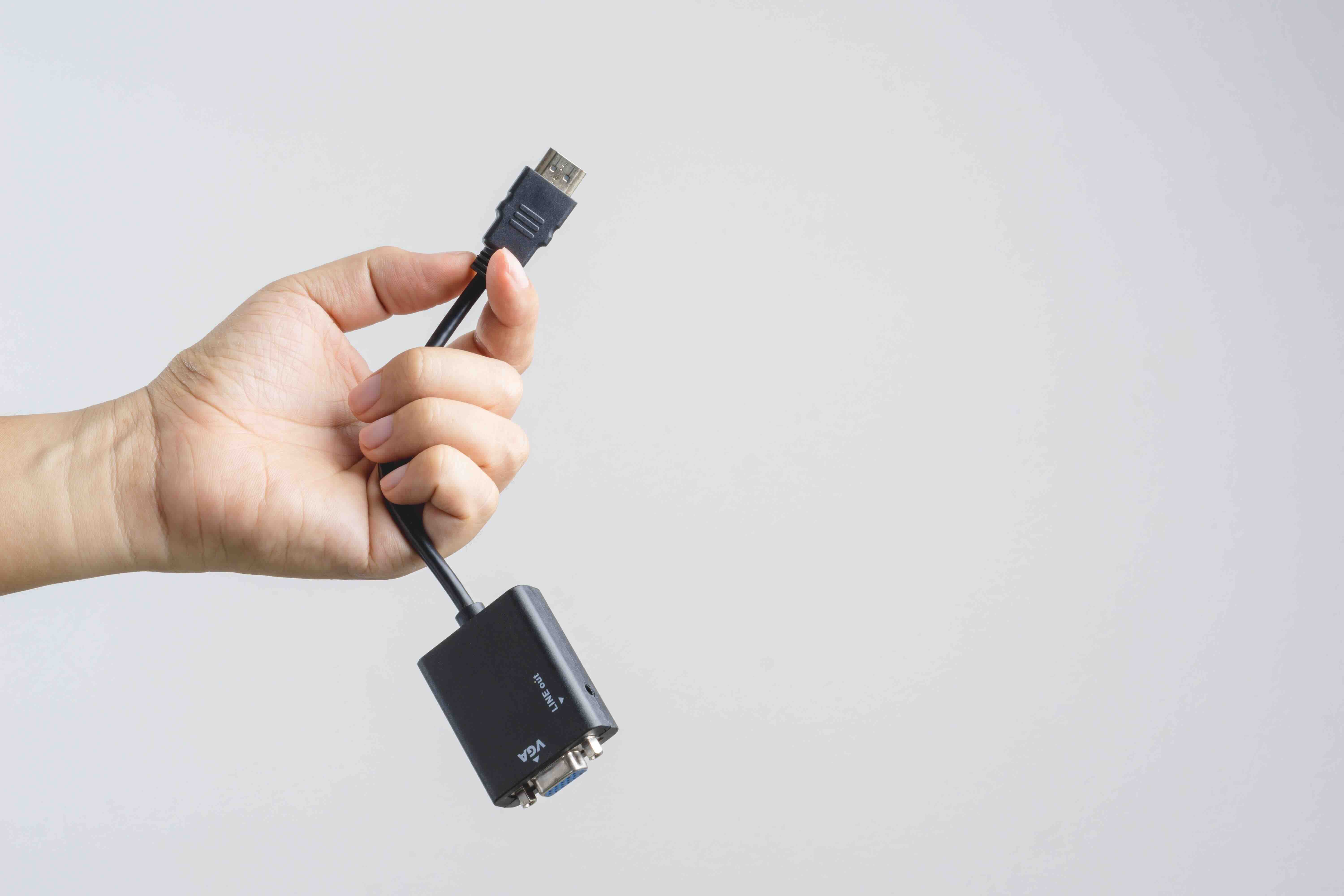
What Is a VGA Adapter and Why Does It Still Matter in 2025?
So here is a question that comes up more often than you might expect -- what exactly is a VGA adapter, and why are people still talking about it? VGA, which stands for Video Graphics Array, is a display interface standard that has been around since the late 1980s. It was originally introduced by IBM and quickly became one of the most widely adopted video connection formats in the personal computing world. A VGA adapter is any device or connector that allows you to transmit analog video signals between a source -- like a computer, laptop, or media device -- and a display, like a monitor or projector. Even in 2025, with all the newer digital standards floating around, VGA is still present in countless offices, classrooms, and conference rooms worldwide. That is exactly why understanding it still has real, practical value.
How VGA Technology Works at a Basic Level
Let us break this down without getting too deep into the weeds. VGA transmits video as an analog signal through a 15-pin connector -- that trapezoidal blue port you have probably seen on the back of older monitors or desktop computers. The signal carries red, green, and blue color channels along with horizontal and vertical sync signals. Because it is analog, the quality of the image can degrade over long cable runs or with lower-quality connectors, which is one of its known limitations. The maximum resolution VGA was originally designed to support is 640x480 pixels, though modern implementations can push significantly higher resolutions under the right conditions. Still, it tops out well below what HDMI or DisplayPort can handle, and that gap matters more and more as display technology advances.
Types of VGA Adapters You Will Encounter
Not all VGA adapters are the same, and knowing the difference helps you choose the right one for your specific setup. The most common types include the following:
- VGA to HDMI adapters -- convert analog VGA output to digital HDMI input, useful for connecting older computers to modern monitors
- HDMI to VGA adapters -- go the other direction, converting digital HDMI output to analog VGA, often needed for newer laptops connecting to older projectors
- USB to VGA adapters -- add a VGA output to devices that only have USB ports, ideal for laptops with limited display outputs
- VGA to DVI adapters -- bridge the gap between VGA and DVI displays, commonly used in professional workstation setups
- Mini DisplayPort or USB-C to VGA adapters -- common for newer laptops that have dropped legacy ports entirely but still need to connect to older display hardware
Each adapter type handles signal conversion differently, and some require active electronics inside the adapter rather than just a passive pin remap. Active adapters tend to deliver better signal integrity, which translates to a cleaner image on screen.
Where VGA Adapters Are Still Commonly Used
You might be surprised how often VGA still shows up in the real world. Corporate environments, educational institutions, and government facilities often run equipment that is years or even decades old. Projectors in meeting rooms and auditoriums frequently still use VGA inputs. Older industrial monitors and specialized display hardware in manufacturing or healthcare settings may only support VGA connections. Even home users who have older desktop monitors sitting in a spare room or workshop find themselves needing a VGA adapter when connecting to a newer laptop or streaming device. It is one of those things where the installed base is just too large to ignore, and swapping out all that legacy hardware overnight is rarely cost-effective for organizations working with tight budgets.
Key Advantages of Using a VGA Adapter
There are genuine reasons to appreciate what VGA adapters bring to the table, even today. Consider the following practical benefits:
- Wide compatibility with legacy hardware and displays that are still in active use
- Simple, plug-and-play operation with no driver installation required in most cases
- Low cost compared to replacing entire monitors or display infrastructure
- Reliability for basic presentations and office productivity tasks where 4K resolution is unnecessary
- Broad availability, making it easy to source replacements or spares quickly
For environments where the priority is getting a signal from point A to point B without a major investment, a quality VGA adapter is a practical, no-fuss solution. It keeps older equipment functional and delays the capital expense of full hardware replacement.
Common Drawbacks and Limitations to Know About
Being honest about the limitations matters here. VGA is an analog standard, which means it carries some inherent quality tradeoffs that digital connections simply do not have. Image sharpness can soften at higher resolutions, and you may notice color fringing or blurriness on text-heavy content at larger screen sizes. VGA also does not carry audio -- it is a video-only signal -- so you will need a separate audio connection if sound matters for your setup. There is also no support for HDCP content protection, which means VGA cannot be used to output protected content from streaming services or Blu-ray players. And at 1080p or above, you are pushing the format past what it was designed to handle, with quality results that vary depending on the adapter, cable, and display hardware involved.
How to Choose the Right VGA Adapter for Your Needs
The decision really comes down to your specific use case. First, identify which direction the signal needs to travel -- from VGA source to a modern display, or from a modern source to a legacy VGA display. That determines whether you need an active or passive adapter and what type of conversion is involved. Second, pay attention to the maximum resolution you need to support. If you are running a basic office presentation at 1080p or below, almost any quality adapter will do the job. Third, consider the build quality. Poorly made adapters introduce signal noise, cause flickering, or fail prematurely. Spending a few extra dollars on a well-constructed adapter from a reliable source pays off in consistency and longevity. Finally, check compatibility with your specific operating system and hardware -- some USB-based adapters require driver support that may not be available on all platforms.
VGA vs Modern Alternatives: When to Upgrade
At some point, the conversation shifts from adapting to upgrading. If you find yourself buying multiple adapters to chain connections together, or if image quality is visibly suffering and affecting productivity, that is a signal worth paying attention to. HDMI offers higher resolution support, integrated audio, and digital clarity that VGA simply cannot match. DisplayPort and USB-C with DisplayPort Alternate Mode push things even further, supporting 4K and 8K resolutions with high refresh rates. That said, upgrading is not always practical or necessary. If your workflow does not demand high-resolution output and your existing equipment is still performing reliably, there is no urgent reason to retire VGA entirely. Adapters exist precisely to bridge that gap while you evaluate a longer-term hardware strategy.
Why Monoprice Is a Smart Choice for VGA Adapters and Display Connectivity
When it comes to sourcing display connectivity solutions that actually deliver, Monoprice has built a well-earned reputation across both consumer and professional markets. The product lineup covers the full range of VGA adapter configurations -- from VGA to HDMI converters to USB-C to VGA adapters designed for modern ultrabooks connecting to legacy projectors. Every adapter is engineered with signal integrity in mind, using quality components that hold up in real-world use rather than failing after a few months. Monoprice products are trusted by IT professionals, AV integrators, educators, and everyday users who need reliable connectivity without overpaying for a recognizable brand name on the box. If you are looking for a one-stop destination for affordable, high-quality display adapters, cables, and connectivity accessories, exploring the full selection of VGA adapters and display solutions at Monoprice VGA adapters and display connectivity accessories is a straightforward next step. The value is built into every product, and the breadth of options means you can find exactly what your setup requires without compromise.
Frequently Asked Questions About VGA Adapters
What does a VGA adapter do?
A VGA adapter converts or transmits video signals between devices using the VGA interface standard, allowing older display hardware to connect with newer devices or enabling legacy sources to output to modern screens.
Is VGA still relevant in 2025?
Yes. A large volume of legacy monitors, projectors, and display hardware still relies on VGA connections, particularly in corporate, educational, and institutional environments where full hardware replacement is not yet feasible.
Does a VGA adapter support audio?
No. VGA is a video-only interface and does not carry audio signals. A separate audio cable or output connection is required if sound needs to accompany the video.
What is the difference between an active and passive VGA adapter?
A passive adapter simply remaps pins and works when the signals are electrically compatible. An active adapter contains internal circuitry to convert between signal types, which is necessary when going between analog and digital standards like VGA to HDMI.
Can I use a VGA adapter with a 4K monitor?
Technically possible in some cases, but VGA's analog nature limits practical resolution output well below 4K. Image quality will be noticeably degraded compared to digital connections, and most 4K monitors are phasing out VGA inputs entirely.
Why is my VGA adapter showing a blurry image?
Blurriness is often caused by signal degradation from a low-quality adapter, a worn cable, or attempting to run resolutions that exceed what the VGA standard handles cleanly. Trying a higher-quality adapter or reducing the output resolution can improve results.
Do VGA adapters require drivers?
Most standard VGA adapters are plug-and-play and do not require driver installation. However, USB-based VGA adapters may require drivers depending on the operating system and hardware involved.
What is the maximum resolution supported by VGA?
VGA was originally designed for 640x480 resolution, but modern implementations can support up to 1920x1080 or higher under ideal conditions. Signal quality at those higher resolutions varies depending on hardware and cable quality.
Can a VGA adapter be used to extend a desktop across two monitors?
Yes, in many cases. If your computer has both a VGA output and another display output such as HDMI or DisplayPort, you can use both simultaneously to extend your desktop, provided your operating system and graphics hardware support multi-display output.
How do I know if I need a VGA to HDMI or an HDMI to VGA adapter?
Identify which device is the video source and which is the display. If your source device has a VGA output and your monitor has an HDMI input, you need a VGA to HDMI adapter. If your laptop outputs HDMI and your projector only accepts VGA, you need an HDMI to VGA adapter.


