What Is a USB Cord: Types, Speeds, and How to Choose
What Is a USB Cord and Why Does It Matter?
USB cords are everywhere. You probably have three or four sitting in a drawer right now, tangled together, and honestly -- maybe you are not entirely sure what makes one different from another. That is fair. USB technology has evolved significantly since it first appeared in consumer electronics, and keeping track of all the versions, connector types, and use cases can feel like a lot. But understanding what a USB cord actually is, how it works, and which type you need? That knowledge pays off every single time you go to charge a device, transfer files, or set up a workstation. So here is a clear breakdown -- no unnecessary complexity.
The Basic Definition: What a USB Cord Actually Is
USB stands for Universal Serial Bus. A USB cord is a standardized cable used to establish a connection between two devices -- typically a host device like a computer or wall adapter and a peripheral like a smartphone, external drive, keyboard, camera, or monitor. The cord handles both power delivery and data transfer, sometimes simultaneously. The word "universal" was the whole point from the beginning -- one standard to replace the chaotic mix of proprietary connectors that preceded it. It did not fully eliminate connector variety, but it brought significant order to the space. The cable itself consists of conductors -- typically four to eight wires depending on the spec -- wrapped in shielding and terminated with connectors on each end.
A Quick Look at USB Connector Types
Here is where people get confused, and honestly it is understandable. Not all USB cords look the same because the standard has evolved through multiple connector generations. Each type serves a purpose, and knowing which one you need saves time and frustration.
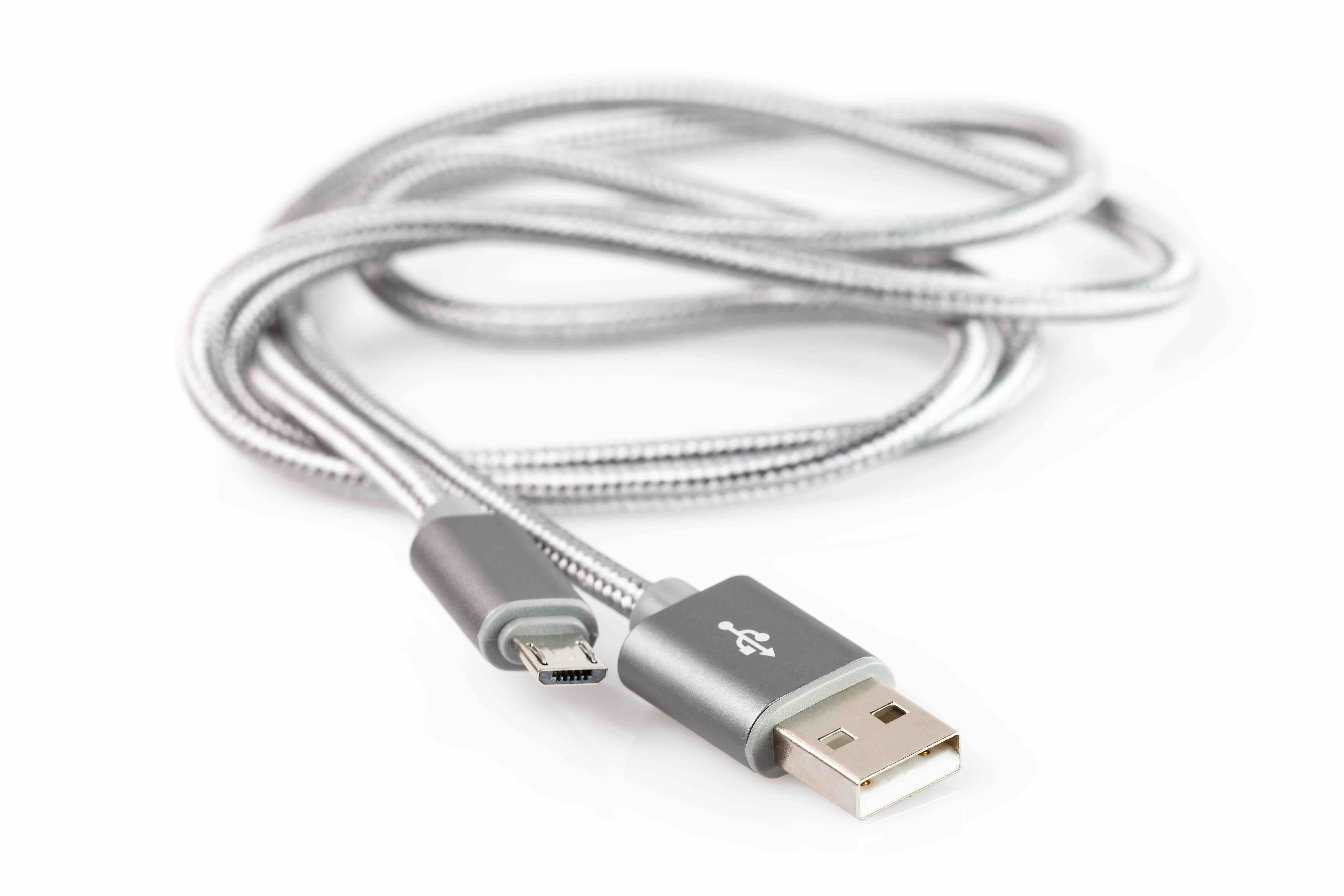
- USB-A: The flat, rectangular connector. It is the one you have seen on virtually every USB device for the past two decades. Still extremely common on computers, wall chargers, and hubs.
- USB-B: The square-ish, boxy connector. Used mostly with printers and older external hard drives.
- USB Micro-B: The small, trapezoidal connector. Common on older Android phones, e-readers, and budget peripherals.
- USB Mini-B: Even older. Cameras and early portable devices used this one.
- USB-C: The modern oval-shaped connector. Reversible, faster, capable of higher wattage power delivery, and now the standard on most new phones, laptops, and tablets.
- Lightning: Technically Apple proprietary, not USB -- though it carried USB signals on older iPhones and iPads before they moved to USB-C.
Understanding USB Versions and Speed Tiers
Connector shape is one thing. The version of USB a cable supports is another. These two factors combine to determine actual performance. USB 2.0 was the dominant standard for years, offering data transfer speeds up to 480 Mbps -- solid for keyboards, mice, and basic storage. USB 3.0 and its subsequent revisions pushed speeds up to 5 Gbps, 10 Gbps, and eventually 20 Gbps with USB 3.2 Gen 2x2. USB4 -- built on the Thunderbolt architecture -- reaches up to 40 Gbps and enables advanced video output alongside high-speed data. For most everyday users, USB 3.1 or USB 3.2 in a USB-C form factor covers just about everything. But if you are moving large video files, running an external NVMe drive, or daisy-chaining displays, paying attention to the version printed on the cable or packaging genuinely matters.
How Power Delivery Works Through a USB Cord
USB cords do not just carry data -- they carry power. The original USB 2.0 spec allowed for 5V at 0.5A, which is 2.5 watts. Fine for passive sync, not really enough to charge anything modern at a reasonable pace. USB 3.0 bumped that to 5V at 0.9A. Then USB Power Delivery came along and changed the game entirely. USB PD supports up to 240 watts with the latest revision, enabling USB-C cables to charge laptops, monitors, and even some high-demand peripherals. This is why the cable matters more than people expect -- a cheap, thin USB-C cable might physically fit your port but only support 5W charging, while a properly rated cable handles 65W, 100W, or more without issue. Always check the cable's power rating if fast charging or laptop charging is the goal.
Key Advantages of USB Cables
USB cords became the global standard for a reason. The advantages are real and practical across consumer and professional use cases alike.
- Universal compatibility across thousands of devices and brands
- Hot-swappable design with no restart required
- Simultaneous power and data transmission over a single cable
- Scalable standards that have kept pace with evolving performance demands
- Cost-effective availability at every price point
- Compact connector sizes that work well in slim modern hardware designs
Common Drawbacks to Be Aware Of
No technology is without its limitations, and USB cords are no exception. Cable quality varies widely, and that variation has real consequences. Cheap cables with undersized conductors can overheat, deliver inconsistent power, or fail to hit rated data speeds. Cable length also plays a role -- passive USB-C cables lose signal integrity over longer runs without active electronics to compensate. The proliferation of USB-C as a physical standard while the underlying protocol versions differ significantly has created genuine consumer confusion. A USB-C to USB-C cable from one device to another might support USB 2.0 speeds despite the modern connector shape. Reading the specs -- not just looking at the plug -- is the only reliable way to know what you are actually getting.
Practical Tips for Choosing the Right USB Cord
Making a smart cable decision comes down to knowing your use case before you buy. Match the cable spec to the port spec -- if your device has a USB 3.2 Gen 2 port, a USB 2.0 cable will bottleneck performance. Check the power rating if you intend to charge laptops or fast-charge phones. Look for cables that have been tested and certified to appropriate standards, especially for USB-C Power Delivery. Consider cable build quality -- braided nylon jackets, reinforced strain relief at the connectors, and properly shielded conductors all extend cable lifespan. And if you are buying for a professional or commercial environment, buying in bulk from a reliable source with consistent quality control is a practical move that saves headaches down the road.
Why Monoprice Is the Smart Choice for USB Cables
When it comes to sourcing USB cables that actually perform the way they are supposed to, consistency and quality control matter far more than brand hype. Monoprice has built its reputation on exactly that -- delivering high-performance cables at pricing that makes sense for both individual consumers and large-scale procurement teams. Whether you need USB-C to USB-C cables rated for 100W Power Delivery, high-speed USB 3.2 cables for data-intensive workflows, or bulk USB-A cables for a commercial deployment, the range covers it without asking you to overpay. If you are looking to shop reliable, performance-tested USB cables and connectivity solutions for home and professional use, Monoprice brings the depth of catalog, the technical credibility, and the value proposition that informed buyers have come to rely on. This is not about cutting corners -- it is about knowing that solid engineering does not have to come with an inflated price tag attached.
Frequently Asked Questions About USB Cords
What does USB stand for?
USB stands for Universal Serial Bus. It is a standardized interface used to connect devices and transfer data or power between them.
Is a USB cord the same as a charging cable?
Not always. A USB cord can carry both data and power, but a cable marketed only as a charging cable may lack the data wires needed for file transfer. Always verify the cable's specifications before assuming full functionality.
What is the difference between USB-A and USB-C?
USB-A is the flat, rectangular connector found on most older devices and chargers. USB-C is the newer, oval-shaped reversible connector capable of higher data speeds and power delivery. USB-C is the current industry standard on modern hardware.
Can I use any USB-C cable for fast charging?
No. USB-C cables vary in their power delivery ratings. A cable must support USB Power Delivery and be rated for the appropriate wattage to enable fast charging on compatible devices.
How long can a USB cable be before it loses signal quality?
For USB 2.0, the recommended maximum passive cable length is 5 meters. USB 3.0 passive cables are generally reliable up to 3 meters. Longer runs may require active cables or signal repeaters to maintain performance.
What is USB Power Delivery?
USB Power Delivery is a charging specification that allows USB connections to carry significantly more power than standard USB charging. It supports up to 240 watts with USB PD 3.1, enabling USB-C cables to charge laptops and other high-demand devices.
Does cable quality actually affect data transfer speed?
Yes. A poorly constructed cable may not reliably support the data transfer speeds it claims. Shielding, conductor gauge, and connector quality all contribute to consistent performance at rated speeds.
What is the fastest USB standard available today?
USB4 Version 2.0 is currently the fastest commercially available USB standard, supporting data transfer speeds up to 80 Gbps. It uses the USB-C connector and is compatible with Thunderbolt 4 infrastructure.
Can a USB cord damage my device?
A non-certified or counterfeit USB cable -- particularly one that misrepresents its power delivery rating -- can potentially damage devices through improper voltage or current delivery. Always purchase cables from reputable sources with verified specifications.
Are all USB-C cables compatible with each other?
Physically, USB-C connectors are standardized and will fit any USB-C port. However, the underlying protocol, data speed, and power delivery capability vary widely between cables. Compatibility at a functional level depends on matching the cable's rated specification to your device's requirements.