What Is a Printer Cable Called? Types and Uses Explained
What Is a Printer Cable Called? A Complete Guide to Printer Connectivity
If you have ever set up a printer and found yourself staring at a tangle of cables wondering which one actually connects to what, you are not alone. It is one of those things people Google at the last minute, usually while holding a cable in one hand and a setup guide in the other. So, what is a printer cable called? The short answer is that it depends on the type of connection your printer uses. But the longer answer is worth understanding, especially if you want to avoid compatibility headaches or degraded print performance down the line. Let us walk through all of it in a way that actually makes sense.
The Most Common Printer Cable: The USB Printer Cable
Right, so the cable most people are thinking of when they ask this question is the USB printer cable. More specifically, it is usually a USB Type-A to USB Type-B cable. The flat, rectangular end plugs into your computer, and the square-ish end with the slightly beveled corners plugs into the printer. This cable type has been the industry standard for personal and office printers for well over two decades now. It is reliable, it is widely available, and it works across Windows, macOS, and Linux systems without much fuss. If you bought a printer in the last fifteen years and it connects via a physical cable, there is a strong chance this is what you are dealing with.
USB-C Printer Cables: The Newer Standard Taking Over
Newer printers, especially compact and portable models, are starting to move toward USB-C connections on both ends. USB-C is smaller, reversible, and supports faster data transfer speeds. If your printer manual mentions USB 3.1 or USB 3.2, it is very likely using a USB-C port. The cable in that case would be a USB-A to USB-C or even a USB-C to USB-C cable depending on your setup. It is worth checking both ends before you order a replacement, because getting the wrong connector type is one of the most common and easily avoidable mistakes people make when shopping for printer cables.
What About Parallel Printer Cables? Understanding Legacy Connections
Here is where things get a little historical. Before USB became the default, printers were connected using a parallel cable, also called a Centronics cable or IEEE 1284 cable. This was a wide, flat connector with multiple pins and a clip-lock on each side. It was bulky, slow by modern standards, and somewhat finicky. You are unlikely to encounter one with any printer manufactured in the last fifteen years, but if you are working with legacy hardware in an older office environment or industrial setting, you might still run into these. Parallel ports are not grounded the same way as USB, and they were notorious for interference issues over longer cable runs. Knowing this distinction matters when you are troubleshooting older equipment.
Grounding in Printer Cables: Why It Actually Matters
This does not get talked about enough, honestly. Grounding in a printer cable refers to the inclusion of a shield or drain wire within the cable that dissipates electromagnetic interference, also known as EMI. A properly shielded and grounded cable prevents signal noise from corrupting data during transmission, which can show up as garbled print output, dropped connections, or print jobs that just fail silently. Most quality USB printer cables use twisted pair wiring internally and a foil or braided shield wrapped around the data conductors. The shield connects to the ground through the connector housing, which is then grounded through your computer or power strip. Without this, especially in environments with a lot of electronic equipment running nearby, you can run into print quality issues that are genuinely difficult to diagnose without understanding the underlying cause.
Shielded vs. Unshielded Printer Cables: What the Difference Looks Like in Practice
When you are shopping for a printer cable, you will sometimes see terms like shielded or STP alongside the product description. Shielded twisted pair cables offer better noise rejection and are generally recommended for longer cable runs, office environments with dense wireless activity, or situations where the cable runs near power cables or fluorescent lighting. Unshielded cables are fine for short desktop setups in relatively quiet electrical environments. Here is a quick breakdown of what to consider when choosing:
- Cable length under 6 feet in a home environment -- unshielded is typically fine
- Cable length over 6 feet or in an office or commercial setting -- choose a shielded cable
- Running near power strips, UPS systems, or fluorescent lights -- shielded is strongly recommended
- High-volume printing or mission-critical environments -- always go shielded for consistent reliability
- USB 3.0 and above -- shielded cables help maintain signal integrity at higher data rates
How Long Can a Printer Cable Actually Be?
Good question, and one that catches people off guard. The USB specification limits USB 2.0 cables to about 16 feet or roughly 5 meters before signal degradation becomes a measurable issue. For USB 3.0, the practical limit is closer to 10 feet or 3 meters without active signal boosting. If you need to run a printer cable over a longer distance, say across a room or to a shared office printer station, you have a couple of options. An active USB extension cable with a built-in signal repeater can extend that range significantly. Alternatively, a network-connected printer communicating over Ethernet or Wi-Fi sidesteps the cable length limitation entirely. That said, for most standard desktop setups, a 6-foot USB cable is the sweet spot for both performance and cable management.
Common Drawbacks and Compatibility Pitfalls to Watch For
Even though printer cables seem straightforward, there are a few consistent issues that trip people up. First, not all USB cables are created equal. A cheap, unshielded cable with thin gauge conductors might work fine for charging a phone but underperform when transmitting continuous print data. Second, some printers now use USB-B 3.0 ports, which look similar to standard USB-B but have an additional row of pins on top. Plugging a USB 2.0 cable into a USB 3.0 port will usually work, but you will not get the full transfer speed. Third, there is the issue of counterfeit or off-spec cables flooding the market. These cables often fail to meet proper grounding standards and can actually introduce the EMI problems they are supposed to prevent. Buying from a trusted source with documented specifications is not just a preference, it is a practical safeguard.
Quick Reference: Types of Printer Cables at a Glance
Just to make this easy to reference, here is a summary of the main printer cable types you will encounter and what they are used for:
- USB-A to USB-B -- the classic printer cable, most common for desktop printers
- USB-A to USB-C -- used with newer compact and portable printers
- USB-C to USB-C -- found on modern printers and current-gen laptops
- USB-A to Mini-USB -- older portable printers, now largely phased out
- Parallel (IEEE 1284) -- legacy printers, rarely seen in modern environments
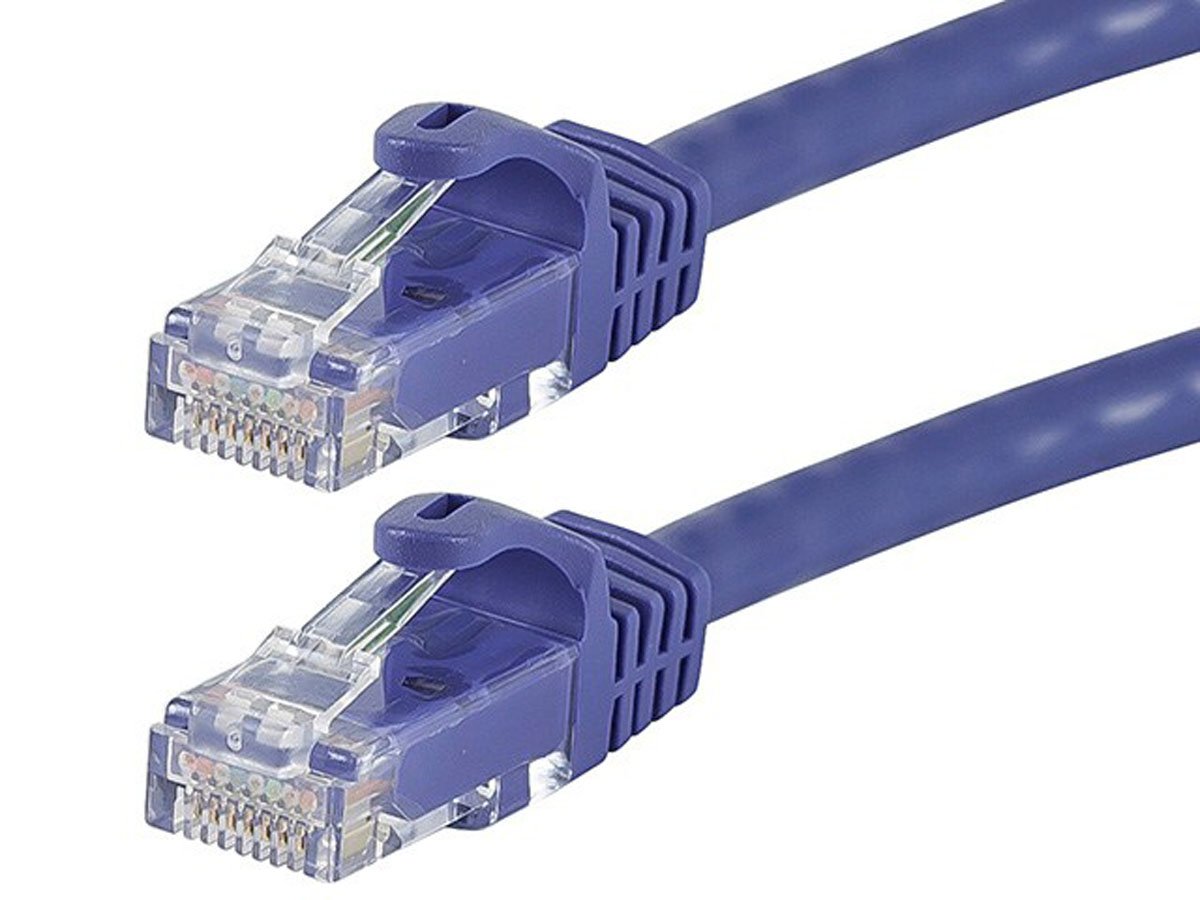
- Ethernet (RJ45) -- network-connected printers in office and enterprise settings
Why Monoprice Is the Right Source for Your Printer Cable Needs
If you have made it this far, you clearly care about getting the right cable for the right job, and that is exactly the kind of thinking that Monoprice is built around. Monoprice has spent years engineering cables that meet or exceed the specifications consumers and professionals actually need, without inflating the price to cover flashy branding. Whether you need a standard USB-A to USB-B printer cable for a home office setup or a shielded, high-retention USB 3.0 cable for a demanding print environment, Monoprice has it covered with the specs to back it up. Every cable goes through quality control processes designed to ensure consistent shielding, proper grounding, and accurate connector tolerances. For anyone who has wasted time troubleshooting print failures caused by a poorly made cable, that kind of reliability is genuinely worth something. You can explore the full lineup of high-quality shielded USB printer cables and connectivity solutions and find exactly what your setup requires at a price that makes sense for both home users and enterprise buyers alike.
Frequently Asked Questions About Printer Cables
What is the cable that connects a printer to a computer called?
The most common printer cable is called a USB printer cable, specifically a USB Type-A to USB Type-B cable. Newer printers may use USB-C connections instead.
Are printer cables universal?
Not entirely. While USB-A to USB-B is a very common standard, the specific connector type on your printer varies by model and manufacturer. Always check both the printer port and your computer port before purchasing a cable.
Do printer cables need to be grounded?
Quality printer cables include internal shielding that connects to ground through the connector housing. This shielding reduces electromagnetic interference and helps maintain stable, accurate data transmission during print jobs.
What is the difference between a shielded and unshielded printer cable?
A shielded printer cable includes a foil or braided wrap around the internal conductors that blocks EMI. Unshielded cables lack this protection and may experience signal interference, especially in electrically noisy environments or over longer cable runs.
How long can a USB printer cable be?
USB 2.0 cables are rated to about 16 feet before signal degradation becomes an issue. USB 3.0 cables perform best under 10 feet. For longer runs, use an active USB extension cable with a built-in repeater.
What was the old-style printer cable called?
The older style printer cable was called a parallel cable, also referred to as a Centronics cable or IEEE 1284 cable. It was standard before USB connections became widely adopted in the late 1990s and early 2000s.
Can I use any USB cable for a printer?
You can use any USB cable that matches the correct connector types, but cable quality matters. Low-quality cables with insufficient shielding or thin conductors can cause unreliable connections or failed print jobs. Always use a cable rated for data transfer, not just charging.
Why does my printer keep disconnecting from my computer?
Frequent disconnections are often caused by a damaged cable, a poor-quality cable with inadequate shielding, or a loose connector. Replacing the cable with a properly shielded, full-specification USB printer cable usually resolves the issue.
What type of USB does most printers use?
Most standard desktop printers use a USB Type-B port, which connects to a USB Type-A port on your computer. Newer and portable models are increasingly adopting USB-C on the printer side.
Is an Ethernet cable better than a USB cable for printers?
For shared office printers or multi-user environments, an Ethernet connection offers more flexibility and eliminates USB cable length limitations. For single-user desktop setups, a quality USB printer cable is reliable, cost-effective, and perfectly sufficient.