

What Are VGA Cables Used For and Do You Still Need One
What Are VGA Cables and Why Do They Still Matter?
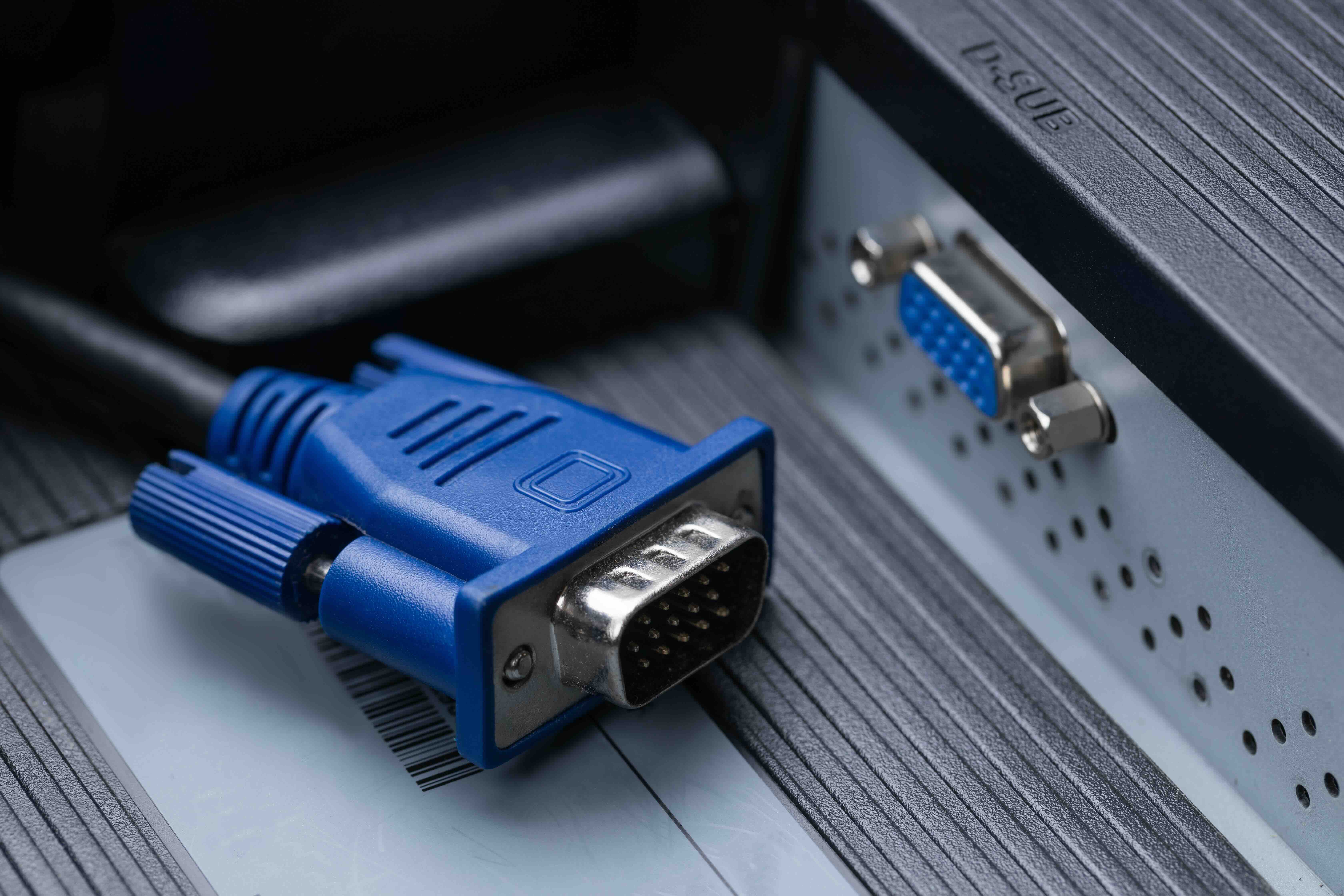
VGA cables -- Video Graphics Array cables -- have been around since 1987, which is honestly kind of wild when you think about it. IBM introduced the standard, and for decades it was the go-to connection for monitors, projectors, and display devices across homes, offices, and classrooms. The connector itself is that familiar trapezoidal blue plug with 15 pins arranged in three rows. If you have ever set up a conference room projector or worked in an older office building, you have almost certainly dealt with one. Even now, in environments running legacy hardware or budget-oriented equipment, VGA shows up constantly. It is an analog signal format, meaning it transmits video data as a continuous electrical signal rather than in the discrete digital packets that modern standards like HDMI or DisplayPort use. That distinction matters more than people realize -- and we will get into exactly why shortly.
How VGA Cables Actually Work
Here is the short version: VGA carries analog RGB video signals from a source device -- your computer, laptop, or media player -- to a display. The cable has three separate channels for red, green, and blue color information, plus additional lines for horizontal and vertical sync signals. Those sync signals are what tell the monitor when to start a new line or frame. The 15-pin DE-15 connector handles all of this simultaneously. Because the signal is analog, it is susceptible to interference and signal degradation over longer cable runs, which is worth knowing if you are trying to push a VGA signal across a large room. The quality of the cable -- specifically its shielding and conductor material -- plays a real role in how clean that image looks at the other end. A poorly shielded VGA cable in an electrically noisy environment can produce visible artifacts, color banding, or that slightly blurry edge softness that people sometimes just accept without realizing the cable is the culprit.
Common Uses for VGA Cables Today
VGA is not dead. That needs to be said directly. The use cases are more specific now, sure, but they are real and widespread enough that dismissing VGA entirely would be a mistake for anyone managing mixed-generation hardware environments. Here is where VGA cables still earn their place:
- Legacy desktop computers and monitors without HDMI or DisplayPort outputs
- Projectors in classrooms, conference rooms, and auditoriums that predate digital inputs
- Industrial and medical display equipment certified to older hardware specifications
- Secondary monitors in cost-sensitive deployments where resolution demands are modest
- KVM switch setups where older analog infrastructure remains in use
- Retail and hospitality signage systems running on older hardware
- Educational institutions with standardized older equipment on multi-year replacement cycles
The pattern is fairly consistent: anywhere budget constraints, institutional inertia, or long hardware lifecycle requirements exist, VGA cables are still doing real work. That is not nostalgia -- it is practical economics.
Key Advantages of Using VGA Cables
One of the strongest arguments for VGA in the right context is universal compatibility with older hardware. If your organization has a fleet of monitors or projectors from the mid-2000s through early 2010s, VGA is not an inconvenience -- it is simply the correct connection. There is no need for adapters, no driver issues, no handshake protocols to troubleshoot. You plug it in and it works. VGA cables are also widely available and inexpensive, which makes them an attractive option for budget-conscious deployments. For environments where display resolution requirements top out at 1080p or below -- think internal dashboards, basic presentation setups, or secondary display monitors -- VGA delivers acceptable image quality without added cost. The simplicity of the analog signal architecture also means fewer points of failure in long-term institutional deployments. No firmware, no HDCP, no EDID negotiation. That kind of straightforward reliability has genuine operational value.
Drawbacks and Limitations Worth Knowing
The limitations of VGA are real and become increasingly relevant as display resolutions climb. VGA was designed around the display standards of its era. While it can technically support resolutions up to 2048x1536 under the QXGA standard, real-world performance at those resolutions requires very high-quality cable construction and short cable runs. The analog nature of the signal means image sharpness, color accuracy, and clarity all degrade compared to digital connections at equivalent resolutions. VGA carries no audio signal whatsoever -- that is a separate cable requirement entirely. It also lacks support for modern content protection protocols, which matters in certain commercial and educational AV deployment scenarios. And as display manufacturers continue phasing out VGA ports -- most consumer monitors and laptops have eliminated it entirely -- the practical window for new VGA deployments is narrowing. Understanding these limitations helps set realistic expectations for what VGA can and cannot deliver in a given setup.
VGA vs. HDMI vs. DisplayPort: A Practical Comparison
The comparison between VGA and modern digital video standards really comes down to the application. HDMI and DisplayPort both transmit digital signals, which means sharper images, support for higher resolutions and refresh rates, and integrated audio. DisplayPort in particular is built for high-performance computing and gaming environments. HDMI is the dominant standard for consumer electronics and commercial AV. VGA has none of those capabilities -- it is purely analog, purely video, and bounded by the resolution and signal quality limitations of its design era. That said, comparing VGA to HDMI is a bit like comparing a flathead screwdriver to a power drill. If you need to drive a screw quickly at scale, the drill wins every time. But if you need to open a simple panel cover on legacy hardware and all you have is a flathead, it does exactly the job. Context determines value. For new installations targeting 1080p and above with audio integration, HDMI or DisplayPort is the correct answer. For maintaining existing analog infrastructure, VGA remains the practical choice.
Tips for Getting the Best Performance from VGA Cables
If VGA is the right tool for your situation, there are concrete ways to ensure the signal quality is as good as it can be. Cable quality matters significantly in analog transmission -- shielded conductors reduce interference pickup, and gold-plated contacts resist oxidation that can degrade signal integrity over time. Keep cable runs as short as practical; signal quality drops noticeably beyond 15 to 25 feet depending on cable quality and resolution. Make sure the connector screws are finger-tightened securely -- a loose VGA connection is a common source of display issues that gets misdiagnosed as a monitor or graphics card problem. Avoid routing VGA cables parallel to power cables, which introduce electromagnetic interference into the analog signal. If you are dealing with a particularly long run and still need to use VGA, a signal booster or VGA extender can help preserve image quality. These are not complex fixes -- they are just disciplined cable management applied to analog signal requirements.
When to Upgrade Beyond VGA
The decision to move past VGA usually comes down to one of a few clear triggers. If display resolution requirements have increased beyond what VGA delivers cleanly -- anything pushing toward 1080p at longer cable runs, or 1440p and above in general -- the upgrade argument is straightforward. If the hardware on either end of the connection now supports HDMI or DisplayPort natively, there is rarely a good reason to route through VGA instead. If audio integration is a requirement, VGA is immediately disqualified. And if content protection or licensing compliance is a factor in your AV deployment, digital connections with HDCP support are necessary. The upgrade path does not have to be expensive or complicated. Adapters exist for VGA-to-HDMI and VGA-to-DisplayPort transitions that can bridge legacy and modern hardware during phased upgrade cycles -- a practical middle step that many organizations use to manage hardware transitions without full infrastructure replacement.
Why Monoprice Is the Right Source for VGA Cables and Beyond
When it comes to sourcing the right cables for legacy or mixed-generation AV environments, the quality of what you buy matters more than people typically assume -- especially with analog signals where cable construction directly affects signal integrity. Monoprice has built a well-earned reputation as a reliable, high-performance source for connectivity solutions across a wide range of applications, from basic consumer setups to professional AV integrations. Whether you need shielded VGA cables for a conference room projector installation or you are transitioning a facility toward modern digital standards, the depth of available options and the transparency around specifications make the selection process straightforward. For anyone managing technology procurement -- whether for a single workstation or an enterprise deployment -- sourcing from a provider that prioritizes build quality and honest value is simply the smarter approach. Explore the full range of connectivity solutions available from Monoprice VGA cables and display connectivity solutions to find the right fit for your specific setup, whether that means maintaining proven analog infrastructure or upgrading toward the digital standards your next generation of hardware demands.
Frequently Asked Questions About VGA Cables
What does VGA stand for and what is it used for?
VGA stands for Video Graphics Array. It is a video connection standard used to transmit analog video signals from a source device such as a computer or laptop to a display like a monitor or projector. It does not carry audio.
Can VGA cables support HD or 1080p resolution?
VGA can support resolutions up to 1080p and technically higher, but image quality at those resolutions depends heavily on cable quality and run length. Analog signal degradation becomes more noticeable at higher resolutions compared to digital alternatives like HDMI.
Do VGA cables carry audio signals?
No. VGA cables carry video signals only. A separate audio cable or connection is required when using VGA for any setup that also needs sound.
What is the maximum recommended length for a VGA cable?
For reliable image quality, VGA cables are generally recommended at lengths of 15 feet or under. Higher quality shielded cables can maintain acceptable performance up to 25 feet, but signal degradation increases beyond that without a signal booster.
Is VGA still being used in professional or commercial environments?
Yes. VGA remains in use across educational institutions, corporate conference rooms, industrial facilities, and healthcare environments where older certified hardware with VGA outputs is still in active service.
What is the difference between VGA and HDMI?
VGA is an analog signal standard that carries video only. HDMI is a digital standard that carries both high-definition video and audio in a single cable and supports modern features like HDCP content protection and higher resolutions with better clarity.
Can I use a VGA to HDMI adapter to connect older devices to newer displays?
Yes, VGA to HDMI adapters are widely available and can bridge legacy analog sources to modern digital displays. Most adapters require a separate audio input since VGA does not carry audio, and some require external power depending on the design.
Why does my VGA image look blurry or have color issues?
Blurry images or color problems with VGA connections are often caused by a loose connector, a low-quality cable with inadequate shielding, electromagnetic interference from nearby power cables, or a cable run that exceeds the practical signal distance for that cable grade.
Is it worth buying a new VGA cable or should I upgrade to HDMI?
If both devices in your setup support HDMI or DisplayPort, upgrading is the better long-term choice for image quality and audio integration. If one or both devices only have VGA outputs, a quality VGA cable remains a practical and cost-effective solution for that hardware generation.
Are all VGA cables the same quality?
No. VGA cable quality varies significantly based on conductor material, shielding design, and connector build. Because VGA is an analog signal, cable quality directly affects image sharpness, color accuracy, and resistance to interference, making it important to choose cables built to a reliable specification.


