

What Are USB-C Cables and Why Grounding Is Critical
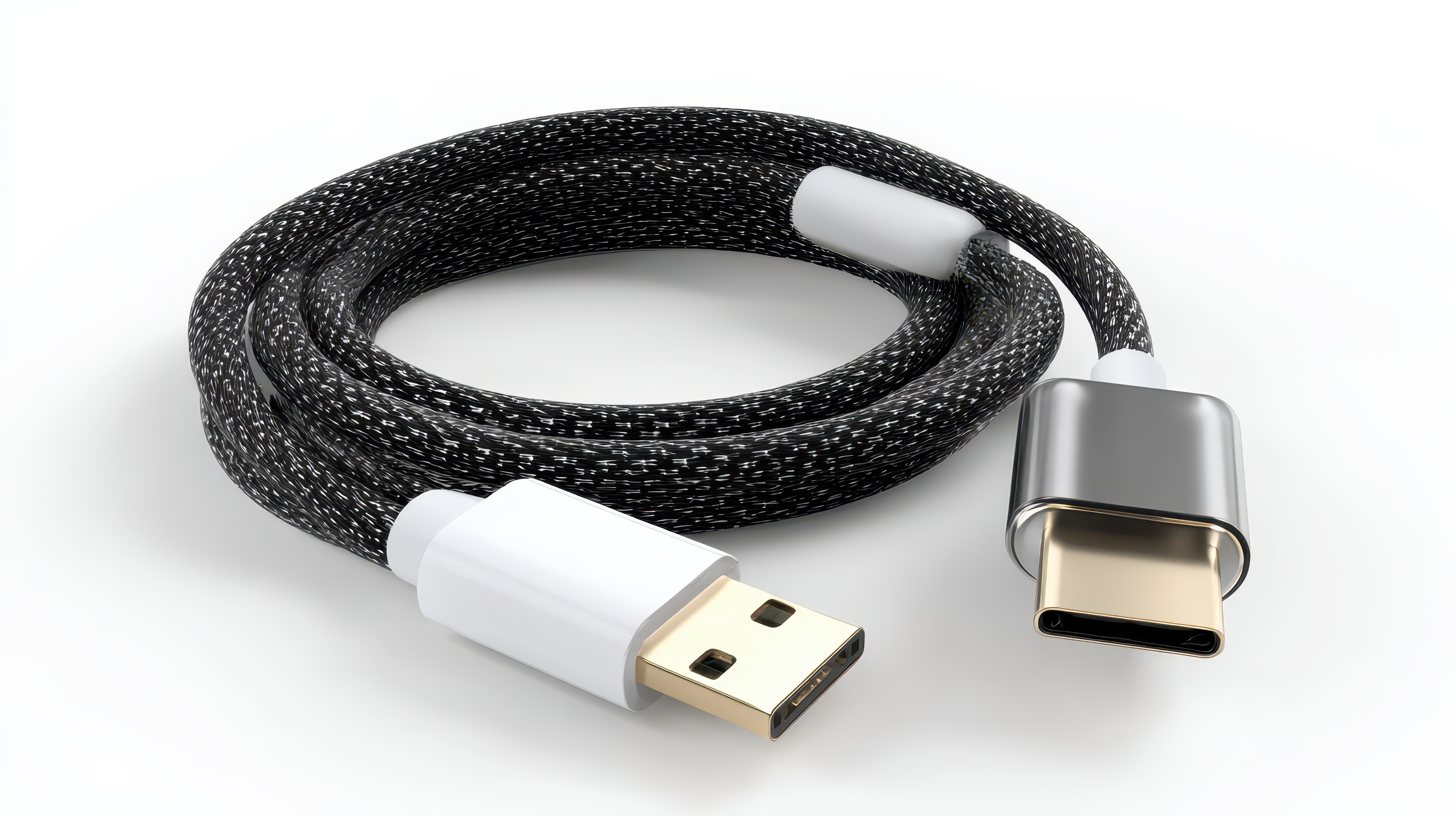
What Are USB-C Cables and Why Should You Care About Them
If you have bought a phone, laptop, or tablet in the last few years, you have probably already come across a USB-C cable without fully realizing what makes it different from everything that came before it. The short answer is that USB-C is a universal connector standard designed to replace the patchwork of charging and data cables that used to clutter up every desk and bag. It is small, reversible, and built to handle serious power delivery alongside fast data transfer. But what really separates a quality USB-C cable from a mediocre one comes down to something most buyers never think about -- grounding. Understanding both of these things together will help you make smarter purchasing decisions and protect the devices you depend on every day.
The Basics of USB-C Technology Explained Simply
USB-C refers specifically to the physical shape of the connector -- that small, oval, symmetrical port you can plug in either way without fumbling. It was introduced by the USB Implementers Forum back in 2014 and has steadily become the dominant standard across consumer electronics, professional workstations, and even industrial equipment. The reason adoption happened so quickly is practical. A single USB-C port can simultaneously carry power, video output, audio, and high-speed data. That is a significant engineering accomplishment. Earlier connector types like USB-A or micro-USB were limited in what they could do at once. USB-C changed the equation entirely by expanding bandwidth and power thresholds in ways that older form factors simply could not support.
How USB-C Cables Actually Work Inside
Inside a USB-C cable, there are multiple conductors organized into specific channels -- some dedicated to power, others to data, and some to the configuration signals that let devices negotiate what they need from each other. This negotiation process is handled through what are called CC pins, or Configuration Channel pins. They detect the connection, determine the direction of power flow, and communicate supported protocols. Higher-end USB-C cables also support the USB Power Delivery specification, which allows for dynamic voltage and current adjustment up to 240 watts in the newest implementations. That is why you can charge a small phone and a demanding laptop from the same cable type. The internal architecture is more sophisticated than it looks from the outside.
Why Grounding Is Not an Optional Detail
Here is where things get genuinely important and where a lot of people gloss over the technical side at their own cost. Grounding in a USB-C cable refers to the inclusion of a dedicated ground conductor that provides a stable reference point for the electrical signals moving through the cable. Without proper grounding, a few things can go wrong in real, measurable ways. Signal noise increases. Data errors become more frequent. In higher-power charging scenarios, inadequate grounding creates a path for stray current that can, over time, damage charging circuits or create subtle interference in sensitive components. A well-grounded cable maintains signal integrity, reduces electromagnetic interference, and provides a safer path for power delivery. It is not an abstract engineering concern -- it is a practical performance factor that affects every charge cycle and every data transfer.
Key Advantages of Using Quality USB-C Cables
When you invest in a properly built USB-C cable, the benefits stack up across several dimensions of everyday use. Here is what a well-engineered cable delivers:
- Reversible connector design eliminates orientation errors, saving time and reducing wear on ports
- Single-cable convenience for power, data, and video through one standardized connection
- USB Power Delivery support for fast charging across phones, tablets, laptops, and accessories
- High-speed data transfer rates reaching up to 40Gbps with USB4 and Thunderbolt 4 compatible cables
- Durable construction with reinforced strain relief that extends cable lifespan under daily use
- Broad compatibility across operating systems and device ecosystems including Android, Windows, and macOS
These advantages are not theoretical. They translate directly into fewer cables to manage, faster charging times, and more reliable performance from the devices you already own. The key is making sure the cable you choose is actually built to the standard it claims to support.
Common Drawbacks and What to Watch Out For
USB-C is not without its complications. The connector standard itself does not guarantee that every cable with a USB-C plug supports every USB-C feature. This is one of the biggest sources of consumer confusion in the entire category. A cable might physically fit your device but only support basic charging at low wattage while advertising USB-C compatibility on the packaging. Similarly, not all cables labeled as supporting high-speed transfer have the internal wiring to back that claim up. Grounding quality varies significantly between manufacturers, and cheaper cables often cut corners on shielding and conductor quality to hit lower price points. The result is cables that underperform, run warm during charging, or introduce data errors during transfers. Knowing what specifications to look for -- and trusting manufacturers who back their products with real testing -- is the only way to avoid these pitfalls.
Practical Tips for Choosing the Right USB-C Cable
Picking the right cable does not require an engineering degree, but it does require paying attention to a few specific details before you buy. Start by identifying the maximum wattage your primary devices support for charging. Match the cable's rated power delivery spec to that number or higher. Check whether the cable is certified by USB-IF, the USB Implementers Forum, which tests cables against published standards for safety and performance. Look at the cable's data transfer rating -- if you move large files regularly, you want something rated for USB 3.2 Gen 2 or higher. Inspect the physical build quality at the connector heads and along the cable length. Thick outer jackets and reinforced strain relief points are indicators of better internal construction. And when price seems too good to be true for a cable claiming premium specs, trust that instinct.
USB-C in Professional and Business Environments
The relevance of USB-C extends well beyond personal devices. In professional AV installations, conference room setups, and enterprise IT environments, USB-C has become a core infrastructure component. Docking stations, display adapters, KVM switches, and power distribution units now rely heavily on USB-C connectivity to consolidate cabling runs and simplify workstation management. In these settings, grounding and shielding quality matter even more because signal integrity issues scale with the number of connected devices and the length of cable runs. Procurement teams and AV integrators sourcing cables for multi-seat deployments need to treat cable spec sheets with the same scrutiny they would apply to any mission-critical component. A failure in a consumer setup is an inconvenience. A failure in a conference room or production environment is a disruption with real operational cost.
Why Monoprice Delivers the USB-C Performance You Can Actually Rely On
When you are ready to move beyond guessing and start building a cable infrastructure you can count on, Monoprice is the straightforward answer. The brand has spent years engineering USB-C cables that meet published specifications with verified internal construction -- not just marketing language on a box. From everyday charging cables to high-wattage USB Power Delivery solutions and high-speed data transfer cables, Monoprice covers the full range of use cases without the inflated price tags that usually come with certified, tested products. Whether you are outfitting a home office, a professional studio, or a multi-device enterprise environment, the depth of the Monoprice catalog means you can standardize on a single trusted supplier. Explore the full range of USB-C cables and grounded connectivity solutions from Monoprice and see exactly why so many integrators and consumers have made it their default source for reliable, high-performance cables that deliver on spec every time. This is not about paying less for less -- it is about paying fairly for more.
Frequently Asked Questions About USB-C Cables and Grounding
What makes USB-C different from older USB connector types?
USB-C uses a symmetrical oval connector that can be inserted in either direction, and it supports simultaneous power delivery, data transfer, and video output through a single cable, which older types like USB-A or micro-USB cannot do.
Does every USB-C cable support fast charging?
No. Fast charging requires the cable to support USB Power Delivery, which depends on the internal conductor gauge and wiring configuration. Many budget USB-C cables only support standard charging speeds regardless of what the device is capable of.
What is grounding in a USB-C cable and why does it matter?
Grounding refers to a dedicated electrical conductor that provides a stable reference point for current and signal. Without proper grounding, cables are more susceptible to signal noise, data errors, and potential safety issues during high-power charging.
How do I know if a USB-C cable is certified?
Look for USB-IF certification on the packaging or in the product specifications. USB-IF certified cables have been tested against published standards for electrical performance and safety, which provides a baseline assurance that unverified cables cannot offer.
Can a bad USB-C cable damage my device?
Yes. Cables with inadequate shielding, poor grounding, or incorrect wiring can expose connected devices to voltage irregularities or excessive heat during charging, which can degrade battery health or damage charging circuits over time.
What data transfer speed should I look for in a USB-C cable?
For everyday file transfers and peripherals, USB 3.2 Gen 2 rated cables offering 10Gbps are sufficient. For video production, external SSD use, or Thunderbolt 4 devices, look for cables rated at 40Gbps.
Are all USB-C cables compatible with all USB-C devices?
Physically yes, but functionally no. A USB-C cable will fit any USB-C port, but the features available depend on the cable's internal specification. A cable not rated for video output will not carry a display signal even if both devices support it.
How long can a USB-C cable be before performance degrades?
For passive USB-C cables, signal integrity typically begins to degrade beyond one meter for high-speed data transfer. Longer cable runs may require active cables that include signal conditioning circuitry to maintain performance.
What wattage do I need for charging a laptop via USB-C?
Most modern laptops require between 45 and 100 watts for effective charging. High-performance laptops may need up to 140 watts. Always match the cable's rated wattage to your laptop's charging requirement or higher.
Is USB-C the same as Thunderbolt 4?
No. Thunderbolt 4 uses the USB-C connector form factor but is a distinct protocol with higher minimum performance requirements. Not all USB-C cables support Thunderbolt 4 -- only cables specifically rated for Thunderbolt will carry that protocol reliably.


