

What Are Patch Cables? Your Complete Network Cable Guide
What Are Patch Cables? A Complete Guide to Understanding Network Patch Cables
If you have ever set up a home network, worked in an IT environment, or even just plugged a computer into a router, there is a good chance you have used a patch cable without really thinking about what it actually is. That is honestly fine. Most people do not need to think about it. But if you are building out a server room, optimizing a structured cabling system, or just trying to understand why your network connection keeps dropping, knowing what patch cables are and how they work is genuinely useful. So here is a straightforward breakdown of everything that matters.
The Basic Definition: What Is a Patch Cable?
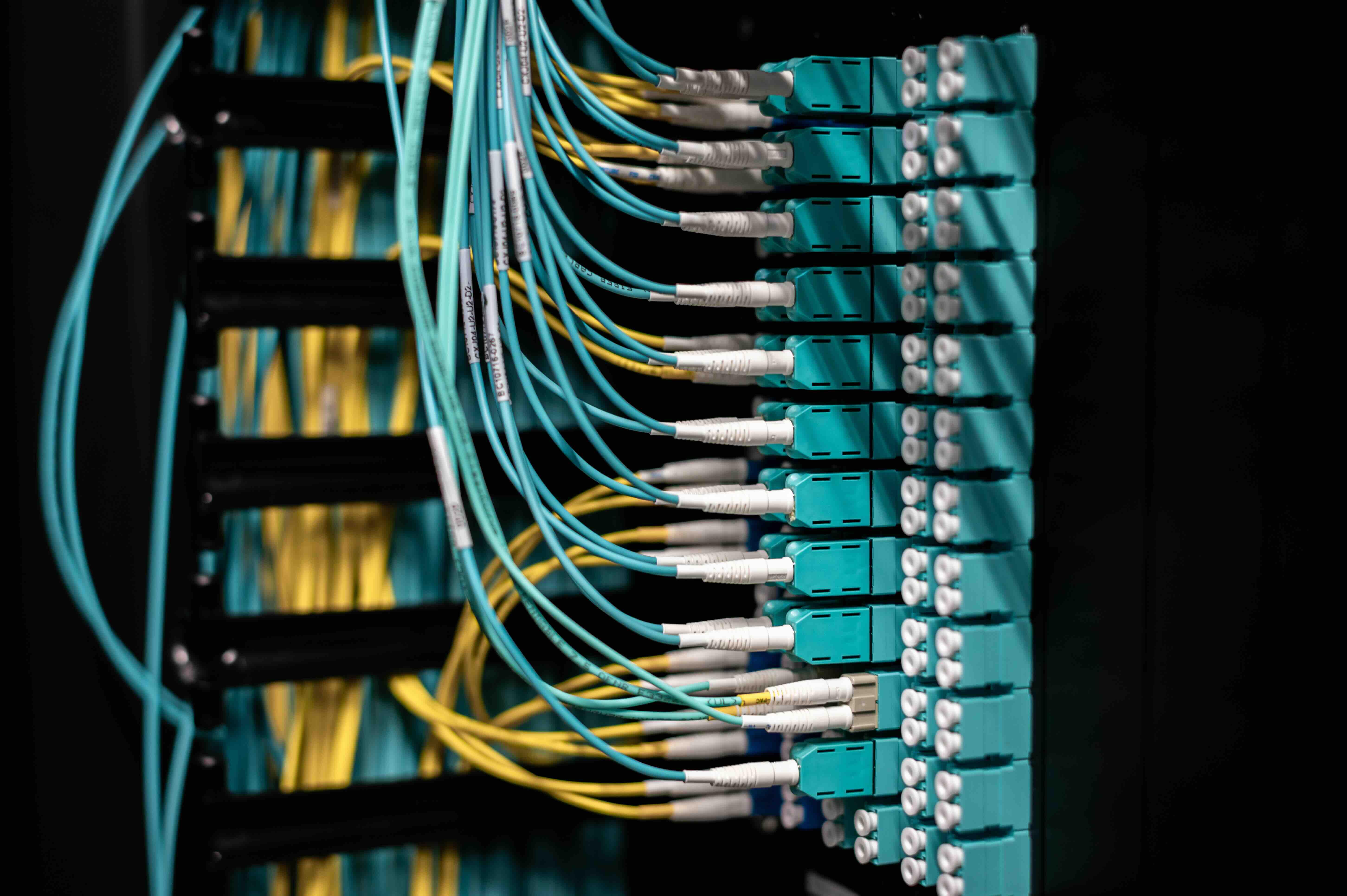
A patch cable is a short-length electrical or optical cable used to connect two electronic devices or to connect a device to a patch panel, switch, or router. The term "patch" comes from old telephone switchboard terminology, where operators would literally "patch" one line into another using short cables. In modern networking, patch cables are the final connection point in a structured cabling setup. They are the cables you see plugged into the back of a network switch, running from a wall jack to a laptop, or connecting ports on a patch panel to active equipment. They are not long runs. Typically, you are looking at cables ranging from one foot to around fifteen or twenty feet, though they can technically be longer. The point is that they are flexible, movable, and designed for frequent use.
How Patch Cables Actually Work in a Network
To understand how patch cables function, it helps to think about the broader picture of a structured cabling system. In most commercial or enterprise environments, there is a permanent cable infrastructure running through walls, ceilings, and conduits. These are usually solid-core copper cables that terminate at wall jacks on one end and at a patch panel in a network closet on the other. Patch cables connect the active devices, like switches, routers, servers, and computers, to these fixed infrastructure points. On the workstation side, a patch cable runs from the wall jack to the computer. On the data center side, another patch cable connects the patch panel port to the correct switch port. That complete path from device to device is how data moves across a physical network. The patch cable itself carries electrical signals encoded as data, transmitting information at speeds determined by the cable category and the connected hardware.
Patch Cable Categories and What the Differences Mean
Not all patch cables are built the same. The performance of a patch cable depends largely on its category rating, which is defined by the Telecommunications Industry Association. Here are the most common types you will encounter:
- Cat5e -- Supports speeds up to 1 Gbps at distances up to 100 meters. Still widely used in older installations and lower-demand environments.
- Cat6 -- Supports 1 Gbps reliably and can handle 10 Gbps at shorter distances, typically up to 55 meters. Reduced crosstalk compared to Cat5e.
- Cat6A -- Supports 10 Gbps at the full 100-meter distance. Better shielding, thicker construction, and the go-to choice for high-performance modern networks.
- Cat8 -- Designed for data center environments, supporting 25 Gbps or 40 Gbps at shorter distances up to 30 meters.
Choosing the right category matters more than most people realize. Using an underpowered cable in a high-demand network is like putting narrow tires on a race car. The hardware can handle the speed but the cable creates the bottleneck.
Shielded vs. Unshielded Patch Cables: Knowing the Difference
One of the most important specifications to understand when selecting patch cables is whether they are shielded or unshielded. Unshielded Twisted Pair cables, commonly referred to as UTP, are the standard for most office and home environments. The twisted pairs inside the cable reduce electromagnetic interference on their own without any additional shielding. Shielded Twisted Pair cables, or STP, include an additional foil or braided metal layer around the conductors. This shielding is designed to block external electromagnetic interference, which becomes a real concern in industrial environments, areas near heavy electrical equipment, or spaces with a high density of wireless devices. There are also variations like FTP (foil-shielded) and SFTP (individually shielded pairs plus an overall braid). The right choice depends on your environment. For a typical office or home network, UTP is perfectly sufficient. For a factory floor or a densely packed server rack with lots of power cables running nearby, shielded cables are absolutely worth the investment.
Key Advantages of Using Quality Patch Cables
It is tempting to treat patch cables as a commodity, something you just grab off the shelf without much thought. That is a mistake professionals in IT and AV integration learn fairly quickly. Here is what you actually gain from using well-made patch cables:
- Reliable signal integrity that reduces packet loss and retransmissions
- Consistent performance that meets or exceeds the rated category standard
- Durable connectors that maintain a secure, low-resistance connection over time
- Proper bend radius protection through quality strain relief boots
- Color-coded options that simplify cable management and troubleshooting
- Compliance with industry standards for structured cabling deployments
These are not minor perks. In a production network environment, a single flaky cable can cause intermittent connectivity issues that take hours to diagnose. Quality cables prevent that.
Common Drawbacks and Limitations to Keep in Mind
Patch cables are not without their limitations. The most significant one is distance. Because patch cables are designed for short runs, they should not be used as a substitute for permanent horizontal cabling. Using them for long runs between floors or across large spaces will introduce signal degradation and fail to meet cabling standards. They also tend to be more susceptible to physical damage than solid-core permanent cables because stranded conductors, while more flexible, are less durable under constant mechanical stress over very long periods. Additionally, in high-density environments, poor cable management with patch cables can create a tangled mess that restricts airflow in server racks and makes troubleshooting significantly harder. None of these are dealbreakers, but they are real considerations when planning a deployment.
Practical Tips for Choosing and Using Patch Cables
If you are sourcing patch cables for a project or just trying to make smarter purchasing decisions, a few practical guidelines go a long way. First, always match or exceed the category rating of your permanent cabling. If your infrastructure is Cat6A, use Cat6A patch cables. Second, buy patch cables with molded boots rather than bare connectors. The boot protects the latch on the RJ45 connector from snapping off, which is one of the most common failure points. Third, use color coding intentionally. Assign specific colors to specific VLANs, network segments, or device types. It makes future troubleshooting dramatically faster. Fourth, avoid using cables that are significantly longer than you actually need. Excess cable creates clutter, reduces airflow, and can introduce unnecessary signal loss. Measure your runs and buy appropriate lengths.
Where Patch Cables Are Used Across Industries
Patch cables show up in far more places than most people think about. In enterprise IT environments, they are the backbone of every network closet and server room. In broadcast and AV production, specialized patch cables handle audio routing through patch bays, connecting studio gear to mixing consoles and recording equipment. In telecommunications, they route signals through central office equipment. In education, healthcare, retail, and government facilities, patch cables are part of the critical infrastructure keeping networks operational every single day. Even in residential settings, anyone running a wired home network is using patch cables to connect their router to a switch or their streaming device to a wall jack. The application changes but the fundamental function stays the same.
Why Monoprice Is the Smarter Choice for Patch Cables and Network Cabling
When you are sourcing patch cables for a structured cabling deployment, a server room refresh, or even a straightforward home network upgrade, the quality and value of what you buy actually matters. Monoprice has built a trusted reputation among IT professionals, AV integrators, and value-conscious consumers by delivering high-performance networking cables that meet rigorous industry standards without the inflated pricing you find elsewhere. Whether you need Cat6 patch cables for a standard office deployment, Cat6A for a 10 Gbps backbone, or shielded options for interference-heavy environments, the product lineup covers it. For anyone serious about building reliable, standards-compliant network infrastructure, exploring the full range of professional-grade network patch cables and structured cabling solutions at Monoprice is a straightforward way to get more performance for every dollar spent. The combination of certified performance, practical variety, and accessible pricing is exactly what both enterprise buyers and individual builders need from a cabling supplier.
Frequently Asked Questions About Patch Cables
What is the difference between a patch cable and an Ethernet cable?
An Ethernet cable is a broad term for any cable used in a wired network. A patch cable is a specific type of Ethernet cable made with stranded conductors and designed for short, flexible connections between devices or between devices and patch panels. All patch cables are Ethernet cables, but not all Ethernet cables are patch cables.
Can I use a patch cable for a long cable run?
Patch cables are designed for short distances, typically under 10 meters in practice. For permanent horizontal runs through walls or ceilings, solid-core cables rated for in-wall use are the correct choice. Using patch cables for long runs can violate cabling standards and degrade signal quality.
What does Cat6 mean on a patch cable?
Cat6 refers to the Category 6 specification defined by the TIA. It indicates the cable supports speeds up to 1 Gbps at 100 meters and up to 10 Gbps at shorter distances, with improved crosstalk performance compared to Cat5e.
How do I know if I need a shielded patch cable?
If your network equipment is located near heavy electrical machinery, industrial motors, fluorescent lighting, or other strong sources of electromagnetic interference, shielded patch cables are recommended. In standard office or home environments, unshielded UTP cables are typically sufficient.
What is a patch panel and how do patch cables connect to it?
A patch panel is a mounted hardware unit in a network closet that serves as a centralized connection point for permanent cabling runs from across a building. Patch cables connect the individual ports on the patch panel to ports on active networking equipment like switches, creating a flexible and manageable routing system.
Does the length of a patch cable affect network performance?
For very short runs, length has minimal impact on performance. However, using cables that are unnecessarily long adds clutter and can slightly increase signal attenuation. It is good practice to use the shortest cable length that comfortably reaches between connection points.
What do the color-coded patch cables mean?
Patch cable colors do not have a universal technical meaning. They are used for visual organization and cable management. Network administrators commonly assign specific colors to different VLANs, network segments, or device categories to simplify identification and troubleshooting.
Are patch cables the same as crossover cables?
No. Standard patch cables, also called straight-through cables, connect devices to network equipment like switches. Crossover cables use a different internal wiring arrangement to connect two similar devices directly, such as one computer to another. Most modern network equipment supports auto-MDI/MDIX, which eliminates the need for crossover cables in many situations.
How often should patch cables be replaced?
Quality patch cables do not have a strict replacement schedule, but they should be inspected regularly for physical damage, bent connectors, or broken latch tabs. In high-use environments like data centers, cables showing wear or causing intermittent connectivity issues should be replaced promptly to avoid network disruptions.
What connectors do patch cables typically use?
Most copper Ethernet patch cables use RJ45 connectors, which are the standard 8-position modular plugs used in network connections. Fiber optic patch cables use a variety of connector types including LC, SC, and ST depending on the application and equipment requirements.


