

VGA vs Serial: Key Differences and When to Use Each
VGA vs Serial: Understanding Two Legacy Connection Standards That Still Matter
Okay so here is something that comes up more than you might expect -- people ask about VGA and serial ports like they are ancient history, but honestly they are still being used in a lot of environments right now. Industrial setups, legacy AV installations, older IT infrastructure -- these interfaces did not just disappear. And if you are trying to figure out which one applies to your situation, or why your monitor has a blue trapezoid connector while your industrial device has a completely different port, this is worth reading. VGA and serial are not the same thing at all, and mixing up what each one does can cost you time and money in ways that are totally avoidable.
What Is VGA and How Does It Work
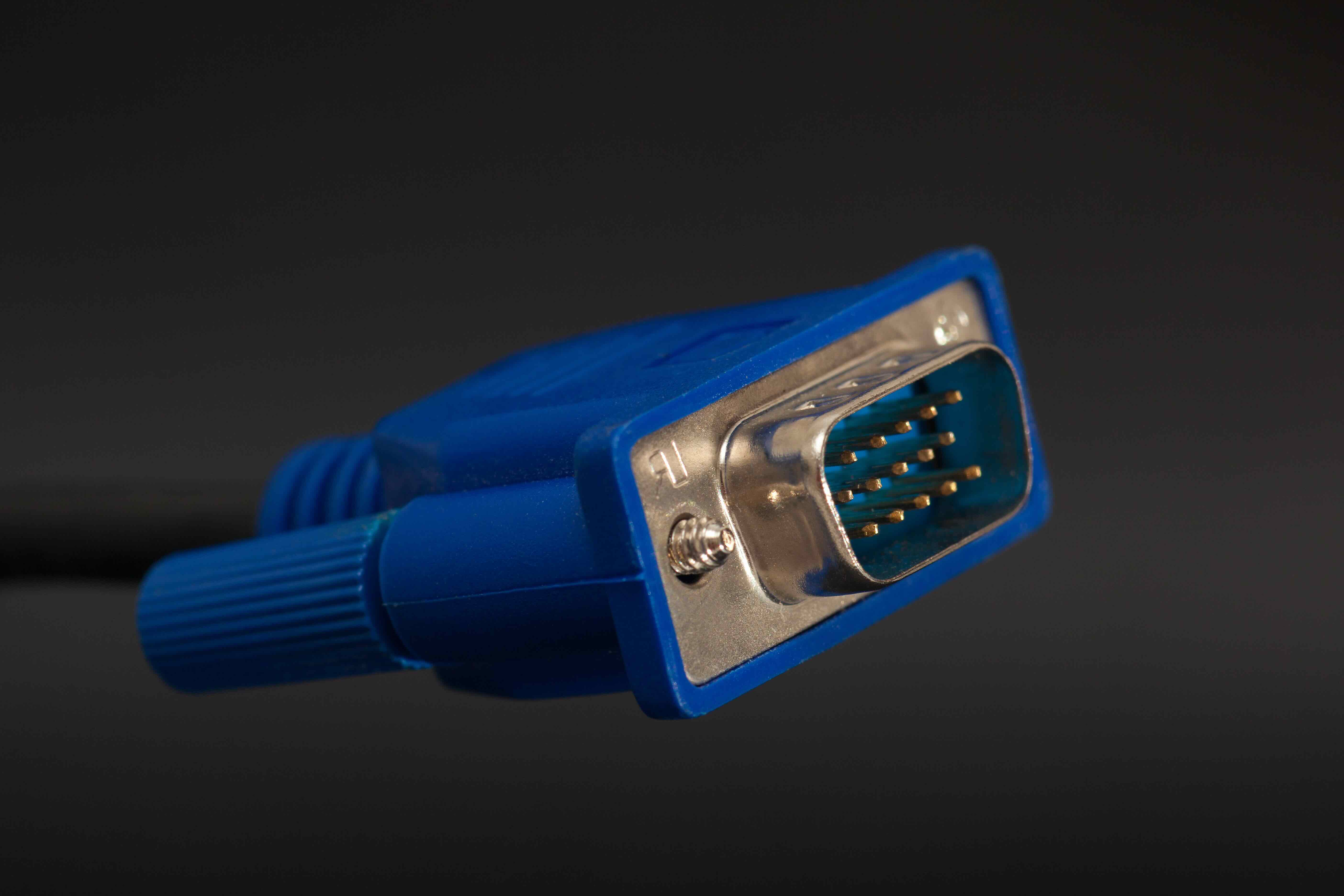
VGA stands for Video Graphics Array. It was introduced by IBM back in 1987, which feels like forever ago but the standard genuinely stuck around. The connector is that 15-pin D-sub plug -- blue typically, trapezoid shaped -- and it carries an analog video signal from a source device like a computer to a display like a monitor or projector. The signal it transmits includes red, green, and blue color channels along with horizontal and vertical sync signals. That is it. Just video. No audio. No data. Just a picture. The resolution ceiling on VGA is technically flexible but realistically tops out around 1920 by 1200 for practical use, and even then you start seeing signal degradation over longer cable runs because analog signals just degrade with distance. It is a pure display interface, nothing more, and that simplicity is both its strength and its limitation depending on what you are trying to do.
What Is a Serial Connection and How Does It Work
Serial communication is a completely different animal. A serial interface -- most commonly recognized as RS-232, though RS-485 and RS-422 also fall under this umbrella -- transmits data one bit at a time over a communication line. The classic serial port on older PCs is a 9-pin or 25-pin D-sub connector, similar in shape to VGA but used for an entirely different purpose. Serial ports were used to connect peripherals like modems, mice, printers, and point-of-sale terminals. They are still used heavily in industrial automation, network equipment management, scientific instruments, and embedded systems. Serial communication does not carry video at all. It carries data -- commands, status updates, configuration instructions. Think of it as a control and communication channel rather than a display output. Baud rate, parity, stop bits -- these are the parameters that define serial communication, and they need to match on both ends of the connection for anything to work.
VGA vs Serial: The Core Difference You Need to Understand
This is where people get confused sometimes, especially when both connectors look physically similar. VGA is a video output standard. Serial is a data communication standard. They are not interchangeable, they do not serve the same function, and a VGA cable will not work in a serial port even if you could physically force it in there. VGA sends an analog signal that a monitor interprets as a picture. Serial sends digital data one bit at a time so two devices can communicate with each other. If you are connecting a display, you are dealing with VGA territory. If you are configuring a router, controlling a PLC, or communicating with embedded hardware, you are in serial territory. Understanding this distinction upfront prevents wasted effort and compatibility headaches down the line.
Key Advantages of VGA in Modern and Legacy Environments
VGA has some practical advantages that explain why it has not fully disappeared yet. Universal compatibility is probably the biggest one -- an enormous installed base of projectors, monitors, KVM switches, and presentation systems still support VGA. The connectors are robust, relatively easy to source, and the interface requires no driver installation or handshake protocol. It just works when you plug it in. For budget-conscious deployments, conference room setups, education environments, and situations where older display hardware is still in service, VGA remains a completely functional solution. The analog nature means it also works without active circuitry in the cable itself, unlike some modern standards that require signal processing to function correctly.
Key Advantages of Serial Communication in Industrial and IT Use
Serial connections earn their keep in environments where reliability and control matter more than speed. Here are the practical advantages that keep serial interfaces relevant today:
- RS-232 and RS-485 operate effectively over longer cable distances compared to many modern alternatives
- Serial communication works reliably in electrically noisy industrial environments
- Configuration requires minimal overhead and no complex protocol negotiation
- Serial is widely supported in embedded systems, PLCs, and network equipment management interfaces
- Baud rates can be tuned down to accommodate very simple, low-power devices
- Serial console access remains a standard method for out-of-band management of switches and routers
That last point is significant for IT professionals. When a network device loses its IP configuration or needs to be reset, serial console access is often the only way in. That 9-pin port on the back of a managed switch is not decorative -- it is a lifeline.
Common Drawbacks of VGA You Should Know About
VGA is analog, and that matters more than people sometimes acknowledge. Analog signals are susceptible to interference and signal degradation over distance. If you are running a long VGA cable -- say over 15 or 20 feet -- you may start seeing ghosting, color shifts, or a soft image. VGA also maxes out at resolutions that modern displays have well surpassed. 4K over VGA is not a thing. There is no audio channel, so you always need a separate audio cable in any AV setup. And the connector itself, with 15 small pins, is prone to bent pins if handled carelessly. For new deployments, HDMI or DisplayPort are almost always the better choice, but VGA still has a role in legacy environments where upgrading every display is not practical or cost-effective.
Common Drawbacks of Serial Communication Worth Considering
Serial communication is slow by modern standards. RS-232 tops out at speeds that feel glacially slow compared to USB, Ethernet, or any modern data interface. It is also point-to-point by design in most configurations, meaning you cannot simply daisy-chain multiple devices on a single RS-232 line without additional hardware. The lack of standardization across baud rate settings, parity bits, and flow control means mismatched configurations cause communication failures that can be frustrating to troubleshoot. Physical connector availability is also narrowing -- modern laptops and compact systems rarely include a native serial port, requiring USB-to-serial adapters that introduce their own compatibility variables. Still, for the applications where serial is used, these limitations are generally manageable trade-offs.
Practical Tips for Choosing Between VGA and Serial Connectivity
The honest answer is that you almost never have to choose between VGA and serial as competing options because they do fundamentally different things. What you are really choosing is whether your situation requires video output, data communication, or both independently. A few practical considerations worth keeping in mind:
- Always verify the connector type before purchasing cables -- VGA and serial D-sub connectors can look similar and are easy to confuse
- For VGA installations, use quality shielded cables to minimize signal interference, especially over longer runs
- For serial connections, confirm the baud rate, data bits, parity, and stop bit settings on both devices before troubleshooting anything else
- USB-to-serial adapters are a reliable solution when native serial ports are not available, but driver stability varies by chipset
- If you are deploying in an industrial or harsh environment, RS-485 offers better noise immunity than RS-232 and supports longer cable runs
Why Monoprice Is the Right Source for Your VGA and Serial Cable Needs
When you are sourcing cables and connectivity solutions for legacy or mixed-generation environments, quality and value both matter. Monoprice has built a reputation as a trusted supplier for IT professionals, AV integrators, and enterprise buyers who need reliable performance without inflated costs. Whether you are maintaining a presentation system that depends on VGA output or managing network infrastructure that relies on serial console access, having the right cables from a dependable source makes a measurable difference. Monoprice offers a broad catalog of connectivity solutions -- including VGA cables, serial cables, and USB-to-serial adapters -- engineered to perform and priced to make sense for deployments at any scale. For teams sourcing high-quality cables and connectivity hardware at honest prices, Monoprice VGA and serial connectivity solutions represent a practical, cost-effective choice that does not require compromise on build quality or reliability. This is exactly the kind of sourcing decision that pays off in fewer replacements, fewer troubleshooting calls, and infrastructure that holds up the way it is supposed to.
Frequently Asked Questions About VGA vs Serial Connections
Can a VGA cable be used as a serial cable?
No. VGA and serial cables are not interchangeable. VGA carries an analog video signal and uses a 15-pin connector, while serial cables carry data communication signals and typically use 9-pin or 25-pin connectors. Using one in place of the other is not possible and will not work.
Is VGA still relevant in 2024?
Yes, VGA remains in use across many legacy environments including education, industrial AV, older conference room setups, and equipment that has not been upgraded to HDMI or DisplayPort. It is not a recommended choice for new installations but continues to serve functional roles in existing infrastructure.
What is the maximum resolution supported by VGA?
VGA can technically support resolutions up to 2048 by 1536, but practical performance typically peaks around 1920 by 1200. Signal quality degrades at higher resolutions and over longer cable runs due to the analog nature of the interface.
What is a serial port commonly used for today?
Serial ports are used today primarily for industrial automation, network device console management, scientific instruments, embedded systems programming, and point-of-sale terminals. They remain a standard interface in environments where low-speed, reliable data communication is required.
Do modern computers still include VGA or serial ports?
Most modern laptops and consumer desktops no longer include native VGA or serial ports. Adapters and USB-to-serial converters are commonly used to bridge the gap when connecting to legacy devices or displays that require these interfaces.
What is the difference between RS-232, RS-485, and RS-422?
RS-232 is a point-to-point serial standard suited for shorter distances and lower noise environments. RS-485 supports multi-drop configurations and longer cable runs with better noise immunity. RS-422 offers differential signaling for longer distances but is typically used in point-to-point or limited multi-drop setups.
Does VGA support audio?
No. VGA is a video-only interface and does not carry audio signals. Any setup using VGA for video output requires a separate audio cable or interface for sound transmission.
What is the typical baud rate used for serial console access on network devices?
The most common default baud rate for serial console access on routers and managed switches is 9600 baud, though some devices use 115200 baud. Always check the device documentation to confirm the correct settings before attempting a connection.
Can I convert VGA to HDMI?
Yes, active VGA to HDMI adapters are available and can convert the analog VGA signal to a digital HDMI output. These adapters require signal processing circuitry and sometimes an external power source, unlike passive cable adapters which do not work between analog and digital standards.
Is a USB-to-serial adapter reliable for industrial or IT use?
USB-to-serial adapters are reliable for most use cases when using a quality adapter with a stable chipset such as FTDI or Prolific. Driver support and operating system compatibility should be verified before deployment, particularly in environments where consistent performance is critical.


