

VGA vs HDMI vs Mini HDMI: Differences Explained
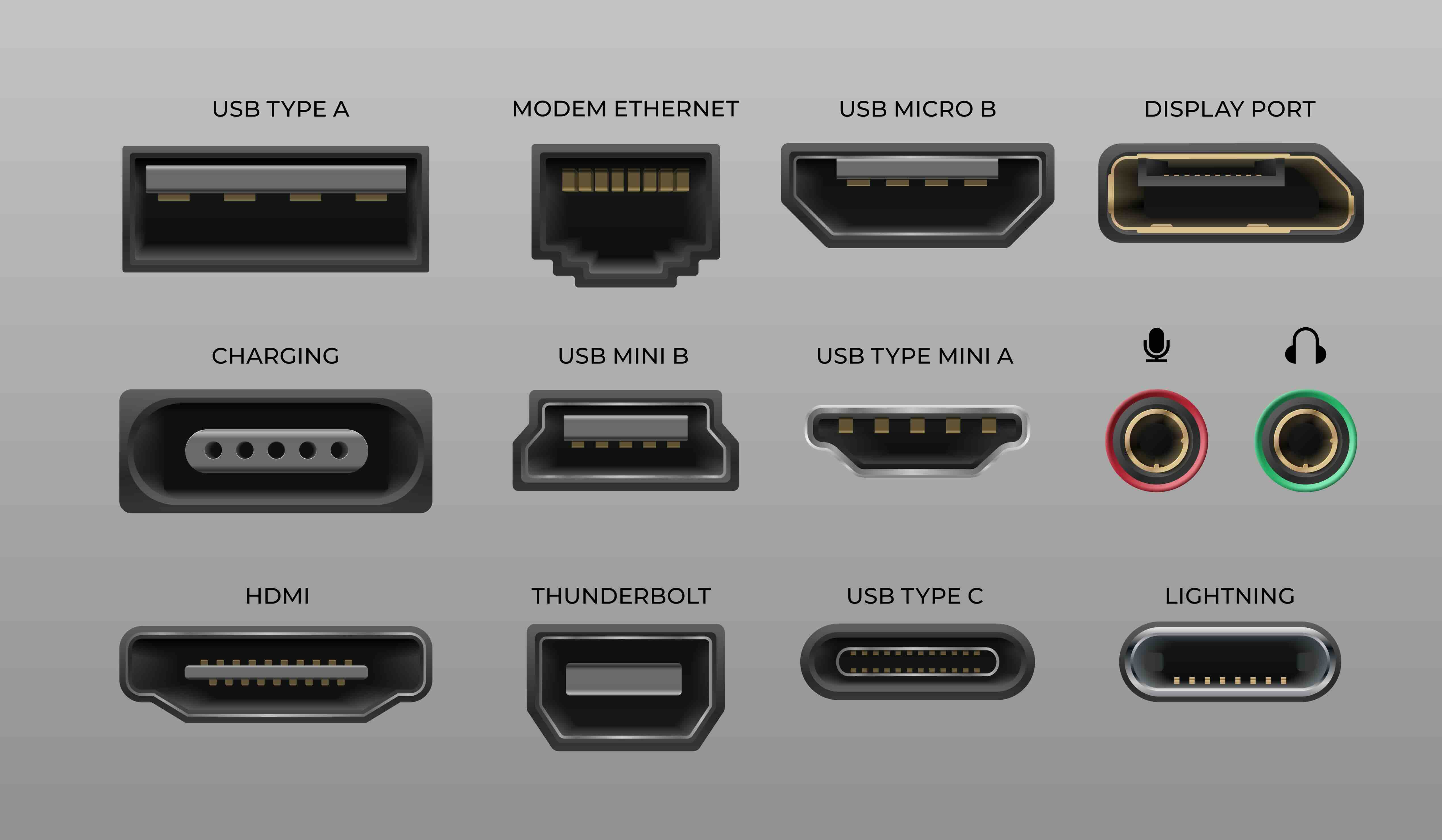
VGA vs HDMI vs Mini HDMI: What Is the Difference and Which One Do You Actually Need?
So you are staring at the back of a monitor, a projector, or maybe a laptop dock, and there are three different ports that look nothing alike. VGA, HDMI, HDMI Mini. It is genuinely confusing if you have not spent time in the AV world, and even then, there are moments where you pause. This guide breaks it all down in plain language so you can connect your gear correctly, avoid buying the wrong cable twice, and actually understand what is happening signal-wise when you plug something in.
What Is VGA and Why Is It Still Around?
VGA stands for Video Graphics Array. It was introduced by IBM back in 1987, which feels like ancient history in tech terms, and yet you will still find VGA ports on older projectors, conference room displays, and legacy desktop monitors. The connector is that wide, trapezoidal blue plug with 15 pins arranged in three rows. It carries an analog video signal only. No audio. No digital data. Just analog video. The maximum resolution it was originally designed around is 640 by 480, though modern implementations can push higher resolutions with varying results. The core issue is that analog signals degrade over distance and are more vulnerable to interference. If you are running a long cable run or need clean, sharp image output, VGA starts to show its limitations pretty quickly. That said, if your environment has older hardware that only supports VGA, it is still a functional solution and adapters exist to bridge it to newer formats.
What Is HDMI and How Does It Work?
HDMI stands for High-Definition Multimedia Interface. It launched in 2002 and became the dominant standard for consumer electronics because it solved a real problem: it combined high-definition video and multi-channel audio into a single digital cable. No more separate audio cables running alongside your video. One cable, both signals, fully digital, which means the signal stays clean from source to display without the degradation you get with analog formats like VGA. The standard HDMI connector, sometimes called Type A, is what most people recognize. It is the one on the back of your television, game console, streaming device, or desktop graphics card. Over the years HDMI has evolved through multiple specifications. HDMI 1.4 introduced 4K capability and ARC support. HDMI 2.0 bumped bandwidth considerably to support 4K at 60Hz with HDR. HDMI 2.1 raised the ceiling dramatically, enabling 8K at 60Hz and 4K at 120Hz, with higher bandwidth for gaming and cinematic applications. The format is backward compatible, which means an HDMI 2.1 cable will still work on an HDMI 1.4 port, though you will be limited to the capabilities of the lower spec device.
What Is Mini HDMI and Who Uses It?
Mini HDMI is technically called HDMI Type C. It carries the exact same signal as standard HDMI but in a smaller physical connector, roughly about a third the size. It was designed for compact devices where a full-size HDMI port simply would not fit. You will find Mini HDMI on DSLR cameras, mirrorless cameras, small camcorders, certain tablets, and some portable monitors. The signal quality is identical to standard HDMI because the interface is the same underneath. The only practical difference is physical size. To use a device with a Mini HDMI port, you connect one end of a Mini HDMI to HDMI cable into the device and the other standard end into your monitor, television, or capture card. It is a straightforward solution for getting full digital audio and video out of compact hardware. There is also Micro HDMI, which is even smaller and is sometimes confused with Mini HDMI, so always check your device specifications before ordering a cable.
VGA vs HDMI: The Key Differences That Actually Matter
Here is a direct comparison of the factors most users care about when choosing between these two formats:
- Signal type: VGA is analog, HDMI is digital
- Audio support: VGA carries no audio, HDMI carries audio and video together
- Resolution support: VGA maxes out practically around 1080p with limitations, HDMI supports up to 8K depending on the version
- Image quality over distance: VGA degrades with cable length, HDMI maintains quality further
- Device compatibility: VGA is common on legacy hardware, HDMI is standard on modern devices
- Connector durability: HDMI connectors can be fragile on portable devices, VGA is bulkier but more robust
- Cost: Both formats are broadly affordable, though VGA adapters add a layer of complexity
The honest answer here is that if your equipment supports HDMI, use HDMI. The image and audio are better, the setup is simpler, and the format is where the industry has been for the past two decades. VGA is a compatibility solution at this point, not a preference.
Common Use Cases: Matching the Right Connector to the Right Situation
Understanding the format differences is one thing. Knowing which one to actually use in a given situation is what saves time and money. Here is how these three connectors typically map to real-world scenarios:
Conference rooms with older projectors: VGA is likely what you are working with and adapters from USB-C or HDMI to VGA are commonly needed
Home theater and TV setups: Standard HDMI is the correct choice, especially HDMI 2.1 for 4K or gaming applications
Photography and videography workflows: Mini HDMI to HDMI cables are typically needed to connect cameras to monitors or capture cards
Laptop to external monitor: HDMI is standard on most modern laptops, though some ultrathin models use USB-C with DisplayPort Alt Mode
Portable monitors for on-the-go setups: Mini HDMI input is common on compact portable displays
Drawbacks to Be Aware Of With Each Format
Nothing is perfect, and all three of these connection types come with at least a few practical limitations worth knowing before you commit to a setup. VGA has no audio capability, requires separate audio cabling, and produces an analog signal that can suffer from ghosting or color inaccuracy if the cable quality is poor or the run is too long. HDMI connectors, particularly on portable devices, can break if cables are subjected to lateral stress. The connector is not designed for frequent plugging and unplugging in the same way a USB connector is. Mini HDMI ports are even more susceptible to wear given their smaller size, and the cables themselves can be harder to source locally since they are less common than standard HDMI cables. Adapters between formats, such as VGA to HDMI, require active conversion since you are crossing between analog and digital domains, which means the adapter has a built-in chip that adds a small amount of latency and introduces a potential point of failure.
How to Choose the Right Cable or Adapter for Your Setup
Before purchasing anything, identify the output port on your source device and the input port on your display. That sounds obvious but people skip this step constantly. If both devices have HDMI, use a direct HDMI cable and match the spec to your resolution requirements. If one device has Mini HDMI and the other has standard HDMI, a Mini HDMI to HDMI cable handles the connection directly without any adapter needed. If you are bridging from a modern device to a VGA-only display, you will need an active HDMI to VGA adapter, and you will need to handle audio separately. Cable length matters too. For HDMI runs beyond 25 feet, consider an active HDMI cable or a fiber optic HDMI solution to maintain signal integrity at higher resolutions.
Does Cable Quality Matter Between These Formats?
For VGA, absolutely yes. Because the signal is analog, the quality of the cable shielding and conductor material directly affects image clarity. A poorly constructed VGA cable at any real length will produce a noticeably softer or noisier image. For HDMI, the situation is more nuanced. Digital signals either work or they do not. A cable either passes the data or it introduces enough error that the connection drops. You do not need to overspend on HDMI cables, but you do need cables that are built to the correct specification for the bandwidth you require. An HDMI 2.0 cable running 4K content at 60Hz needs to meet the Ultra High Speed HDMI certification threshold. A cheap, unrated cable might work intermittently and become a frustrating diagnostic problem. Buying certified cables from a reliable supplier removes that variable entirely.
Why Monoprice Is the Right Source for Your VGA, HDMI, and Mini HDMI Needs
When you are speccing out connectivity for a home theater, a conference room, a photography workflow, or a multi-monitor workstation, the quality of your cables and adapters is not where you want to introduce uncertainty. Monoprice has built its reputation on exactly this kind of practical, high-performance cabling at pricing that does not require a second thought. Whether you need a certified Ultra High Speed HDMI cable for a 4K gaming setup, a Mini HDMI to HDMI cable for a mirrorless camera monitor connection, or an active VGA adapter to keep legacy hardware running in a modern environment, the selection is broad and the specs are clearly documented. For professionals, integrators, and everyday users alike, VGA, HDMI, and Mini HDMI cables and adapters from Monoprice deliver the performance and reliability needed to get every display connection right the first time, without inflated prices or unnecessary compromise on build quality.
Frequently Asked Questions About VGA, HDMI, and Mini HDMI
What is the main difference between VGA and HDMI?
VGA carries an analog video signal only, while HDMI carries both digital video and audio through a single cable. HDMI supports significantly higher resolutions and does not suffer from the signal degradation associated with analog formats over distance.
Can I connect a VGA device to an HDMI display?
Yes, but you need an active adapter that converts the analog VGA signal to a digital HDMI signal. Passive adapters do not work for this conversion because the signal types are fundamentally different. Active VGA to HDMI adapters are widely available and typically include audio input so you can pass sound through as well.
Is Mini HDMI the same quality as regular HDMI?
Yes. Mini HDMI, also called HDMI Type C, carries the exact same signal as standard HDMI Type A. The only difference is the physical connector size. Signal quality, resolution support, and audio capability are identical.
What devices commonly use Mini HDMI ports?
DSLR and mirrorless cameras, compact camcorders, some tablets, and certain handheld recording devices use Mini HDMI ports. It allows manufacturers to include HDMI output in smaller form factor products.
Does HDMI version matter when buying a cable?
Yes, for high-resolution applications. If you are running 4K at 60Hz or higher, you need a cable certified for sufficient bandwidth, typically rated as Premium High Speed or Ultra High Speed HDMI. For standard 1080p use, an older cable spec is generally fine.
Why does my VGA image look blurry compared to HDMI?
VGA is an analog signal, which means it is subject to interference and signal degradation, especially over longer cable runs or with lower quality cables. HDMI transmits a digital signal that maintains image precision from source to display without the same degradation risk.
Can HDMI carry audio without a separate cable?
Yes. One of the primary advantages of HDMI over VGA is that it carries both high-definition video and multi-channel audio through the same cable. No separate audio connection is required.
What is the difference between Mini HDMI and Micro HDMI?
Both are smaller versions of the standard HDMI connector, but they are different sizes and are not interchangeable. Mini HDMI is Type C and is slightly larger, while Micro HDMI is Type D and is the smallest of the three form factors. Always check your device specifications to confirm which type you need.
Is VGA still worth using in 2024?
VGA is worth using only when your hardware requires it and no better option exists. It is a legacy format that remains in use primarily for compatibility with older projectors and monitors. For any new setup, HDMI or DisplayPort is the better choice by a significant margin.
How long can an HDMI cable run before signal quality degrades?
Passive HDMI cables typically perform reliably up to about 25 feet at standard resolutions. Beyond that, and especially at 4K or higher, you should consider an active HDMI cable or a fiber optic HDMI solution to maintain signal integrity across longer distances.


