

VGA to HDMI Splitters: Connect, Convert, and Display
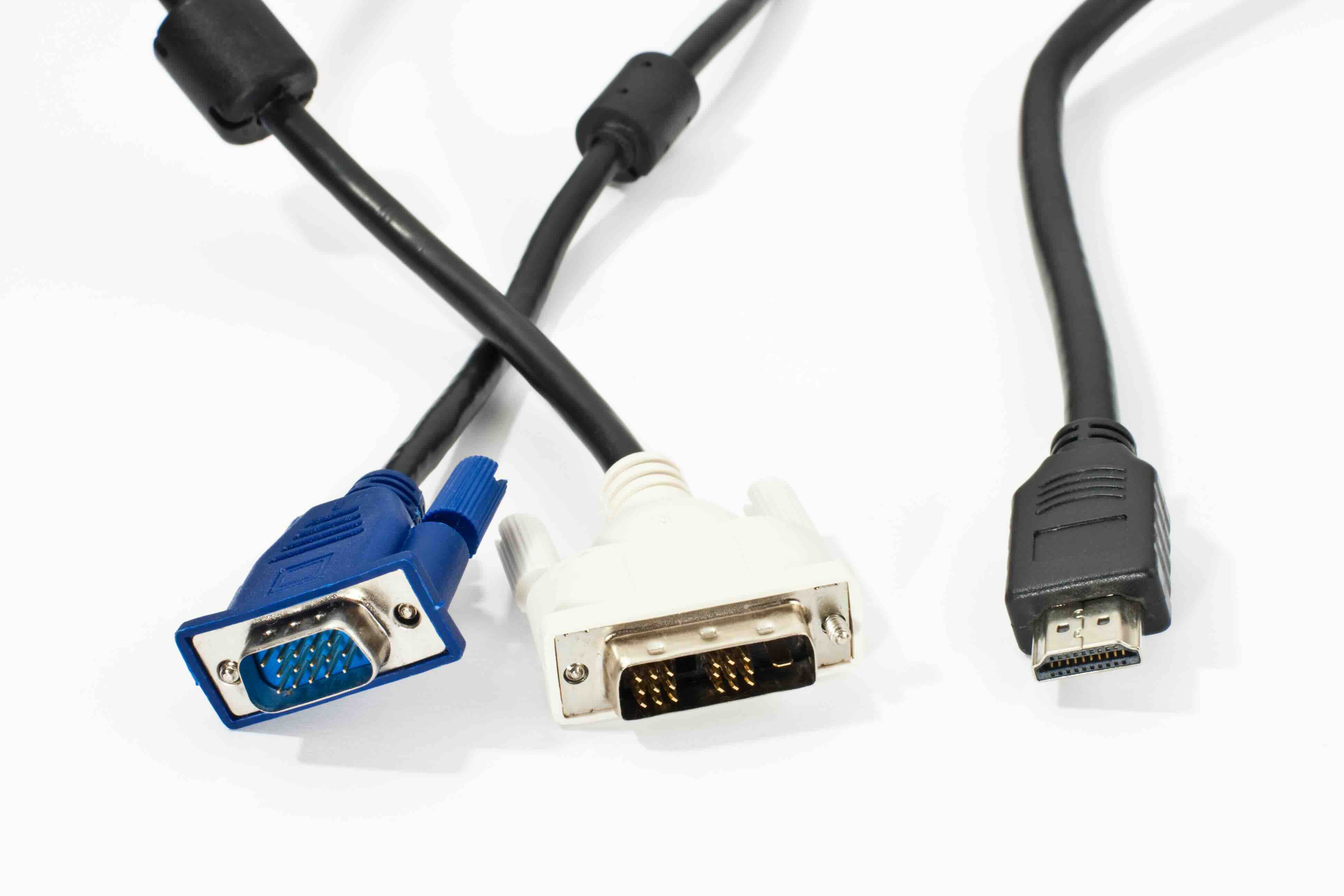
VGA to HDMI Splitters: What They Are and Why You Might Actually Need One
So you have a device with a VGA output and a display that only accepts HDMI. Or maybe you need to send one signal to two screens at the same time. Either way, you have landed in a fairly common situation that a VGA to HDMI splitter can solve. It sounds straightforward, but there are a few things worth understanding before you buy one. This guide breaks down what these devices do, how they work, what to expect from them, and how to choose the right one for your setup. Let's get into it.
What Is a VGA to HDMI Splitter?
A VGA to HDMI splitter is a device that takes a VGA signal from a source and converts it to HDMI output, then splits that output to send it to multiple displays simultaneously. The term splitter here is doing double duty. It refers both to the signal conversion happening between VGA and HDMI and to the duplication of that signal across two or more screens. Some people use the term loosely to describe just a converter, but a true splitter will include one VGA input and two or more HDMI outputs. These devices are popular in conference rooms, classrooms, trade show setups, and home office environments where older hardware needs to connect with modern display technology.
VGA vs. HDMI: Understanding the Core Difference
VGA is an analog video standard that dates back to 1987. It carries video only, no audio, and it transmits a signal in analog form. HDMI is a digital standard introduced in the early 2000s that carries both video and audio over a single cable. The two formats are fundamentally different in how they transmit data, which is why a simple passive adapter cannot bridge the gap. You need active conversion circuitry to take the analog VGA signal, digitize it, encode it properly, and then send it out as a proper HDMI stream. That is what a VGA to HDMI splitter or converter does at its core. It is doing real work inside that housing, not just rerouting pins.
How Does a VGA to HDMI Splitter Actually Work?
Inside a VGA to HDMI splitter, there is an analog-to-digital converter chipset. When the VGA signal comes in, the chip samples the analog video waveform, digitizes it, and packages it into an HDMI-compliant signal. From there, a splitting circuit duplicates that digital signal and sends it out through each HDMI output port. Most units also include a 3.5mm audio input to pull in audio from the source device since VGA carries no audio on its own. The combined audio and video are then carried together over each HDMI output. The whole process happens in real time with minimal latency, which matters if you are presenting live or running video content.
Key Advantages of Using a VGA to HDMI Splitter
There are some genuinely practical reasons to reach for one of these devices. Here is what makes them worthwhile.
- Extend the life of legacy hardware by connecting older VGA-equipped computers or projectors to modern HDMI displays
- Display one source on multiple screens simultaneously, ideal for conference rooms, classrooms, or retail environments
- Consolidate audio and video into a single HDMI cable run for cleaner installations
- Avoid costly hardware replacements when a simple converter can bridge the compatibility gap
- Plug-and-play operation in most cases, requiring no driver installation or software configuration
Common Drawbacks to Keep in Mind
It is fair to say these devices are not without limitations. Knowing them ahead of time saves you a headache later.
- VGA is inherently limited in resolution, typically capping at 1920x1080 or lower, so do not expect 4K output from a VGA source
- Signal quality can degrade depending on the quality of the conversion chipset inside the unit
- Most models require an external power source, usually via USB, because the conversion process needs power that VGA alone cannot supply
- Audio requires a separate 3.5mm input since VGA carries no audio natively
- Splitting a signal across multiple displays can occasionally result in slight resolution or timing inconsistencies if the splitter circuitry is not well-designed
Typical Use Cases for VGA to HDMI Splitters
These devices show up in more places than you might expect. Corporate meeting rooms that have older desktop systems or laptops with VGA outputs often use them to connect to newer flat panel displays. Educational environments, particularly those with aging projector infrastructure or classroom computers, benefit from being able to route a single source to multiple screens without rewiring an entire room. Trade show exhibitors who need to run one presentation across two or more monitors simultaneously find real value here. Even home users who have an older desktop they are not ready to replace yet can use a VGA to HDMI splitter to connect to a modern television or monitor setup without spending money on a full system upgrade.
What to Look for When Buying One
Not all VGA to HDMI splitters are built the same. The conversion chipset quality matters more than most buyers realize. A poorly designed unit can produce a soft or flickering image even if it technically passes signal. Look for a model that explicitly supports the resolution your source device outputs and that your displays accept. Check whether audio passthrough is supported via 3.5mm input, since many setups require it. Confirm how many outputs you need: a 1-in-2-out configuration works for dual displays, but larger setups may need a 1-in-4-out model. Also note the power requirements. USB-powered units are convenient, but some installations may prefer units with a dedicated power adapter for more stable operation over long periods.
Installation Tips for a Clean, Reliable Setup
Once you have the right unit, getting it running well is usually simple. Start by ensuring your VGA source is powered off before making connections. Connect the VGA cable from your source to the splitter input first. Then connect your HDMI cables from the splitter outputs to your displays. If your setup requires audio, plug a 3.5mm cable into the audio input on the splitter and connect it to the headphone or line-out jack on your source device. Power the splitter via USB or power adapter, then power on your source device. Most modern displays will auto-detect the incoming signal. If a display does not respond immediately, check the input selection on the monitor or television. Keeping cable runs short and using quality cables at each connection point will help maintain signal integrity throughout the chain.
Why Monoprice Is the Right Source for VGA to HDMI Splitters and Converters
When it comes to signal conversion and display connectivity, the hardware you choose matters, and so does where you buy it. Monoprice has built a well-earned reputation as a trusted source for AV connectivity solutions that deliver reliable performance without demanding a premium price. Whether you are outfitting a single workstation or deploying across a multi-room installation, Monoprice offers a lineup of VGA to HDMI splitters and converters designed with quality chipsets, clean build tolerances, and straightforward operation. For IT professionals, AV integrators, and everyday users who need their signal path to just work, Monoprice is a brand that consistently delivers. You can explore the full range of VGA to HDMI splitters and AV signal converters at Monoprice to find the right configuration for your display environment, whether that is a two-screen meeting room setup or a more complex multi-display installation. The combination of product quality, clear specifications, and accessible pricing makes Monoprice a practical first stop for anyone navigating the VGA to HDMI transition.
Frequently Asked Questions About VGA to HDMI Splitters
Can a VGA to HDMI splitter carry audio?
VGA does not carry audio natively, so most VGA to HDMI splitters include a 3.5mm audio input. You connect a separate audio cable from your source device to this input, and the splitter combines the audio with the video signal before sending it out through the HDMI ports.
Does a VGA to HDMI splitter require external power?
Yes, in most cases. Because the device performs active analog-to-digital conversion, it needs power to operate. Most units are powered via USB, and some come with a dedicated power adapter. Passive adapters will not work for this type of conversion.
Will a VGA to HDMI splitter support 1080p output?
Most VGA to HDMI splitters support up to 1920x1080 resolution, which is 1080p. The maximum output resolution is limited by what the VGA source can output, since VGA itself is capped at that range in typical configurations.
Can I use a VGA to HDMI splitter for two different displays with different resolutions?
Most splitters output the same resolution to all connected displays simultaneously. If your displays have different native resolutions, the splitter typically locks in one resolution for all outputs, which may not be ideal for every display in the chain.
Is there any signal delay introduced by a VGA to HDMI splitter?
There is minimal latency introduced by the conversion process, typically just a few milliseconds. For presentations, digital signage, and standard video content, this delay is imperceptible. For latency-sensitive applications like gaming, a direct HDMI source is generally preferable.
Do I need a special VGA cable to use with a VGA to HDMI splitter?
No special cable is required. A standard 15-pin VGA cable is all you need to connect your source device to the splitter input. Higher-quality shielded cables can help reduce noise and maintain image clarity, especially over longer runs.
Can a VGA to HDMI splitter connect to a television?
Yes. As long as your television has an HDMI input, a VGA to HDMI splitter can connect to it. This is a common solution for connecting older computers to modern televisions for presentations or extended desktop use.
What is the difference between a VGA to HDMI converter and a VGA to HDMI splitter?
A converter takes one VGA input and outputs one HDMI signal. A splitter takes one VGA input, converts it, and then duplicates the output across two or more HDMI ports. If you need to connect to multiple displays, you need a splitter.
Will all VGA to HDMI splitters work with Mac computers?
Compatibility depends on the source device's VGA output specifications. Most splitters work with any device that has a standard VGA output. If your Mac has a Mini DisplayPort or Thunderbolt port, you would need a separate adapter to convert to VGA before connecting to the splitter.
Is a VGA to HDMI splitter the same as a matrix switch?
No, these are different devices. A splitter sends one source to multiple outputs simultaneously. A matrix switch allows you to route multiple sources to multiple displays in flexible combinations. If you need to switch between different source inputs, a matrix switch is the more appropriate solution.


