

VGA to DVI Monitor Solutions for Legacy Compatibility
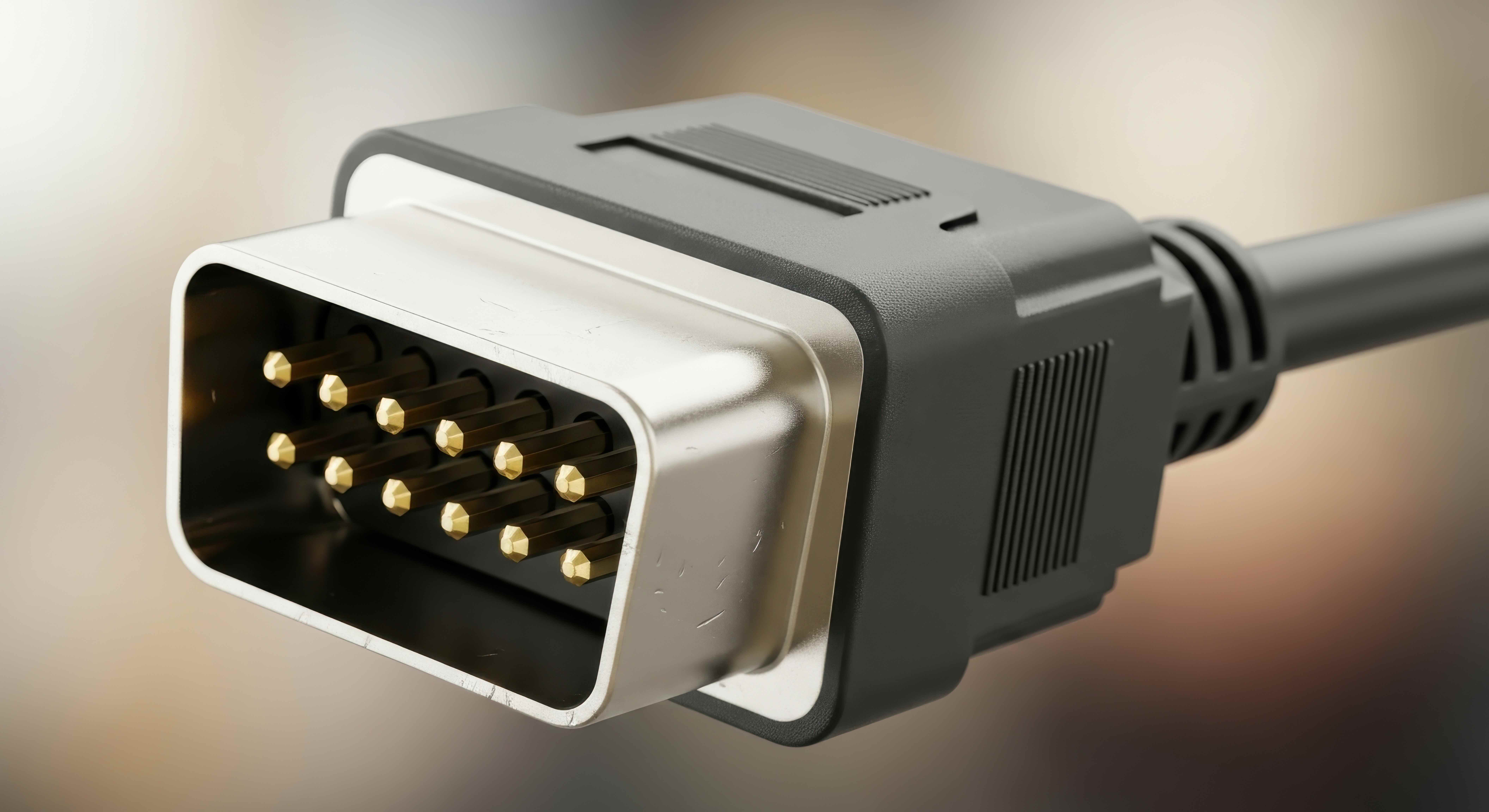
VGA to DVI Monitor: What It Is and Why It Still Matters
There are a lot of people still running older computers, projectors, or graphics cards that only output VGA. And then they look at their monitor and see a DVI port staring back at them. That gap between legacy analog output and modern digital input is exactly where VGA to DVI adapters come in. It sounds like a niche problem, but honestly, it comes up constantly in schools, offices, home setups, and anywhere that older hardware just needs to keep working a little longer. Understanding how this connection works, what your options are, and what the limitations look like — that's worth spending some time on before you go buying anything.
Understanding the Difference Between VGA and DVI Signals
VGA, which stands for Video Graphics Array, is an analog video interface that has been around since the late 1980s. It transmits video as a continuous analog signal through a 15-pin D-sub connector. DVI, or Digital Visual Interface, was developed in the late 1990s to handle both analog and digital video transmission. Here is where it gets interesting — DVI actually comes in three common variants. DVI-A carries only analog signals, DVI-D carries only digital signals, and DVI-I can handle both. When you are connecting a VGA source to a DVI monitor, the monitor needs to accept analog input, which means it must have a DVI-A or DVI-I port. Connecting to a DVI-D only port will not work, no matter what adapter you use. That distinction matters more than most people realize when they are standing in front of a shelf trying to figure out which cable to grab.
How a VGA to DVI Adapter Actually Works
A passive VGA to DVI adapter does not convert the signal from analog to digital. What it does is physically remap the analog VGA signal pins to the corresponding analog pins on a DVI-I or DVI-A connector. The monitor on the receiving end is what actually handles any necessary processing. Since the signal stays analog throughout, the image quality is largely dependent on the quality of the cables and connectors involved, the resolution you are pushing, and the distance between devices. Active converters, on the other hand, do perform signal conversion — translating the analog VGA signal into a digital format before it reaches the display. These are more complex, typically more expensive, and necessary when the monitor in question only accepts digital input through its DVI-D port. Choosing between passive and active comes down to what your specific monitor can accept.
Common Use Cases for VGA to DVI Connections
This kind of connection shows up in more places than you might expect. Educators running older desktop units in classrooms, IT departments supporting legacy workstations, home users who just replaced a monitor but not the whole PC — these are all real scenarios where a VGA to DVI solution solves the problem cleanly and affordably. Some of the most practical applications include the following:
- Classroom projectors or displays connected to older faculty computers
- Corporate conference rooms using legacy desktops for presentations
- Home theater or media setups mixing older PCs with newer monitors
- Small businesses extending the lifespan of existing hardware
- Training facilities with a mix of equipment vintages across stations
The reality is that replacing an entire workstation just because the output connector does not match the monitor input is unnecessary in most of these situations. The right adapter handles it at a fraction of the cost.
Key Advantages of Using a VGA to DVI Solution
The most obvious advantage is cost. Adapters and cables designed for this purpose are inexpensive, widely available, and require zero configuration on most systems. Plug them in and the connection works. There is also the matter of extending the usable life of existing hardware, which has real value both financially and operationally. Organizations that manage large fleets of devices benefit significantly from this kind of interoperability. Beyond cost, there is convenience. A good quality VGA to DVI cable or adapter supports standard resolutions well — typically up to 1920x1080 at reasonable refresh rates — which covers the needs of most general productivity and presentation environments. For setups that do not require 4K output or high refresh gaming, this solution delivers reliable, stable image quality without overcomplicating things.
Limitations and Drawbacks You Should Know About
It would be doing readers a disservice not to be straightforward about what this type of connection cannot do. Because VGA is analog, the signal is susceptible to interference and quality degradation over longer cable runs. At higher resolutions, you may notice softness or noise that would not appear with a native digital connection. VGA also does not carry audio, so if your monitor has built-in speakers, you will need a separate audio connection. Additionally, VGA caps out at lower maximum resolutions compared to modern digital interfaces. For professional creative work, gaming, or any application where image sharpness and color accuracy are priorities, a native digital connection is always going to outperform a VGA-based workaround. The VGA to DVI setup is a practical bridge solution, not a permanent upgrade path.
Choosing the Right VGA to DVI Cable or Adapter
When shopping for a VGA to DVI solution, there are a few things worth confirming before purchasing. First, check the DVI port type on your monitor — DVI-I supports analog and will work with a passive adapter from a VGA source, while DVI-D requires an active converter. Second, consider cable length. Longer cable runs introduce more signal degradation with analog video, so keep runs as short as practical for your setup. Third, look at the build quality. Gold-plated contacts, shielded cable construction, and molded connectors all contribute to a more reliable and longer-lasting connection. Cheap, unshielded cables produce visible interference, especially at higher resolutions. Spending a little more on a quality product pays off in image stability over time.
Practical Tips for Getting the Best Image Quality
A few habits and adjustments can go a long way toward getting the cleanest possible image through a VGA to DVI connection. Keep the cable run short — under six feet is ideal when possible. Route cables away from power cables and other sources of electromagnetic interference. Once connected, use your monitor's built-in auto-adjust or manual position settings to sharpen the image and reduce any pixel blurring. On the computer side, confirm that the resolution and refresh rate are set correctly in the display settings. Mismatched resolution settings are one of the most common causes of a blurry or distorted image that people mistakenly attribute to the adapter itself. A properly configured VGA to DVI setup can deliver a clean, stable image that serves general use cases reliably for years.
When to Upgrade vs. When to Adapt
Adapters are not always the right answer, and being honest about that is important. If a system is being used for color-critical work, video editing, or high-frame-rate gaming, investing in hardware that supports a native digital connection makes far more sense than trying to optimize an analog workaround. The same applies if a device is already nearing the end of its useful life — at some point, patching connectivity is less efficient than upgrading the hardware itself. However, in environments where the hardware is otherwise fully functional, the work being done is standard productivity or presentation, and the budget does not support full equipment replacement, a reliable VGA to DVI solution is a smart, cost-effective choice that keeps things moving without unnecessary disruption.
Why Monoprice Delivers the Right VGA to DVI Solution for Your Setup
When it comes to bridging legacy video connections with modern displays, the quality of the cable or adapter in between makes a genuine difference. Monoprice has built its reputation on delivering reliable, high-performance connectivity products at prices that make sense — whether you are outfitting a single home workstation or standardizing a solution across hundreds of devices in an enterprise environment. The engineering behind a Monoprice VGA to DVI adapter reflects real attention to signal integrity, build quality, and long-term durability. Gold-plated contacts, proper shielding, and precision construction are not premium add-ons here — they are standard. For anyone looking to connect older VGA hardware to a DVI-equipped monitor without sacrificing reliability or overspending, browsing the full range of VGA to DVI adapters and legacy video cables at Monoprice is a straightforward starting point that covers every configuration. Monoprice understands what professionals, educators, and home users actually need from their connectivity solutions, and that understanding shows in every product offered.
Frequently Asked Questions About VGA to DVI Monitor Connections
Can I connect a VGA output device to any DVI monitor?
Not always. You can connect a VGA output to a monitor with a DVI-A or DVI-I port using a passive adapter. However, if the monitor only has a DVI-D port, you will need an active VGA to DVI converter that translates the analog signal into a digital format.
Does a VGA to DVI adapter reduce image quality?
A passive VGA to DVI adapter maintains the analog signal, so image quality is comparable to a standard VGA connection. Quality degradation is more likely from long cable runs, poor shielding, or mismatched resolution settings than from the adapter itself.
What is the maximum resolution supported by a VGA to DVI connection?
VGA technically supports up to 2048x1536, but in practical use with most adapters and monitors, 1920x1080 is the reliable upper limit for clean image output. Higher resolutions through VGA are prone to softness and signal noise.
Does VGA carry audio signal to a DVI monitor?
No. VGA is a video-only interface and does not transmit audio. If your monitor has speakers or an audio output, you will need a separate audio cable connected from your computer's audio output to the monitor.
What is the difference between a passive and active VGA to DVI adapter?
A passive adapter simply remaps analog signal pins from VGA to DVI-A or DVI-I without any signal conversion. An active adapter actually converts the analog VGA signal into a digital signal, which is required when the monitor only accepts digital DVI-D input.
How long can a VGA to DVI cable run be before quality degrades?
For reliable image quality, VGA cable runs should ideally stay under six feet. Runs beyond ten feet, especially at higher resolutions, can introduce visible softness, color distortion, or signal noise even with quality cables.
Is VGA to DVI suitable for gaming or video editing?
It is not recommended for those applications. The analog nature of the VGA signal limits color accuracy and sharpness in ways that matter for gaming and professional creative work. A native digital connection through HDMI or DisplayPort is the better choice for those use cases.
Will a VGA to DVI adapter work on any operating system?
Yes. VGA to DVI passive adapters require no drivers or software configuration. They work at the hardware level and are compatible with Windows, macOS, Linux, and other operating systems without any special setup.
Can I use a VGA to DVI cable for a dual monitor setup?
Yes. If one monitor uses DVI and the other uses VGA, or if your graphics card outputs VGA while your monitor accepts DVI, a VGA to DVI cable or adapter will support that configuration as part of a multi-monitor arrangement without any additional software.
Is it worth buying a VGA to DVI adapter instead of upgrading hardware?
For general productivity, presentations, and standard office tasks, a VGA to DVI adapter is a cost-effective and practical solution that extends the usefulness of existing hardware. If the hardware is approaching end of life or the application demands higher image fidelity, investing in an upgrade is the more efficient long-term choice.


