

VGA Female to Female Adapter: Extend Any Cable Run
What Is a VGA Female to Female Adapter and Why Does It Still Matter?
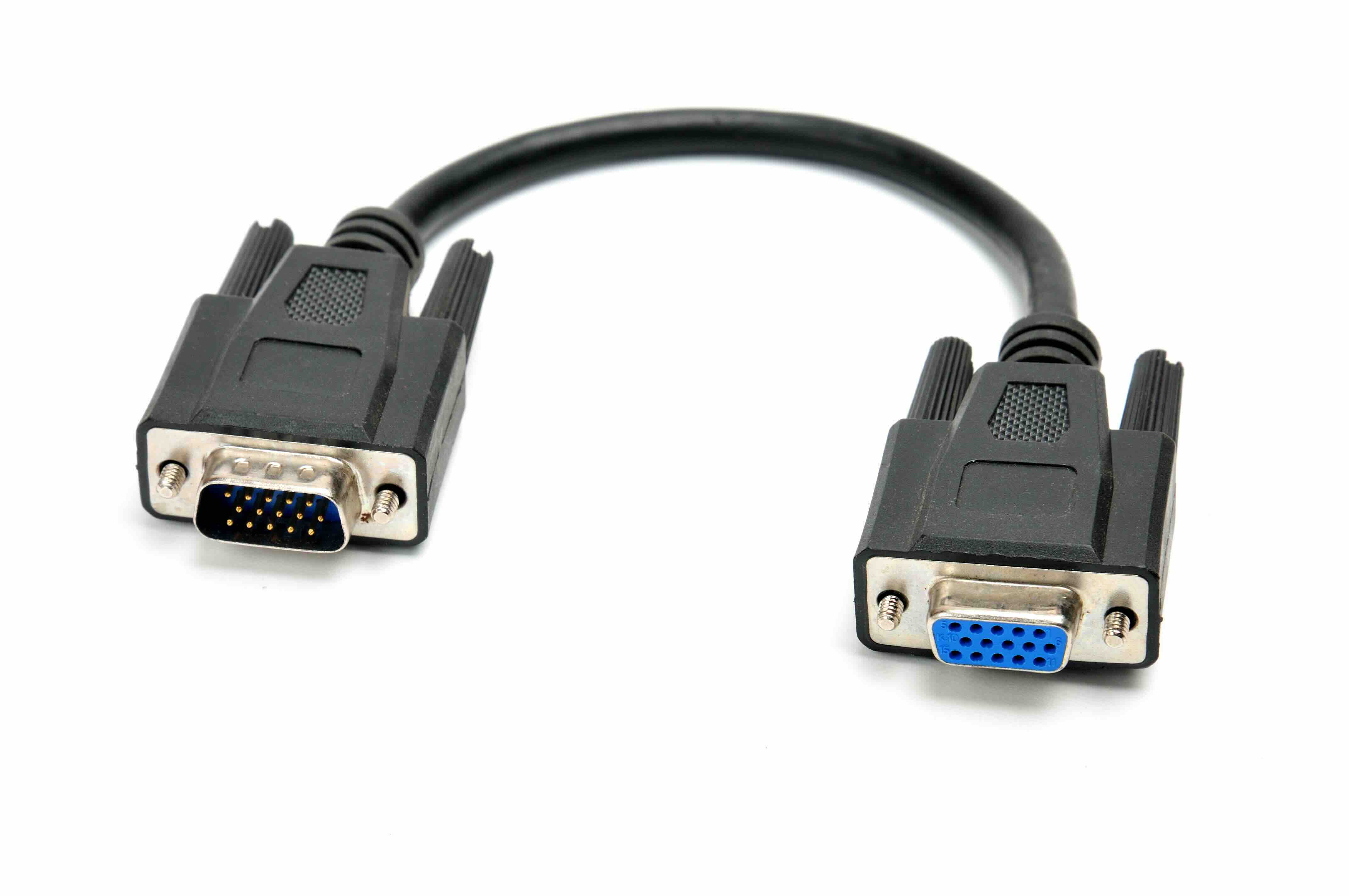
So here is a connector that does not get talked about enough, especially given how many setups still depend on it. A VGA female to female adapter is a small, straightforward device that joins two VGA cables end to end, effectively extending your reach or bridging a signal gap between two pieces of equipment. Both sides of the adapter carry a 15-pin D-sub female port, which means it is designed to receive the male VGA connectors on standard cables. It sounds almost too simple to warrant attention, but in practice this little adapter solves a very real problem for a lot of people managing legacy display setups, projector installations, conference room AV systems, or any environment where the original cable run falls just short of where it needs to go.
How a VGA Female to Female Coupler Actually Works
The mechanism is not complicated, and that is honestly part of the appeal. Inside a VGA female to female adapter, each of the 15 pins on one end connects directly through to the corresponding pin on the opposite side. There is no active signal processing happening, no conversion, no amplification. You plug one male VGA cable into one end, plug a second male VGA cable into the other end, and the analog video signal passes straight through as if the two cables were a single continuous run. The adapter essentially acts as a passive bridge. Because VGA carries an analog signal, long cable runs or multiple connection points can introduce noise or signal degradation, so this type of coupler works best over moderate total distances. For most standard office, classroom, or AV rack applications, a female to female VGA connector will perform reliably without any noticeable quality loss.
Common Use Cases for VGA Female to Female Adapters
It is worth pausing here because the applications are actually broader than most people realize. These adapters show up in a lot of different environments for a lot of different reasons.
- Extending a VGA cable run when a single cable is not long enough to reach from a source device to a display
- Connecting two pre-existing VGA cable runs in a permanent wall or ceiling installation
- Replacing a damaged connector section without rewiring an entire cable run
- Bridging source devices to projectors in conference rooms, classrooms, and training centers
- Supporting legacy industrial or medical displays that still use VGA output
- Serving as a quick-fix solution in live event production or temporary AV deployments
The point is that VGA is not dead, not by a long shot. Millions of monitors, projectors, and embedded systems around the world still rely on it, and having a reliable female to female coupler on hand is just practical sense.
Key Advantages of Using a VGA Female to Female Adapter
Simplicity is the first and most obvious advantage. There are no drivers to install, no power source required, and no configuration steps. You connect two cables, and it works. Beyond that, the cost factor is significant. These adapters are among the most affordable connectivity accessories available, which makes stocking a few of them in an AV kit or IT supply cabinet a genuinely smart decision. They are also compact and lightweight, so they do not add bulk to any installation. For integrators managing multiple job sites or IT teams supporting a mixed fleet of equipment, the female to female VGA coupler is one of those understated essentials that earns its keep every single time someone needs a quick cable extension or connection fix without running a new cable through a wall.
Drawbacks and Limitations to Know Before You Buy
Honesty matters here. VGA is an analog signal standard, and the female to female adapter introduces an additional connection point into the signal chain. Every connection point is a potential source of interference or signal loss, especially if the adapter is low quality or if the total cable run is already pushing the practical limits of analog VGA. Beyond that, VGA itself is a dated standard. It does not carry audio, it does not support the resolutions and refresh rates that modern digital interfaces do, and it is being phased out across newer hardware. If your equipment supports HDMI, DisplayPort, or USB-C video output, migrating to those standards will deliver a better experience. But if your equipment is locked to VGA and you need to extend or join cable runs, a female to female adapter is the right and practical solution for that specific situation.
What to Look for in a Quality VGA Female to Female Adapter
Not all adapters are equal, and this is worth being direct about. Build quality matters. Look for an adapter with a solid metal or high-durability plastic housing that resists flex and wear. The pin contacts should be gold-plated or at minimum nickel-plated to resist corrosion and maintain reliable conductivity over time. Check that the adapter supports all 15 pins for full VGA compatibility, including the DDC lines that carry monitor identification data. A loose or flimsy barrel connector might work for a few weeks before it starts causing intermittent display issues. For permanent installations, you want something that locks in securely and stays that way. Buying from a reputable manufacturer with clear specs and a warranty is always the smarter move.
VGA Female to Female vs. VGA Extension Cable: Which Should You Use?
This question comes up often and the answer really depends on the situation. A female to female coupler requires you to already have two male-terminated VGA cables in place. If you have two existing cable runs that need to be joined at a central point, the coupler is the right choice because it is small, unobtrusive, and cost-efficient. If you are starting from scratch and just need more length from a single source device, a VGA extension cable with a male connector on one end and a female on the other is probably the cleaner solution. Couplers shine in retrofit scenarios, permanent wall installations, and situations where the cables are already routed and you just need that final connection point. Think of the female to female adapter as the efficient tool for joining what is already there, rather than replacing an existing cable run entirely.
Tips for Getting the Best Performance From Your VGA Setup
A few practical steps go a long way toward maintaining signal quality when using a VGA female to female adapter in your system.
- Keep total combined cable length under 25 feet when possible to minimize analog signal degradation
- Use shielded VGA cables on both sides of the coupler to reduce electromagnetic interference
- Inspect pin contacts on both the adapter and the cable connectors before connecting to ensure nothing is bent or corroded
- Secure the connection with thumbscrews if your cables and adapter support them to avoid intermittent signal loss from a loose fit
- In longer or more complex installations, consider a VGA signal booster or distribution amplifier if image quality becomes an issue
These are small things, but they make a measurable difference in the consistency and clarity of your display output.
Why Monoprice Is the Smart Choice for VGA Female to Female Adapters and AV Connectivity
When it comes to sourcing connectivity accessories that actually hold up in real-world environments, Monoprice has built a reputation that speaks for itself across both consumer and professional markets. The brand's approach to AV and connectivity hardware is grounded in delivering precision-engineered products at pricing that does not require a second look at the budget. For VGA female to female adapters specifically, that means fully pinned connectors, durable construction, and consistent performance from an installation that goes in today and is expected to stay reliable for years. Whether you are an IT manager outfitting a fleet of workstations, a systems integrator managing a large commercial AV deployment, or just someone who needs a dependable coupler for a home office projector setup, Monoprice delivers on that need without overcomplicating it. You can explore the full range of VGA female to female adapters and professional AV connectivity solutions and see exactly why so many integrators and IT professionals keep coming back. Quality, value, and practical design are not marketing language at Monoprice -- they are the actual standard.
Frequently Asked Questions About VGA Female to Female Adapters
What does a VGA female to female adapter do?
A VGA female to female adapter connects two male-terminated VGA cables together, allowing you to extend a VGA cable run or join two separate cable segments into a single continuous signal path.
Will a VGA female to female coupler reduce image quality?
It can introduce minor signal degradation since VGA is an analog standard and each connection point adds a small amount of resistance. Using high-quality shielded cables and a well-built adapter minimizes this effect, especially over moderate distances.
How many pins does a VGA female to female adapter have?
A standard VGA female to female adapter has 15 pins on each side, corresponding to the full 15-pin D-sub VGA connector used on monitors, projectors, and graphics cards.
Can I use a VGA female to female adapter with any VGA cable?
Yes. Any standard 15-pin male VGA cable will connect to a female to female VGA adapter. Just ensure both cables and the adapter are fully pinned for best compatibility.
Is VGA still worth using in 2024?
VGA remains relevant in environments where legacy hardware such as older monitors, projectors, industrial displays, or embedded systems is still in use. It is not the preferred standard for new deployments, but it remains a practical necessity in many existing installations.
What is the maximum cable length I should use with a VGA coupler?
Keeping the combined total cable length under 25 feet is generally recommended for reliable VGA signal quality. Longer runs may require a VGA signal amplifier or booster to maintain image clarity.
Does a VGA female to female adapter carry audio?
No. VGA is a video-only standard and does not transmit audio signals. If audio is needed alongside the video connection, a separate audio cable must be used.
Do I need any special tools or software to use a VGA female to female adapter?
No tools or software are required. The adapter is entirely passive and plug-and-play, meaning you simply connect your VGA cables to each end and the signal passes through automatically.
Can a VGA female to female adapter be used in a permanent wall installation?
Yes. These adapters are commonly used in wall plates, ceiling-mounted AV systems, and other permanent installations to join two cable runs at a fixed connection point.
What should I look for when buying a VGA female to female adapter?
Look for full 15-pin connectivity, gold-plated or nickel-plated contacts for corrosion resistance, a solid and durable housing, and a product from a reputable manufacturer that offers clear specifications and warranty coverage.


