VGA Cable Connection: What It Is and How It Works
What Is a VGA Cable and Why Does It Still Matter?
VGA, which stands for Video Graphics Array, is one of those connector standards that has quietly outlasted expectations. Developed by IBM back in 1987, the VGA cable was designed to carry analog video signals from a computer to a display. That blue, trapezoidal connector with 15 pins arranged in three rows -- you have definitely seen it before. It showed up on virtually every desktop monitor, projector, and laptop docking station for decades. And even now, in a world full of HDMI and DisplayPort, VGA connections are still found in schools, conference rooms, older workstations, and industrial environments. It is not going anywhere overnight, and understanding how it works and where it fits today is genuinely useful -- especially if you are making decisions about legacy setups or mixed-display environments.
How a VGA Cable Connection Actually Works
Here is the core thing to understand: VGA is an analog signal format. Unlike HDMI or DisplayPort, which transmit digital data, VGA converts video output into a continuous analog waveform and sends it over three separate color channels -- red, green, and blue -- plus horizontal and vertical sync signals. That is where the DE-15 connector comes in, which is the formal name for what most people just call a VGA port. The 15 pins handle color data, sync signals, and some basic communication between the display and the graphics source through what is called Display Data Channel, or DDC. The analog nature of VGA means the signal can degrade over longer cable runs or with lower-quality cables, which is a real practical consideration when planning any installation.
The Physical Connector: What You Are Actually Looking At
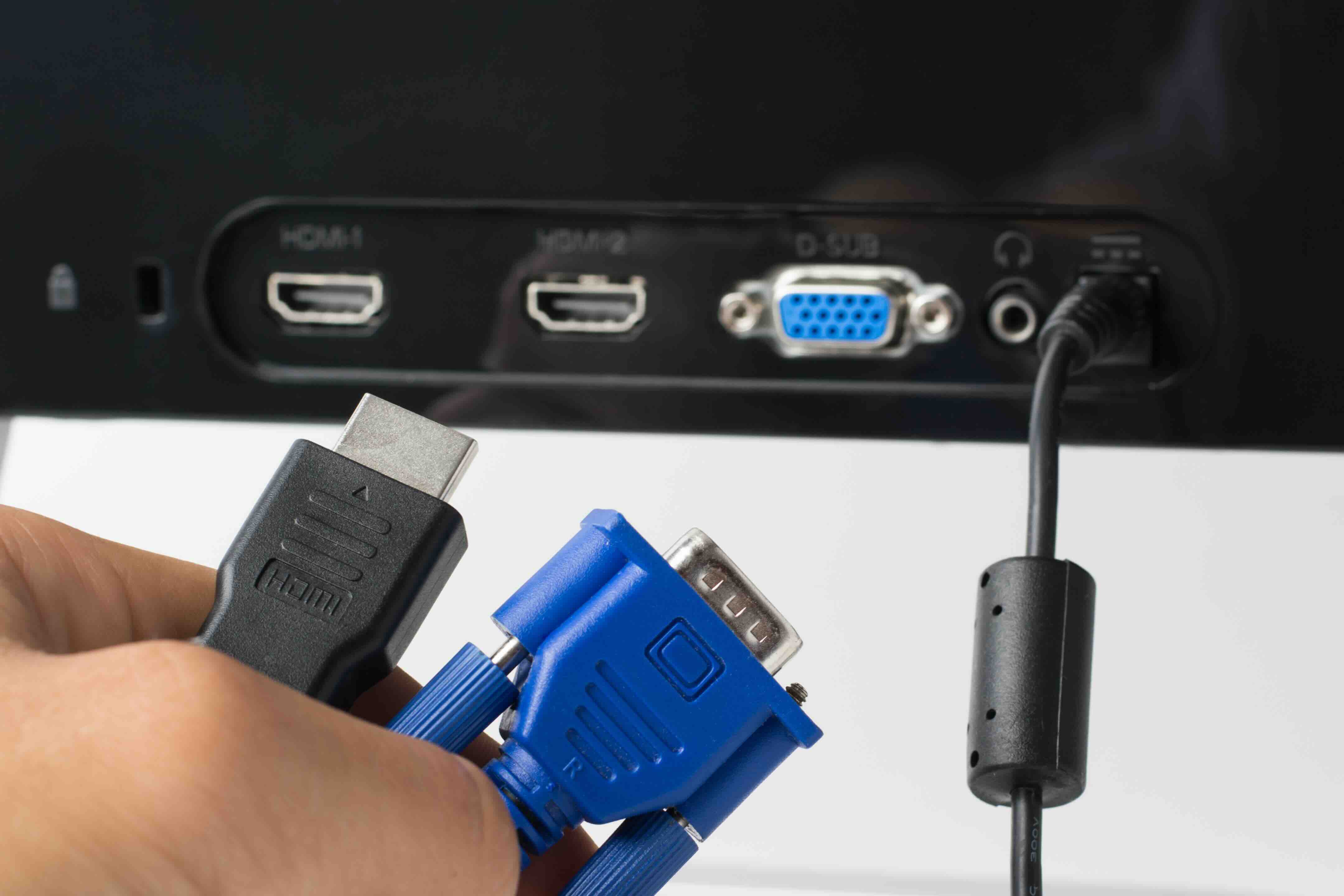
The VGA connector is a D-sub style plug with 15 pins in three rows of five. Most cables come with thumbscrews on either end, which let you physically lock the connector into the port -- something that is actually useful in commercial or industrial environments where vibration or accidental disconnects are a concern. The connector is typically blue on consumer and business equipment, which became a loose industry convention for easy identification. One thing worth noting: not all VGA cables are built equally. Cable shielding, conductor quality, and connector construction all have a real impact on image quality, especially at higher resolutions or across longer distances. Cheap, unshielded cables are a quick way to introduce noise and softness into what should be a clean image.
VGA Resolution Support and Signal Limitations
The original VGA standard topped out at 640x480 resolution at 60Hz. But over time, the connector and signal format were extended -- through standards like SVGA, XGA, SXGA, and UXGA -- to support resolutions up to 2048x1536 in some implementations. For most practical purposes today, VGA is commonly used at 1080p or lower, though signal quality at those resolutions depends heavily on cable quality and run length. One consistent limitation is that VGA carries no audio. It is a video-only format, so if you need sound, you are running a separate audio cable. That is a real workflow consideration for presentations, classroom setups, or anything involving media playback. Also, since it is analog, there is no HDCP copy protection support, which limits its use with certain protected content sources.
Key Advantages of Using VGA Connections
Despite being older technology, VGA still brings some genuine practical advantages to specific use cases. Here is where it holds its ground:
- Universal compatibility with legacy monitors, projectors, and older workstations
- No driver configuration required in most cases -- plug and play at the hardware level
- Physically lockable connectors that reduce accidental disconnects
- Wide availability of adapters for converting from HDMI, DisplayPort, or DVI to VGA
- Cost-effective cabling that does not require expensive certified cables for most applications
- Reliable for standard office and educational display tasks where 1080p is sufficient
Common Drawbacks You Should Know About
Honestly, VGA has real limitations that matter depending on what you are trying to do. The analog signal format means you lose some sharpness compared to a native digital connection at the same resolution. Over longer cable runs, signal degradation becomes noticeable, particularly at higher resolutions. There is also no support for audio, no HDCP, and no support for high refresh rates used in gaming or high-performance display environments. Modern graphics cards and monitors are increasingly shipping without VGA ports at all, which means adapters and converters are often needed -- and each conversion step introduces potential quality loss. If you are building a new setup from scratch, VGA is not the recommended path. But if you are managing existing infrastructure, understanding these limitations helps you work around them intelligently.
When VGA Is Still the Right Choice
Let's be direct about this -- there are environments where VGA is not just acceptable, it is the practical default. Corporate conference rooms built before 2015 often have VGA-only projectors that are still functioning fine. Classrooms frequently run older display hardware. Industrial control rooms and medical equipment sometimes use ruggedized monitors with VGA inputs because those systems are designed for long operational lifecycles. In any of these situations, replacing hardware purely to get a newer connector standard is not a cost-justified move. A high-quality VGA cable, properly shielded and correctly sized for the run length, will deliver clean, reliable output for standard resolution applications. The technology may be mature, but maturity and obsolescence are not the same thing.
Practical Tips for Getting the Best Performance from VGA Cables
Getting the most out of a VGA connection comes down to a few straightforward choices. Match cable quality to the application -- do not use a bare-minimum cable for a long run or a high-resolution display. Use the thumbscrews. Seriously, they exist for a reason and eliminating connector movement eliminates a major source of signal noise. Keep cable runs as short as practical; for runs over 25 feet, consider a VGA signal booster or extender. If you are using a HDMI-to-VGA or DisplayPort-to-VGA adapter, choose one with an integrated signal processor rather than a passive adapter, which will produce a cleaner result. And if your display has an auto-adjust or auto-sync function, use it after connecting -- analog displays often need to calibrate their sync timing to the incoming signal for the sharpest possible picture.
Why Monoprice Is the Smart Source for VGA Cables and Display Connectivity
When you are sourcing display cables for a mixed environment -- legacy and modern, analog and digital -- you need a supplier that covers the full spectrum without overcharging for the basics. Monoprice has built a reputation as a trusted source for high-performance VGA cables, adapters, and display connectivity solutions that deliver real value across both consumer and enterprise applications. Whether you need a standard VGA cable for a classroom projector or a shielded, longer-run cable for a conference room installation, the depth of the product catalog at Monoprice makes it a reliable single-source option. For anyone managing AV infrastructure, IT procurement, or just trying to connect a laptop to an older monitor without overpaying, browsing the full range of VGA cables and display connectivity solutions at Monoprice is a practical first step toward a clean, cost-effective setup that simply works.
Frequently Asked Questions About VGA Cable Connections
What does a VGA cable connection do?
A VGA cable transmits analog video signals from a computer or video source to a display device such as a monitor or projector. It carries red, green, and blue color channels along with horizontal and vertical sync signals to produce a visible image.
Does a VGA cable carry audio?
No. VGA is a video-only format and does not transmit audio signals. A separate audio cable or connection is required if sound output is needed alongside the video signal.
What resolution does VGA support?
VGA can support resolutions up to 2048x1536 in extended implementations, though 1024x768 and 1080p are the most commonly used resolutions in practical applications today. Signal quality at higher resolutions depends significantly on cable quality and run length.
Can I connect a VGA cable to an HDMI port?
Not directly, since VGA is analog and HDMI is digital. You need an active HDMI-to-VGA adapter that includes a digital-to-analog converter. Passive adapters will not work for this conversion.
How long can a VGA cable run before signal quality degrades?
A high-quality, shielded VGA cable can run up to 25 feet with minimal signal degradation at standard resolutions. For longer runs, a VGA signal booster or active extender is recommended to maintain image clarity.
Is VGA still relevant in modern setups?
VGA remains relevant in legacy environments such as older office buildings, classrooms, industrial facilities, and any setting with existing hardware that uses VGA ports. It is not recommended for new builds where digital connections like HDMI or DisplayPort are available.
What is the difference between VGA and HDMI?
VGA carries an analog video signal only, while HDMI transmits digital audio and video signals together. HDMI supports higher resolutions, higher refresh rates, HDR, and copy protection features that VGA cannot provide.
Why is my VGA connection blurry or soft?
Blurry VGA output is often caused by a low-quality or unshielded cable, a cable run that is too long, a loose connector, or a display that has not been auto-adjusted to calibrate its sync timing to the incoming signal. Replacing the cable and using the display auto-adjust function resolves most cases.
Do all computers still have VGA ports?
No. Most modern laptops and desktop graphics cards have removed VGA ports in favor of HDMI, DisplayPort, and USB-C. However, many older business desktops, docking stations, and workstations still include VGA outputs, and adapters are widely available for newer devices.
What should I look for when buying a VGA cable?
Look for cables with proper shielding to reduce signal noise, gold-plated connectors for reliable contact, thumbscrew connectors for secure attachment, and a length appropriate to your setup. For runs over 15 feet, prioritize heavier gauge conductors and double shielding for the cleanest analog signal.