

VDI Cables for Professional AV Installations | Monoprice
What Are VDI Cables and Why Do They Matter in Modern AV Setups?
So, VDI cables. If you've spent any time working in audiovisual installations, IT infrastructure, or even just trying to extend a display signal across a longer distance, you've probably run into the acronym at some point. VDI stands for Video Display Interface, and while the name sounds straightforward enough, there's actually a lot going on underneath. These cables are engineered to carry high-quality video signals between source devices and displays, typically in environments where signal integrity over distance is a real concern. Think corporate AV setups, broadcast environments, command centers, or anywhere a clean, uncompressed video feed needs to travel reliably. It's not the flashiest category in the cabling world, but once you understand what these cables do, it becomes clear why they're a serious consideration for anyone building or maintaining a professional display system.
How VDI Cables Actually Work
At the core of it, VDI cables transmit analog or digital video signals from one point to another while maintaining the clarity and resolution of the original source. Depending on the specific connector type and design, VDI cables can carry composite video, component video, or more structured digital formats depending on what the host system outputs. The cable itself is typically shielded, which is important because unshielded cables in a signal-dense environment will pick up interference from nearby electrical sources. That interference shows up as noise, flickering, or degraded image quality on the display end. The shielding in a quality VDI cable keeps that from happening. Some configurations also integrate additional conductors to carry audio alongside the video signal, reducing the number of separate cable runs required. In a rack-dense installation, that kind of consolidation matters more than people sometimes realize until they're elbow-deep in cable management on a Friday afternoon.
Common Connector Types and Form Factors
This is where things get a little more involved, because VDI isn't a single universal standard. The connector options vary depending on the system you're working with and the era of the equipment involved. A few of the most commonly encountered configurations include the following.
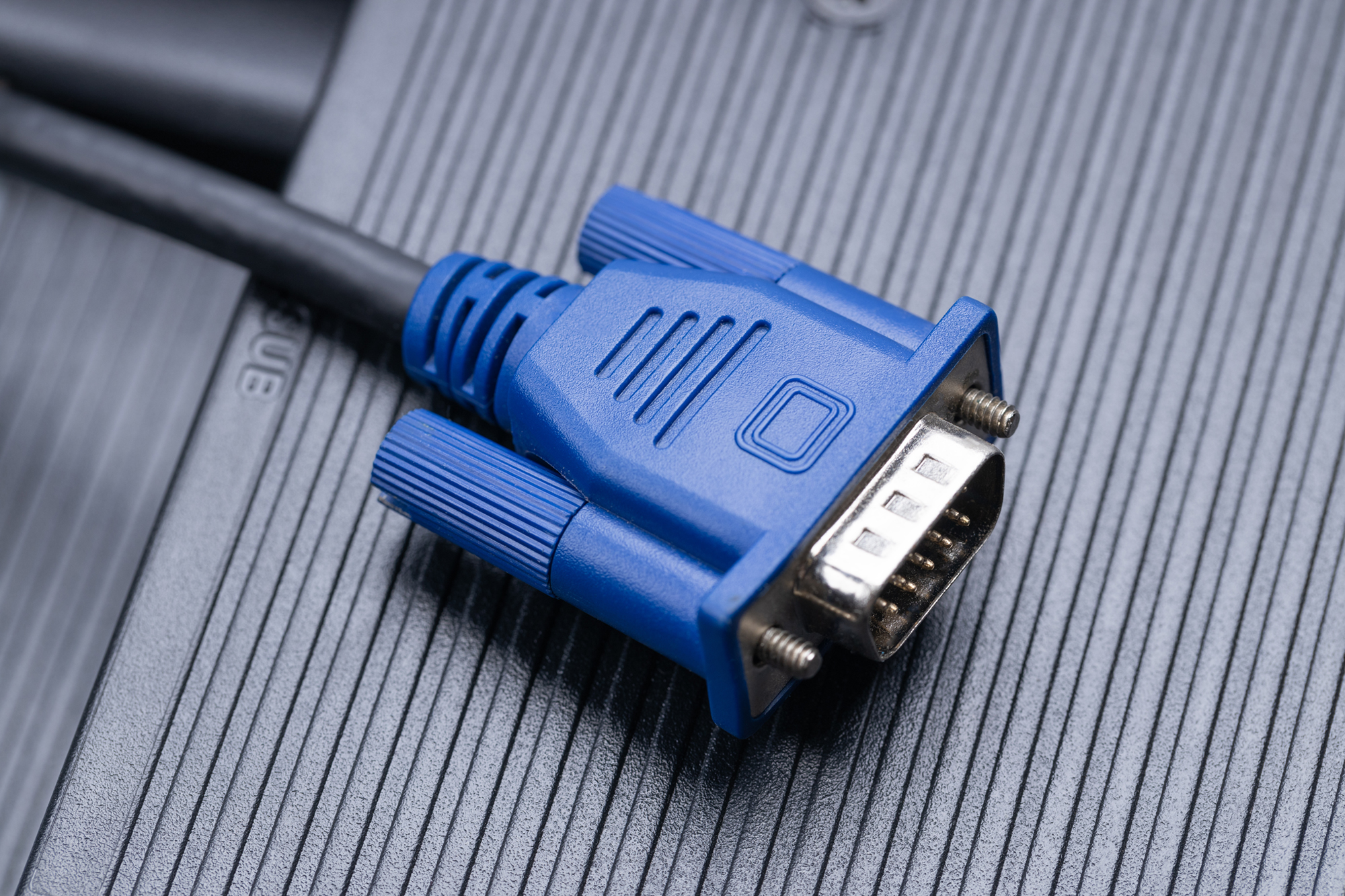
- HD15 (VGA-style) connectors for legacy analog display systems
- BNC connectors often used in broadcast or professional video environments
- DVI connectors bridging the gap between analog and digital
- HDMI and DisplayPort adapters sometimes incorporated into hybrid VDI cable assemblies
- Coaxial shielded conductors for long-distance component video runs
Each of these serves a specific purpose in the signal chain, and choosing the wrong connector for your display or source device means you're not getting the performance the cable is capable of delivering. It's worth taking a few minutes to identify what your endpoints actually need before purchasing anything.
Key Advantages of Using VDI Cables in Professional Environments
If you're managing a system where display quality is non-negotiable, VDI cables bring a lot to the table. The shielding alone is worth the consideration, especially in environments with variable electromagnetic interference. Beyond that, many VDI cables are built to handle long cable runs without signal degradation, which is something standard display cables simply aren't designed to do reliably. In a large venue, a command center, or a multi-display corporate installation, the ability to extend a signal 50 feet or more without losing resolution is genuinely useful. VDI solutions also tend to be built with durability in mind, using heavier gauge conductors and robust connector housings that hold up under repeated connection and disconnection cycles. For integrators and facilities managers who can't afford downtime or callback visits, that physical reliability translates directly into lower maintenance costs over time.
Common Drawbacks and Limitations to Know About
No cable category is without its trade-offs, and VDI is no exception. One of the more immediate limitations is compatibility. Because VDI encompasses a range of connector types and signal formats, a cable that works perfectly with one system might be completely incompatible with another. That requires a bit more homework upfront. Cost is another factor. Quality shielded VDI cable assemblies are priced higher than commodity display cables, and for large installations that require dozens of runs, that cost difference adds up. There's also the weight and rigidity of the cable itself to consider. Heavier gauge shielded cables are harder to route through tight conduit or behind finished walls without proper tools and planning. And while VDI handles analog and certain digital signals well, it isn't a replacement for the latest high-bandwidth digital standards like HDMI 2.1 or DisplayPort 2.0 in scenarios demanding 4K or 8K with HDR passthrough. Know your use case before committing to a cable solution.
VDI Cables Versus Other Display Cable Solutions
People ask this fairly often, and honestly it's a fair question. How does VDI stack up against something like a standard HDMI run or a DisplayPort cable? The answer depends heavily on the application. For a home theater or a desktop workstation, HDMI or DisplayPort is almost always the right choice because the signal path is short, the equipment is modern, and those standards support the latest resolutions and refresh rates natively. VDI cables tend to shine in applications where legacy equipment is involved, where signal runs are unusually long, or where the installation environment introduces interference risks that standard cables can't manage. In broadcast and professional AV, the analog component signal chain remains relevant in some legacy systems, and VDI cable assemblies are often the most practical way to maintain those connections without wholesale equipment replacement. It's less about one being better than the other and more about using the right tool for the specific job in front of you.
Practical Tips for Selecting the Right VDI Cable
A few things to keep in mind when you're actually shopping for VDI cables and trying to make a decision that won't leave you troubleshooting a signal problem later.
- Verify the connector types on both your source device and your display before purchasing
- Measure the actual cable run distance required and add at least 10 to 15 percent for routing flexibility
- Prioritize double-shielded cables in environments with significant electrical interference
- Check the AWG rating of the conductors, lower numbers mean thicker wire and better signal retention over distance
- Match the cable's rated bandwidth to the resolution and refresh rate your system outputs
- Look for cables built to industry standards with tested and verified specifications
These aren't complicated considerations, but skipping any one of them is how you end up with a cable that technically fits but doesn't perform the way you need it to. A little upfront diligence saves a lot of frustration.
Installation Best Practices for VDI Cable Runs
Even the best cable will underperform if it's installed poorly. For longer VDI runs, always support the cable at regular intervals to prevent strain on the connectors, especially at the termination points where mechanical stress tends to concentrate. Keep VDI cable runs separated from high-voltage power lines wherever possible. When those two types of cable have to cross paths, crossing them at a 90-degree angle minimizes the inductive coupling that causes interference. Label both ends of every cable run during installation, not after. It seems obvious but it's consistently the step that gets skipped when things are moving fast on-site. Testing signal integrity before finalizing a run and closing up walls or ceiling tiles is also just good practice. A cable tester or signal generator at the source, combined with a quick visual check at the display, catches problems while they're still easy to fix.
Why Monoprice Is the Right Source for Your VDI Cable Needs
Here's the honest case for Monoprice. When you're outfitting a professional AV installation, a corporate display environment, or even a well-planned home setup, the cost of cabling across a full project adds up fast. Monoprice has built a genuine reputation for delivering cables and connectivity products that meet or exceed professional-grade specifications at pricing that makes sense for both individual buyers and procurement teams managing larger budgets. The quality is consistent, the product descriptions are straightforward, and there's no guesswork about what you're actually getting. For integrators and IT professionals who need reliable, spec-accurate display cabling without the inflated margins that come with some specialty AV brands, it's a practical choice that doesn't require compromise. If you're sourcing cables for a project and want a supplier that understands both the technical requirements and the budget realities of the work, explore the full range of professional VDI cables and display connectivity solutions at Monoprice and see how far your cabling budget can actually go.
Frequently Asked Questions About VDI Cables
What does VDI stand for in cabling?
VDI stands for Video Display Interface. It refers to a category of cables designed to carry video signals, sometimes along with audio, between source equipment and display devices in professional or extended-distance applications.
Are VDI cables the same as VGA cables?
Not exactly. VGA cables use the HD15 connector that is also common in some VDI assemblies, but VDI is a broader term that can encompass multiple connector types and signal formats beyond the standard analog VGA signal.
How long can a VDI cable run be without losing signal quality?
This depends on the specific cable construction and signal format, but quality shielded VDI cables are often rated for runs of 50 feet or more. For very long distances, signal amplifiers or extenders may be needed to maintain display quality.
Can VDI cables carry both video and audio signals?
Some VDI cable assemblies are designed to carry audio alongside video in a single cable run, which simplifies installation and reduces the number of cables needed. Always verify the specification of the specific cable before assuming audio is included.
What is the difference between a shielded and unshielded VDI cable?
Shielded cables include a conductive layer around the signal conductors that blocks electromagnetic interference from external sources. Unshielded cables lack this protection and are more susceptible to signal noise, especially in environments with dense electrical equipment.
Are VDI cables suitable for 4K video signals?
Traditional VDI cables are generally not optimized for the high bandwidth required by 4K or 8K digital video formats. For those resolutions, HDMI 2.0 or 2.1, or DisplayPort 1.4 or 2.0 cables are better suited to the task.
What environments benefit most from VDI cables?
Professional AV installations, broadcast environments, command and control centers, and corporate display systems with legacy equipment are among the most common use cases where VDI cables provide clear practical advantages.
How do I know which VDI connector type I need?
Check the output connector on your source device and the input connector on your display or distribution equipment. Matching those physical connector types is the first and most important step in selecting the correct VDI cable for your application.
Do VDI cables require any special installation tools?
Standard hand tools are typically sufficient for most VDI cable installations. For very long runs through conduit, a cable pull line or fish tape may be needed. A cable tester is also a practical tool to verify signal integrity after installation is complete.
Is it worth investing in higher-quality VDI cables for a professional installation?
Yes, in most professional contexts the investment is justified. Higher-quality cables offer better shielding, more durable connectors, and more consistent signal performance over time, which reduces troubleshooting calls and extends the useful life of the installation.


