

USB Type-C Explained: The Connector That Does It All
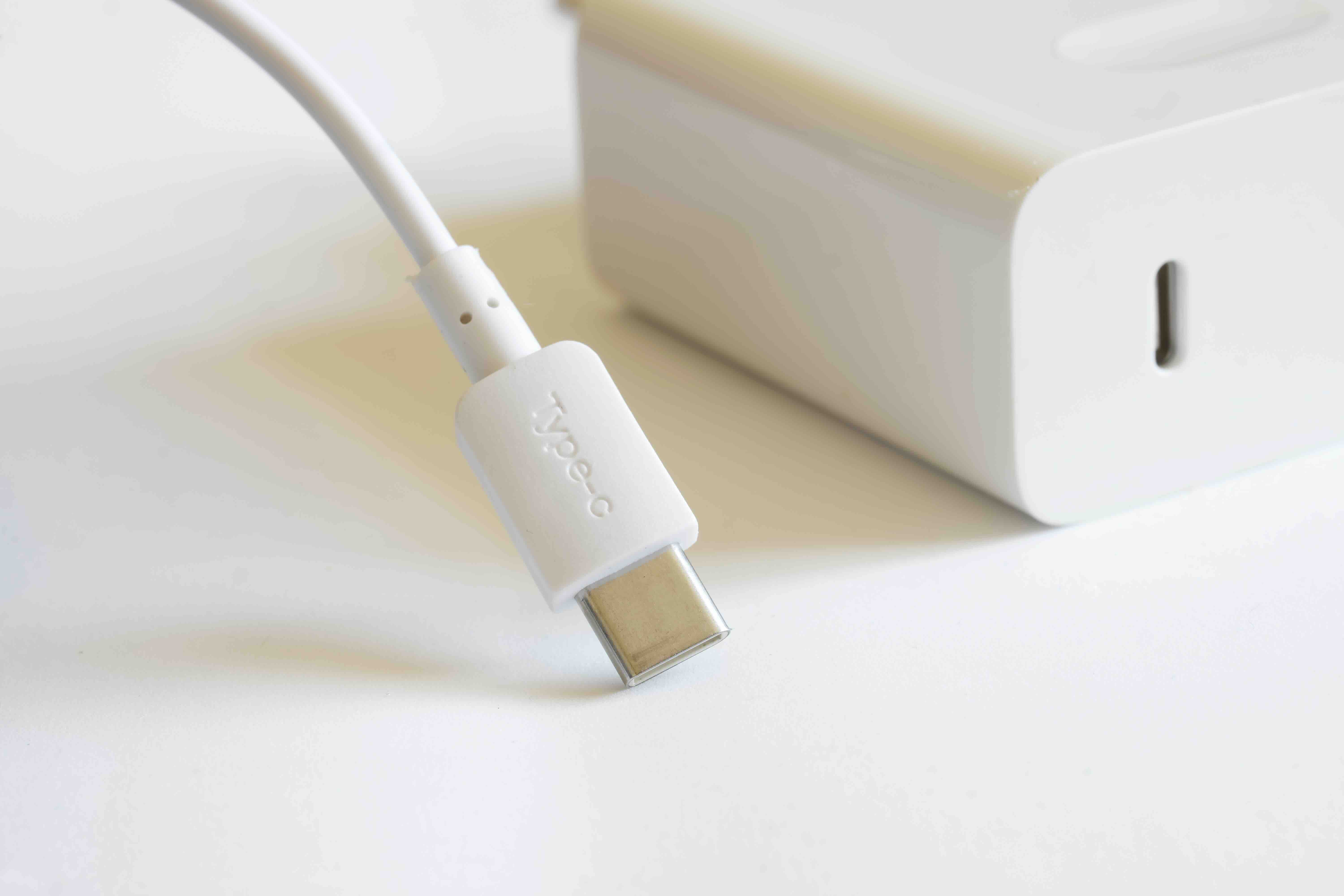
What Is USB Type-C? A Plain-Language Guide to the Connector That Changed Everything
If you have bought a laptop, smartphone, or tablet in the last several years, chances are you have stared at a small oval-shaped port and wondered what exactly makes it different from everything that came before it. That connector is USB Type-C, and it has become the dominant interface standard across consumer electronics, professional AV setups, and enterprise infrastructure alike. Understanding what it is, how it works, and where it falls short helps you make smarter purchasing decisions -- whether you are outfitting a home office or speccing out a commercial deployment. So let us get into it.
The Origin of USB Type-C: Why a New Connector Was Necessary
USB has been around since the mid-1990s, and in that time the standard evolved through multiple physical form factors -- Type-A, Type-B, Mini-USB, Micro-USB -- each solving a problem at the time but also adding confusion for end users. Plugging in the wrong cable, flipping a connector the wrong way, or hunting through a drawer full of incompatible adapters became a genuine frustration across the industry. The USB Implementers Forum, the group responsible for managing the standard, responded by developing USB Type-C, which was formally introduced in 2014. The goal was clear: create one connector that could handle data, power, and video across virtually every device category, without the orientation problem that plagued earlier designs.
How USB Type-C Works: The Technical Basics Made Simple
USB Type-C refers to the physical connector shape, not a specific data transfer protocol. That distinction matters more than most people realize. The connector itself is small, oval, and symmetrical -- meaning it can be inserted either way, which eliminates the frustrating trial-and-error that came with Micro-USB. Inside that small shell, however, is where things get interesting. The Type-C connector supports multiple protocols depending on the chipset and cable certification behind it. It can carry USB 2.0, USB 3.2, USB4, Thunderbolt 3, or Thunderbolt 4 data signals. It can also carry DisplayPort and HDMI signals through Alternate Mode, and it supports the USB Power Delivery specification, which enables charging at up to 240 watts in its current iteration. Think of the connector as a versatile channel -- the actual capability depends entirely on what the host device and cable support.
Key Advantages of USB Type-C for Everyday Users and Professionals
The benefits of USB Type-C are not just marketing talking points. They translate into real workflow improvements and infrastructure flexibility that both casual users and IT professionals notice almost immediately. Here is what makes the format genuinely compelling:
- Universal orientation means no more fumbling with cable direction
- Single cable capability for data, video, and power simultaneously
- USB Power Delivery supports everything from phones to high-performance laptops
- Alternate Mode allows DisplayPort and HDMI signal transmission over the same port
- Backward compatibility through adapters with older USB Type-A devices
- Higher bandwidth ceiling -- USB4 over Type-C reaches up to 40 Gbps
- Compact form factor fits the thin-profile designs of modern devices
- Widely adopted across Windows, macOS, Android, and peripheral ecosystems
For integrators and IT managers, that flexibility translates into fewer cable runs, cleaner installations, and reduced SKU complexity when sourcing peripherals and infrastructure. For home users, it simply means less clutter and more consistency across devices.
Common Drawbacks and Limitations You Should Know About
Here is where things get a little complicated, and honestly it is worth slowing down here because this part trips up a lot of buyers. The Type-C connector looks the same regardless of what it supports underneath. A cable that physically fits your port might only deliver USB 2.0 speeds and no video signal, while a different cable of identical appearance supports Thunderbolt 4 and 100-watt charging. There is no visual differentiation on the connector itself beyond what manufacturers choose to label, and labeling is inconsistent across the industry. This creates real confusion at the point of purchase and real frustration when a cable does not perform as expected. Additional limitations worth noting include the fact that not all Type-C ports support Power Delivery, not all support video output, and Thunderbolt compatibility is limited to Intel-certified implementations, which affects AMD-based systems and some mobile platforms. Cable quality also has a pronounced impact on performance -- cheap, uncertified cables can cause slower charging, signal degradation, or in rare cases, hardware damage.
USB Type-C vs. Thunderbolt: Understanding the Overlap
This is one of the most frequently misunderstood areas of the entire connector ecosystem. Thunderbolt 3 and Thunderbolt 4 both use the USB Type-C physical connector, but they are not the same thing as USB Type-C. Thunderbolt is a protocol developed by Intel in partnership with Apple, and it delivers significantly higher bandwidth alongside daisy-chaining capability, external GPU support, and more reliable video output specifications. A Thunderbolt 4 port will always support USB Type-C devices -- the reverse is not always true. When shopping for docks, monitors, or high-speed storage, knowing whether your port is Thunderbolt-certified versus standard USB4 or USB 3.2 Type-C determines what performance you can actually achieve. Look for the lightning bolt icon next to the port on your device -- that is the clearest indicator of Thunderbolt capability.
Practical Tips for Buying the Right USB Type-C Cables and Accessories
Navigating the USB Type-C market without guidance is genuinely difficult, but a few straightforward practices significantly reduce the risk of buying the wrong product. Check for certification first -- USB-IF certified cables meet defined performance and safety standards. Match the cable to the use case: a charging cable does not need to support high-speed data, but a cable running to a 4K monitor absolutely does. Pay attention to rated wattage for power delivery and confirm whether your device supports the USB Power Delivery standard or a proprietary fast-charging protocol. For professional deployments, invest in cables rated for the full bandwidth your devices support rather than assuming a Type-C cable is interchangeable. Shorter cables generally maintain signal integrity better than longer runs, particularly at higher data rates. And when in doubt, buy from suppliers who provide clear certification documentation rather than relying on unverified specifications.
Where USB Type-C Is Headed: The Road Toward Full Standardization
The trajectory of USB Type-C is pointing toward complete consolidation of the connector landscape. The European Union has mandated USB Type-C as the universal charging standard for portable electronics sold in member states, a policy that has accelerated adoption timelines across major manufacturers. Apple has transitioned its iPhone and iPad lines to USB Type-C, and most professional-grade laptops from every major brand now ship with multiple Type-C or Thunderbolt ports. The USB4 Version 2.0 specification, which supports up to 80 Gbps over certified cables, continues to push the bandwidth ceiling higher. In the professional AV and IT integration space, Type-C docking solutions are replacing legacy multi-port setups with single-cable docking that supports dual-display output, gigabit ethernet, and full laptop charging simultaneously. The simplification that the connector promised in 2014 is progressively becoming the reality across the device ecosystem.
Who Benefits Most from USB Type-C Technology
The short answer is almost everyone working in or around modern technology, but certain use cases extract the most value from what the connector offers. Content creators running high-resolution displays from a single cable connection see immediate workflow benefits. IT administrators managing hybrid work environments appreciate the standardization that reduces support burden and peripheral procurement complexity. AV integrators designing conference room infrastructure value the clean single-cable connectivity that USB Type-C docking enables. Professionals using external high-speed NVMe storage over Thunderbolt depend on the connector's bandwidth capability. And traveling users carrying a single compact charger and cable to power a phone, tablet, and laptop simultaneously -- that is a real quality-of-life improvement that adds up over time.
Why Monoprice Belongs in Your USB Type-C Setup
When it comes to building out a USB Type-C ecosystem that actually performs, the cable and accessory quality you choose makes a measurable difference. Monoprice has spent years developing a catalog of USB Type-C cables, docking stations, adapters, and charging solutions designed to deliver certified performance without the premium pricing that other brands attach to comparable products. Whether you need a high-wattage USB Power Delivery cable for a creative workstation, a reliable Type-C to DisplayPort adapter for a dual-monitor desk setup, or a Thunderbolt-compatible dock for a mobile workforce deployment, the product depth is there. For professionals and consumers who want reliable infrastructure they can count on, Monoprice USB Type-C cables and accessories built for performance represent a genuinely smart investment. Confidence in your connectors should not require an inflated budget, and that is exactly the philosophy Monoprice has delivered on consistently across its product lineup.
Frequently Asked Questions About USB Type-C
What makes USB Type-C different from USB Type-A?
USB Type-A is the rectangular connector most commonly associated with legacy USB devices and ports. USB Type-C is smaller, oval-shaped, and symmetrical, meaning it inserts correctly in either orientation. Type-C also supports significantly higher power delivery and data throughput than Type-A in its modern implementations.
Can I use any USB Type-C cable for fast charging?
No. Fast charging over USB Type-C requires a cable rated for the appropriate wattage and a device that supports USB Power Delivery or a compatible charging protocol. Not all Type-C cables are rated for high-wattage delivery, and using an underpowered cable can result in slower charging or no fast charging at all.
Does every USB Type-C port support video output?
No. Video output over USB Type-C requires the port to support DisplayPort or HDMI Alternate Mode, or Thunderbolt. Many smartphones and some laptops have Type-C ports that handle only data and power, with no video capability. Check your device specifications before purchasing a video adapter.
Is Thunderbolt the same as USB Type-C?
They share the same physical connector, but Thunderbolt is a distinct protocol with higher bandwidth, daisy-chaining support, and stricter certification requirements. All Thunderbolt ports accept USB Type-C devices, but not all USB Type-C ports support Thunderbolt.
How do I know if my USB Type-C cable is certified?
Look for USB-IF certification markings on the packaging or product listing. Certified cables have been tested to meet defined performance and safety standards. Purchasing from reputable suppliers who provide certification documentation reduces the risk of receiving uncertified or mislabeled products.
Can USB Type-C charge a laptop?
Yes, provided the laptop supports USB Power Delivery charging via its Type-C port and the charger and cable are rated for the required wattage. Many modern laptops charge at between 45 and 100 watts over Type-C, with some high-performance systems requiring up to 140 watts under the extended USB PD specification.
What is USB Power Delivery and how does it work with Type-C?
USB Power Delivery is a charging specification that allows Type-C connections to negotiate and deliver higher levels of power than standard USB charging. It enables dynamic adjustment of voltage and current between the charger and device, supporting a wide range of power levels from small wearables up to high-performance laptops.
Why do some USB Type-C cables transfer data slowly?
The physical Type-C connector does not guarantee a specific data transfer speed. A cable may use USB 2.0 internal wiring while featuring a Type-C connector, limiting throughput to 480 Mbps. For high-speed transfers, confirm the cable is rated for USB 3.2, USB4, or Thunderbolt depending on your performance requirements.
Is USB Type-C backward compatible with older USB devices?
Yes, through the use of adapters. USB Type-C ports support backward compatibility with USB Type-A devices when an appropriate adapter or cable is used. Data transfer speeds will be limited by the older device's supported standard, but connectivity is generally maintained without issues.
Will USB Type-C eventually replace all other connector types?
The industry trajectory strongly suggests yes for the majority of consumer and professional device categories. Regulatory mandates in major markets, broad manufacturer adoption, and the connector's technical versatility all support continued consolidation around USB Type-C as the primary interface standard for portable and desktop devices over the coming years.


