

USB Type-C Explained: Power, Data, and Versatility in One
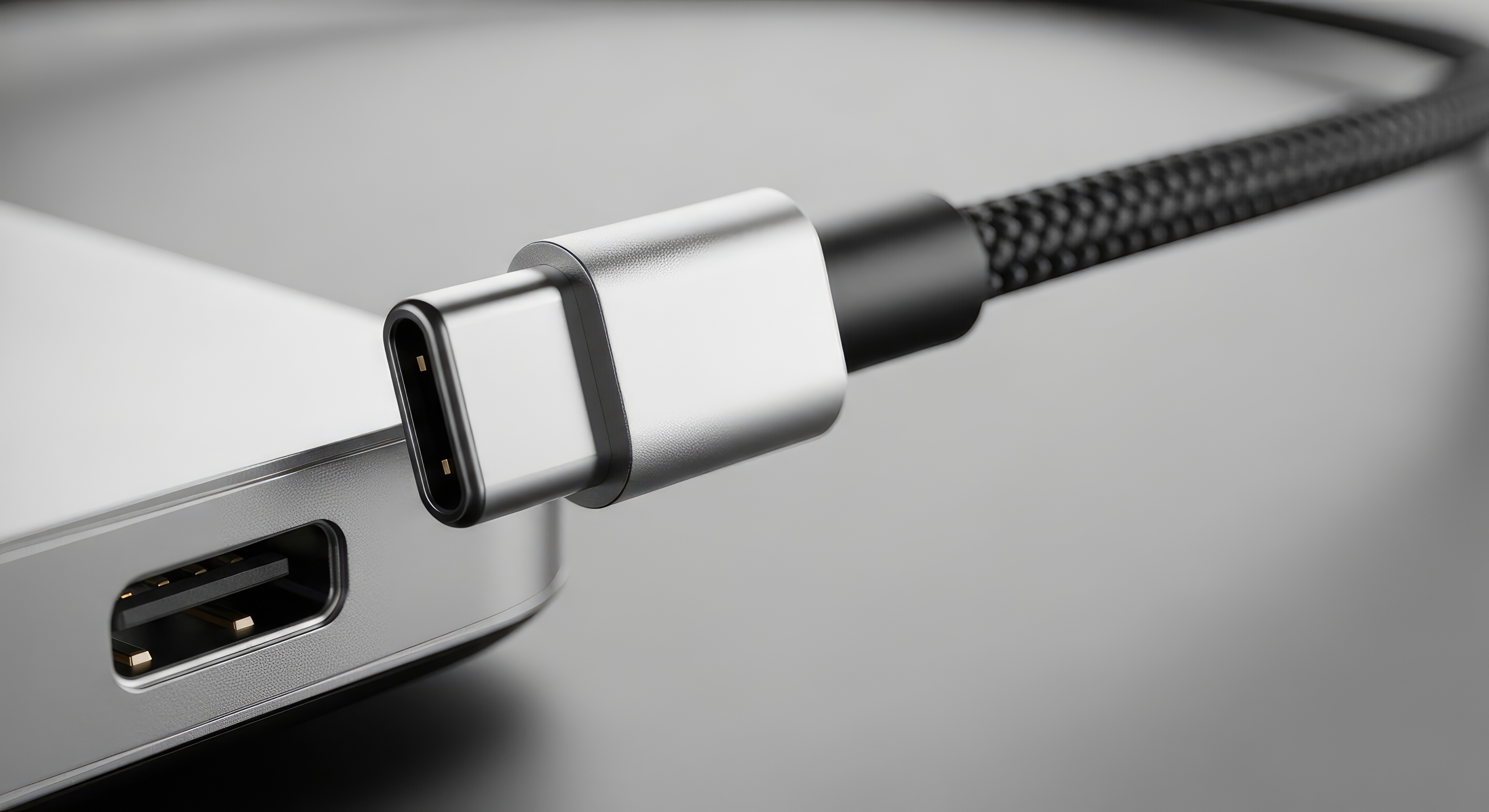
What Is USB Type-C and Why Does It Matter?
So here is the thing about USB Type-C -- it kind of snuck up on everyone and then suddenly it was everywhere. Laptops, phones, tablets, monitors, gaming controllers, even car dashboards. The USB Type-C connector is a 24-pin symmetric interface standard developed by the USB Implementers Forum, and it officially landed in 2014. The big deal? It works upside down. You can plug it in either orientation and it just works. That alone sounds minor until you have spent ten seconds fumbling in the dark trying to plug in a Micro-USB cable and you really start to appreciate it. But the physical convenience is honestly the least interesting part of what USB-C actually brings to the table.
How USB Type-C Actually Works Under the Hood
USB-C is not a single protocol -- that is a common misconception worth clearing up right away. It is a connector form factor that can carry multiple protocols simultaneously depending on what the host device and the cable both support. The connector itself supports USB 2.0, USB 3.2, USB4, Thunderbolt 3, and Thunderbolt 4 depending on implementation. Data transfer speeds range from a modest 480 Mbps on USB 2.0 all the way to 40 Gbps on Thunderbolt 4. The cable and the port both have to support the same standard for you to get the full benefit, which is a detail that trips a lot of people up when they buy a random cable and wonder why their transfer speeds are slow. The connector also uses a Configuration Channel, or CC pin, that handles communication between devices to negotiate power delivery and alternate modes like DisplayPort or HDMI output.
USB Power Delivery: Fast Charging Explained Simply
USB Power Delivery -- usually abbreviated as USB PD -- is the charging specification that travels alongside the USB-C connector standard. It is the reason a single USB-C port can charge a small wireless earbud case at 5 watts and a high-performance laptop at up to 240 watts. The USB PD 3.1 spec, finalized in 2021, extended maximum power output from 100 watts to 240 watts, which is a meaningful jump for workstation-class laptops and certain professional devices. The negotiation process happens automatically. The charger and device communicate in the background and agree on a voltage and current combination that is safe and efficient. For users, it means fewer bricks, fewer cables, and a genuinely simpler charging setup. One quality USB-C PD charger on the desk and one in the bag can cover a phone, tablet, laptop, and accessories -- that is real, practical simplification.
Alternate Mode: One Cable, Multiple Outputs
Here is where USB-C gets genuinely impressive and also a little confusing if nobody explains it well. Alternate Mode allows the USB-C connector to carry non-USB signals natively through the same physical cable. DisplayPort Alternate Mode lets a USB-C port output a full DisplayPort video signal -- supporting 4K, 8K, and high refresh rates depending on the version. HDMI Alternate Mode does the same for HDMI signals. Thunderbolt ports use a proprietary alternate mode from Intel that layers high-speed PCIe data on top of the connection, enabling external GPUs and ultra-fast storage enclosures. The caveat is that not every USB-C port supports alternate modes. A USB-C port on a budget laptop might only support USB 3.2 data and charging, with no video output capability at all. Checking the spec sheet for the specific device is necessary before assuming video output is available.
Key Advantages of USB Type-C at a Glance
When you step back and look at the full picture, the advantages of USB-C over previous connector generations are substantial. The symmetrical design eliminates orientation errors entirely. The power delivery headroom supports everything from earbuds to workstation laptops. Data throughput -- especially with Thunderbolt implementations -- rivals dedicated PCIe slots in some use cases. The connector is also durable and rated for a high number of insertion cycles. For anyone managing a mixed-device environment at home or in a professional setting, the consolidation value is enormous. Consider what this means in practice:
Universal charging compatibility across devices from different manufacturers Single-cable docking station connections for full workstation setups Video output to external monitors without adapters when Alternate Mode is supported High-speed external storage with read and write speeds comparable to internal SSDs Daisy-chaining displays and peripherals through a single Thunderbolt port
Common Drawbacks and Confusion Around USB-C
It would not be fair to talk about USB-C without being straight about where it gets frustrating. The biggest issue is inconsistency. Because USB-C is a connector standard and not a capability standard, two cables that look completely identical can have wildly different performance profiles. A USB-C cable bundled with a budget device might only support USB 2.0 speeds and 15 watts of charging. A certified Thunderbolt 4 cable in the same physical form can handle 40 Gbps and 100 watts. Without markings or specs printed on the cable -- and most cables are poorly labeled -- users are essentially guessing. There is also the matter of port confusion on devices. Not every USB-C port on a device is equal. Some support full Thunderbolt, some support USB 3.2 only, some support charging but not data. Manufacturers do not always make this obvious, which leads to real frustration when expected features do not work as anticipated.
USB-C vs. Thunderbolt 4: Understanding the Difference
Thunderbolt 4 uses the USB-C connector, which is where a lot of confusion originates. Thunderbolt 4 is not USB -- it is Intel's proprietary protocol that uses USB-C as its physical interface. Every Thunderbolt 4 port is backward compatible with USB-C devices, but a USB-C device connected to a Thunderbolt 4 port will only operate at USB-C speeds, not Thunderbolt speeds. Thunderbolt 4 guarantees a minimum 40 Gbps bandwidth, support for two 4K displays or one 8K display, PCIe tunneling, and USB4 compatibility. USB4, which was released in 2019 and updated in 2022, is actually based on the Thunderbolt protocol and brings many of those capabilities to the broader USB ecosystem without requiring Intel certification. USB4 Version 2.0 supports up to 80 Gbps, which exceeds even Thunderbolt 4 in raw throughput. The ecosystem is converging, but slowly.
Practical Tips for Getting the Most From USB Type-C
Knowing the standard exists is one thing. Using it effectively is another. A few practical guidelines make a real difference in getting reliable performance from USB-C devices and cables. Always verify that the cable purchased is rated for the specific use case -- a cable meant for video output needs to be rated for that purpose, not just labeled as USB-C. Look for cables with clearly printed specifications or third-party certifications. When buying a USB-C hub or dock, check whether it uses DisplayLink or Alternate Mode for video, as each has different performance and compatibility implications. For charging, using a USB PD-certified charger protects device batteries and enables the fastest safe charging speeds. Avoid cheap, uncertified cables especially for high-wattage charging. The USB-IF certification mark -- USB Implementers Forum -- on cables and chargers is a reliable indicator of compliance with the actual specification.
Why Monoprice Is the Smart Choice for USB Type-C Cables and Accessories
If you are building out a desk setup, outfitting a team, or just replacing cables that are not performing the way they should, the quality and certification of what you buy matters more than most people realize. Monoprice has spent years engineering and sourcing USB-C cables, chargers, hubs, and docks that are built to spec -- not just to a price point. Every Monoprice USB-C product is designed with the actual technical standard in mind, which means consistent performance, proper power delivery negotiation, and data throughput that matches what is advertised. Whether you need a short 1-foot cable for desktop organization or a longer run for a conference room setup, the product lineup is deep and the pricing is genuinely fair. For anyone serious about performance without paying inflated retail margins, shopping for high-performance USB Type-C cables and accessories from a supplier that understands the spec is the right call. Monoprice is that supplier. Explore the full range and see what makes a difference when the engineering is done right.
Frequently Asked Questions About USB Type-C
What makes USB Type-C different from previous USB connectors?
USB Type-C uses a symmetrical oval-shaped connector that works in any orientation, supports higher power delivery up to 240 watts, and can carry data, video, and power signals simultaneously through a single cable, unlike older USB-A or Micro-USB connectors that were limited to one primary function at much lower performance levels.
Can any USB-C cable charge my laptop?
Not necessarily. A USB-C cable must support USB Power Delivery and be rated for the wattage your laptop requires. Many USB-C cables only support low-wattage charging for phones or tablets. Always check the cable's power rating before using it with a laptop that requires 60 watts or more.
What is USB Power Delivery and how does it work?
USB Power Delivery is a charging specification that allows devices to negotiate the optimal voltage and current for fast, safe charging. The charger and the device communicate automatically and agree on a power level, which is why a single USB PD charger can safely charge devices with very different power requirements.
Do all USB-C ports support video output?
No. Video output via USB-C requires support for DisplayPort Alternate Mode or HDMI Alternate Mode, which is a feature that must be built into the device's hardware. Budget laptops and many mobile devices have USB-C ports that support charging and data only, with no video output capability.
What is the difference between USB4 and Thunderbolt 4?
Thunderbolt 4 is an Intel-certified protocol that guarantees specific performance minimums including 40 Gbps bandwidth and dual 4K display support. USB4 is an open standard based on the Thunderbolt protocol. USB4 Version 2.0 supports up to 80 Gbps. Both use the USB-C connector but require certified cables to operate at full speed.
Why do some USB-C cables transfer data slowly?
USB-C cables vary significantly in the internal wiring and certification level. A cable rated only for USB 2.0 will max out at 480 Mbps regardless of the port it is connected to. Always verify the cable is rated for the USB generation -- USB 3.2, USB4, or Thunderbolt -- that your device supports.
Is a Thunderbolt cable required for Thunderbolt devices?
Yes. Thunderbolt devices require Thunderbolt-certified cables to operate at full Thunderbolt speeds. Standard USB-C cables will work physically but will only deliver USB-level performance. Thunderbolt cables are marked with a lightning bolt icon and are rated for 40 Gbps or 80 Gbps depending on the version.
Can I use a USB-C hub with any USB-C device?
Most USB-C hubs will connect to any USB-C device, but functionality depends on what the device's USB-C port supports. If the port does not support Alternate Mode, video outputs on the hub will not work. If the port does not support USB PD pass-through, the hub cannot charge the host device through the same connection.
How many watts does USB-C support for charging?
The USB Power Delivery 3.1 specification supports up to 240 watts, which is sufficient for high-performance laptops and even some workstation-class devices. Earlier USB PD versions supported up to 100 watts. The actual charging wattage depends on both the charger and the receiving device supporting the same power profile.
What does USB-C Alternate Mode mean?
Alternate Mode is a feature that allows the USB-C connector to carry non-USB signals such as DisplayPort or HDMI video natively through the cable. It requires the host device's USB-C port to support the specific alternate mode and a cable rated for that purpose. Not all USB-C ports or cables support Alternate Mode functionality.


