

USB Type-C Explained: Ports, Power, and What to Buy
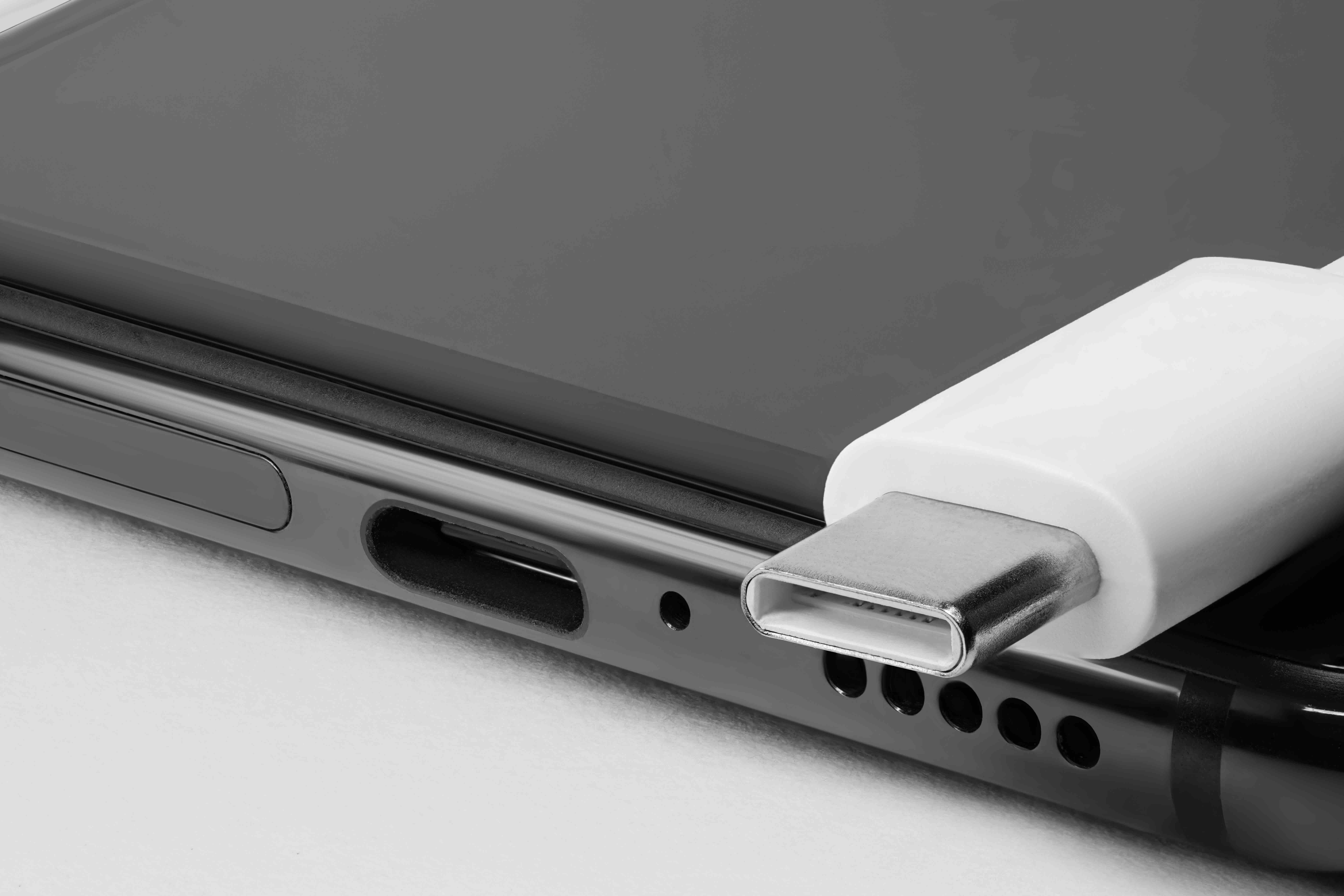
USB Type-C Explained: What It Is, How It Works, and Why It Matters
If you have bought a laptop, smartphone, or tablet in the last few years, there is a strong chance it came with at least one USB Type-C port. Maybe you noticed the small oval-shaped connector and wondered what the big deal is. Or maybe you plugged in the wrong cable and nothing worked. Either way, USB Type-C is genuinely one of the more significant connector standards to land in consumer electronics in a long time, and it is worth understanding before you buy another cable, hub, or device. This article walks through what USB Type-C actually is, how it functions, why it offers real advantages over older connector types, and where the experience can still be frustrating.
What Is USB Type-C and Where Did It Come From
USB Type-C, often written as USB-C, is a 24-pin connector standard developed by the USB Implementers Forum and officially introduced in 2014. The physical connector is symmetrical, meaning there is no wrong way to plug it in. That alone was a massive improvement over the older USB Type-A and Type-B designs, which required the user to figure out orientation before connecting. The spec was designed from the ground up to handle more data, more power, and more use cases than its predecessors. It has since become the dominant interface on modern laptops, Android smartphones, tablets, gaming handheld devices, and even some monitors and displays.
How USB Type-C Actually Works
The USB-C connector is a physical form factor, not a protocol by itself. That distinction matters. What travels through the cable depends on the underlying standard the device and cable support. USB-C can carry USB 2.0, USB 3.2, USB4, Thunderbolt 3, or Thunderbolt 4 data signals depending on the hardware involved. It also supports the USB Power Delivery specification, which allows for significantly higher wattage charging than older USB standards. On top of that, USB-C can carry DisplayPort and HDMI video signals through what is called Alternate Mode. So the same port on your laptop might charge the device, transfer files at high speed, and push video to an external monitor simultaneously. The cable and port both need to support the relevant specifications for any of this to work, which is where a lot of consumer confusion originates.
Key Advantages of USB Type-C
There are several reasons why the industry converged on USB-C as a universal connector standard. Understanding those reasons helps clarify why it shows up on nearly everything now.
- Reversible design eliminates the frustration of incorrect insertion
- Single port can handle power, data, and video simultaneously
- USB Power Delivery supports up to 240 watts under the latest specifications
- Compact form factor fits in thin devices where older connectors could not
- Widely adopted across operating systems, manufacturers, and device categories
- Supports multiple alternate modes including DisplayPort and HDMI output
- Enables single-cable docking station setups for laptops
The practical outcome is fewer cables and fewer adapters on your desk. A single USB-C cable connected to a capable dock can power your laptop, connect multiple monitors, link to wired Ethernet, and run USB peripherals at the same time. That kind of consolidation has real value in professional environments and home workspaces alike.
USB-C and Power Delivery: Charging Explained
USB Power Delivery is probably the most misunderstood part of the USB-C ecosystem. Earlier USB standards delivered modest power levels, usually around 5 watts, which was fine for charging a phone slowly but not practical for a laptop. USB Power Delivery changed that significantly. Devices and chargers negotiate a voltage and current combination that both can handle, and the charging adjusts accordingly. Modern USB PD can deliver up to 240 watts under the Extended Power Range revision, which covers everything from earbuds to high-performance laptops. The charger, the cable, and the device all need to support the same power levels for maximum output. A lower-rated cable will limit the wattage even if the charger and device can both handle more. This is why cable quality and specifications matter more with USB-C than they did with older standards.
USB-C vs Thunderbolt: Understanding the Difference
One of the more confusing aspects of USB-C is its relationship with Thunderbolt. Thunderbolt 3 and Thunderbolt 4 both use the USB-C physical connector, but they are not the same thing as USB-C. Thunderbolt is an Intel-developed protocol that provides significantly higher bandwidth, up to 40 Gbps, along with support for daisy-chaining devices and connecting external GPU enclosures. A Thunderbolt 4 port will handle standard USB-C accessories without issue, but a standard USB-C port will not deliver Thunderbolt performance. The ports often look identical on the outside, though Thunderbolt ports are typically marked with a small lightning bolt icon. If you are building a high-performance workstation setup or connecting professional AV and storage hardware, knowing whether your port is Thunderbolt or standard USB-C directly affects what you can actually do with it.
Common Drawbacks and Pain Points
USB-C is a strong standard, but the experience is not always smooth. A significant part of the frustration comes from the fact that the connector looks the same across wildly different capability tiers. A cable that supports USB 2.0 speeds and 5 watts of charging looks physically identical to a cable that supports USB4 and 100 watts. There is no visual indicator on the connector itself. Manufacturers are required to label cables, but packaging and fine print are easy to overlook at the point of purchase.
- Cables must be checked for both data speed rating and power delivery wattage
- Not all USB-C ports support video output through Alternate Mode
- Thunderbolt accessories will not reach full performance on non-Thunderbolt ports
- Cheap or counterfeit cables can damage devices or fail to charge properly
- Older devices still require adapters to connect to USB-C ports
The solution is straightforward in practice: buy cables and accessories from reputable sources, pay attention to listed specifications, and do not assume that a lower-priced cable delivers the same performance as a properly rated one. The connector may be universal, but the capabilities vary considerably.
Practical Tips for Getting the Most Out of USB-C
Working with USB-C effectively is mostly about knowing what your devices need and matching them with accessories that meet those requirements. Check your laptop or device documentation to identify what USB version the port supports and whether it handles Power Delivery or Alternate Mode video. When purchasing cables, look for clear labeling that identifies the USB generation and maximum wattage. For charging laptops, a cable rated for at least 60 watts is a reasonable baseline, though 100 watts or more is better if you are using a high-performance machine. For data transfers involving large files, a cable rated for USB 3.2 Gen 2 or higher will make a meaningful difference in transfer speed. If you need a USB-C hub or docking station, verify that it lists explicit support for the features you need, such as 4K video output, Power Delivery passthrough, or specific USB port speeds. Generic hubs without clear specifications often disappoint.
Where USB-C Is Headed
The USB-C form factor is not going anywhere. The European Union mandate requiring USB-C as a common charging standard for consumer electronics accelerated adoption significantly and pushed manufacturers toward standardization. USB4 Version 2.0 now supports up to 80 Gbps bandwidth, which positions the connector well for next-generation storage, display, and data use cases. As Thunderbolt 5 expands availability and more devices adopt the latest USB4 specifications, the practical gap between premium and standard USB-C implementations will become even more apparent. Staying informed about connector and cable specifications will remain important for anyone building out a reliable tech setup, whether at home, in a studio, or across an enterprise environment.
Why Monoprice Is the Right Choice for USB-C Cables and Accessories
When you are sourcing USB-C cables, hubs, docking stations, or chargers, the brand behind the product matters. Inferior cables are not just a performance issue, they can be a safety issue. Monoprice has spent years building a reputation for delivering clearly specified, rigorously constructed connectivity products at prices that do not require a second thought. Every cable listing includes the specifications you actually need to make an informed decision, including USB version, power delivery rating, and data transfer speed. For professionals setting up multi-monitor workstations, IT teams outfitting a fleet of devices, or home users who just want a cable that works reliably, Monoprice covers the full range. If you are ready to stop guessing and start working with USB-C accessories that are rated, labeled, and priced honestly, explore the full lineup of high-performance USB Type-C cables and accessories at Monoprice to find the right solution for your specific setup. Quality does not have to come with an inflated price tag, and Monoprice has made that case consistently across its entire catalog.
Frequently Asked Questions About USB Type-C
What makes USB Type-C different from USB Type-A?
USB Type-C uses a smaller, symmetrical oval connector that can be inserted in either direction, while USB Type-A is the rectangular connector that only fits one way. USB-C also supports higher data speeds, greater power delivery, and video output depending on the cable and port specifications.
Can I use any USB-C cable to charge my laptop?
Not all USB-C cables support high-wattage charging. For laptops, you need a cable rated for USB Power Delivery at the appropriate wattage, typically 60 watts or higher. Using an underpowered cable may result in slow charging or no charging at all.
Is USB-C the same as Thunderbolt?
No. Thunderbolt 3 and 4 use the USB-C physical connector, but Thunderbolt is a separate protocol developed by Intel with higher bandwidth and additional capabilities. A USB-C port is not automatically a Thunderbolt port, and Thunderbolt accessories require a Thunderbolt-compatible port to reach full performance.
How do I know what speed my USB-C cable supports?
Check the packaging or product listing for the USB generation rating. USB 3.2 Gen 1 supports 5 Gbps, Gen 2 supports 10 Gbps, Gen 2x2 supports 20 Gbps, and USB4 can reach 40 Gbps or higher. If a cable has no clear labeling, it likely supports only USB 2.0 speeds.
Can USB-C output video to a monitor?
Yes, but only if the port on your device supports Alternate Mode, which allows DisplayPort or HDMI signals to travel through the USB-C connection. Not all USB-C ports support this feature, so checking your device specifications before purchasing a USB-C to monitor cable or adapter is important.
Why does my USB-C device charge slowly even with a new charger?
Slow charging is usually caused by a mismatch between the charger wattage, the cable's power rating, and what the device can accept. All three components need to support the same power delivery level. A cable that is only rated for 5 watts will limit charging speed regardless of the charger's output.
What is USB Power Delivery and how does it work?
USB Power Delivery is a charging specification that allows devices and chargers to negotiate the optimal voltage and current for faster, more efficient charging. It enables USB-C to deliver anywhere from a few watts up to 240 watts depending on the hardware, making it suitable for everything from earbuds to professional laptops.
Are all USB-C hubs and docking stations the same?
No. USB-C hubs vary significantly in the features they support, including number of ports, maximum video resolution, Power Delivery passthrough wattage, and data speeds. A hub without clear specifications may bottleneck performance or fail to support 4K output even if the underlying port on your device can handle it.
Can I connect USB-A accessories to a USB-C port?
Yes, with an adapter or cable that converts between USB-A and USB-C. Keep in mind that the data transfer speed will be limited by whichever side of the connection is rated lower, and not all adapters support both high-speed data and power simultaneously.
Is USB-C becoming the universal standard for all devices?
USB-C adoption is accelerating globally. Regulatory requirements in multiple markets now mandate USB-C for consumer electronics charging, and most major manufacturers have already transitioned their flagship products to USB-C. While legacy connectors will remain in use for years, USB-C is firmly established as the forward-looking standard for data, power, and display connectivity.


