

USB Type-A Chargers: Still Relevant, Still Reliable
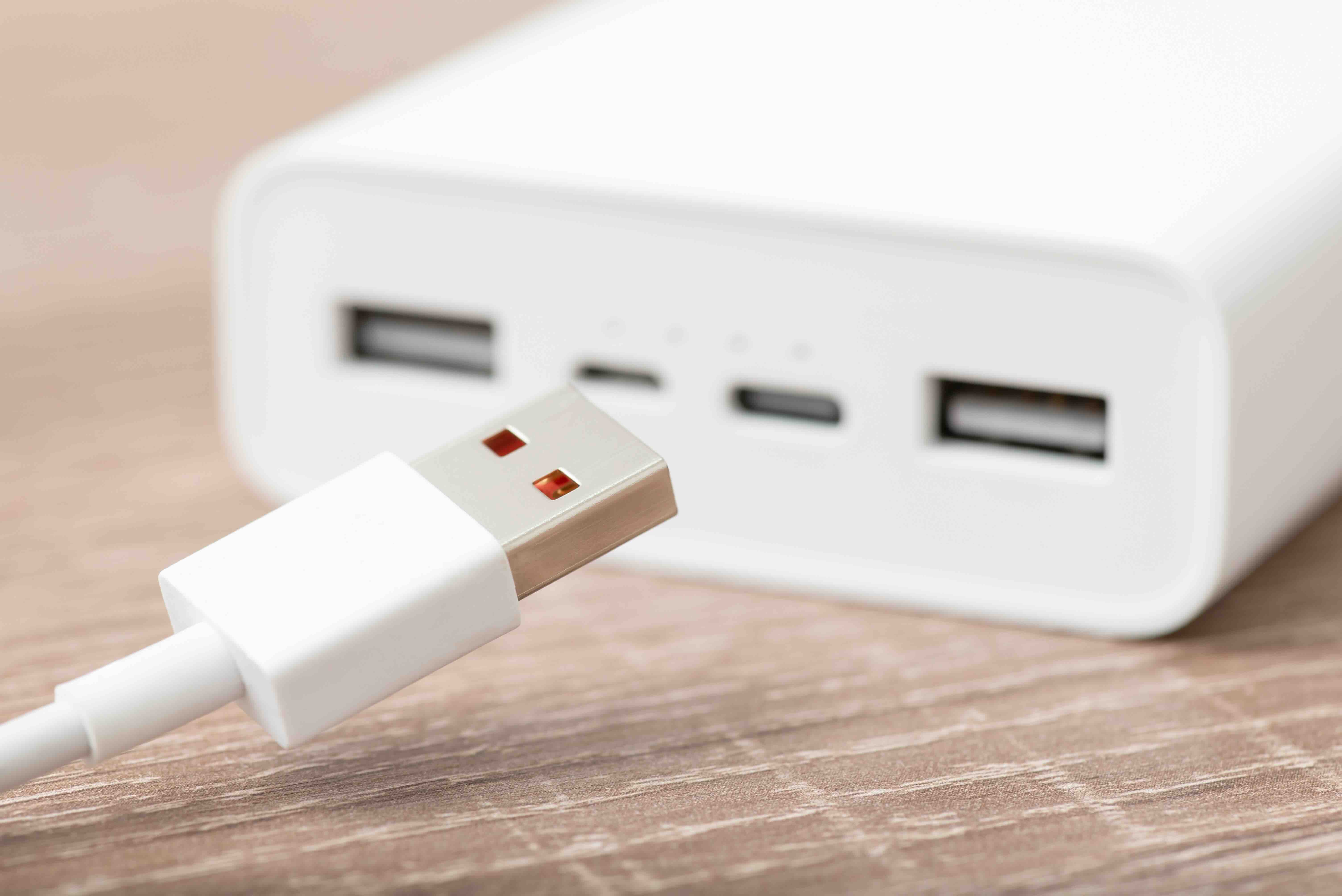
What Is a USB Charger Type A and Why Does It Still Matter?
USB Type-A chargers are those flat, rectangular connectors you have probably used more times than you can count. They are the standard USB port that defined personal electronics charging for over two decades, and honestly, they are still everywhere. Laptops, wall adapters, car chargers, power banks, gaming controllers, desk hubs -- Type-A is still showing up in all of it. Even with USB-C getting most of the attention these days, Type-A remains deeply embedded in everyday technology. Understanding what it is, how it works, and where it fits into your setup helps you make smarter purchasing decisions, whether you are outfitting a home office or sourcing accessories for a commercial environment.
How USB Type-A Technology Actually Works
USB stands for Universal Serial Bus, and the Type-A connector is the host-side interface -- meaning it is the side that delivers power and initiates data communication. When you plug a cable into a USB-A port on a wall charger or computer, that port acts as the controller in the connection. It supplies voltage (typically 5V at varying amperage levels) to whatever device is on the receiving end. The original USB 1.1 standard delivered modest data speeds and power, but the spec has evolved considerably. USB 2.0 brought 480 Mbps data transfer, USB 3.0 pushed that to 5 Gbps, and USB 3.2 Gen 1 and Gen 2 variants improved further. For charging specifically, standards like USB Battery Charging (BC 1.2) and Qualcomm Quick Charge expanded what a Type-A port could deliver in terms of wattage -- some reaching 18W or more. Not bad for a connector that has been around since 1996.
Common Use Cases for USB Type-A Chargers
It is easy to assume USB-A is fading out, but the practical reality is different. A huge percentage of devices in circulation still rely on Type-A for charging input via a Micro-USB or USB-A to Lightning cable. Think about how many of these you interact with regularly:
- Wireless earbuds with Micro-USB charging cases
- Game controllers for legacy consoles
- Bluetooth speakers with older charging ports
- Smart home sensors and small IoT devices
- USB desk fans and LED lighting strips
- Keyboards and mice with USB-A receivers
In business and commercial settings, USB-A chargers are often preferred because the infrastructure is already built out. Replacing every charging brick and cable across a large office just to adopt USB-C is a cost decision many organizations are not ready to make. USB-A chargers also play well in multi-port charging stations, which are common in conference rooms, hotel lobbies, and retail environments where a mix of older and newer devices need power simultaneously.
Key Advantages of USB Type-A Chargers
USB Type-A chargers have earned their place through real-world reliability and widespread compatibility. A few advantages stand out consistently across user segments:
- Universal device compatibility across thousands of product categories
- Broad availability at accessible price points
- Well-established safety standards with wide industry certification support
- Compatible with QC (Quick Charge) and BC 1.2 protocols for faster charging
- Simple, no-fuss connection -- no reversible plug confusion or orientation issues
- Abundant multi-port wall adapter options for simultaneous device charging
For anyone managing a mixed-device environment, USB-A is not a compromise -- it is a practical tool. That compatibility breadth is hard to replicate, and it is one reason why multi-port USB-A chargers continue to sell in high volumes. Charging five devices from one wall adapter without adapters or dongles is a real value proposition.
Drawbacks and Limitations to Keep in Mind
USB Type-A is not without its limitations, and being honest about them helps you plan your setup properly. The connector is not reversible, which means the infamous plug-flip struggle is a real daily occurrence. More importantly, raw power delivery is capped compared to USB-C with Power Delivery. While Quick Charge-enabled USB-A ports can push meaningful wattage, they cannot match the 65W, 100W, or higher output that USB-C PD supports. That gap matters if you are trying to charge a laptop or a tablet with significant battery capacity from zero quickly. Data transfer speeds through USB-A ports are also bound by the physical connector spec and the version installed -- older USB 2.0 ports on chargers obviously will not support fast data sync. And as manufacturers continue phasing out Micro-USB and Lightning ports in favor of USB-C, the cable ecosystem around USB-A will gradually shrink. It is not urgent, but it is a trend worth tracking.
USB Type-A vs USB Type-C: What Is Actually Different?
This comparison comes up constantly, and for good reason. USB-C is the newer, more versatile standard -- smaller, reversible, capable of handling video output, high-speed data, and up to 240W of power delivery under USB PD 3.1. USB-A simply cannot match those specs by design. However, speed and power capacity are not the only factors that matter. Availability, price, compatibility with existing cable inventory, and device support all factor into the decision. For a household or office with a mix of older and newer gear, running both standards through a multi-port charging hub is often the most sensible approach. USB-A handles the legacy devices; USB-C handles the newer high-draw ones. They are not really competing -- they are complementary in most real-world setups.
What to Look for When Buying a USB Type-A Charger
Buying a USB-A charger sounds simple, but the market is crowded and quality varies considerably. The wrong charger can underperform or, in rare cases, damage a device. Here is what to prioritize when evaluating options. Look for certified charging protocols, especially if your device supports Quick Charge -- verify the adapter is QC-certified, not just labeled with approximate wattage. Check total amperage output across all ports on multi-port adapters, since shared amperage can result in slower charging when multiple devices are connected simultaneously. Build quality matters too -- solid construction, safety certifications (UL, FCC, CE), and thermal protection features indicate a charger designed for sustained, safe use. Wall adapters with foldable prongs are a practical detail for travel and storage. And if you are sourcing chargers in quantity for a business, consistent product specs across units and available warranties should be part of your evaluation criteria.
Tips for Getting the Best Performance from Your USB-A Charger
Even a quality charger performs differently depending on how it is used. Using the correct cable matters more than most people realize -- a low-gauge, high-quality cable preserves charging speed, while a thin or damaged cable introduces resistance and slows everything down. Pairing a Quick Charge adapter with a QC-compatible cable and a QC-enabled device unlocks the full fast-charging potential. Avoid daisy-chaining power strips in ways that throttle available amperage to the charger itself. For multi-port chargers, connecting the highest-draw device to the dedicated fast-charge port (usually marked or rated separately) ensures that device gets priority power. And periodically inspecting connectors for debris, corrosion, or bent contacts keeps the connection clean and the charging consistent.
Why Monoprice Is a Smart Choice for USB Type-A Charging Solutions
When it comes to sourcing reliable USB charging gear without overpaying, Monoprice delivers the kind of performance and build quality that both individual users and procurement teams can depend on. The USB-A charger lineup is built with practical use in mind -- thoughtful port configurations, certified charging protocols, and durable construction that holds up across daily use. Whether you are outfitting a home office, stocking a corporate IT closet, or just replacing a worn-out wall adapter, the value-to-performance ratio here consistently punches above the price point. For anyone looking to build out a dependable charging ecosystem, high-performance USB Type-A chargers and multi-port charging accessories from Monoprice are a solid, cost-effective starting point. The specs are honest, the pricing is fair, and the product range covers everything from single-port travel adapters to multi-port desktop charging hubs built for shared workspaces.
Frequently Asked Questions About USB Type-A Chargers
What is the difference between USB Type-A and USB Type-C?
USB Type-A is the traditional rectangular connector used on most standard chargers and host devices. USB Type-C is a newer, smaller, reversible connector that supports higher power delivery, faster data transfer, and video output. Type-A is more widely compatible with older devices, while Type-C is becoming the standard for newer electronics.
Is a USB Type-A charger safe to use with any device?
Yes, as long as you use the appropriate cable for your device. USB Type-A chargers are designed with standard output voltages, and most modern devices regulate their own charging input. Always use a certified charger with proper safety markings to avoid risk.
Can a USB Type-A charger support fast charging?
Yes. USB Type-A chargers that support protocols like Qualcomm Quick Charge or USB Battery Charging 1.2 can deliver fast charging speeds to compatible devices. Check that both your charger and device support the same fast-charge standard for full benefit.
How many watts does a typical USB Type-A charger output?
Standard USB-A chargers output 5W (5V at 1A). Quick Charge-enabled adapters can reach 12W, 18W, or higher depending on the version supported. Always verify the rated wattage before purchasing.
Will a USB Type-A charger work with a USB-C device?
Yes, with a USB-A to USB-C cable. The device will charge, though it will be limited to the power output of the Type-A port, which is lower than what USB-C Power Delivery can provide.
Are multi-port USB-A chargers worth buying?
For households or offices with multiple devices, multi-port USB-A chargers are a practical and cost-effective solution. Just verify the total amperage output and whether individual ports share or allocate power independently.
What does USB 3.0 mean on a Type-A port?
USB 3.0 refers to the data transfer specification of the port, supporting speeds up to 5 Gbps compared to USB 2.0's 480 Mbps. On chargers specifically, USB 3.0 designation matters more for hubs with data capability than for wall adapters focused purely on power delivery.
Is USB Type-A becoming obsolete?
Not immediately. While USB-C adoption is accelerating, USB Type-A remains in wide use across millions of devices, accessories, and installed infrastructure. Most industry analysts expect both standards to coexist for many years before Type-A fully phases out.
How do I know if my USB-A charger is certified and safe?
Look for safety certifications from recognized bodies such as UL, FCC, or CE printed on the charger or included packaging. Avoid uncertified or unbranded chargers, as they may lack overcurrent, overvoltage, or thermal protection features.
Can I use a USB Type-A charger to charge a laptop?
In most cases, no -- at least not efficiently. Laptops typically require more power than USB-A ports can deliver. Some thin-and-light laptops with USB-C charging ports can be trickle-charged via a USB-A to USB-C cable, but it will be slow and may not sustain power during heavy use.


