

USB to RCA Audio Adapter: Bridge Old and New Audio
What Is a USB to RCA Audio Adapter and Why Does It Matter?
So you have a laptop, a desktop, maybe a tablet, and you want to connect it to an older stereo receiver, a set of powered speakers, or some legacy AV equipment that only speaks RCA. The problem is pretty obvious the moment you look at your ports. There is no RCA output. There might not even be a 3.5mm headphone jack anymore. What you have is USB, and what your speakers want is those two familiar red and white plugs. That gap between modern and legacy audio is exactly where a USB to RCA audio adapter earns its place. It is a small, often overlooked device that does something genuinely useful: it translates digital audio from your computer into analog stereo output that older audio equipment can read. Simple in concept, but there is a lot more going on under the hood than most people realize.
How a USB to RCA Audio Adapter Actually Works
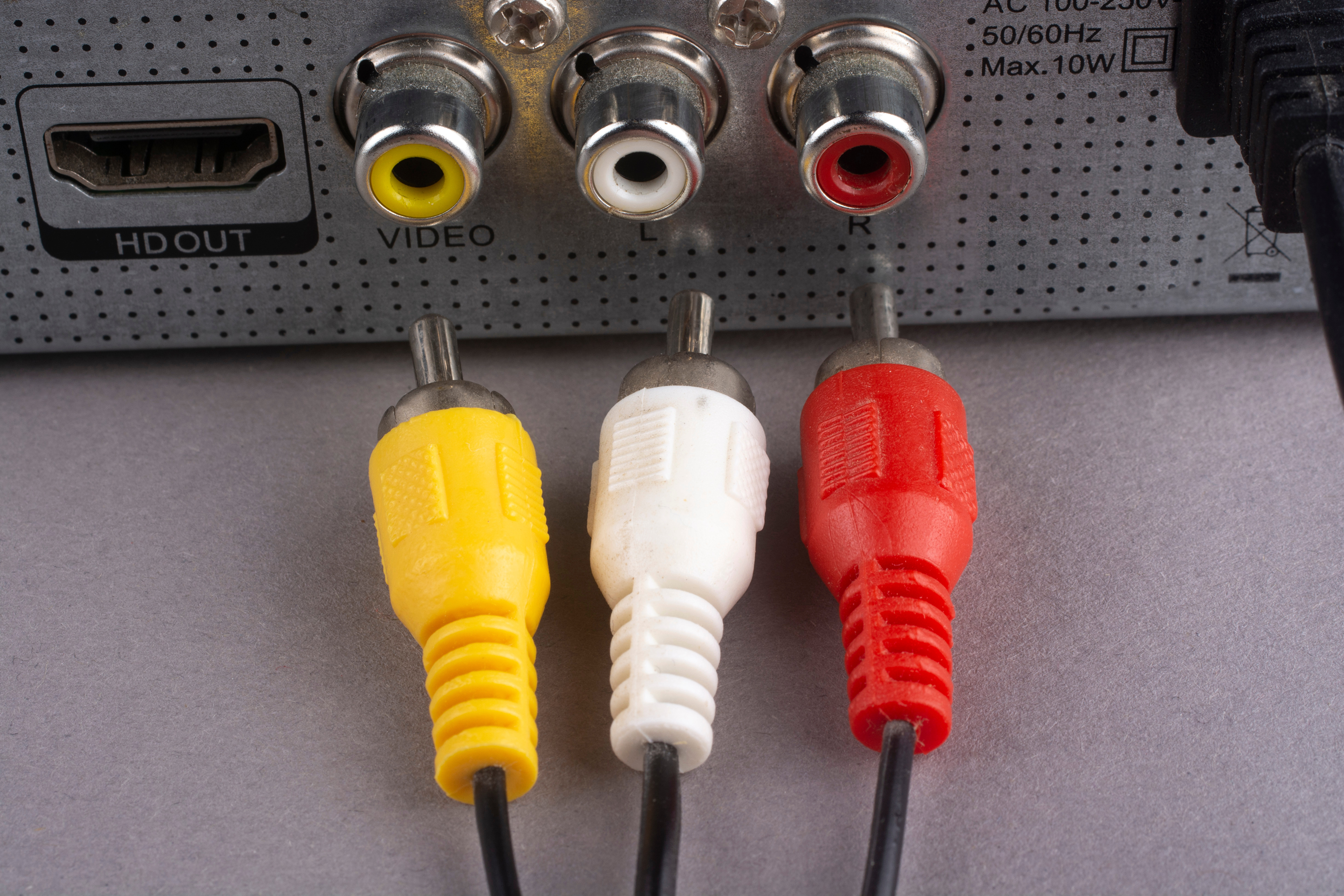
Here is the technical part, and it is worth understanding even at a high level. Your computer handles audio digitally. Everything is data, ones and zeroes, processed by your system. A USB to RCA adapter contains a digital-to-analog converter, commonly called a DAC, built right into the device. When audio data flows from your computer through the USB connection, the DAC inside the adapter converts that digital signal into an analog waveform. That analog signal then exits through the RCA output jacks, typically color-coded red for the right channel and white for the left. Plug those into your receiver, your powered bookshelf speakers, your tape deck, whatever you are working with, and you get sound. Most adapters are class-compliant, meaning your operating system recognizes them automatically as a USB audio device without any additional driver installation. That plug-and-play behavior is a big part of the appeal.
Common Use Cases and Who Actually Needs One
This is actually a broader audience than you might expect. A USB to RCA audio adapter is useful for a pretty wide range of people and scenarios. A few that come up consistently include the following.
- Home audio enthusiasts who want to stream music from a laptop or PC through a vintage stereo amplifier
- Content creators who need a secondary analog output for monitoring or recording reference
- Home theater users who have a legacy AV receiver without digital audio inputs
- Classroom or small venue setups where a computer feeds audio into PA equipment with RCA inputs
- IT administrators sourcing cost-effective audio solutions for conference rooms or presentation setups
- Musicians who need a simple way to route computer audio into an analog mixer
The common thread is the need to bridge modern USB-only devices with equipment that was built before USB audio was common. It is not a niche product. It fills a real and recurring gap in AV connectivity that a lot of people run into sooner or later.
Key Advantages of Using a USB to RCA Adapter
There are several practical reasons to reach for one of these adapters instead of a workaround. First, compatibility is essentially universal on the computer side. Any device with a standard USB-A port can use one, and USB-C adapters or hubs extend that to newer machines. Second, the audio output quality is often better than what you get from a built-in 3.5mm headphone jack. Integrated audio chips in computers are frequently low-quality and susceptible to electromagnetic interference from internal components. A USB adapter moves audio processing outside the computer entirely, which can result in a noticeably cleaner signal. Third, setup time is minimal. Most users are up and running in under two minutes. No software installation, no configuration headaches. Fourth, these adapters are generally compact and affordable, which makes them easy to keep on hand for situations where you need an analog output without much planning ahead.
Potential Drawbacks to Consider Before You Buy
Worth being upfront here. USB to RCA adapters are useful, but they are not without limitations. The DAC built into a budget adapter is not going to match the audio fidelity of a dedicated external sound card or a high-end standalone DAC unit. If you are an audiophile chasing pristine signal quality, a basic adapter might leave you wanting more. There is also the issue of output impedance and signal level matching. Some adapters output a consumer line-level signal that may not drive all equipment equally well. Additionally, depending on the build quality, you might encounter ground loop hum, which shows up as a low buzzing noise through your speakers. This is a grounding issue related to the shared power path through the USB connection. It is fixable, usually with an inexpensive ground loop isolator, but it is something to be aware of. Finally, USB bandwidth can occasionally introduce latency, though for simple audio playback this is rarely noticeable in practice.
What to Look for When Choosing a USB to RCA Audio Adapter
Not all adapters are built the same, and a little bit of informed shopping goes a long way. The DAC chip quality matters. Some products list this spec, and chips from reputable audio IC manufacturers generally perform better than unbranded alternatives. Look at the frequency response and signal-to-noise ratio if those specs are available. The physical build quality of the RCA jacks and USB connector affects longevity, especially if the adapter will be used frequently or transported. Cable length is another consideration. Some adapters are extremely short and require additional RCA cables, while others include a built-in cable of moderate length. Also consider whether you need stereo output only or if you want a product that includes microphone input as well, since some USB audio adapters are combination input and output devices. Know what you need before you buy and you will avoid unnecessary returns.
Setup and Installation Tips for Best Results
Getting the most out of a USB to RCA adapter does not take much effort, but a few steps help. When you plug it in, give your operating system a moment to recognize it, then go into your audio settings and set the USB device as the default playback device. On Windows this is in Sound Settings under the Playback tab. On macOS it is in System Settings under Sound. Set your output volume to around 70 to 80 percent in software and then adjust the volume at the receiver or amplifier end. This gives you headroom without pushing distortion through the DAC. If you experience hum, try a different USB port, preferably one on the opposite side of the machine, or add a ground loop isolator between the adapter and your speakers. Keep the USB cable and RCA cables away from power cables when possible to minimize interference pickup.
USB to RCA vs. Other Audio Adapter Options
It helps to understand where USB to RCA adapters fit relative to other options. A 3.5mm to RCA cable is simpler and cheaper, but depends entirely on the quality of the computer's headphone output. A USB sound card with 3.5mm outputs adds a DAC externally but still requires an additional 3.5mm to RCA cable. A dedicated external DAC with RCA outputs is the premium route, offering the best audio quality, but at a meaningfully higher price and with more complexity. A USB to RCA adapter sits squarely in the middle ground. It is more capable than relying on the built-in headphone jack, simpler and more affordable than a full external DAC, and gets the job done for the vast majority of everyday audio routing tasks. For casual listening, home setups, and practical AV work, it is often the most efficient answer available.
Why Monoprice Is a Smart Choice for USB to RCA Audio Adapters
When it comes to sourcing reliable audio connectivity products without overspending, Monoprice has built a well-earned reputation for delivering quality at a price that makes sense. Whether you are a home user trying to breathe new life into a vintage stereo setup, an IT professional equipping a conference room, or an AV integrator pulling together a cost-effective system, the value proposition is clear. Monoprice designs and sources products with both performance and real-world usability in mind, and their audio accessories line is no exception. The build quality, the attention to signal integrity, and the straightforward compatibility across operating systems are all things that Monoprice takes seriously. If you are ready to solve your analog audio connectivity problem without spending more than necessary, exploring the full range of USB to RCA audio adapters and audio connectivity solutions at Monoprice is a practical and confident next step. The products speak for themselves, and the pricing makes it easy to equip every room, rack, and setup without second-guessing the budget.
Frequently Asked Questions About USB to RCA Audio Adapters
Do I need to install drivers to use a USB to RCA audio adapter?
In most cases, no. The majority of USB to RCA adapters are USB Audio Class compliant, which means Windows, macOS, and Linux recognize them automatically as a standard audio device without any additional driver installation required.
Will a USB to RCA adapter improve sound quality compared to the headphone jack?
Generally yes. Because the adapter contains its own DAC and processes audio outside of the computer, it bypasses the often low-quality integrated audio circuitry inside laptops and desktops, which can result in a cleaner, quieter signal.
What causes a buzzing or humming sound when using a USB to RCA adapter?
That noise is typically a ground loop, caused by differences in electrical ground potential between the computer and the connected audio equipment. Adding an inexpensive ground loop isolator between the adapter and the speakers or receiver usually resolves it.
Can I use a USB to RCA adapter with a TV?
Not directly in most cases. TVs do not typically provide USB audio output. USB to RCA adapters are designed to work with computers and laptops as the audio source, not televisions, which handle audio output through HDMI, optical, or 3.5mm connections.
Is there a noticeable audio delay when using a USB to RCA adapter for video playback?
For standard audio playback and casual video watching, latency is minimal and generally imperceptible. High-precision applications like live audio monitoring or low-latency recording may require a more specialized USB audio interface.
What does the red and white color coding on RCA connectors mean?
Red indicates the right audio channel and white indicates the left audio channel. This is a universal standard in consumer audio equipment, and matching these to the corresponding inputs on your receiver or speakers ensures proper stereo channel assignment.
Can I use a USB to RCA adapter with a Chromebook or tablet?
Many class-compliant USB audio adapters work with Chromebooks and Android tablets. Compatibility depends on whether the device supports USB audio output, which most modern Chromebooks and USB-C Android tablets do, sometimes requiring a USB-C to USB-A adapter.
Will output volume from a USB to RCA adapter be sufficient to drive powered speakers?
Yes, for powered speakers with their own amplification. USB to RCA adapters output a standard consumer line-level signal, which is appropriate for powered speakers and AV receivers. They are not designed to drive passive speakers directly without an amplifier.
Are USB to RCA adapters compatible with both stereo and surround sound setups?
Standard USB to RCA adapters output stereo, meaning two channels only. For surround sound with multiple RCA outputs, you would need a multi-channel USB audio interface rather than a basic stereo adapter.
How long do USB to RCA audio adapters typically last?
Longevity depends heavily on build quality. A well-constructed adapter with solid connectors and a reinforced USB plug can last for several years under regular use. Avoiding repeated strain on the connector joints and storing the adapter properly when not in use extends its lifespan considerably.


