

USB OTG Cables & Adapters: Connect Without a PC
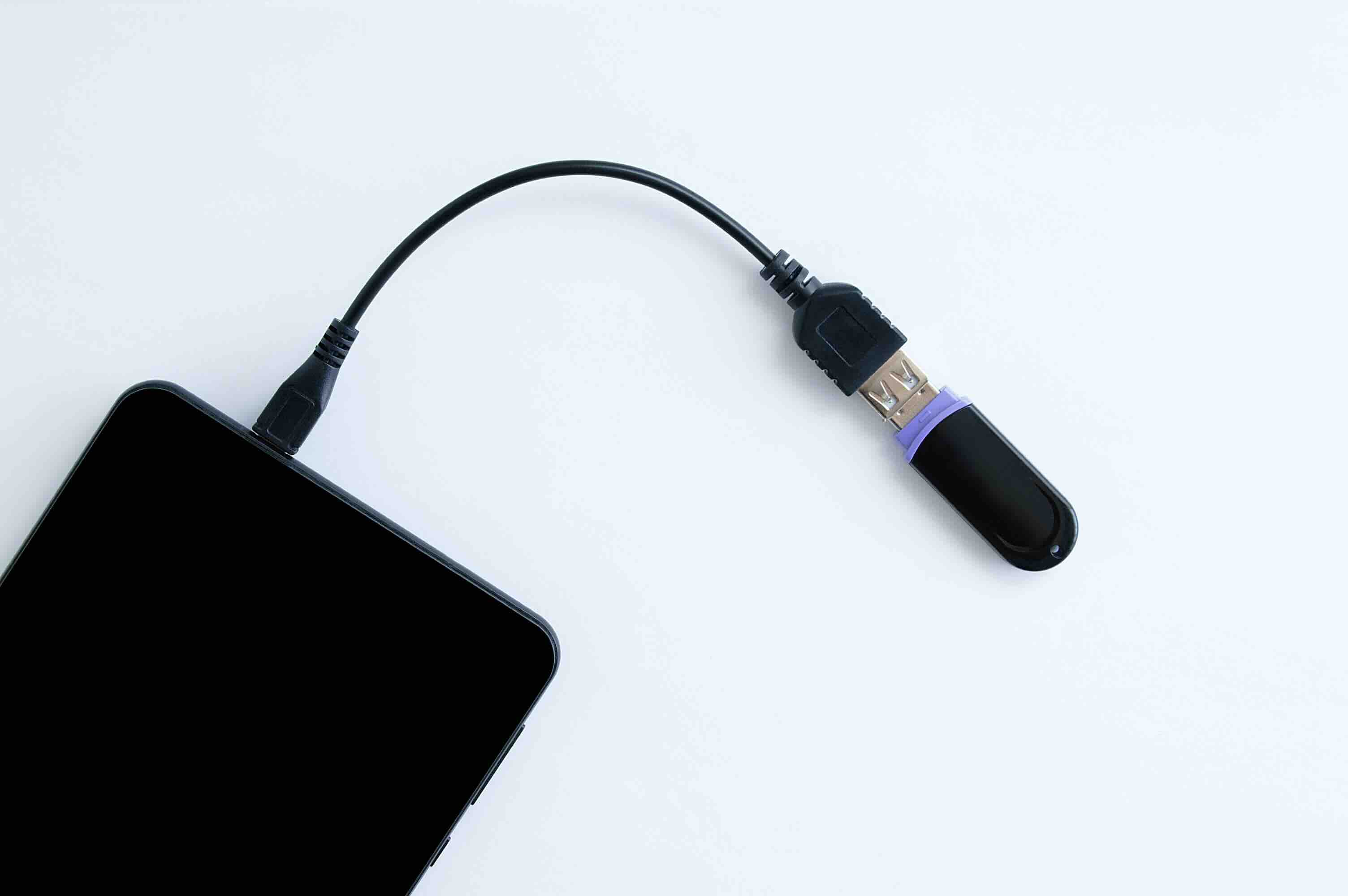
What Is USB OTG and Why Should You Care About It?
USB OTG -- wait, let me back up. The abbreviation stands for USB On-The-Go, and if you have not heard of it before, that is actually a little surprising given how widely it has been implemented across consumer electronics. Introduced as part of the USB 2.0 specification back in 2001, USB OTG is a standardized protocol that allows USB devices to communicate directly with each other without needing a host computer as the intermediary. Think about that for a second. Two devices, talking directly to each other over USB. No laptop required, no desktop sitting in the middle. That is the core idea, and it is genuinely useful in ways that go well beyond the original spec authors probably imagined at the time.
How USB OTG Actually Works Under the Hood
Here is where things get interesting from a technical standpoint. Standard USB architecture requires one device to act as the host and another to act as the peripheral. Your laptop is the host, your flash drive is the peripheral. Simple hierarchy, no ambiguity. USB OTG introduces a concept called the dual-role device, sometimes abbreviated as DRD, which allows a single port to function as either a host or a peripheral depending on what it is connected to. There is a pin in the connector, called the ID pin, that determines which device assumes the host role when two OTG-capable devices are connected. The device that detects the ID pin grounded to zero volts becomes the host. This negotiation process is called Host Negotiation Protocol, or HNP, and there is also a Session Request Protocol, or SRP, that manages power and session initiation. It sounds complex but it works transparently for end users. You plug in the cable, and the devices sort it out between themselves.
Common Use Cases for USB OTG in Everyday Technology
The practical applications here are broad. Like, genuinely broad. Once you understand what USB OTG enables, you start seeing it everywhere. Some of the most common real-world scenarios include the following:
- Connecting a USB flash drive directly to an Android smartphone or tablet for file access
- Using a full-size USB keyboard or mouse with a mobile device for extended productivity
- Reading SD card data from a camera to a phone without a computer
- Transferring files between two smartphones using a single OTG cable
- Powering or charging smaller USB accessories from a smartphone acting as host
- Connecting MIDI controllers or USB audio interfaces to mobile recording setups
- Using a wired game controller with a tablet or mobile gaming device
These applications span creative professionals, IT technicians, field workers, travelers, and everyday users. That range is part of what makes USB OTG worth understanding rather than glossing over.
USB OTG Across Different Connector Types
Connector formats have evolved quite a bit since OTG was first specified. The original implementation used the Mini-USB OTG connector with that distinctive ID pin. Then came Micro-USB, which carried OTG functionality through the Micro-A and Micro-B connector variants. Today, most modern implementations use USB-C, which handles OTG functionality through a different mechanism involving the Configuration Channel, commonly called CC pins. USB-C removes the dedicated ID pin and instead uses these CC lines to negotiate roles electronically. The practical upshot is that USB-C to USB-C cables with OTG support allow the same kind of host-peripheral negotiation, but in a smaller and more versatile form factor. Worth noting: not every USB-C cable supports OTG. Passive cables without the proper wiring or without an OTG adapter chip will not negotiate host roles correctly, which is a point of frequent frustration for users.
Key Advantages of USB OTG Technology
There is a reason this technology has had such staying power. The advantages are real and measurable, not just marketing language. The biggest wins include:
- Eliminates dependence on a host PC for basic data transfers and peripheral connectivity
- Enables truly mobile workflows by allowing smartphones and tablets to interact with USB accessories
- Reduces the need to carry additional hardware for field operations or travel setups
- Supports a wide range of peripheral classes including storage, input devices, audio, and networking
- Backed by decades of USB-IF specification work, meaning broad device compatibility
- Relatively low-cost to implement via OTG cables and adapters
For IT professionals managing distributed workforces or AV integrators building mobile-first installations, OTG support can simplify setups considerably. Less gear in the bag, fewer dependencies in the field.
Drawbacks and Limitations Worth Knowing
No technology is perfect, and USB OTG has its share of real-world limitations. Power delivery is the big one. When a device operates as the USB OTG host, it provides bus power to the connected peripheral. Mobile devices have battery constraints, and powering high-draw peripherals like external hard drives can drain a phone battery quickly or fail entirely if the current demand exceeds what the host device can supply. There are also compatibility gaps to be aware of. Not all Android devices implement OTG support fully, even if the hardware supports it. iOS devices have their own ecosystem-specific limitations and historically required Apple-specific adapters with controlled functionality. Additionally, data transfer speeds are governed by the underlying USB version -- USB 2.0 OTG tops out at 480 Mbps, which is adequate for many tasks but noticeable when moving large video files. Newer USB 3.x OTG implementations push those speeds significantly higher, but require compatible hardware on both ends.
How to Know If Your Device Supports USB OTG
This is a practical question that comes up constantly, and the answer involves a few straightforward checks. First, review the device specifications from the manufacturer. Look for explicit mention of USB OTG support or dual-role USB. Second, for Android devices, there are diagnostic applications available through the Play Store that will test OTG host capability directly. Third, simply try it with a known-good OTG cable and a compatible peripheral. If the peripheral is recognized, the device supports OTG. If not, the issue may be with the device, the cable, or the peripheral -- each of those possibilities requires some process of elimination. USB-C devices are somewhat more consistent in their OTG support due to the standardized CC pin negotiation, though implementation quality still varies by manufacturer and chipset.
Choosing the Right USB OTG Cable or Adapter
Cable and adapter selection matters more than most people realize. A generic, unlabeled OTG cable may work intermittently or not at all if the ID pin connection is not implemented correctly. For Micro-USB OTG setups, you want a cable or adapter that explicitly shorts the ID pin to ground on the Micro-A end. For USB-C implementations, look for cables and adapters that support USB OTG or dual-role data, and confirm the cable meets the appropriate USB-IF specification. Build quality affects longevity too. A cable with poor strain relief at the connector housing is going to fail faster than one built to withstand daily flexing. For professional use cases -- field work, event production, mobile AV rigs -- the difference between a quality cable and a cheap one becomes apparent quickly.
Why Monoprice Is the Right Source for Your USB OTG Cables and Adapters
If you are sourcing USB OTG cables or adapters for personal use, professional deployment, or a larger-scale integration project, component quality and value consistency matter a great deal. Monoprice has built its reputation on delivering exactly that combination. Every cable in their lineup is engineered to specification, not just labeled to it. That distinction means the OTG cables you source from Monoprice are built with correct ID pin configurations, quality shielding, and connectors designed to withstand regular use without degrading connection integrity. For IT teams, AV integrators, and procurement professionals looking to source high-performance USB OTG cables and mobile connectivity accessories at pricing that makes bulk purchasing practical, Monoprice delivers the kind of value that holds up under real operational demands. No compromise on construction, no inflated price for the brand name. Just reliable gear at a fair price, backed by support that understands the professional use case.
Frequently Asked Questions About USB OTG
What does USB OTG stand for?
USB OTG stands for USB On-The-Go. It is a specification that allows USB devices to communicate directly with one another without requiring a traditional host computer to facilitate the connection.
Is USB OTG supported on all Android phones?
Not universally. While most modern Android smartphones include OTG-capable hardware, some manufacturers disable or limit the feature through software. Always verify OTG support in your device specifications or test with a diagnostic app.
Does USB OTG work with iPhones?
iOS devices have limited USB OTG functionality compared to Android. Apple supports certain accessories through its Lightning and USB-C ports using MFi-certified adapters, but full OTG host negotiation as defined by USB-IF is not natively available on all iOS devices.
What is the difference between a USB OTG cable and a regular USB cable?
A USB OTG cable includes a specific wiring configuration, particularly the grounded ID pin on Micro-USB implementations, that signals to the connected device it should assume the host role. A standard USB cable does not include this configuration and will not trigger host negotiation.
Can USB OTG be used to charge another device?
In some configurations, yes. When a device acts as the OTG host, it can supply bus power to a connected peripheral. However, using a smartphone as a host to charge another device will draw heavily on its battery and is not recommended for sustained use.
What USB speed does USB OTG support?
USB OTG speed depends on the USB version implemented in the hardware. USB 2.0 OTG supports up to 480 Mbps, while newer USB 3.x implementations can support significantly higher speeds, provided both connected devices and the cable support those speeds.
How do I connect a USB flash drive to my Android phone using OTG?
Connect a USB OTG adapter or OTG cable to your phone's Micro-USB or USB-C port, then plug the flash drive into the other end. If OTG is supported, your device should automatically recognize the storage and prompt you to access it through the file manager.
Does USB-C support OTG natively?
USB-C handles dual-role device negotiation through its Configuration Channel pins rather than a dedicated ID pin. This means USB-C inherently supports OTG-style host and peripheral role switching, though cable quality and device firmware still affect real-world compatibility.
Can I use a USB OTG adapter with a keyboard or mouse on my tablet?
Yes. Most OTG-capable tablets running Android will recognize standard USB HID keyboards and mice when connected via an OTG adapter or cable. This is a practical solution for extended typing sessions or precision input tasks on a mobile device.
Are all USB OTG cables the same quality?
No. Cable construction varies significantly by manufacturer. Factors including ID pin implementation, shielding quality, connector durability, and adherence to USB-IF specifications all influence whether a cable will work reliably and last over time. Sourcing from reputable manufacturers makes a measurable difference in performance consistency.


