

USB Mini B Cables: Uses, Benefits, and Buying Tips
USB Mini B: What It Is and Why It Still Matters
If you have ever connected an older digital camera, a GPS device, or a piece of audio equipment to your computer, there is a very good chance you have already used a USB Mini B port without even realizing it. This connector quietly powered a generation of portable electronics, and understanding what it is, how it works, and where it fits in today's technology landscape can help you make smarter decisions, whether you are sourcing cables for a legacy setup or just trying to figure out why that old device is not connecting anymore. So let's get into it.
What Is the USB Mini B Port?
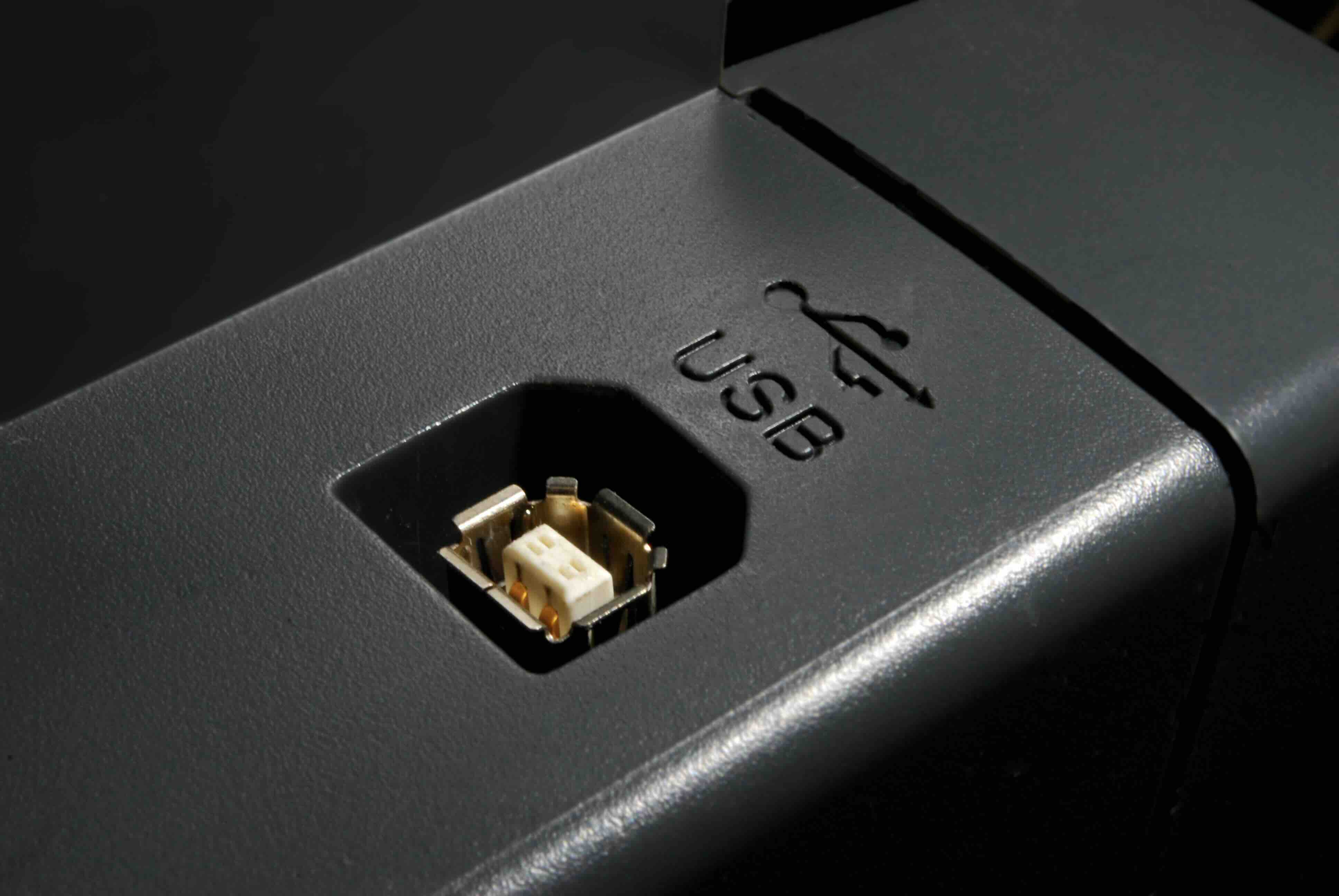
The USB Mini B is a compact, five-pin connector that was introduced as part of the USB 2.0 specification. It was designed to address a simple but growing problem: the original USB Type-A and Type-B connectors were too large for the increasingly slim consumer electronics hitting the market in the early 2000s. The Mini B offered a smaller footprint while retaining full USB 2.0 data and power transfer functionality. You can identify it by its trapezoidal shape, which is slightly wider at the base and narrower at the top, and it typically features a small pinch or notch on each side that creates a secure, tactile fit when plugged in. It is worth noting that the USB Mini B is distinct from the USB Micro B, which came later and is even smaller.
How Does the USB Mini B Connector Work?
At its core, the USB Mini B port operates within the USB 2.0 standard, which supports data transfer speeds of up to 480 Mbps, referred to as Hi-Speed USB. The connector uses five pins: VBUS for power delivery at 5 volts, two data lines labeled D+ and D-, a ground pin, and a fifth pin called the ID pin, which was used to support USB On-The-Go functionality in devices that supported it. When you plug a USB Mini B cable into a device, the connection establishes communication between the host, typically a computer or wall charger, and the peripheral device. Power flows from the host to the device, and data moves bidirectionally along the D+ and D- lines. It is a straightforward, reliable protocol that served its purpose well for well over a decade.
Common Devices That Use USB Mini B
The USB Mini B connector saw widespread adoption across a range of industries and product categories. If you work with or around any of the following types of devices, you may still need a Mini B cable today:
- Digital cameras, particularly older models from major manufacturers
- MP3 players and early portable media devices
- External hard drives from the mid-2000s era
- GPS navigation units
- Game controllers, including the original PlayStation 3 DualShock controller
- Audio interfaces and MIDI controllers
- Older printers, scanners, and multifunction devices
- Some early smartphones and PDAs
Even though many of these product categories have since transitioned to Micro USB or USB-C, there is still a massive installed base of Mini B devices in the field, particularly in professional audio and studio environments where equipment lifecycles tend to be long. This is not a dead connector. It is a legacy connector with staying power.
Key Advantages of the USB Mini B Design
The USB Mini B earned its widespread adoption for a reason. It offered a durability and locking mechanism that the later Micro USB spec arguably traded away in favor of even more compact size. The slightly larger form factor of the Mini B made it more robust under repeated connect and disconnect cycles, which mattered enormously for devices like cameras and audio interfaces that get plugged in and out on a daily basis. The connector also provided a satisfying physical resistance that gave users confidence the connection was secure. From a manufacturing standpoint, the Mini B was cost-effective to integrate, which contributed to its massive adoption across budget and premium product tiers alike.
Drawbacks and Limitations to Know
Honesty matters here. The USB Mini B port has real limitations that led to its gradual replacement. Chief among them is speed. USB 2.0 tops out at 480 Mbps, and while that was impressive in 2001, modern USB 3.0 and USB-C connections offer speeds of 5 Gbps and beyond, making Mini B impractical for applications like high-speed external storage or 4K video transfer. The connector also lacks the power delivery capabilities of USB-C, which can supply up to 100 watts or more depending on the implementation. Additionally, sourcing high-quality Mini B cables today requires a bit more effort than it once did, since the broader market has largely shifted toward Micro USB and USB-C. That said, quality cables are absolutely still available, and the cost is generally quite low.
USB Mini B vs. Micro USB vs. USB-C: A Quick Comparison
It helps to understand where the Mini B sits relative to its successors. The USB Micro B, which largely replaced the Mini B in consumer devices starting around 2007 to 2010, is physically smaller and was designed to meet the demands of ultra-thin smartphones and tablets. It operates on the same USB 2.0 standard but was optimized for a lower profile. USB 3.0 Micro B added additional pins to support faster transfer speeds. Then came USB-C, which is the current universal standard offering reversible orientation, high-speed data, and robust power delivery in a single, compact port. USB-C has become the default for most modern electronics, driven in part by regulatory adoption across major markets. The Mini B is older than all of them, but it remains relevant in specific professional and legacy contexts where reliability and long equipment life matter more than raw speed.
Practical Tips for Working with USB Mini B Cables and Devices
If you are still working with USB Mini B hardware, a few practical guidelines will serve you well. First, inspect your cables regularly. The Mini B connector can accumulate debris in the port over time, which affects connection quality. A quick clean with a dry toothbrush or compressed air can prevent intermittent connectivity issues. Second, buy quality cables. Cheap, poorly shielded cables can introduce data errors and inconsistent power delivery, which is particularly problematic for audio interfaces and cameras. Third, consider a labeling system if you maintain a kit of mixed legacy cables. Mini B and Micro B look similar at first glance, and grabbing the wrong cable mid-session is a genuine frustration. Finally, if you are integrating a legacy Mini B device into a modern workflow, USB hubs with mixed port types can simplify cable management considerably.
Is USB Mini B Still Worth Buying Cables For?
The short answer is yes, if you have devices that require it. Replacing functional, professional-grade hardware simply because the connector is older is rarely cost-effective, particularly in pro audio, broadcast, and industrial settings where equipment is built to last and operational continuity takes priority over adopting the newest spec. If your audio interface, field recorder, or camera still outputs quality results, a reliable Mini B cable is a small investment that extends the life of that equipment significantly. The key is sourcing cables that are built with proper shielding and quality connectors rather than grabbing whatever is cheapest. The cable is only as good as its weakest component, and a failure at the connector end means lost data or an interrupted session.
Why Monoprice Is the Right Source for USB Mini B Cables and Legacy Connectivity Solutions
When it comes to dependable, well-built cables for both current and legacy connectivity needs, Monoprice has long been a trusted name among audio engineers, IT professionals, and everyday users alike. The catalog includes a broad selection of USB cables across every major connector type, including USB Mini B, and every product is built to deliver consistent performance without the inflated pricing you find at retail chains. Whether you are outfitting a recording studio with reliable connections for aging but capable gear, or you are managing a business environment where devices with Mini B ports are still in active rotation, Monoprice has the inventory and the quality standards to back it up. You can explore the full range of USB Mini B cables and professional connectivity solutions at Monoprice and find exactly what you need at a price that makes sense for your budget. This is the kind of reliable, no-nonsense sourcing that keeps projects moving and equipment performing.
Frequently Asked Questions About USB Mini B
What is the difference between USB Mini B and USB Micro B?
USB Mini B is larger and was used primarily in cameras, GPS devices, and audio equipment from the early 2000s through the mid-2010s. USB Micro B is smaller and became the standard for smartphones and tablets. Both operate on the USB 2.0 standard, but they are physically incompatible and require different cables.
Is USB Mini B the same as USB 2.0?
USB Mini B is a connector type that operates under the USB 2.0 standard, supporting data transfer speeds up to 480 Mbps. USB 2.0 is the protocol, and Mini B is the physical connector form factor. The two terms describe different aspects of the same technology.
Can I use a USB Mini B cable to charge a device?
Yes, USB Mini B cables can deliver 5V power from a USB host or charger to a connected device. However, charging speeds are limited compared to modern USB-C power delivery standards, so charging may be slower on devices that support faster protocols through newer connectors.
Are USB Mini B cables still manufactured?
Yes, USB Mini B cables are still actively produced and available from quality manufacturers. Demand persists from professional audio, industrial, and legacy device users who continue to rely on equipment that uses the Mini B connector format.
What devices commonly use a USB Mini B port?
Common devices include older digital cameras, MP3 players, GPS units, PlayStation 3 controllers, audio interfaces, MIDI controllers, and certain printers and scanners produced before approximately 2010 to 2012.
Can I convert USB Mini B to USB-C?
Yes, adapters exist that bridge USB Mini B to USB-C, though it is important to understand that the adapter converts the physical connection only. The underlying data transfer speed and power delivery are still limited by the original USB 2.0 protocol of the Mini B device.
Why did USB Mini B get replaced?
USB Mini B was replaced primarily by USB Micro B and eventually USB-C due to demands for smaller form factors, faster data transfer speeds, and more robust power delivery. Consumer electronics, particularly smartphones and tablets, drove the shift toward more compact and capable connectors.
How do I know if my device has a USB Mini B port?
The USB Mini B port has a distinctive trapezoidal shape with a slight pinch or notch on the top corners. It is wider than a Micro USB port and has a more angular profile. Checking your device's documentation or measuring the port against a known reference can confirm the connector type.
Is USB Mini B fast enough for data transfer?
For many practical applications, yes. USB 2.0 at 480 Mbps is sufficient for transferring photos, audio recordings, and documents. However, for high-speed external storage, 4K video files, or applications requiring USB 3.0 speeds or higher, Mini B is not capable of meeting those performance demands.
What should I look for when buying a USB Mini B cable?
Look for cables that specify full 480 Mbps data transfer support, proper shielding to minimize interference, gold-plated or high-quality connector contacts, and a reputable manufacturer. Cable length matters too, since longer cables can introduce signal degradation if the internal wiring is not built to compensate.


