

USB Mini A Pinout: What Each Pin Does and Why
What Is a USB Mini A Connector and Why Does It Still Matter?
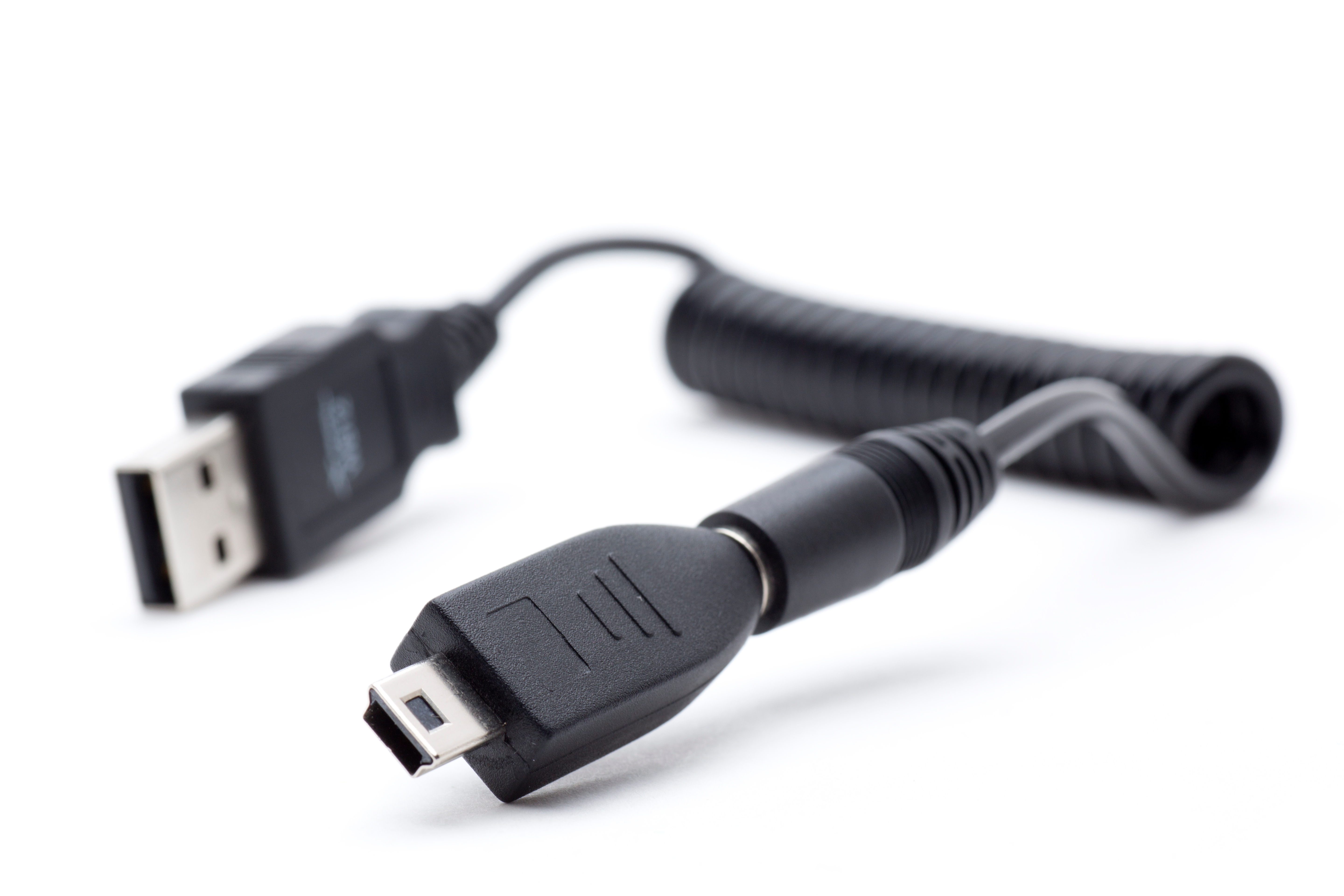
If you have spent any time working with older devices, cameras, or embedded hardware, you have almost certainly come across a connector that looked kind of like a USB Mini B but was shaped just a little differently. That is probably the USB Mini A. It is one of those connectors that does not get talked about much anymore, but when you need it, you really need it. The USB Mini A connector is a five-pin interface defined under the USB 2.0 specification, originally designed to serve as the host-side connector in USB On-The-Go applications. Understanding its pinout, how it functions, and where it fits into the broader USB landscape can save you a lot of time, money, and frustration when you are working with legacy hardware or sourcing cables for older equipment.
The USB Mini A Pinout Explained
The USB Mini A connector uses a five-pin configuration, and each pin carries a specific role that makes the whole data and power transfer system work. The physical shape is slightly asymmetrical, which is intentional. It prevents the connector from being inserted incorrectly, which is a simple but effective design choice. Here is what each pin does:
- Pin 1 - VBUS: Carries +5V power from the host device to the connected peripheral.
- Pin 2 - D-: The negative data line, used for differential signaling in USB data transmission.
- Pin 3 - D+: The positive data line, paired with D- to form the differential data pair.
- Pin 4 - ID: This is the distinguishing pin for USB On-The-Go. In a Mini A plug, Pin 4 is connected to ground, which signals to the device that it is operating in host mode.
- Pin 5 - GND: Ground reference for both power and signal.
That fourth pin, the ID pin, is really the key differentiator between Mini A and Mini B connectors. In a Mini B plug, Pin 4 is left floating, which tells the device it is in peripheral mode. It is a small but critical difference that determines which device controls the USB session.
USB Mini A vs. USB Mini B: Understanding the Difference
A lot of people confuse Mini A and Mini B, and honestly, that is understandable. They look similar, especially at a glance. But physically, Mini A has a more rectangular cross-section while Mini B is more trapezoidal. More importantly, they are not interchangeable. Plugging the wrong connector into a port can cause connection failures or potentially damage the receptacle over time. Mini B became far more common in consumer electronics like digital cameras, GPS units, and older MP3 players. Mini A was more niche, typically appearing in USB OTG host adapters and certain embedded or industrial applications. If you are sourcing a cable and you are unsure which you need, the ID pin behavior and the physical shape are your two most reliable indicators.
USB On-The-Go and the Role of USB Mini A
USB On-The-Go, commonly abbreviated as USB OTG, was introduced to allow devices to switch dynamically between host and peripheral roles without needing a traditional computer in the loop. Think of connecting a digital camera directly to a printer, or attaching a USB flash drive to a smartphone. The USB Mini A connector was central to this system in its early implementation. When a Mini A plug is detected, the connected device reads that grounded ID pin and shifts into host mode, taking on responsibility for managing the USB session. When a Mini B plug is detected, the ID pin floats and the device switches to peripheral mode. This dual-role capability was genuinely forward-thinking for its time and laid the groundwork for the more flexible USB implementations we use today.
Key Advantages of the USB Mini A Connector
There are a few real, practical reasons this connector existed and why it earned its place in the spec.
Compact form factor compared to USB Type-A, making it better suited for portable and handheld devices.
Supports USB OTG host detection through the grounded ID pin, eliminating the need for a separate host adapter in some applications.
Rated for up to 5,000 insertion cycles under the USB 2.0 specification, which is reasonably durable for a connector of its size.
Compatible with USB 2.0 data transfer speeds up to 480 Mbps, which is adequate for most legacy applications it was designed to serve.
Polarized design prevents incorrect insertion, reducing user error and connector wear.
For the use cases it was designed around, USB Mini A was a genuinely capable connector. The problem was never really the connector itself.
Common Drawbacks and Limitations to Know
Honestly, the limitations are worth being upfront about. USB Mini A never achieved widespread consumer adoption, which created a ripple effect of supply chain issues and compatibility headaches. USB Mini B became the de facto standard for the compact USB market, and USB Micro eventually replaced both for most mobile applications. Finding quality USB Mini A cables today takes more effort than it probably should. The connector is also not reversible, which became a significant usability complaint as consumers started expecting plug-and-play ease from all their connectors. And since it maxes out at USB 2.0 speeds, it simply cannot handle the bandwidth demands of modern storage devices, video peripherals, or high-speed data applications. It is a legacy connector, and that comes with real constraints.
Where You Still Find USB Mini A in Use Today
Despite being largely replaced in consumer electronics, USB Mini A has not completely disappeared. It still shows up in a handful of specific contexts. Industrial control systems and embedded hardware that were designed a decade or more ago often still rely on it for firmware updates, diagnostics, and serial communication. Certain older test and measurement equipment uses Mini A as a host interface. Some legacy audio interfaces and MIDI controllers from the early 2000s also used this connector type. If you are maintaining, repairing, or integrating older equipment into a current workflow, knowing how to source and work with USB Mini A cables and adapters is a practical skill that can prevent costly downtime.
Practical Tips for Working with USB Mini A Cables and Adapters
When you are sourcing cables or adapters for USB Mini A applications, a few things are worth keeping in mind. First, always verify the connector type visually before purchasing. The physical difference between Mini A and Mini B is subtle but real, and buying the wrong cable wastes time. Second, look for cables that clearly specify USB 2.0 compliance and proper shielding, especially if you are working in an environment with electrical interference. Third, if you are building an OTG setup, confirm that your device firmware actually supports OTG host mode, because the cable alone does not guarantee the feature will work. Fourth, for long cable runs, keep in mind that USB 2.0 has a maximum recommended cable length of about five meters without an active repeater. Staying within that limit protects signal integrity and keeps your data transfers reliable.
Why Monoprice Is the Smart Choice for USB Mini A Cables and Legacy Connectivity
When you need reliable connectivity solutions for legacy hardware, working with a supplier that actually stocks and supports these product categories matters more than most people realize. Monoprice has built a well-earned reputation for delivering high-performance cables, adapters, and connectivity products at pricing that makes sense for both individual buyers and procurement teams managing larger infrastructure projects. Whether you are sourcing a USB Mini A cable for a one-off repair or stocking a supply room with legacy connector options for ongoing equipment maintenance, the right supplier makes that process straightforward rather than frustrating. For anyone who needs trusted USB cables and connectivity solutions for professional and legacy applications, Monoprice delivers product quality, transparent specifications, and value that holds up under real-world demands. It is the kind of supplier relationship that pays off over time, not just on the first order.
Frequently Asked Questions About USB Mini A
What is the USB Mini A pinout?
The USB Mini A connector has five pins: Pin 1 is VBUS carrying +5V power, Pin 2 is the D- data line, Pin 3 is the D+ data line, Pin 4 is the ID pin which is connected to ground in a Mini A plug to indicate host mode, and Pin 5 is GND or ground.
What is the difference between USB Mini A and USB Mini B?
The primary difference is the ID pin behavior and the physical shape. In USB Mini A, Pin 4 is grounded, signaling host mode. In USB Mini B, Pin 4 is left floating, signaling peripheral mode. Mini A has a more rectangular cross-section while Mini B is more trapezoidal. They are not interchangeable.
Is USB Mini A still used in modern devices?
USB Mini A is largely considered a legacy connector and is not used in most modern consumer devices. It still appears in older industrial equipment, embedded systems, and certain legacy test or measurement hardware that has not been updated or replaced.
Can I use a USB Mini A to USB Mini B cable for OTG connections?
Yes, a USB Mini A to Mini B cable is exactly the type used in early USB On-The-Go implementations. The Mini A end identifies the host device and the Mini B end identifies the peripheral, enabling direct device-to-device communication without a computer.
What USB speed does Mini A support?
USB Mini A supports USB 2.0 speeds, with a maximum data transfer rate of 480 Mbps in High Speed mode. It does not support USB 3.0 or higher transfer rates.
How do I know if my device uses USB Mini A or Mini B?
Check the physical shape of the port on your device. USB Mini A ports are less common and have a slightly more rectangular profile. Mini B ports are more trapezoidal. Consulting your device documentation or checking the manufacturer specifications is the most reliable method.
What is the maximum cable length for USB Mini A?
Under the USB 2.0 specification, the maximum recommended cable length is five meters without an active repeater or hub. Exceeding this length can result in signal degradation and unreliable data transfer.
Why did USB Mini A get replaced by USB Micro?
USB Micro connectors were designed to be smaller, more durable, and easier to manufacture at scale. They also supported USB OTG functionality and offered better insertion cycle ratings. As mobile devices shrank and demand for compact, reliable connectors grew, Micro USB became the industry standard before USB Type-C eventually succeeded it.
Is the USB Mini A connector keyed or polarized?
Yes, the USB Mini A connector is polarized by design. Its asymmetrical shape ensures it can only be inserted in the correct orientation, which reduces wear on the connector and prevents damage caused by incorrect insertion.
Where can I buy USB Mini A cables today?
USB Mini A cables are available through specialty electronics retailers and suppliers that carry legacy connectivity products. Because they are not a mainstream consumer item, availability varies widely. Sourcing from a reputable supplier that clearly lists connector specifications is the best approach to ensure you receive the correct cable for your application.


