

USB Cable Guide: Types, Speeds, and Power Delivery Tips
What Is a USB Cable and Why Does It Matter More Than You Think?
So, USB cables. They are literally everywhere. On your desk, in your bag, probably tangled behind your monitor right now. Most people grab whatever cable is nearby without thinking twice about it, and honestly, that is fine until it is not. Because when you start running into slow transfers, devices that will not charge properly, or connections that just drop out at random, the cable is usually the first thing to blame and the last thing people think to replace. This guide is meant to fix that. Whether you are setting up a home office, building out a server room, or just trying to figure out which cable does what, understanding USB starts with getting back to basics.
The Origin and Evolution of USB Technology
USB stands for Universal Serial Bus, and the "universal" part was always the goal. Before USB became the standard, connecting peripherals to computers was a genuinely painful experience. You had serial ports, parallel ports, PS/2 connectors, and a dozen proprietary interfaces that did not talk to each other. The USB standard launched in the mid-1990s as a collaboration between major technology companies, and the intent was simple: one connector standard to replace the chaos. It worked. Over the decades, USB evolved through several generations, each one delivering faster data transfer speeds, better power delivery capabilities, and more streamlined form factors. From USB 1.1 to USB4, the technology has scaled dramatically without losing its foundational promise of plug-and-play simplicity.
USB Types and Connectors Explained
This is where a lot of people get confused, and understandably so. There are multiple USB connector types in active use today, and they are not all interchangeable. Here is a breakdown of the most common ones you will encounter.
- USB Type-A is the rectangular connector that has been around the longest. It is what you plug into a laptop or wall charger on the host side.
- USB Type-B is the squarish connector used mostly on printers and older external hard drives.
- USB Micro-B was the standard for Android phones and small devices for years before being largely replaced.
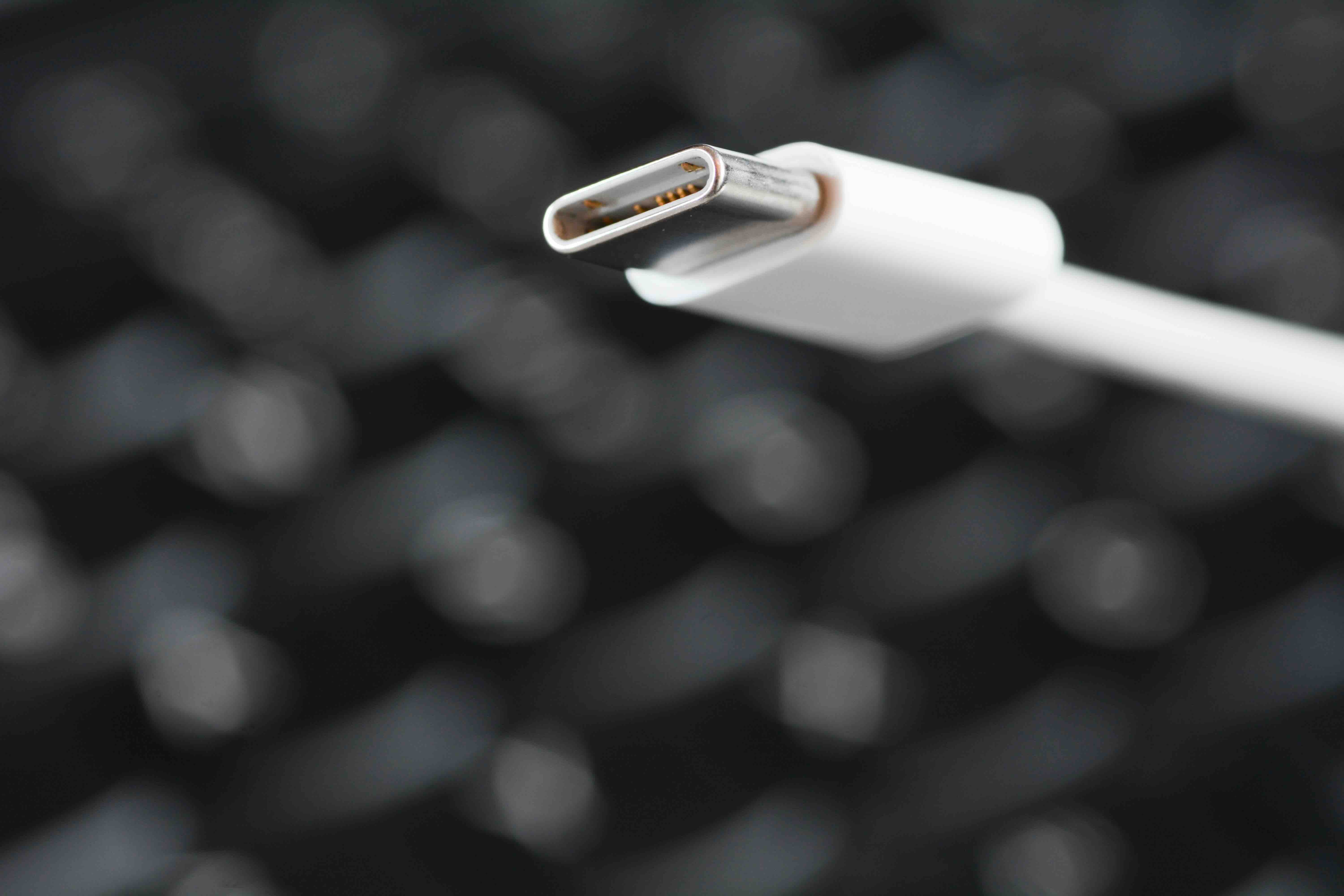
- USB Type-C is the current dominant standard. Oval-shaped, reversible, and capable of handling data, video, and power delivery all through a single port.
- USB Mini-B is older and mostly obsolete but still found on some legacy devices and cameras.
The connector type tells you about the physical shape, but it does not tell you about the performance spec. That is where USB versions come in, and the two are separate considerations that both matter when you are buying a cable or an adapter.
Understanding USB Versions and Data Transfer Speeds
USB 2.0 caps out at 480 Mbps, which is still perfectly adequate for keyboards, mice, and basic peripherals. USB 3.0 pushed that to 5 Gbps, and USB 3.1 doubled it again to 10 Gbps. USB 3.2 introduced multi-lane operation and reached 20 Gbps. Then USB4 arrived and pushed the ceiling to 40 Gbps, bringing it in line with Thunderbolt 3 performance. For context, transferring a 10GB file over USB 2.0 might take a few minutes. Over USB4, it happens in seconds. The version a cable supports depends entirely on the internal wiring and the quality of its construction, which is exactly why not all USB-C cables are created equal even though they look identical from the outside. A cheap USB-C cable might only support USB 2.0 speeds despite the modern connector. This distinction matters enormously for professionals moving large media files or deploying networked storage solutions.
USB Power Delivery: Charging and Powering Devices
USB has always carried some power, but the early specs were limited to just enough to charge a phone slowly or power a low-draw peripheral. USB Power Delivery, commonly called USB PD, changed that in a meaningful way. It allows cables and devices that support the standard to negotiate power levels dynamically, reaching up to 240 watts with the latest Extended Power Range specification. That is enough to charge high-performance laptops, run monitors, and power demanding audio interfaces without a separate power brick. For any setup where cable management and desk simplicity matter, USB PD is a practical game-changer. The key requirement is that both the cable and the device endpoints need to support the same power delivery specification for it to work correctly. Using an underpowered cable with a PD-capable charger will limit the output and could cause inconsistent charging behavior.
Key Advantages of USB Technology
USB technology offers a range of genuine, practical advantages that explain why it became the universal standard it was designed to be.
- Universal compatibility across operating systems and device categories without requiring drivers in most cases.
- Hot-swappable by design, meaning you can connect and disconnect devices without restarting the host system.
- Scalable power delivery from low-draw peripherals to high-performance laptops and displays.
- Standardized enough that a single cable type, USB-C, can handle data, video output, and charging simultaneously.
- Wide availability at accessible price points, making it easy to equip a full workspace without overspending.
For IT professionals and AV integrators, this combination of flexibility and reliability is exactly what makes USB the preferred connection standard for most deployments. It reduces complexity, lowers procurement costs, and simplifies end-user support.
Common Drawbacks and Limitations to Know
USB is not without its frustrations. One of the most persistent issues is connector confusion. The fact that two cables can look identical but perform at entirely different speed and power tiers creates real problems for buyers who do not know what to look for. USB-C is especially guilty of this. Another limitation is cable length. USB has defined maximum cable lengths based on the version, and exceeding those lengths without an active cable or signal repeater will cause data errors or connection drops. USB 2.0 supports passive cable runs up to about 5 meters, while USB 3.x cables are typically limited to 3 meters for reliable passive performance. Beyond that, signal integrity degrades. For longer runs, active USB cables with built-in signal amplification are the correct solution. There is also the reality that while USB4 is powerful, widespread device support is still catching up, meaning the full performance potential is only accessible when both ends of the connection support the same generation.
Practical Tips for Choosing the Right USB Cable
Getting the right cable starts with knowing what you actually need it to do. Charging only? A basic USB-C cable rated for your charger's wattage output is sufficient. High-speed data transfers? Look for cables explicitly labeled as USB 3.2 Gen 2 or USB4. Connecting a monitor? You need a cable that supports DisplayPort Alt Mode or Thunderbolt, not just any USB-C. Always check the amperage and wattage ratings printed on the cable or in its product specifications. A cable rated at 3A and 60W will not deliver the same power as one rated at 5A and 100W. For business deployments, buying cables with clearly labeled certifications and specs from a reliable source eliminates guesswork and reduces support headaches down the line. Avoid generic unmarked cables for anything beyond the most basic use cases.
Why Monoprice Is the Right Source for USB Cables and Connectivity Solutions
When it comes to USB cables, what separates a smart purchase from a frustrating one is usually the quality of the source. Monoprice has spent years building a reputation as a trusted supplier for both consumers and professionals who need reliable connectivity without paying inflated prices. Every cable in the Monoprice lineup is designed with real performance specs in mind, clearly labeled for the version, power rating, and intended use case. That transparency alone puts Monoprice ahead of the generic options flooding online marketplaces. For anyone serious about building out a clean, reliable setup, whether that is a home office, a hybrid workplace, or a full AV integration project, high-performance USB cables and connectivity accessories from Monoprice offer the kind of value and specification clarity that professionals actually depend on. The combination of quality construction, honest pricing, and a product catalog broad enough to cover everything from USB-A to USB4 makes Monoprice the practical choice for anyone who wants the right cable the first time.
Frequently Asked Questions About USB Cables
What does USB stand for?
USB stands for Universal Serial Bus. It is a standardized interface used to connect peripherals, transfer data, and deliver power between devices.
What is the difference between USB-A and USB-C?
USB-A is the traditional rectangular connector found on most computers and wall chargers. USB-C is the newer, oval-shaped reversible connector that supports faster data speeds, higher power delivery, and can carry video signals depending on the cable and device specifications.
Are all USB-C cables the same?
No. USB-C is a connector shape, not a performance specification. A USB-C cable can support anywhere from USB 2.0 speeds to USB4 speeds depending on its internal construction. Always check the cable's rated version and wattage before purchasing.
What is USB Power Delivery?
USB Power Delivery, or USB PD, is a charging protocol that allows devices and cables to negotiate higher power levels dynamically. It supports charging up to 240 watts with the latest specification, making it suitable for laptops and high-demand devices.
How long can a USB cable be before performance degrades?
For passive USB 2.0 cables, the reliable maximum length is around 5 meters. For USB 3.x cables, that drops to approximately 3 meters. For longer runs, active USB cables with built-in signal amplification are recommended to maintain stable performance.
What is the fastest USB version currently available?
USB4 is the current performance leader, offering data transfer speeds up to 40 Gbps. It also supports video output and high wattage power delivery, making it one of the most capable single-cable solutions available today.
Can I use a USB-C cable for video output?
Only if the cable and both connected devices support DisplayPort Alt Mode or Thunderbolt. Not all USB-C cables carry video signals, so verifying the cable specifications before connecting a monitor is important.
What causes a USB device to disconnect randomly?
Random disconnections are typically caused by a cable that exceeds the reliable passive length for its USB version, a damaged connector, insufficient power delivery, or a cable that does not fully support the speed tier required by the device.
Is USB4 backward compatible with older USB versions?
Yes. USB4 is designed to be backward compatible with USB 3.2, USB 3.1, USB 3.0, and USB 2.0 devices, though performance will be limited to the capabilities of the lower-spec device or cable in the connection.
How do I know if a USB cable supports fast charging?
Look for the wattage and amperage ratings in the product specifications. A cable rated for 60W or higher with USB Power Delivery support is generally capable of fast charging for most smartphones and entry-level laptops. For larger laptops, look for cables rated at 100W or above.


