

USB-C Types Explained: Standards, Speed, and What to Buy
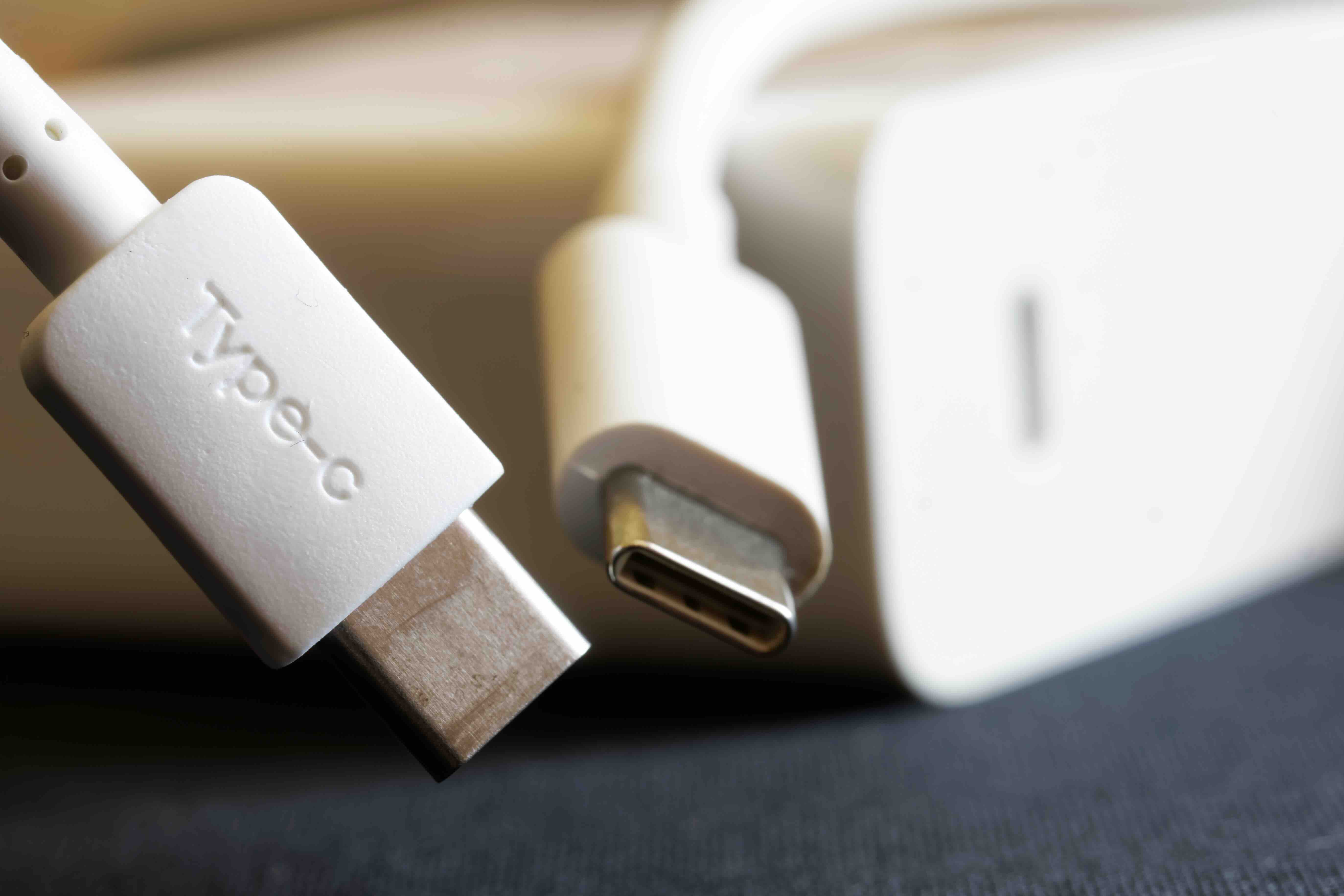
USB-C Explained: What Every Tech User Needs to Know
USB-C has become one of the most important connector standards in modern technology, and yet a lot of people still aren't completely sure what they're dealing with when they plug one end into their laptop and the other into... whatever. It's everywhere now. Phones, tablets, monitors, docking stations, gaming accessories, you name it. But USB-C isn't just one thing. There are different versions, different capabilities, and a pretty confusing landscape of cables that look identical but perform completely differently. This article breaks all of that down so you can make smarter, more informed decisions about the cables and devices you buy.
What Is USB-C and Why Does It Matter
USB-C refers to the physical connector shape, not the underlying protocol or speed standard. That's a distinction a lot of people miss. The USB-C connector is oval, symmetrical, and reversible, meaning there's no wrong way to plug it in. Introduced around 2014 by the USB Implementers Forum, it was designed to eventually replace older USB-A and USB-B connectors by offering a single, universal format for data, power delivery, and video output. And honestly, it's doing a pretty solid job of that. The connector itself supports a wide range of protocols, from older USB 2.0 speeds all the way up to Thunderbolt 4 and USB4, depending on the cable and host device you're working with.
The Different USB-C Standards and Speed Tiers
This is where things get a little layered, so stay with it. Not all USB-C cables are equal, and the connector type alone tells you nothing about actual performance. The speed and capability depend on the USB standard the cable and device support. Here is a quick breakdown of the main tiers you'll encounter:
- USB 2.0 over USB-C: Up to 480 Mbps. Found on basic charging cables and budget accessories.
- USB 3.2 Gen 1: Up to 5 Gbps. Good for everyday data transfers and external drives.
- USB 3.2 Gen 2: Up to 10 Gbps. Faster drive access and improved peripheral support.
- USB 3.2 Gen 2x2: Up to 20 Gbps. Less common, but solid for high-throughput workloads.
- USB4 Gen 2x2: Up to 20 Gbps with better efficiency and broader protocol support.
- USB4 Gen 3x2: Up to 40 Gbps. Matches Thunderbolt 3 performance.
- Thunderbolt 3 and 4: Up to 40 Gbps with support for dual 4K displays, PCIe tunneling, and daisy chaining.
The confusing part is that all of these use the same USB-C connector shape. A cable rated for USB 2.0 looks exactly like one rated for Thunderbolt 4. That's why checking the cable's certification and spec sheet matters more than just grabbing whatever's nearby.
USB Power Delivery: Charging Over USB-C
One of the biggest advantages USB-C brought to the table is USB Power Delivery, or USB PD. This is the protocol that allows USB-C cables and chargers to negotiate higher wattage levels, enabling fast charging for everything from smartphones to 16-inch laptops. Older USB standards were capped at relatively low wattage. USB PD changed that significantly. Depending on the cable and charger combination, USB PD can support up to 240 watts under the latest Extended Power Range specification, which means even high-performance laptops can charge over a single USB-C cable. That simplifies cable management and reduces the number of chargers you need to travel with. It's a real quality-of-life improvement for anyone managing multiple devices.
Alternate Mode: Video and Display Output Through USB-C
USB-C also supports what's called Alternate Mode, which allows the connector to carry non-USB signals. The most commonly used implementations are DisplayPort Alt Mode and Thunderbolt, both of which allow you to output video directly from a USB-C port to a monitor or display. DisplayPort Alt Mode supports up to 8K resolution depending on the DisplayPort version being tunneled. Thunderbolt-capable USB-C ports can drive dual 4K monitors or a single high-resolution display at high refresh rates. This is why a single USB-C cable from a modern laptop can connect to a docking station and power multiple monitors, charge the laptop, and transfer data simultaneously. That kind of multi-function capability is genuinely impressive and one of the core reasons USB-C has become the default for premium devices.
Common Drawbacks and Things to Watch Out For
For all its advantages, USB-C comes with real frustrations that are worth addressing honestly. The biggest one is the lack of visual differentiation between cable tiers. You can plug in a USB 2.0 cable expecting Thunderbolt speeds and never know why your transfer rates are disappointing. Another issue is counterfeit or non-compliant cables, which can actually damage devices, particularly when it comes to power delivery. There have been well-documented cases of improperly designed USB-C cables frying ports and chargers. Additionally, not every USB-C port on every device supports every feature. A USB-C port on a budget phone might only charge at 18 watts and transfer data at USB 2.0 speeds, while a USB-C port on a professional laptop might support Thunderbolt 4 and 100-watt charging. Always verify the specifications for both the cable and the host device before assuming you're getting full performance.
How to Choose the Right USB-C Cable for Your Needs
Choosing the right USB-C cable comes down to knowing what you actually need it to do. A cable used only for overnight phone charging doesn't need to be a Thunderbolt 4 cable. But if you're connecting a high-resolution display to a workstation or running a docking station that needs to charge a laptop and transfer data at the same time, you need a cable spec'd for that workload. Look for cables with clear certification markings, particularly USB-IF certification, which indicates the cable has been tested and verified to perform as labeled. For Thunderbolt cables, Intel certification is the key marker. Pay attention to cable length as well. Signal integrity can degrade at longer distances, particularly at higher speeds, so passive cables are typically limited to shorter runs while active cables use internal circuitry to maintain performance over greater lengths.
USB-C in Professional and Enterprise Environments
In professional AV, IT infrastructure, and enterprise settings, USB-C has become foundational. Docking stations with USB-C and Thunderbolt connections allow hot-desking environments to work efficiently, with employees plugging in a single cable to access monitors, peripherals, and network connections instantly. For AV integrators, USB-C simplifies installations by reducing cable counts and enabling cleaner, more flexible setups. In hybrid work environments, a reliable USB-C ecosystem means fewer compatibility headaches and faster deployment. The move toward USB-C as a mandatory charging standard in many markets is also accelerating adoption, meaning the demand for quality, spec-compliant USB-C cables and accessories will continue growing for years to come.
USB-C Versus Other Connector Types: A Quick Comparison
USB-C doesn't exist in isolation. It's worth knowing how it compares to what came before and what still coexists in the ecosystem. USB-A remains common in desktop environments and legacy peripherals. Micro-USB is still found on older accessories and some industrial devices. Lightning, while being phased out, remains relevant for older Apple products. HDMI and DisplayPort remain the standard for dedicated video connections in many setups. USB-C, however, is uniquely capable of handling data, power, and video in a single connector, which no other mainstream connector type currently achieves at the same level. That multi-protocol flexibility is the core reason it has achieved such rapid adoption across consumer electronics and professional equipment alike.
Why Monoprice Is a Smart Choice for USB-C Cables and Accessories
When you're building out a reliable USB-C setup, whether it's for a home office, a professional AV installation, or an enterprise deployment, cable quality and accurate specifications are non-negotiable. Monoprice has built a strong reputation for delivering certified, high-performance connectivity solutions at price points that make sense for both individual buyers and procurement teams. Every cable in the lineup is spec'd honestly, so what's on the label reflects what you actually get. For anyone looking for high-performance USB-C cables and connectivity accessories that don't come with inflated markups, Monoprice offers a catalog that covers USB 2.0 through Thunderbolt 4, power delivery cables, active cables for longer runs, and docking station solutions designed for real-world professional use. The combination of transparent specifications, competitive pricing, and consistent product quality makes Monoprice a practical and trustworthy partner for anyone navigating the sometimes overwhelming USB-C landscape.
Frequently Asked Questions About USB-C
What does USB-C actually mean?
USB-C refers to the physical shape of the connector. It is oval, reversible, and used across a wide range of devices. The connector supports multiple protocols and standards, but the shape alone does not tell you the speed or features a particular cable or port supports.
Are all USB-C cables the same?
No. USB-C cables vary significantly in capability. Some only support USB 2.0 speeds and basic charging, while others support USB4, Thunderbolt 4, high-wattage power delivery, and video output. Always check the cable's rated specifications before purchasing.
Can USB-C cables charge a laptop?
Yes, provided the cable supports USB Power Delivery and the laptop accepts USB-C charging. The cable and charger must both support sufficient wattage for the laptop's requirements, which can range from 45 watts for lightweight laptops to over 100 watts for high-performance models.
What is the difference between USB-C and Thunderbolt 4?
Thunderbolt 4 uses the USB-C connector but is a distinct protocol developed by Intel. It guarantees 40 Gbps data transfer, support for dual 4K displays, PCIe tunneling, and daisy chaining. Not every USB-C port supports Thunderbolt 4. Look for the Thunderbolt logo to confirm compatibility.
How do I know if my USB-C port supports video output?
Check the device specifications provided by the manufacturer. Ports that support DisplayPort Alt Mode or Thunderbolt will typically be labeled accordingly. Some ports support video output only through specific docking stations or adapters, so confirming this before purchasing display accessories saves significant frustration.
Can a USB-C cable damage my device?
Non-compliant or counterfeit USB-C cables can cause damage, particularly during charging. Cables that do not meet USB-IF specifications may deliver incorrect voltage or lack proper resistance values, which can harm ports, batteries, or chargers. Stick to certified cables from verified manufacturers.
What is USB Power Delivery and what wattage does it support?
USB Power Delivery is a protocol that enables USB-C connections to deliver higher levels of power than standard USB. Depending on the version, it supports up to 240 watts under the Extended Power Range specification, making it capable of charging everything from small accessories to high-performance laptops.
Why does my USB-C cable transfer data slowly?
If a USB-C cable is rated for USB 2.0, it will only transfer data at up to 480 Mbps regardless of what the host device supports. The cable rating limits the maximum speed. Upgrading to a USB 3.2 or USB4-rated cable will allow the connection to reach its full potential, assuming the device supports higher speeds.
What is the maximum length for a USB-C cable without signal degradation?
For passive USB-C cables, the recommended maximum length is typically around one meter for high-speed applications like USB 3.2 Gen 2 and Thunderbolt. Longer runs require active cables, which use built-in circuitry to boost and maintain signal integrity over greater distances.
Is USB-C becoming the universal standard for all devices?
USB-C is increasingly mandated as the standard charging connector in multiple regions, including across the European Union for consumer electronics. Most major device manufacturers have adopted or are transitioning to USB-C, making it the closest thing to a universal connector standard currently available in the industry.


