

USB-C Charger Guide: Everything You Need to Know
What Is a USB-C Charger and Why Does It Matter?
If you have bought a new laptop, smartphone, or tablet in the last few years, there is a solid chance it came with a USB-C charger in the box. Maybe you plugged it in without thinking twice. But once you start accumulating devices, cables, and adapters, the questions start piling up fast. What exactly is USB-C? Why is everyone switching to it? And how do you actually pick the right charger for your setup? These are fair questions, and they deserve straightforward answers. USB-C, also called the C style charger or USB Type-C connector, has quietly become the dominant charging and data standard across the consumer electronics and professional technology industries. Understanding how it works helps you make smarter purchasing decisions, avoid compatibility headaches, and honestly, save money on gear you might otherwise buy twice.
The USB-C Connector Explained
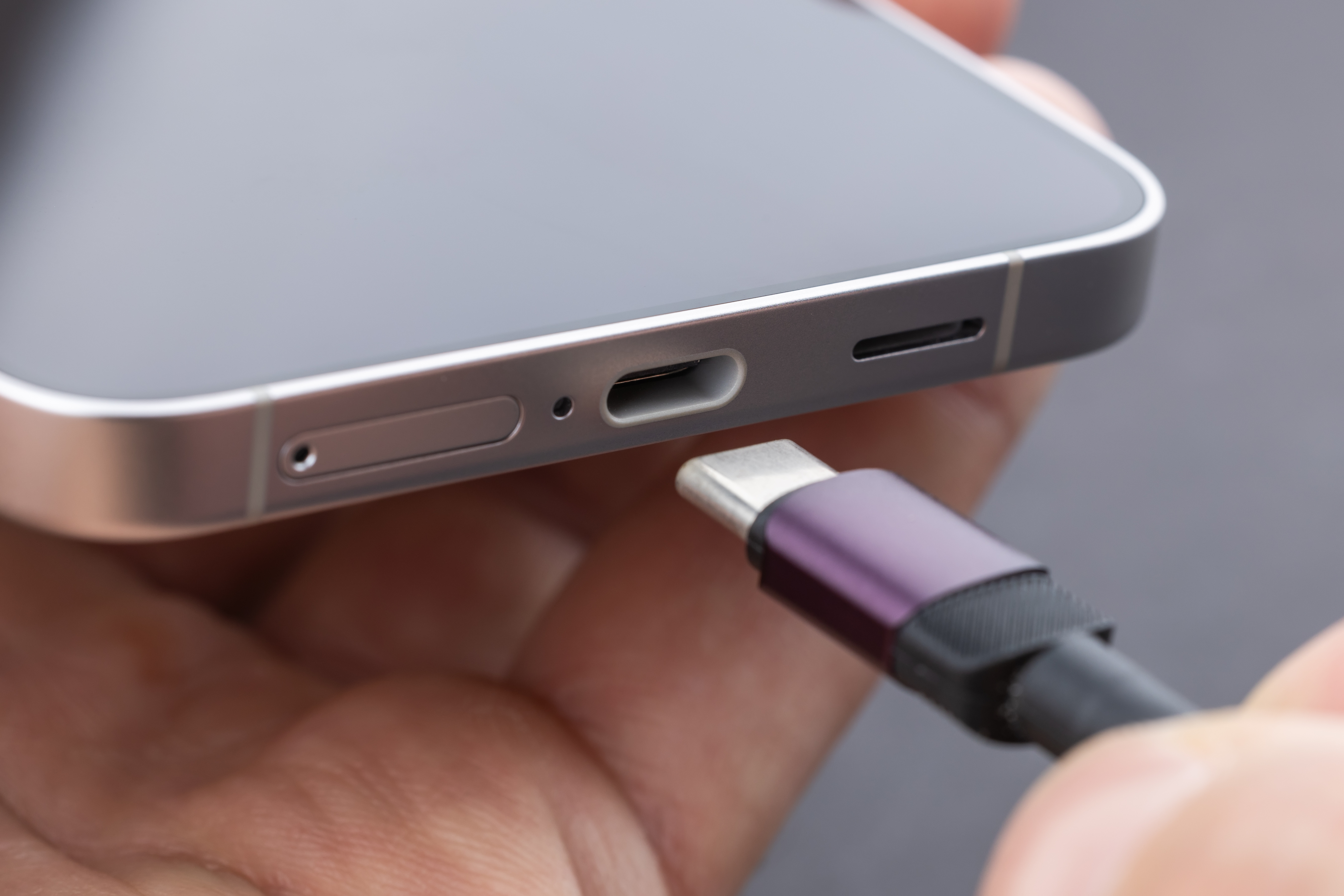
USB-C is a physical connector standard developed by the USB Implementers Forum. It was introduced around 2014 and has since replaced a long line of older connector types including Micro-USB, Mini-USB, and the original rectangular USB-A. The connector itself is small, oval-shaped, and symmetrical, meaning you can plug it in either way without flipping it around. That alone is a meaningful quality-of-life improvement over earlier designs. But the real significance of USB-C goes well beyond its physical shape. The connector supports multiple protocols simultaneously, including USB 3.2, USB4, Thunderbolt 3, Thunderbolt 4, DisplayPort, and Power Delivery. So depending on what cable and device you are working with, a single USB-C port can handle charging, high-speed data transfer, and 4K or 8K video output all at once. That level of versatility is what drove the industry to converge on this standard so aggressively.
How a USB-C Charger Actually Works
At its core, a USB-C charger converts AC power from a wall outlet into DC power that your device can use. That part is consistent across all charger types. What sets USB-C apart is the Power Delivery protocol, commonly abbreviated as USB-PD. When you connect a USB-C charger to a compatible device, the two communicate electronically to negotiate the appropriate voltage and amperage for the situation. A laptop might pull 65 watts or more. A smartphone might only need 18 to 45 watts depending on its fast-charging support. Earbuds or a smartwatch might draw just 5 watts. USB-PD allows a single charger to handle all of those scenarios dynamically, adjusting output on the fly. This is fundamentally different from older fixed-voltage chargers, which could only deliver one specific power profile regardless of what was plugged into them. Modern USB-C chargers also often incorporate GaN, or Gallium Nitride, semiconductor technology, which allows them to run cooler and more efficiently while shrinking the physical size of the adapter considerably.
Key Advantages of USB-C Charging
There are several reasons USB-C has taken over and why the switch genuinely benefits end users, not just manufacturers looking to standardize production lines. Here is what stands out most:
- Universal compatibility across hundreds of device categories
- Reversible plug design eliminates fumbling and connector damage
- USB Power Delivery supports up to 240 watts under the USB PD 3.1 specification
- Single cable can handle charging, data, and video simultaneously
- GaN chargers using USB-C are smaller and more energy-efficient than legacy adapters
- Reduced cable clutter, especially for multi-device users and road warriors
- EU regulatory mandates are pushing universal USB-C adoption across smartphones and laptops through 2026
That last point is worth pausing on. Regulatory pressure in the European Union and growing industry alignment mean USB-C is not going anywhere. If anything, its role is expanding. Investing in quality USB-C charging infrastructure right now is a practical long-term decision.
Common Drawbacks and Limitations to Know
No technology is without trade-offs, and USB-C has a few that are worth understanding before you start buying cables and chargers in bulk. The biggest source of confusion is the fact that not all USB-C cables and chargers are created equal. The connector looks identical whether it supports USB 2.0 speeds or full Thunderbolt 4 bandwidth. A cheap cable might charge your phone just fine but fail completely when you try to use it for video output or fast data transfer. Similarly, not every USB-C charger supports USB Power Delivery. Some basic chargers use the USB-C connector shape simply because it is convenient, but they deliver fixed low-wattage output with no negotiation capability. There is also the question of wattage matching. Plugging a 100-watt charger into a device that only accepts 18 watts is safe, it will just charge at the slower rate. But plugging a 20-watt charger into a laptop that needs 65 watts means the device may charge very slowly, not at all, or drain while in use. Always verify both the output specs of the charger and the input requirements of your device.
USB-C vs. Other Charger Standards
It is useful to place USB-C in context alongside some of the other charging formats still in circulation. USB-A wall chargers are still common, particularly for legacy accessories and older smartphones. They typically top out at 12 watts without specialized protocols like Qualcomm Quick Charge layered on top. Proprietary connectors, like Apple's older Lightning port, offered tight ecosystem integration but limited cross-compatibility. MagSafe on newer MacBooks uses USB-C internally and simply adds a magnetic attachment mechanism for convenience. Wireless charging standards like Qi2 still rely on USB-C to power the charging pads themselves. The through-line here is that USB-C is increasingly the foundation, even when another connection method is the user-facing interface. Understanding that hierarchy helps clarify why getting your USB-C charger selection right matters more than it might seem at first.
How to Choose the Right USB-C Charger for Your Needs
Selecting a USB-C charger comes down to a few practical considerations. First, identify the highest-wattage device you need to charge. A laptop requiring 65 watts sets your baseline. A charger with 65 to 100 watts of total output capacity gives you headroom. Second, if you want to charge multiple devices simultaneously, look for multi-port chargers with intelligent power distribution, meaning the charger dynamically allocates wattage across active ports rather than splitting it equally regardless of need. Third, verify USB Power Delivery compliance if fast charging or laptop charging is a priority. Fourth, GaN technology is worth seeking out. The thermal efficiency and compact form factor make GaN chargers meaningfully better for travel and desk setups alike. Fifth, do not cut corners on cables. A certified USB-C cable rated for the wattage and data speeds you need is just as important as the charger itself. Look for cables that specify their USB version, wattage rating, and ideally carry a recognized certification.
Practical Tips for Getting the Most Out of USB-C Charging
A few habits and practices can extend the life of your devices and charging equipment while keeping your setup organized and efficient. Avoid bending cables sharply at the connector point, that is where most failures start. Store cables loosely coiled rather than tightly wound. If a charger gets warm during use, that is normal up to a point, but unusually hot chargers should be replaced. Use the highest-wattage port on a multi-port charger for your primary device and lower-wattage ports for accessories. Check manufacturer documentation for your laptop or phone to confirm the recommended input wattage so you are not guessing. And if you are building out a home office, conference room, or deployment kit for a team, standardizing on a consistent USB-C charger model reduces support overhead and keeps replacement parts simple to manage.
Why Monoprice Is a Smart Choice for USB-C Charging Solutions
When it comes to USB-C charging gear that performs without inflating your budget, Monoprice has built a well-earned reputation for delivering exactly that. Whether you are outfitting a single desk or sourcing chargers for an entire organization, the product lineup covers the full range of wattage needs, port configurations, and form factors. GaN chargers, multi-port adapters, high-quality USB-C cables rated for Power Delivery and high-speed data, it is all there. What separates Monoprice from the sea of low-cost alternatives is the combination of quality control, transparent specifications, and pricing that does not require a justification meeting. For anyone serious about building a reliable, efficient charging infrastructure, exploring USB-C chargers and power delivery accessories at Monoprice is a practical starting point that consistently delivers real value. The brand has served both individual consumers and professional integrators for years, and that experience shows in how products are specified and supported.
Frequently Asked Questions About USB-C Chargers
What does USB-C stand for?
USB-C stands for Universal Serial Bus Type-C. It refers to the physical shape and design of the connector, not a specific speed or power standard. The C designation distinguishes it from earlier USB connector types like USB-A and USB-B.
Is every USB-C charger compatible with every USB-C device?
Not always. While the connector fits universally, wattage output, Power Delivery support, and protocol compatibility vary between chargers and devices. A low-wattage USB-C charger may not deliver enough power for a laptop, even if the cable physically connects.
What is USB Power Delivery and do I need it?
USB Power Delivery is a charging protocol that allows a charger and device to negotiate the optimal voltage and current. If you want to fast charge a smartphone or charge a laptop via USB-C, you need a charger that supports USB-PD.
How many watts do I need for a USB-C laptop charger?
Most mainstream laptops require between 45 and 100 watts. Check your laptop's documentation or its original charger for the input wattage requirement. A charger that matches or slightly exceeds that rating is ideal.
What is a GaN USB-C charger?
GaN stands for Gallium Nitride, a semiconductor material used in modern charger designs. GaN chargers run cooler, waste less energy, and are significantly more compact than traditional silicon-based chargers at comparable wattage levels.
Can I use one USB-C charger for all my devices?
Yes, if the charger supports USB Power Delivery and has sufficient total wattage. A 65-watt or higher USB-PD charger can typically handle a laptop, smartphone, and tablet, though a multi-port charger is recommended when charging multiple devices at once.
Are all USB-C cables the same?
No. USB-C cables differ significantly in their supported data speeds, power delivery ratings, and build quality. Always verify that a cable is rated for the wattage and data transfer speeds your use case requires before purchasing.
Is USB-C the same as Thunderbolt?
Thunderbolt 3 and Thunderbolt 4 use the USB-C connector but are not the same standard. Thunderbolt offers higher bandwidth and additional capabilities. A Thunderbolt port accepts USB-C cables, but a USB-C port does not necessarily support Thunderbolt devices at full performance.
What happens if I use a charger with too many watts for my device?
Using a higher-wattage charger than your device requires is generally safe. USB Power Delivery ensures the device only draws the wattage it needs. The charger will not force excess power into the device.
Why is my USB-C charger not charging my laptop quickly?
This usually means the charger's wattage output is below what the laptop needs for full-speed charging, the cable does not support the required current, or the charger does not support USB Power Delivery. Verify all three components: the charger, cable, and port on the laptop itself.


