

USB Audio Adapter: Better Sound Through Any USB Port
What Is a USB Audio Adapter and Why Does It Matter?
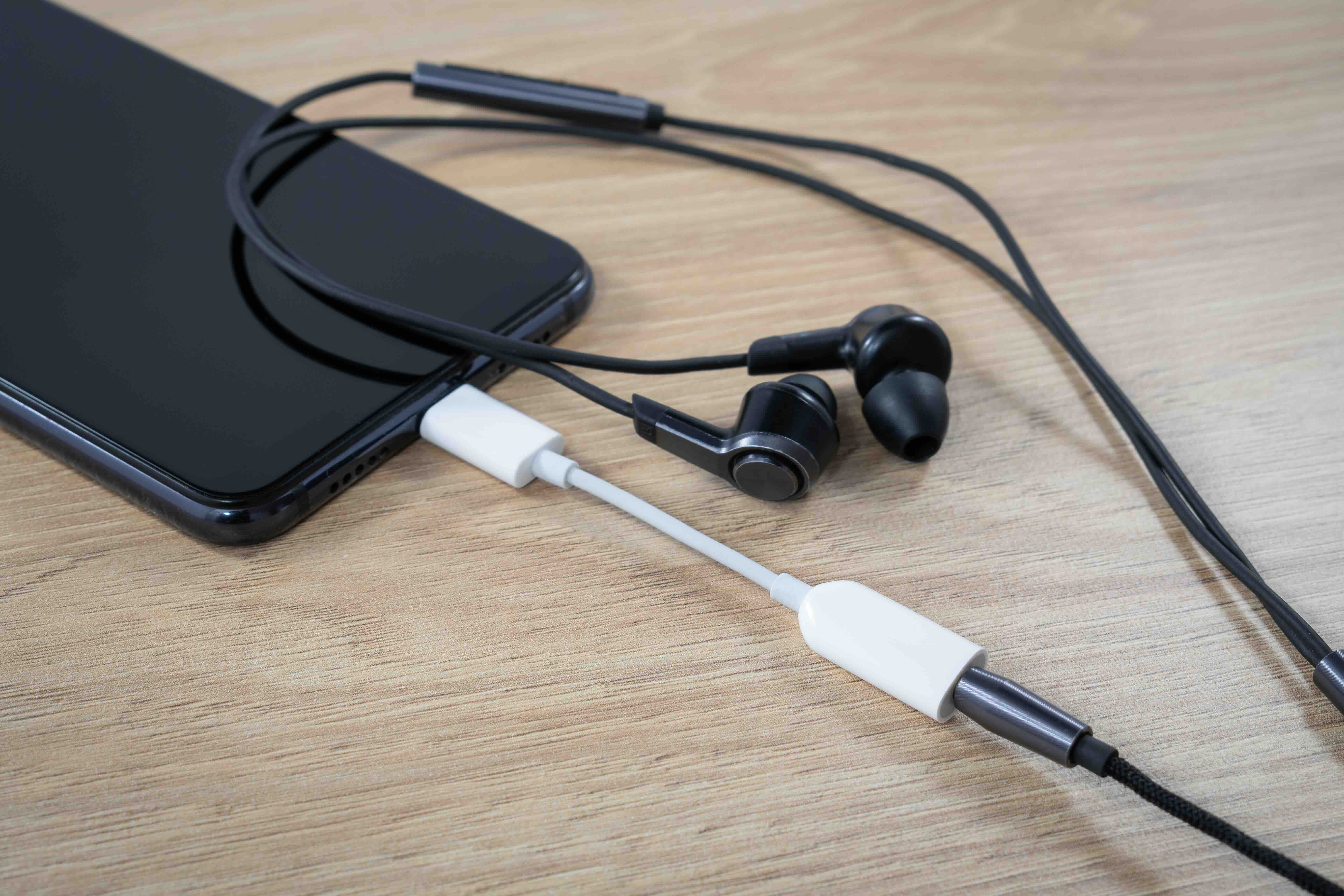
So, you have a headset, a microphone, or a set of speakers, and your computer either has a terrible built-in sound card, a broken audio jack, or no headphone port at all. That is a frustrating situation, and it happens more often than you might think, especially with modern ultrabooks and mini PCs that have been stripped down to save space. A USB audio adapter solves that problem. It is a small external device that plugs into a standard USB port and converts digital audio signals into analog sound, or vice versa, depending on whether you are listening or recording. It essentially replaces or supplements your computer's internal audio hardware. Simple concept, genuinely useful tool.
How a USB Audio Adapter Actually Works
Okay, here is the basic idea. Inside your computer there is something called a DAC, which stands for digital-to-analog converter. It reads digital audio data and translates it into an electrical signal your speakers or headphones can use. There is also an ADC, an analog-to-digital converter, which handles the reverse process when you are plugging in a microphone. A USB audio adapter packages both of those functions into a compact external unit that communicates with your computer through a USB connection. The adapter shows up as a new audio device in your operating system, usually without needing any drivers, because most modern systems recognize USB audio class devices automatically. You plug it in, select it as your audio output or input, and you are up and running. That simplicity is one of its biggest selling points.
Common Use Cases for USB Audio Adapters
There is a pretty wide range of situations where one of these adapters actually makes sense. Worth thinking through which scenario applies to you before purchasing.
- Replacing a damaged or missing 3.5mm headphone jack on a laptop or desktop
- Adding a dedicated audio port to a device like a tablet or mini PC
- Improving sound quality over a weak or noisy built-in sound card
- Connecting legacy analog headsets or microphones to newer USB-only machines
- Setting up separate audio zones for professional recording or streaming
- Enabling cleaner microphone input for video conferencing or podcasting
- Supporting plug-and-play audio in classroom, office, or kiosk environments
Those use cases span individual consumers, content creators, IT administrators, and AV integrators alike. That kind of versatility matters when you are trying to justify the cost of adding even a small peripheral to a setup.
Key Advantages of Using a USB Audio Adapter
The benefits here go beyond just fixing a broken port. A good USB audio adapter can meaningfully improve your audio experience in ways that the average user does not expect. For one, it physically moves your audio processing outside the computer case, which significantly reduces electrical interference from other internal components. That translates to cleaner sound with less background hiss, especially during recording. USB adapters also tend to be plug-and-play compatible across Windows, macOS, and Linux systems, which is a huge advantage for IT teams managing mixed device environments. They are portable, lightweight, and inexpensive compared to upgrading internal hardware. For people working in open-plan offices or shared spaces, the ability to quickly swap between audio devices with a small adapter is genuinely convenient. And honestly, for the price point these adapters typically hit, the performance-to-cost ratio is difficult to argue with.
Drawbacks and Limitations to Keep in Mind
Being realistic here is important, because USB audio adapters are not a universal solution for every audio need. Entry-level adapters may offer only modest improvements over an already decent integrated sound card. If you are doing professional-grade music production or mastering, you will likely need a dedicated USB audio interface with higher sample rates, better preamps, and lower latency. Some cheaper adapters introduce their own noise artifacts or suffer from driver conflicts on specific operating systems. USB bandwidth, while generally sufficient for stereo audio, can occasionally be a constraint in complex multi-channel setups. Also worth noting that not every adapter supports both input and output simultaneously, so if you need a headset with a mic, you need to confirm the device handles full-duplex communication. Read the specs carefully before committing.
What to Look for When Choosing a USB Audio Adapter
Shopping for one of these without knowing what to look for can lead to a frustrating purchase. A few things to prioritize:
- Compatibility with your operating system, particularly if you are on Linux or an older Windows version
- Whether the device supports stereo output, mono input, or both simultaneously
- Sample rate and bit depth specifications, since 16-bit/44.1kHz covers most consumer needs
- Physical build quality, especially if the adapter will be used in portable or high-traffic environments
- Driver requirements versus true plug-and-play USB class compliance
- Connector types available, including 3.5mm TRRS for combined headset use versus separate headphone and mic jacks
Getting these details right upfront saves a lot of time and avoids the frustration of a return. It is a small purchase that can have an outsized impact on your daily workflow if you pick the right one.
USB Audio Adapter vs. USB Audio Interface: Knowing the Difference
This distinction trips people up regularly, and it is worth clarifying. A USB audio adapter is a basic device designed for consumer-level audio routing. It handles standard stereo playback and mono microphone input. A USB audio interface, by contrast, is a more sophisticated piece of equipment aimed at professional recording environments. Interfaces typically include XLR inputs, phantom power for condenser microphones, hardware gain controls, multiple channels, and significantly lower latency. They also cost considerably more. If you are a remote worker, gamer, casual podcaster, or someone who just needs reliable audio output from a laptop, a USB audio adapter is exactly the right tool. If you are producing, mixing, or recording instruments professionally, you need the interface. Knowing which category you fall into prevents overspending or underbuying.
Setting Up a USB Audio Adapter: Tips for Getting It Right
Installation is usually straightforward, but there are a few practical steps that help ensure you get the best performance out of the device. First, plug the adapter directly into a USB port on the host machine rather than a hub, since hubs can introduce latency or power instability. After connecting, navigate to your system's sound settings and manually set the adapter as the default playback and recording device, because some systems do not switch automatically. If you are on Windows, checking the adapter's sample rate settings in the advanced audio properties and matching them to your content source can prevent audio pitch or quality issues. On macOS, use the Audio MIDI Setup utility for more granular control. Test input and output levels before any important meeting or recording session. Small setup habits like these make a noticeable difference in consistent performance over time.
Why Monoprice Is a Smart Choice for Your USB Audio Adapter Needs
When it comes to sourcing reliable audio peripherals at a price that makes sense, few brands have built the kind of credibility that Monoprice has established across both consumer and professional markets. Monoprice designs products with real users in mind, whether that is an IT manager outfitting a conference room, a remote worker trying to clean up their home office audio, or a content creator looking for consistent, interference-free sound without spending a fortune. The engineering philosophy is straightforward: deliver genuine performance at a fair price, without the inflated brand tax you see elsewhere. For anyone researching USB audio adapters and grounded audio connectivity solutions, the lineup available through Monoprice offers solid, dependable options that are built to last and easy to integrate into virtually any setup. You can explore the full range of USB audio adapters and grounded audio connectivity solutions directly on the Monoprice website, where product specs, compatibility details, and competitive pricing are all clearly laid out. This is the kind of purchase decision that rewards doing a little research, and Monoprice makes that research easy.
Frequently Asked Questions About USB Audio Adapters
What does a USB audio adapter do?
A USB audio adapter connects to your computer's USB port and adds or replaces audio functionality by providing analog headphone output and microphone input through 3.5mm jacks. It bypasses the internal sound card and processes audio externally.
Do USB audio adapters require drivers to install?
Most USB audio adapters are USB audio class compliant, meaning they work as plug-and-play devices on Windows, macOS, and Linux without needing third-party drivers. Some higher-end models may include optional software for additional control.
Will a USB audio adapter improve sound quality?
In many cases, yes. By moving audio processing outside the computer, a USB adapter reduces electrical interference from internal components, which often results in a cleaner, lower-noise listening and recording experience compared to integrated audio.
Can I use a USB audio adapter with a gaming headset?
Yes, provided the headset uses a standard 3.5mm connection. Make sure the adapter supports combined TRRS input for headsets with a built-in microphone, or has separate headphone and microphone jacks that match your headset's connectors.
Is a USB audio adapter the same as a USB audio interface?
No. A USB audio adapter is a basic consumer device for standard audio routing. A USB audio interface is a professional tool with advanced features like XLR inputs, phantom power, hardware gain controls, and lower latency, designed for studio recording.
Can a USB audio adapter be used with a smartphone or tablet?
It depends on the device and adapter. Some USB audio adapters work with smartphones and tablets that support USB OTG or USB-C audio, but compatibility is not universal. Always verify the adapter supports your specific device and operating system before purchasing.
Does using a USB audio adapter cause audio latency?
Minimal latency is present in any USB audio device, but for general listening, video calls, and casual recording, it is imperceptible. High-latency issues are more common with low-quality adapters or USB hub connections. For latency-sensitive professional recording, a dedicated audio interface is recommended.
What is the difference between a 3.5mm TRRS and TRS connector for audio adapters?
A TRS connector supports stereo audio for headphones or speakers. A TRRS connector adds a fourth contact for microphone input, making it compatible with headsets that combine audio output and mic input into a single plug. Match the connector type to your device's needs.
Can a USB audio adapter be used on a desktop PC that already has a sound card?
Absolutely. A USB audio adapter can be used alongside or instead of an existing sound card. You can select which audio device handles playback and recording through your operating system's sound settings, giving you flexibility to use both depending on the task.
Are USB audio adapters compatible with video conferencing software like Zoom or Microsoft Teams?
Yes. Most USB audio adapters are recognized as standard audio devices and integrate seamlessly with video conferencing platforms. Within the application's audio settings, you can select the adapter as your preferred microphone and speaker output source.


