

USB 3.0 vs 2.0 B Male Connectors: Key Differences
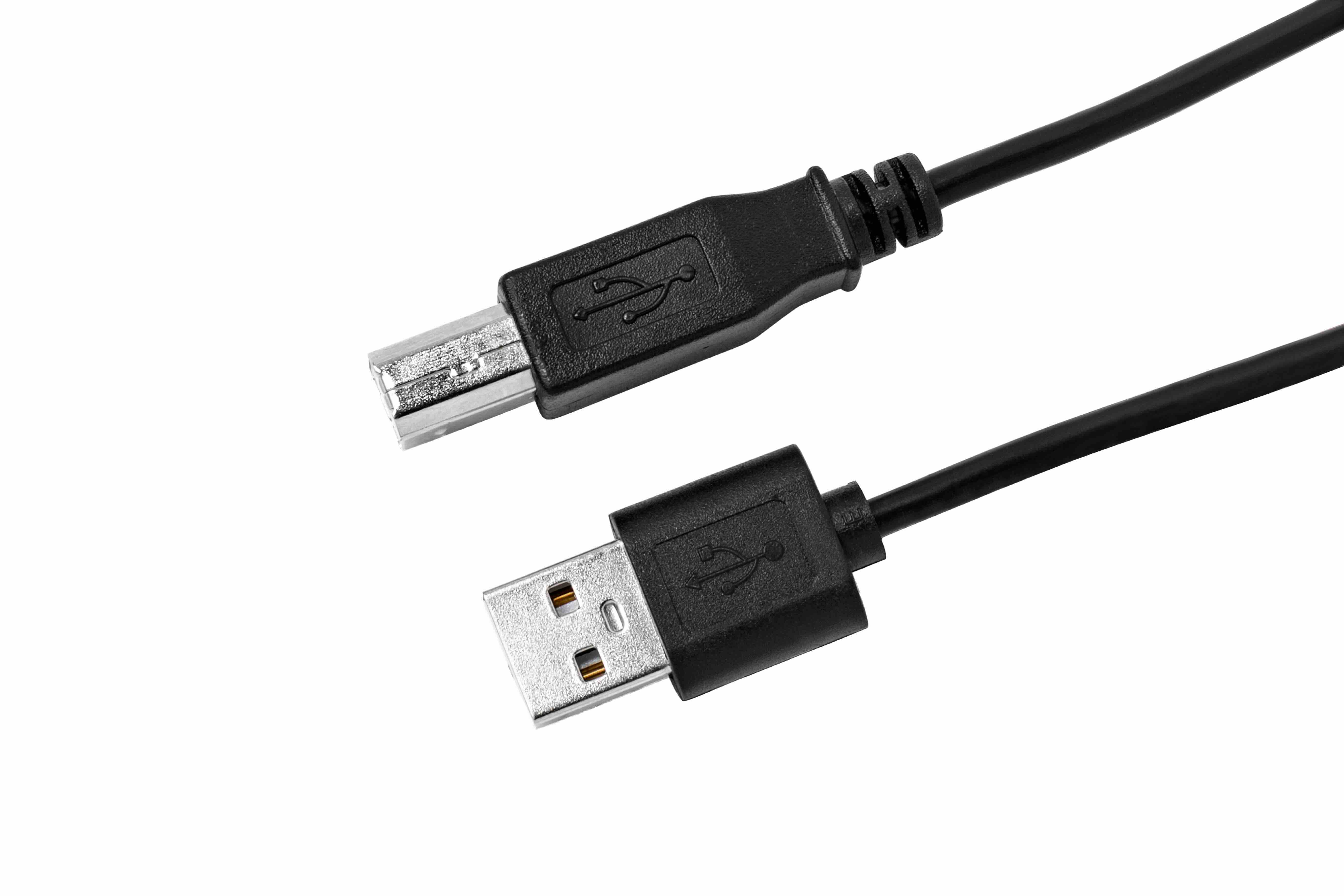
USB 3.0 vs USB 2.0 B Male Connectors: What's the Difference and Why It Matters
If you have ever gone to buy a USB cable for a printer, external hard drive, or scanner and found yourself staring at a wall of options -- yeah, that is a familiar situation. The USB B male connector is one of those form factors that does not get talked about enough, and the difference between a USB 2.0 B male and a USB 3.0 B male is more significant than most people expect. They look similar at a glance, but they are not the same connector, and using the wrong one can either limit your performance or just plain not work. Let's break all of this down clearly so you can make the right call for your setup.
What Is a USB B Male Connector
USB B male connectors -- sometimes called USB Type-B -- are the squarish, somewhat boxy connectors you typically see on the device end of a cable. The flat rectangular USB A connector usually goes into your computer or hub, and the USB B end goes into the peripheral device. This connector type is most commonly found on printers, scanners, external hard drives, audio interfaces, MIDI controllers, and similar equipment. It was designed to be durable and device-side specific, which is why it has remained relevant across multiple generations of the USB standard. Understanding the B male form factor is the first step before you even start comparing 2.0 versus 3.0 versions.
USB 2.0 B Male: The Established Standard
USB 2.0 was introduced back in 2000 and has been the backbone of peripheral connectivity for decades. The USB 2.0 B male connector is compact, reliable, and still used in an enormous number of devices. Its maximum theoretical data transfer speed tops out at 480 Mbps -- referred to as Hi-Speed USB. For basic printing tasks, MIDI data, and low-bandwidth peripherals, that throughput is more than sufficient. The 2.0 B male connector has four pins inside: two for power and two for data. It is a straightforward, proven design. The connector body itself is roughly square with a slight bevel at the top two corners, which gives it a recognizable trapezoidal silhouette.
USB 3.0 B Male: Built for Higher Performance
USB 3.0 -- sometimes labeled USB 3.1 Gen 1 or SuperSpeed USB -- pushes data transfer speeds up to 5 Gbps, which is over ten times faster than USB 2.0. The USB 3.0 B male connector achieves this by adding additional pins. Instead of four, it has nine pins, with five extra contacts stacked on top of the original four-pin configuration. This is actually where the most visible physical difference comes in. The USB 3.0 B male connector has a noticeably larger top section -- an additional protrusion built onto the upper portion of the connector housing. That extension accommodates the extra pins needed for SuperSpeed data transfer. The body is wider and taller than its 2.0 counterpart, and it is usually color-coded blue to signal the higher performance tier.
Physical Differences You Can See and Feel
This is where things get practical. If you are holding both connectors side by side, the differences become obvious. The USB 2.0 B male is compact and square-ish. The USB 3.0 B male has that additional bump on top -- it protrudes upward and makes the connector noticeably larger overall. Here is what that means in real-world terms:
- USB 3.0 B male connectors will NOT fit into USB 2.0 B female ports -- the extra housing simply does not clear the socket
- USB 2.0 B male connectors CAN fit into USB 3.0 B female ports, but you will only get USB 2.0 speeds
- The color coding matters -- blue typically signals USB 3.0, black or grey typically indicates USB 2.0
- Cable length limits also differ -- USB 3.0 cables are generally recommended at shorter lengths for peak performance
- The wire gauge and shielding inside USB 3.0 cables is more complex due to the additional conductors
Backward Compatibility: What Works With What
USB is generally designed with backward compatibility in mind, and the B male series follows that logic -- but only in one direction. A USB 2.0 B male cable can plug into a USB 3.0 B female port on a device, and the device will still function. You just will not be operating at USB 3.0 speeds. However, you absolutely cannot plug a USB 3.0 B male connector into a USB 2.0 B female port. The physical dimensions prevent it. This is not a flaw -- it is an intentional design choice to prevent users from accidentally using incompatible hardware combinations. So if someone has upgraded to a USB 3.0 external drive but reaches for an old USB 2.0 printer cable, the cable will fit the drive but bottleneck the transfer rate significantly.
When to Use USB 2.0 B Male vs USB 3.0 B Male
Choosing the right connector type really comes down to what the device requires and what kind of performance you need. There is no universal answer, but there are some straightforward guidelines that make the decision easier. USB 2.0 B male cables are still perfectly appropriate for printers, MIDI interfaces, and other low-bandwidth devices where throughput is not a limiting factor. There is no performance benefit to running a USB 3.0 cable to a standard laser printer -- it will just operate at 2.0 speeds anyway since the printer itself only supports that standard. USB 3.0 B male cables become genuinely important when connecting high-speed storage devices, high-resolution scanners, or any peripheral that benefits from rapid data transfer. If the device supports USB 3.0, using the correct cable is the only way to actually unlock that performance.
Common Drawbacks and Things to Watch Out For
Neither connector type is perfect, and there are some real-world limitations worth knowing before you buy. USB 3.0 B male cables tend to be stiffer due to the additional wiring inside, which can be a minor hassle in tight desk setups or rack installations. The larger connector body also means some USB 3.0 B male connectors may fit poorly or feel loose in cheaper or older peripheral ports. Cable quality matters a lot here -- low-quality USB 3.0 cables can fail to maintain signal integrity at full speed, which defeats the entire purpose of upgrading. Additionally, some users are caught off guard when they upgrade a device and realize their existing cable is not compatible. Always check both the host port and the device port before purchasing a replacement or upgrade cable.
Practical Tips for Buying the Right USB B Male Cable
Shopping for USB cables does not need to be complicated, but a few focused habits will save time and frustration. First, always check the device manual or the port itself for USB version markings -- the blue color indicator on the port is a reliable visual cue for USB 3.0. Second, do not assume all USB B male cables are interchangeable -- they are not, and the physical size difference will make that clear fast. Third, invest in cables with quality shielding, especially for USB 3.0 applications where signal integrity directly affects transfer reliability. Fourth, for longer cable runs, active USB 3.0 cables may be necessary to maintain full performance over distances greater than three meters. Buying from a reliable source with clearly labeled specifications removes a lot of the guesswork from the process.
Why Monoprice Is the Smart Choice for USB B Male Cables
When it comes to sourcing the right USB cables without overpaying or second-guessing quality, Monoprice has a well-earned reputation for delivering exactly what professionals and everyday users need. Whether you are outfitting a home office, setting up a recording studio, or managing peripheral connections across a commercial installation, having access to reliable, clearly spec'd cables at a fair price point is not optional -- it is essential. Monoprice offers a comprehensive range of USB 2.0 and USB 3.0 B male cables built to meet real performance demands, with the kind of consistent quality that integrators and IT buyers have come to depend on. If you are ready to stop guessing and start connecting with confidence, explore the full selection of USB 3.0 and USB 2.0 B male cables at Monoprice and find exactly what your setup requires at a price that makes sense.
Frequently Asked Questions About USB 3.0 and USB 2.0 B Male Connectors
Can I plug a USB 2.0 B male cable into a USB 3.0 B female port?
Yes, a USB 2.0 B male connector is physically compatible with a USB 3.0 B female port. The device will function, but data transfer speeds will be limited to USB 2.0 rates, meaning you will not benefit from USB 3.0 performance.
Can I plug a USB 3.0 B male cable into a USB 2.0 B female port?
No. The USB 3.0 B male connector has a larger housing due to the additional pins, and it will not physically fit into a USB 2.0 B female port. This incompatibility is by design to prevent mismatched connections.
How do I know if my device uses USB 2.0 or USB 3.0 B male?
Check the device port for color coding -- USB 3.0 ports are typically blue, while USB 2.0 ports are usually black or grey. You can also consult the device manual or manufacturer specifications for confirmation.
What devices commonly use USB B male connectors?
USB B male connectors are most commonly found on printers, scanners, external hard drives, audio interfaces, and MIDI controllers. They are standard on many peripheral devices designed for desktop or workstation use.
Does cable length affect USB 3.0 performance?
Yes. USB 3.0 is more sensitive to cable length than USB 2.0. For passive cables, performance can degrade beyond roughly three meters. For longer runs, active USB 3.0 cables with built-in signal boosters are recommended.
Is USB 3.0 B male worth it for a standard printer?
Not necessarily. Most printers do not transfer enough data to benefit from USB 3.0 speeds. A USB 2.0 B male cable is typically sufficient for printing tasks and will work reliably without any performance disadvantage.
Are USB 3.0 B male cables more expensive than USB 2.0?
Generally yes, due to the more complex internal wiring and shielding required for SuperSpeed data transfer. However, the price difference is usually modest, especially when purchasing from value-focused suppliers.
What is the maximum data transfer speed for USB 3.0 B male cables?
USB 3.0 supports theoretical maximum data transfer speeds of up to 5 Gbps, compared to 480 Mbps for USB 2.0. Real-world speeds will vary depending on the device, cable quality, and host controller.
How can I tell the physical difference between a USB 2.0 and USB 3.0 B male connector?
The USB 3.0 B male connector has a pronounced rectangular protrusion on the upper portion of the connector housing that the USB 2.0 version does not have. It is visibly larger and typically blue in color to indicate its higher speed capability.
Do USB 3.0 B male cables require special drivers or software?
No special drivers are required for the cable itself. However, the host computer must have a USB 3.0 controller and appropriate drivers installed to take full advantage of USB 3.0 transfer speeds when using a compatible device.


