

Type C to RCA Cable: Connect Modern Devices to Legacy
Type C to RCA Cable: What It Is and Why You Might Actually Need One
So you have a modern laptop or phone with a USB-C port, and somewhere across the room there is an older receiver, projector, or A/V component with RCA inputs. You are staring at both devices wondering how on earth you are supposed to connect them. It is a surprisingly common situation, and it comes up constantly in home theater setups, recording studios, rental spaces, and older commercial installations. A Type C to RCA cable, or more commonly an adapter-based solution, is the bridge between modern digital hardware and legacy analog audio or composite video equipment. It sounds straightforward, but there is actually a fair amount of nuance here that is worth understanding before you buy anything.
What Is a USB-C to RCA Connection and How Does It Work
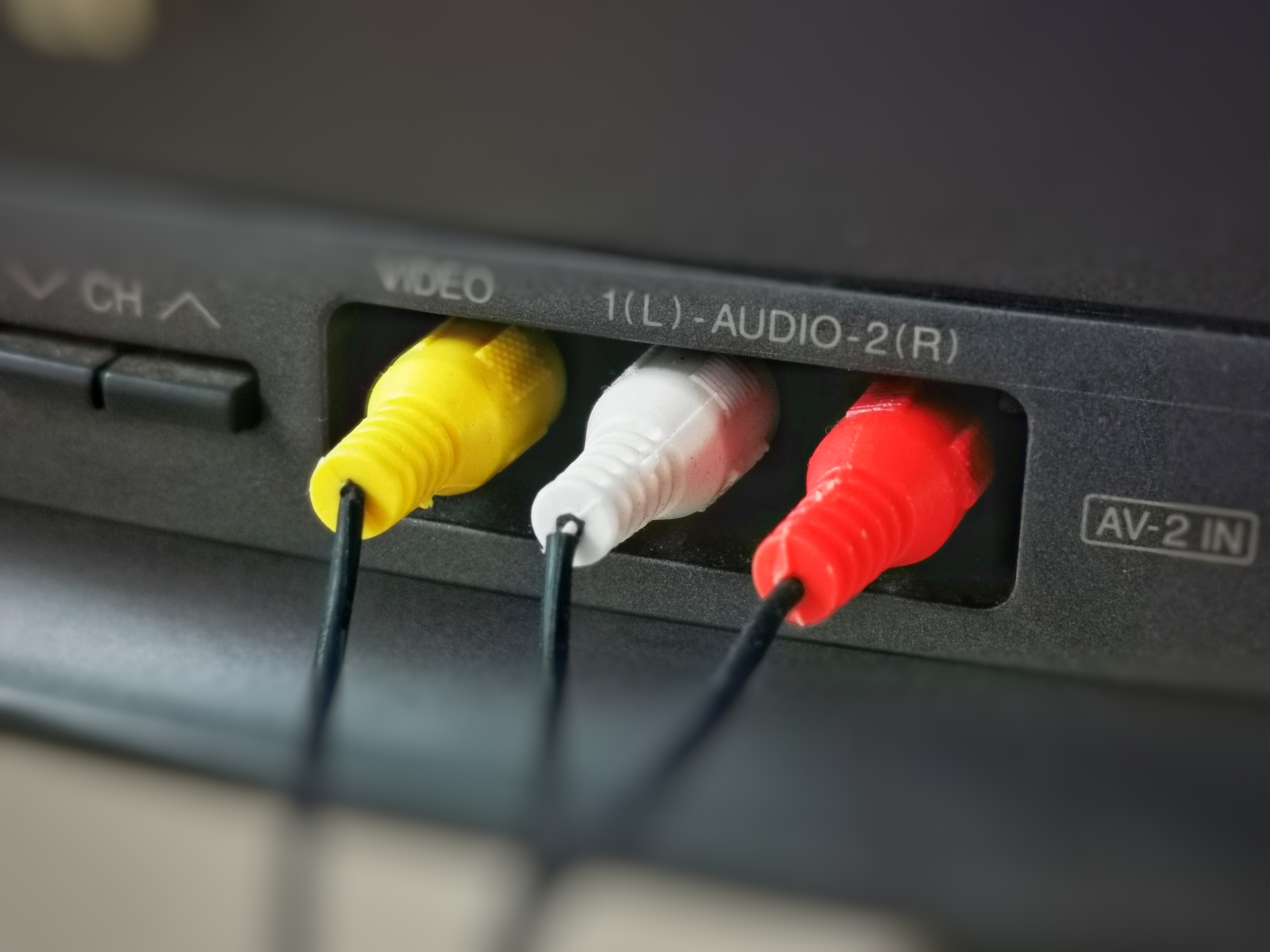
USB-C, or Type C, is a reversible, high-bandwidth connector standard that carries data, power, audio, and video signals across a single port. RCA connectors, those familiar color-coded plugs in red, white, and yellow, carry analog audio and composite video signals. The fundamental issue is that these two formats are not natively compatible in the way that, say, USB-A to USB-B might be. USB-C outputs digital signals. RCA inputs expect analog signals. To make them communicate, you need active conversion happening somewhere in the chain, either inside the cable itself through embedded circuitry, or through a separate DAC or video converter. A passive cable with just a USB-C plug on one end and RCA plugs on the other will not work for audio or composite video without that active processing layer. This is probably the single most important thing to know going in, and it is the detail that trips up a lot of buyers.
Common Use Cases for USB-C to RCA Cables and Adapters
The reasons people end up searching for this type of connection vary pretty widely. Some of the most frequent scenarios include the following.
- Connecting a laptop to a home theater receiver that only has RCA stereo inputs
- Routing audio from a phone or tablet to a legacy stereo amplifier
- Sending composite video from a computer to an older CRT monitor or projector
- Integrating modern source devices into installed A/V systems at venues or in rental equipment setups
- Using a USB-C equipped audio interface alongside older mixing boards
In each of these cases, the underlying need is the same: a modern device needs to talk to older hardware. The solution depends heavily on what signal type you are working with, audio versus video, and whether your USB-C port supports the alternate mode functions required for video output.
Active vs. Passive Cables: The Detail That Actually Matters
Here is where things get a little technical but stay with it because this directly affects whether what you buy is going to work. Active cables or adapter setups contain embedded chips that handle digital-to-analog conversion. They are powered either through the USB-C connection or an external source, and they actually transform the signal type so the receiving device can understand it. Passive cables, on the other hand, just connect pins together. For USB-C to RCA specifically, a passive cable is essentially nonfunctional for the intended purpose. If you are dealing with audio, you need a USB-C to RCA cable with a built-in DAC or a USB-C to 3.5mm adapter paired with a 3.5mm to RCA cable. If you are dealing with composite video, you typically need a USB-C to HDMI active adapter followed by an HDMI to composite converter. Understanding this chain before you purchase saves real money and real frustration.
Audio vs. Video: Two Very Different Signal Paths
It is worth separating audio and video here because the solutions are genuinely different. For audio, the most reliable approach for connecting a USB-C device to RCA stereo inputs is through a USB-C DAC adapter that outputs a 3.5mm stereo headphone signal, followed by a 3.5mm to dual RCA cable. This two-piece solution gives you clean analog stereo audio that any RCA-equipped amplifier or receiver can handle without issue. For video, specifically composite video through the yellow RCA connector, the signal path is more complex. USB-C with DisplayPort alternate mode can output to HDMI via an active adapter, and from there a dedicated HDMI to composite converter can deliver the signal to older displays. It is a longer chain but it works reliably when you use quality components throughout. Trying to shortcut either of these paths usually results in no signal, poor picture quality, or audio hum.
Key Advantages of Using a USB-C to RCA Solution
Once you understand what you actually need and put together the right combination of components, the advantages become clear and practical.
- Backward compatibility with a massive installed base of legacy audio and video equipment
- No need to replace functioning older hardware just to accommodate a newer source device
- Cost-effective bridging solution compared to full system upgrades
- Flexibility for touring, rental, and installation environments where mixed-era equipment is the norm
- Cleaner setups in permanent installations when the right cable length is selected upfront
The real value here is extending the useful life of existing equipment. A quality RCA-connected receiver or amplifier from a decade ago can still deliver excellent audio performance. There is no reason to retire it just because your laptop switched to USB-C.
Common Drawbacks and Limitations to Know
It would not be honest to skip over the limitations. USB-C to RCA is not a universal plug-and-play situation, and several real-world challenges come up regularly. Signal quality can degrade with low-quality DAC adapters, introducing noise or frequency roll-off in the audio. Composite video, by its nature, is a low-resolution format and no adapter is going to change that fundamental ceiling. Some USB-C ports do not support audio output at all, particularly on certain Android devices after the headphone jack was removed, which makes the DAC path dependent on USB audio support in the operating system and drivers. Length matters too, since longer RCA cable runs can pick up interference without proper shielding. And finally, this kind of mixed-format setup adds more points of failure to a chain, so troubleshooting can take some patience.
Practical Tips for Getting the Best Results
A few straightforward practices make a significant difference in the performance and reliability of a USB-C to RCA setup. Invest in a quality USB-C DAC adapter rather than the cheapest option available. The DAC chip inside directly affects audio quality, and the price difference between a mediocre and a good one is often small relative to the improvement. For video applications, use only active adapters at the USB-C to HDMI stage, never passive. Keep RCA cable runs as short as your installation allows, and opt for shielded cables in environments with other electronics nearby. Test the USB-C port on your specific device before committing to a purchase, since not all USB-C ports carry audio or video output capability regardless of the adapter used. And whenever possible, match the impedance and signal level expectations of the receiving device to avoid mismatches that cause distortion or low volume output.
Why Monoprice Is the Smart Choice for USB-C to RCA Cables and Adapters
When you are putting together a mixed-format signal chain like this, the quality of every link matters, and that is exactly where Monoprice delivers without compromise. Monoprice has built a long-standing reputation for engineering cables and adapters that meet real performance standards at prices that do not require a second thought. Whether you need a reliable USB-C DAC adapter, a shielded 3.5mm to dual RCA cable, or a complete active adapter solution for video conversion, the product range is deep and the specifications are honest. For anyone building out a home theater, installing equipment in a venue, or just trying to connect a modern laptop to an older stereo system, browsing the full selection of USB-C cables and audio video adapters at Monoprice is a practical first step that saves both time and money. The combination of quality construction, transparent specs, and accessible pricing makes Monoprice a genuinely reliable partner for exactly this kind of real-world connectivity challenge.
Frequently Asked Questions About USB-C to RCA Cables
Will a simple USB-C to RCA cable work without any additional adapter?
A purely passive USB-C to RCA cable will not work for audio or video because it cannot convert digital signals to analog. You need an active component such as a DAC adapter or signal converter in the chain for the connection to function.
Can I connect my phone to a stereo receiver using USB-C to RCA?
Yes, but you need a USB-C DAC adapter that outputs a 3.5mm stereo signal, followed by a 3.5mm to dual RCA cable. Check that your phone supports USB audio output before purchasing any adapter.
Does USB-C support composite video output natively?
No. USB-C does not natively output composite video. You need to use USB-C with DisplayPort alternate mode to output HDMI, and then use a separate HDMI to composite video converter to reach the yellow RCA input.
What is the difference between a DAC and a standard USB-C adapter?
A DAC, or digital-to-analog converter, actively converts a digital audio signal into an analog one. A standard passive USB-C adapter simply connects pins and cannot perform signal conversion, making it insufficient for USB-C to RCA audio applications.
Why is there a buzzing or humming sound when I use a USB-C to RCA connection?
Buzzing or humming typically indicates a ground loop or interference issue. This can result from unshielded RCA cables, poor-quality DAC adapters, or connected devices sharing the same power circuit. A ground loop isolator can resolve this in many cases.
How long can an RCA cable run be before signal quality degrades?
For consumer audio, RCA cable runs up to about 25 feet are generally reliable with shielded cables. Beyond that, signal degradation and interference pickup become more likely, and a powered distribution or signal booster may be needed.
Will all USB-C ports on my laptop support audio output through an adapter?
Not necessarily. USB-C port functionality varies by device. Some ports support USB audio, others support DisplayPort alternate mode for video, and some support both. Check your device specifications to confirm which USB-C ports carry the output you need.
Can I use a USB-C to RCA connection for recording audio into a computer?
Typically no. Most USB-C to RCA solutions are output-only configurations. For recording analog audio from RCA sources into a USB-C equipped computer, you would need a USB audio interface with RCA inputs.
Is composite video quality acceptable for modern use cases?
Composite video is limited to standard definition resolution and is subject to color bleeding and low sharpness by its inherent design. It is adequate for retro gaming, legacy display testing, or older CRT applications, but it is not suitable for HD or high-quality video delivery.
What should I look for when buying a USB-C DAC adapter for RCA use?
Look for adapters that specify their DAC chip, support at least 24-bit audio output, include shielding in the cable design, and are confirmed compatible with your operating system. Avoiding no-name adapters with no listed specifications will save significant troubleshooting time.


