

The Original USB Cable: How It Changed Tech Forever
What Is the Original USB Cable and Why Does It Still Matter?
There is a piece of technology sitting in almost every drawer, bag, and desk in the world right now, and most people do not stop to think about how significant it actually is. The original USB cable, short for Universal Serial Bus, changed the entire landscape of consumer electronics when it was introduced in the mid-1990s. Before USB existed, connecting a peripheral device to a computer was genuinely complicated. You had serial ports, parallel ports, PS/2 connectors, and a whole mess of proprietary connectors that were confusing even for experienced users. USB came in and essentially said: there is a better way. And honestly, it delivered on that promise in ways that still ripple through the industry today.
A Brief History of How USB Came to Be
The original USB standard was developed by a consortium of companies including Intel, Microsoft, IBM, and others, officially released as USB 1.0 in January 1996. The driving idea was universal connectivity, meaning one standardized port and cable type that could work across devices from different manufacturers. That sounds basic now, but at the time it was genuinely revolutionary. The original spec supported data transfer rates of up to 12 Mbps, which was more than sufficient for the keyboards, mice, and early storage devices of that era. USB 1.1 followed in 1998 and resolved several compatibility issues from the initial release, which accelerated adoption across the PC market significantly. By the early 2000s, USB had effectively become the dominant connectivity standard for consumer electronics, and the older legacy ports began disappearing from new hardware almost entirely.
How the Original USB Cable Actually Works
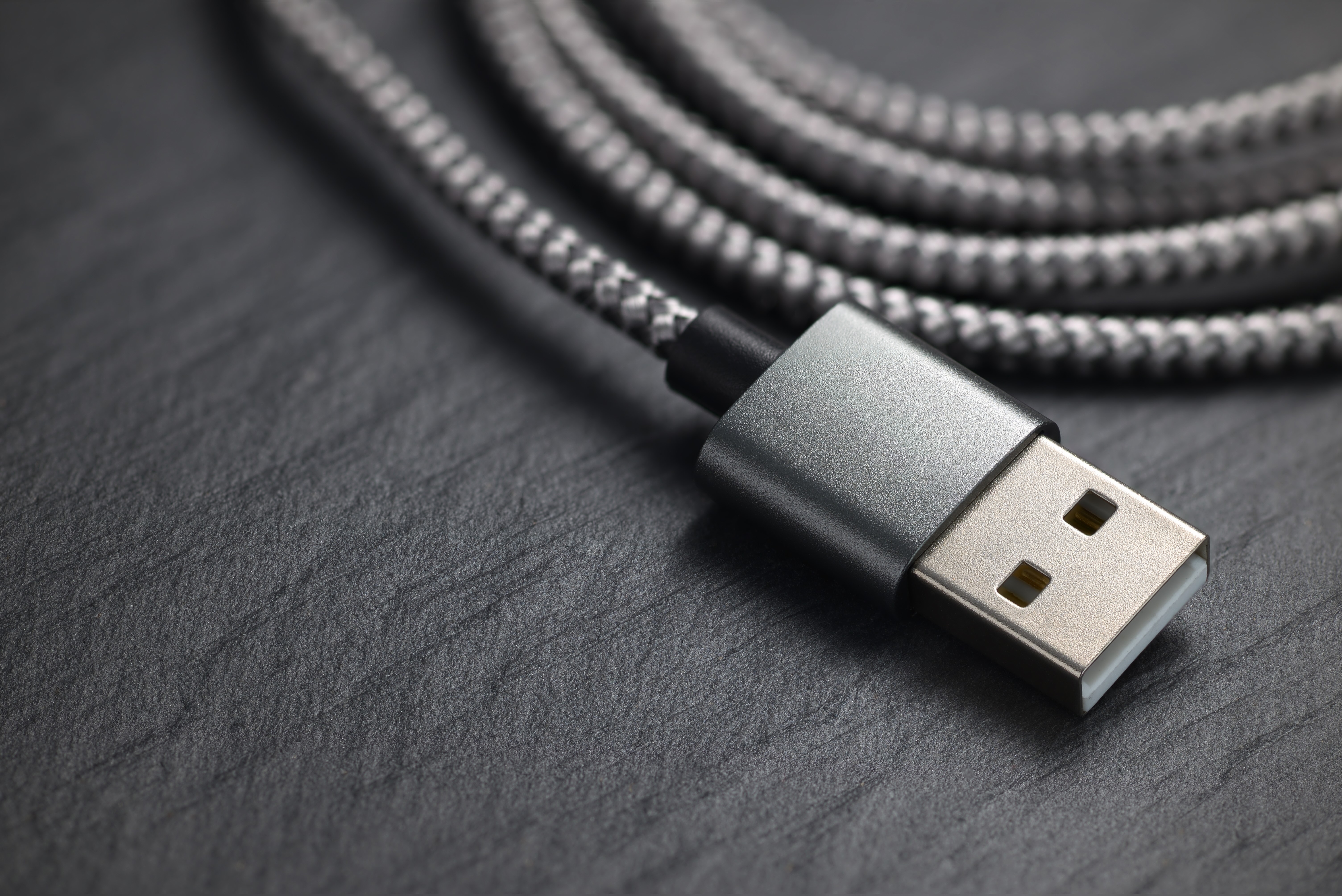
Understanding what makes a USB cable function helps clarify why the design was so effective. A standard USB cable contains four internal conductors. Two of those carry power, specifically a five-volt supply line and a ground line, while the remaining two form a differential data pair for signal transmission. This combination means a single cable can simultaneously power a device and transfer data, which eliminated the need for separate power adapters on lower-draw peripherals. The connector design also featured a specific orientation, which was intentional to prevent incorrect insertion and protect both the cable and the host port. The Type-A connector became the standard host-side plug used on computers, while Type-B was commonly used on devices like printers. This asymmetric design reinforced the host-to-device relationship that defined the original USB architecture.
Key Advantages That Made USB the Universal Standard
The original USB cable succeeded because it solved multiple problems at once rather than addressing just one pain point. These are the core advantages that drove its widespread adoption across the technology industry:
- Plug-and-play functionality eliminated the need for manual driver configuration in most cases
- Hot-swapping allowed users to connect and disconnect devices without restarting the host system
- A single standardized connector reduced manufacturing complexity for device makers
- Bus-powered operation meant low-draw devices required no external power supply
- Broad cross-platform support made USB cables usable across Windows, Mac, and Linux environments
- Daisy-chaining through USB hubs allowed a single port to support multiple devices simultaneously
These advantages compounded over time. Manufacturers could design products around a single well-understood interface rather than engineering for multiple legacy connector types. That reduced costs, simplified packaging, and made the end-user experience dramatically more consistent. For consumers, USB meant fewer compatibility headaches and more intuitive device setup from the very first connection.
Common Drawbacks and Limitations of the Original USB Design
No standard is perfect, and the original USB cable had its share of genuine limitations. The orientation-dependent connector was a frequent source of frustration since users often needed multiple attempts to insert the plug correctly. Data transfer speeds, while adequate at launch, became a bottleneck fairly quickly as storage devices and peripherals advanced. Cable length was also constrained, with the original spec supporting a maximum run of roughly five meters before signal degradation became a problem. Power delivery was limited to 500 milliamps at five volts in the original spec, which restricted what types of devices could be bus-powered. These limitations were not fatal to the standard, but they did create real pressure to evolve, which eventually led to USB 2.0, USB 3.x, and ultimately USB-C with Power Delivery.
The Evolution From USB 1.0 to Modern Connectivity
The original USB cable laid the groundwork for every iteration that followed, and understanding that lineage matters if you are making decisions about connectivity solutions today. USB 2.0 arrived in 2000 with a massive jump to 480 Mbps throughput, which kept the standard relevant through the explosion of external hard drives and digital cameras. USB 3.0 pushed speeds to 5 Gbps and introduced improved power delivery capabilities. Then came USB 3.1, USB 3.2, and USB4, each incrementally raising the ceiling on what a single cable connection could accomplish. USB-C changed the physical form factor entirely with a reversible, symmetrical connector that also supports alternate modes for video output and significantly higher power delivery. Every one of these advances traces its lineage directly back to that original 1996 specification.
Practical Tips for Choosing the Right USB Cable Today
Even with the diversity of USB standards available now, practical cable selection does not have to be complicated. A few key considerations will cover most use cases effectively:
- Match the cable specification to the device capability for accurate data transfer speeds
- Verify power delivery ratings when charging laptops or high-draw devices via USB-C
- Choose cables with robust strain relief at both ends for durability in high-use environments
- Confirm cable length is appropriate for the installation without exceeding spec limits
- Select cables certified by recognized standards bodies to ensure reliable performance
One thing worth noting is that not all USB cables are built to the same quality standard, even when they look identical on the outside. Internal conductor quality, shielding, and connector tolerances all affect real-world performance. Investing in well-manufactured cables from a reputable supplier consistently delivers better results than cutting costs on the wrong component in your setup.
Why the Original USB Cable Remains Relevant in Modern Tech
Decades after the original USB cable first appeared, its core principles continue to shape how devices communicate. The philosophy of universal, accessible, low-friction connectivity did not expire with USB 1.0. It became the foundational expectation that every subsequent generation of connectivity standards has had to meet or exceed. Even as USB-C becomes the dominant modern standard and wireless connectivity expands, the original USB Type-A cable still handles billions of connections every single day across printers, storage devices, charging blocks, keyboards, mice, and countless other peripherals. That kind of staying power is not accidental. It reflects an original design approach that was genuinely practical and user-centered from the start, which is exactly the kind of engineering that earns long-term relevance in the technology industry.
Why Monoprice Is the Smart Choice for USB Cables and Connectivity Solutions
When you need USB cables that actually perform as advertised without paying a premium for branding you do not need, Monoprice is the logical choice. Monoprice has built a strong reputation for delivering high-quality connectivity products at prices that make sense for both individual consumers and large-scale purchasing decisions. Whether you are outfitting a home office, managing an enterprise deployment, or sourcing cables for a commercial AV installation, Monoprice covers the full range of USB standards with products built to deliver consistent, reliable performance. The quality control is real, the specifications are accurate, and the value proposition is straightforward. If you are looking for high-performance USB cables and universal connectivity solutions that cover every standard from the original USB Type-A through the latest USB-C specifications, Monoprice provides the depth of selection and the reliability that demanding users and procurement teams need. This is not about finding the cheapest option. It is about finding the right option at a fair price, and that is where Monoprice consistently delivers.
Frequently Asked Questions About the Original USB Cable
What does USB stand for and what was it designed to do?
USB stands for Universal Serial Bus. It was designed to create a single standardized interface that could connect peripherals like keyboards, mice, printers, and storage devices to a host computer without requiring separate proprietary connectors for each device type.
When was the first USB cable introduced?
The original USB 1.0 specification was released in January 1996. It was developed through a collaboration between major technology companies including Intel, Microsoft, and IBM with the goal of simplifying device connectivity across the PC market.
What is the data transfer speed of the original USB 1.0 standard?
USB 1.0 supported two transfer modes: a low-speed mode at 1.5 Mbps intended for input devices, and a full-speed mode at 12 Mbps for higher-bandwidth peripherals like storage devices and audio interfaces.
What are the different types of USB connectors?
The most common original USB connector types are Type-A, which is the flat rectangular plug used on the host device side, and Type-B, which is the squarer plug used on peripheral devices like printers. Later variants include Mini-USB, Micro-USB, and the modern USB-C connector.
Can you connect USB devices while the computer is powered on?
Yes. One of the defining features of USB is hot-swapping, which means you can connect and disconnect USB devices while the host system is running without needing to shut down or restart the computer first.
What is the maximum cable length for a standard USB connection?
The original USB specification supports a maximum cable length of approximately five meters for full-speed connections. Exceeding this length can cause signal degradation and unreliable data transfer unless an active extension cable or USB hub is used.
What is the difference between USB 2.0 and the original USB 1.1?
USB 2.0 introduced a high-speed transfer mode running at 480 Mbps, which was a dramatic improvement over the 12 Mbps ceiling of USB 1.1. USB 2.0 also maintained backward compatibility with USB 1.1 devices, which helped ensure a smooth transition for consumers and manufacturers alike.
Is the original USB Type-A connector still widely used today?
Yes. Despite the growing adoption of USB-C, the Type-A connector remains extremely common on computers, charging blocks, hubs, and peripheral devices. Billions of USB Type-A connections are made every day across consumer electronics and professional equipment worldwide.
What should I look for when buying a USB cable?
Focus on cable specification matching your device requirements, power delivery rating if charging is involved, build quality including strain relief at the connectors, certified compliance with relevant USB standards, and appropriate cable length for your specific use case.
Why do some USB cables charge slowly even if they look the same?
Not all USB cables are built to the same internal specification. Differences in conductor gauge, material quality, and shielding directly affect charging current capacity. A cable with thin conductors may restrict current flow even if the connector fits properly, resulting in slower charging speeds compared to a properly rated cable.


