

The Evolution of Phone Cables: From RJ Connectors to USB-C
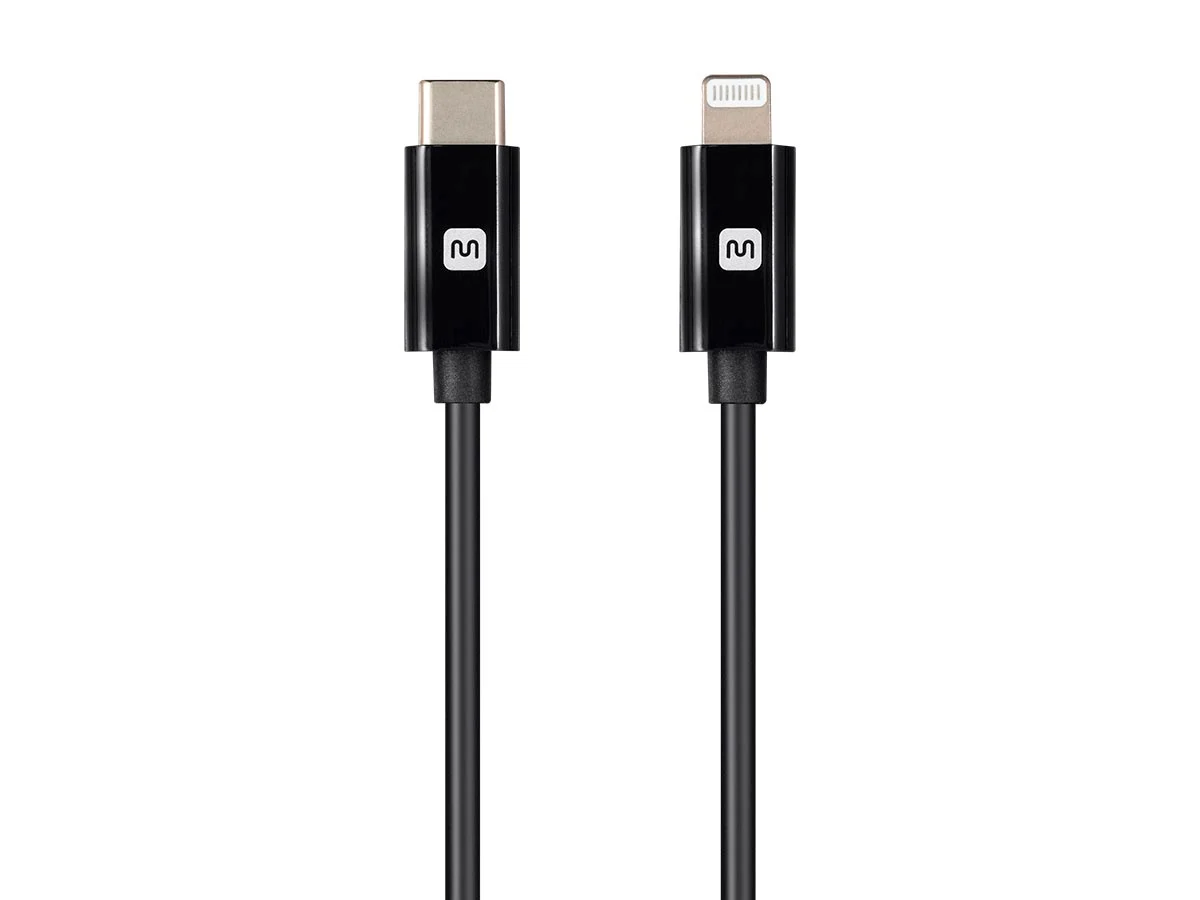
What Are Phone Cables and Why Do They Matter More Than You Think?
Phone cables are one of those things most people never think about until something stops working. And yet, they are genuinely central to how modern communication functions, whether you are setting up a home office, running a small business, or just trying to charge your device without losing half a day to a dead battery. The history of phone cables is actually a pretty interesting thread to pull on, because it mirrors the entire arc of consumer electronics, from analog landlines to today's multi-protocol USB-C world. Understanding where these cables came from, how they evolved, and what drives the differences between connector types gives you real leverage when making purchasing decisions. It is not just trivia. It is practical knowledge that helps you buy smarter and spend less.
The Origins of RJ Connectors and the Landline Era
The RJ, or Registered Jack, connector standard was introduced in the United States during the 1970s as part of a regulatory framework that allowed consumers to connect their own equipment to telephone networks. Before that, the phone company essentially owned everything. The RJ11 connector became the standard for single-line residential phones, and if you grew up in a house with a landline, you definitely saw one of these things. Small, rectangular, usually clear plastic with a few copper contacts inside. The RJ45, which people now associate almost entirely with Ethernet networking, was originally intended for multi-line telephone systems. Both connectors operate on the same basic physical principle: spring-loaded copper contacts that lock into a matching port and maintain a stable electrical connection. Simple, dependable, and cheap to manufacture. That combination is exactly why RJ connectors lasted as long as they did. The RJ11 specifically remained the dominant phone cable connector for residential use well into the 2000s, which is a remarkable run by any measure in consumer technology.
How RJ11 and RJ45 Actually Work
Without getting overly technical about it, both RJ connectors use a plastic modular plug housing that snaps into a corresponding modular jack. The RJ11 uses a six-position, two-conductor configuration at its most basic, though four-conductor versions exist for more complex wiring setups. The RJ45 uses an eight-position, eight-conductor layout, which is why it carries so much more data capacity and became the standard for Ethernet connections. The locking tab on the connector keeps the cable seated, which was genuinely useful in environments where cables got jostled regularly. Signal quality in these connectors depends heavily on the quality of the copper contacts and the consistency of the crimp or termination. Poorly terminated connectors introduce resistance and signal degradation. That is not just technical noise; it shows up as dropped calls, noise on the line, or network instability in real-world use. Good materials and consistent manufacturing tolerances matter a lot here, which is why sourcing cables from a reliable manufacturer makes a measurable difference.
The Transition Period: From Landlines to Mobile Connectors
The shift away from landline phones accelerated fast through the late 1990s and into the 2000s, and with it came a wave of proprietary mobile connectors. Nokia had its own. Motorola had its own. Sony Ericsson had its own. Every major manufacturer seemed to be running their own connector standard, which was genuinely frustrating for consumers and generated enormous amounts of cable waste. The European Union eventually stepped in and pushed for standardization, which helped accelerate the industry toward the Mini-USB and then Micro-USB formats. Micro-USB became a de facto standard for Android devices through most of the 2010s. It handled data transfer and charging, was reasonably durable in most conditions, and was cheap to produce. The main drawbacks were directional insertion, meaning you had to orient the cable correctly to plug it in, and a mechanical durability ceiling that left something to be desired over thousands of connection cycles. Anyone who has worn out a Micro-USB port knows exactly what this means.
USB-C: The Connector That Changed Everything
USB-C arrived on the scene around 2014 and 2015, and it genuinely represented a step-change in connector design. The key advantages were immediately obvious to anyone who had dealt with the frustration of legacy connectors. First, USB-C is reversible. You can insert it either way, which sounds minor until you realize how much cumulative friction that eliminates. Second, the power delivery capabilities of USB-C are dramatically higher than its predecessors, supporting up to 240 watts under the USB PD 3.1 specification. That is enough to charge laptops, not just phones. Third, USB-C supports multiple protocols over a single connector, including USB data transfer, DisplayPort video output, Thunderbolt on compatible hardware, and high-wattage power delivery simultaneously. Fourth, the connector itself is physically more robust than Micro-USB across extended use cycles. The adoption curve for USB-C has been steep. Phones, tablets, laptops, monitors, docks, and increasingly even audio equipment have migrated to this standard. The European Union's mandate requiring USB-C as a common charging standard for consumer electronics sold in Europe further cemented its dominance.
Key Advantages and Common Drawbacks of Modern Phone Cables
Every cable format has a profile of trade-offs worth understanding before you stock up on accessories. Here is a clear breakdown of the main considerations across the connector types most relevant today.
Advantages of USB-C cables: Reversible connector eliminates orientation errors Supports high-wattage power delivery up to 240W with USB PD 3.1 Carries data, video, and power over a single cable Widely adopted across phones, laptops, tablets, and peripherals Future-compatible with evolving USB4 and Thunderbolt 4 standards Common drawbacks of USB-C cables: Not all USB-C cables support the same feature sets, causing confusion Older USB-C cables may not support high-speed data or full power delivery Compatibility with legacy devices requires adapters Cable quality varies significantly across manufacturers
Practical Tips for Choosing the Right Phone Cable
Navigating cable choices does not have to be complicated. A few practical rules cover most scenarios effectively. Always verify the cable's rated wattage before assuming it can fast-charge your device. A cable rated for 18W will not deliver 65W, even if both ends physically fit. Check whether your USB-C cable explicitly supports the data transfer speed you need. USB 2.0, USB 3.2, and USB4 all use the same physical connector but deliver very different throughput. For charging applications where cable length matters, shorter cables generally lose less power to resistance. If you are replacing an RJ11 telephone cable in a business setting, verify the conductor count matches your phone system's requirements. And buy from manufacturers with clear specification documentation. Vague spec sheets usually mean vague quality control.
The Environmental and Cost Case for Standardized Cables
One underdiscussed benefit of moving toward a universal connector standard like USB-C is the reduction in cable waste and redundant purchasing. The proprietary connector era generated significant amounts of electronic waste, because cables from one device were rarely compatible with the next purchase. Standardization means a cable purchased today is likely to remain useful across multiple device generations, which improves the value equation meaningfully over time. From a cost perspective, standardized cables exist at every quality tier, which creates genuine competitive pricing pressure. Consumers and businesses alike benefit from this. The ability to buy reliable, high-specification cables without paying premium prices for brand recognition alone is a direct result of the connector standardization trend that USB-C has accelerated.
Why Monoprice Is the Right Source for Phone and USB-C Cables
When you are looking for cables that actually perform to spec without inflating your budget, the sourcing decision matters as much as the product selection. Monoprice has built a well-earned reputation as a manufacturer and supplier that delivers consistent, clearly documented, high-performance cables across every major connector type. Whether you need RJ11 telephone cables for a legacy phone system, Cat6 patch cables for a network infrastructure project, or USB-C cables with full power delivery and high-speed data support, the product line covers the full range with transparent specifications and competitive pricing. For anyone serious about getting the right cable for the right application without overspending on brand premium, shopping for high-quality USB-C and phone cables from RJ connectors to modern standards through Monoprice is a straightforward decision backed by real product quality and cost-effective value that holds up across both consumer and business environments.
Frequently Asked Questions About Phone Cables
What is the difference between an RJ11 and an RJ45 connector?
RJ11 is a smaller connector with up to six positions and two to four conductors, used primarily for single or dual-line telephone connections. RJ45 is larger with eight positions and eight conductors, and is the standard connector for Ethernet networking cables.
Can I use a USB-C cable for both charging and data transfer?
Yes, but only if the cable is rated to support both functions. Many low-cost USB-C cables are charge-only and do not include the data wiring necessary for file transfers or video output. Always check the cable's specification sheet before purchasing.
Why does my USB-C cable charge slowly even though my charger is rated for fast charging?
The cable itself must support the same power delivery specification as your charger. If the cable is rated for a lower wattage, it will bottleneck the charging speed regardless of what the charger or device supports.
Are all USB-C cables compatible with USB4 and Thunderbolt?
No. USB4 and Thunderbolt 4 require cables built to specific electrical and shielding standards. Standard USB-C cables, even high-quality ones, may not meet these requirements. Look for cables explicitly certified for USB4 or Thunderbolt if those protocols matter for your use case.
What replaced the RJ11 phone cable in most modern setups?
In residential and small business environments, voice over IP systems have largely replaced traditional analog phone lines, shifting the infrastructure from RJ11 telephone cables to Ethernet and USB-based connectivity for communication hardware.
How long do USB-C cables typically last?
A quality USB-C cable from a reputable manufacturer should handle several thousand insertion cycles before showing mechanical wear. Cable lifespan also depends heavily on how it is handled. Sharp bends near the connector and pulling the cable by the cord rather than the plug are the most common causes of premature failure.
Is Micro-USB still worth buying for older devices?
For devices that require Micro-USB, yes. Replacement and backup cables for legacy hardware are still widely available and reasonably priced. However, for any new device purchase, USB-C is the clearly superior long-term investment.
What does USB Power Delivery actually mean?
USB Power Delivery is a charging protocol that allows USB connections to negotiate and deliver higher wattage than standard USB charging. It enables a single cable and port to charge everything from small earbuds to full-size laptops depending on the device and charger capabilities.
Do cable length and quality affect charging speed?
Yes, both factors matter. Longer cables introduce more electrical resistance, which can reduce charging efficiency. Lower-quality cables may use thinner or lower-grade conductors that further limit power delivery. For fast charging applications, shorter, higher-quality cables consistently perform better.
What should I look for when buying a phone cable to make sure it is reliable?
Look for cables with clearly stated specifications including connector type, supported USB version, wattage rating, and data transfer speed. Cables from manufacturers who test and document their products against published standards are far more likely to perform consistently than those with vague or missing specifications.


