

The Evolution of HDMI: One Cable That Changed Everything
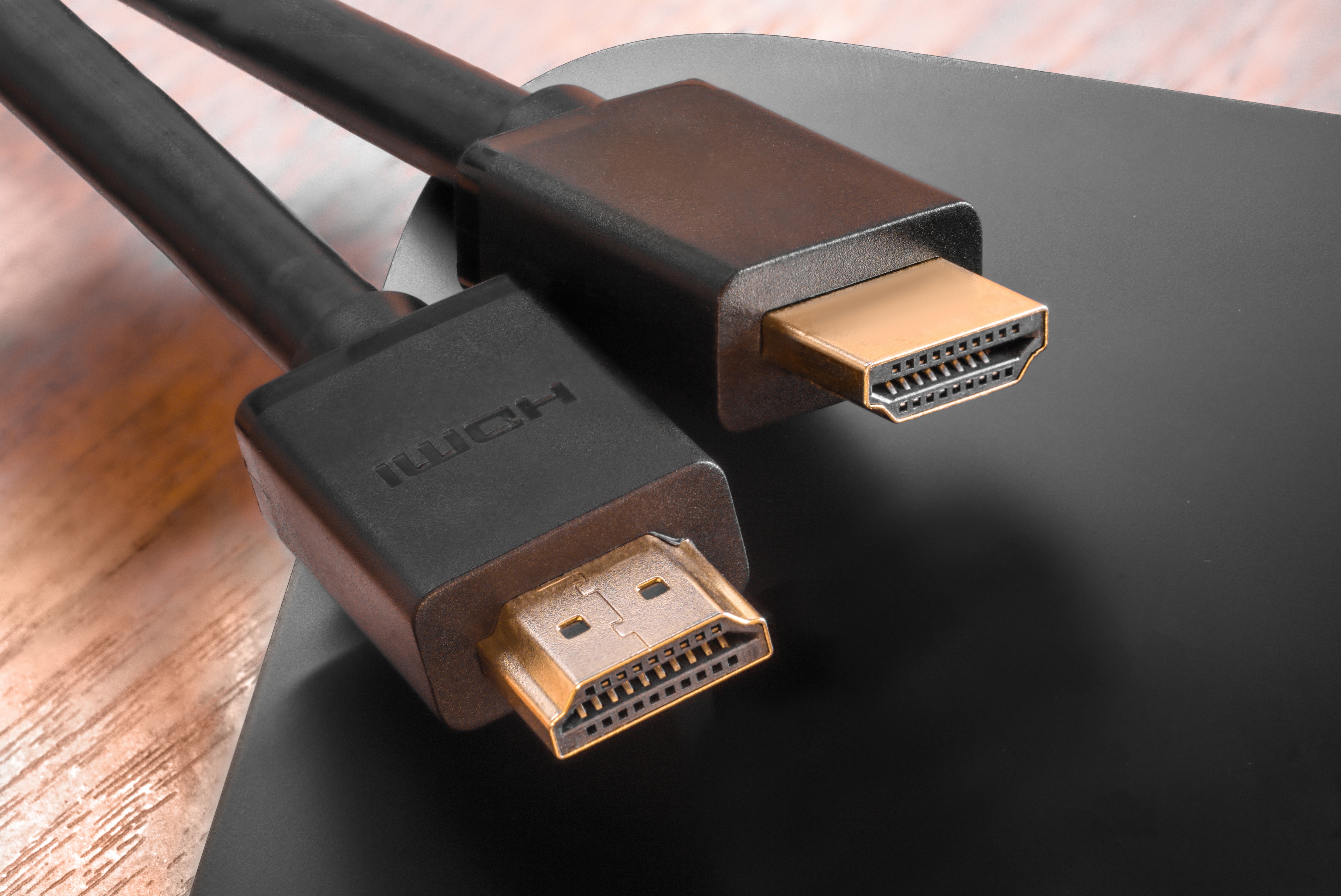
What Is HDMI and Why Does It Matter for Your Setup
Before HDMI existed, connecting a TV to a DVD player or a monitor to a computer meant dealing with a tangle of separate cables. One for video. One for audio. Sometimes several more depending on the resolution or audio format you were chasing. It worked, but it was not elegant. HDMI, which stands for High-Definition Multimedia Interface, changed all of that in one move. Introduced in 2002 and hitting consumer products by 2003, it became the standard for transmitting high-definition audio and video through a single cable connection. And honestly, once people got a taste of how clean and simple it was, there was no going back. HDMI is now everywhere, and for good reason.
A Quick Look at How HDMI Actually Works
So what is actually happening inside that cable? HDMI transmits uncompressed digital video and compressed or uncompressed digital audio simultaneously over a single connector. It uses what is called TMDS, or Transition Minimized Differential Signaling, to move that data at high speed without signal degradation. The connector carries multiple data channels, a clock channel, and a Consumer Electronics Control channel, which is the part that lets your TV remote turn off your connected devices. There is also something called the EDID channel, which allows devices to communicate their capabilities to each other automatically. Your TV tells the source what resolutions it can handle, and the source adjusts accordingly. It is a handshake between devices that happens in seconds, quietly, every time you plug something in.
The HDMI Versions Timeline and What Each One Brought
Not all HDMI cables and ports are the same. The specification has gone through several major revisions, each one raising the ceiling on what the connection can deliver. Understanding the version differences helps you make smarter buying decisions and avoid frustrating compatibility gaps. Here is a condensed look at the major milestones:
HDMI 1.0 launched in 2002 and supported up to 1080p with basic audio formats HDMI 1.3 in 2006 added support for Deep Color and Dolby TrueHD and DTS-HD Master Audio HDMI 1.4 in 2009 brought 4K resolution support and Audio Return Channel, also known as ARC HDMI 2.0 released in 2013 pushed bandwidth to 18 Gbps, enabling 4K at 60Hz and HDR support HDMI 2.1 arrived in 2017 and was a major leap, supporting up to 10K resolution, 48 Gbps bandwidth, 4K at 120Hz, 8K at 60Hz, and features like Variable Refresh Rate and Enhanced Audio Return ChannelEach generation was built to stay backward compatible, which is something worth appreciating. You can plug an older device into a newer HDMI port and still get a working connection. The performance will match the older specification, but it will work. That kind of forward and backward thinking is part of why HDMI became such a durable standard.
Key Advantages of HDMI in Modern Home and Professional Setups
The benefits of HDMI go well beyond convenience, though convenience is genuinely a big part of it. A single cable replacing five or six older connections has real, practical value. Cable management becomes easier. Signal quality is cleaner because the digital signal does not degrade the same way an analog signal does over moderate distances. Audio and video stay perfectly synchronized because they travel together. For home theater setups, this matters enormously. For conference rooms, classrooms, and commercial AV installations, it matters even more. HDMI also supports HDCP, which is High-bandwidth Digital Content Protection, enabling compatibility with protected streaming content and Blu-ray. Without HDMI, watching 4K HDR content from a disc or streaming device on your display would not be possible in the way it currently is.
Where HDMI 2.1 Changes the Game for Gamers and Enthusiasts
If you are building a gaming setup or upgrading a high-performance home theater, HDMI 2.1 is where things get genuinely exciting. The jump to 48 Gbps bandwidth is not incremental. It is a serious expansion that enables features the previous specification simply could not support at this level. Variable Refresh Rate synchronizes the frame output of a gaming console or GPU with the display's refresh rate, eliminating screen tearing without the latency penalty. Quick Frame Transport reduces latency for a more responsive feel during fast-paced gameplay. And then there is Enhanced Audio Return Channel, or eARC, which supports the full lossless audio formats like Dolby Atmos and DTS:X over the same cable you are already using for video. For anyone building a Dolby Atmos soundbar or AV receiver setup, eARC on HDMI 2.1 is not optional, it is essential.
Common Drawbacks and Limitations Worth Knowing
HDMI is not without its complications. Cable length is one real limitation. Standard passive HDMI cables begin to lose signal reliability beyond around 25 feet, and the problem gets worse at higher resolutions and refresh rates. Active cables, fiber optic HDMI cables, and HDMI over IP extenders exist to solve this, but they add cost. Compatibility confusion is another frustration. Just because a port says HDMI 2.1 does not mean all HDMI 2.1 features are enabled. Manufacturers sometimes implement partial HDMI 2.1 specs, which creates real confusion for buyers. Cable quality also matters more at higher bandwidths. A cable that performs fine at 1080p may fail at 4K 120Hz. Checking for certification, bandwidth rating, and construction quality before buying makes a measurable difference in long-term performance.
HDMI vs. DisplayPort: Understanding When to Use Which
DisplayPort is the other major digital video standard worth knowing about, and the two are not interchangeable in every scenario. DisplayPort is commonly found on computer monitors and graphics cards, while HDMI is dominant in televisions, projectors, AV receivers, and consumer electronics. DisplayPort supports higher refresh rates at certain resolutions, making it a preferred choice for PC gaming monitors, particularly for DisplayPort 1.4 and the newer DisplayPort 2.1 specification. HDMI, on the other hand, carries audio natively without any additional configuration, and its ARC and eARC features make it uniquely suited for home theater systems. For most living room and entertainment setups, HDMI remains the right answer. For desktop and workstation monitor chains, DisplayPort often wins on raw performance. Knowing which devices you are connecting and what features matter most to you will determine which standard belongs in your setup.
Practical Tips for Getting the Most Out of Your HDMI Cables
Choosing the right HDMI cable does not have to be complicated, but a few practical points help you avoid common mistakes. First, buy for the use case. If you are running a 4K 60Hz display and a streaming device, a certified Premium High Speed HDMI cable rated to 18 Gbps handles the job well. If you are setting up a gaming system at 4K 120Hz or building a home theater with eARC, you need an Ultra High Speed HDMI cable rated to 48 Gbps. Second, measure your run distance before buying. If you need to span more than 15 to 20 feet with confidence, look at active cables or fiber optic options. Third, look for cables that carry the HDMI Premium Certified or Ultra High Speed certification label. These cables have been independently tested to confirm they meet the bandwidth claims on the packaging. Buying uncertified cables to save a few dollars and then troubleshooting signal issues later is not worth it.
Why Monoprice Is the Smarter Choice for HDMI Cables and AV Connectivity
When it comes to sourcing HDMI cables and AV connectivity products that deliver genuine performance without inflated pricing, Monoprice has built a well-earned reputation over years of serving both home enthusiasts and professional integrators. The product line spans certified Premium High Speed cables, Ultra High Speed HDMI 2.1 cables, fiber optic HDMI options for long runs, and AV accessories that meet real installation demands. Monoprice does not pad margins on cables you should not be paying a premium for in the first place. If you are looking to build a smarter AV setup, improve a conference room, or simply stop second-guessing whether your cable is the problem, exploring the full catalog of high-performance HDMI cables and AV connectivity solutions is a straightforward way to start. The combination of certified products, competitive pricing, and reliable quality is what makes Monoprice a practical default for integrators and consumers who want the job done right the first time.
Frequently Asked Questions About HDMI
What does HDMI stand for?
HDMI stands for High-Definition Multimedia Interface. It is a digital connection standard that transmits uncompressed video and audio data through a single cable between compatible devices.
Is there a real difference between cheap and expensive HDMI cables?
At lower resolutions and shorter runs, the difference is often minimal. At 4K 120Hz or over longer distances, cable quality and certification matter significantly. Always check the bandwidth rating and look for certified cables when running demanding signals.
What is eARC and do I need it?
Enhanced Audio Return Channel, or eARC, is a feature introduced with HDMI 2.1 that allows full-bandwidth, lossless audio formats like Dolby Atmos and DTS:X to be sent from a TV back to a connected AV receiver or soundbar. If you are building a high-quality home theater audio system, eARC is worth prioritizing.
How long can an HDMI cable run before losing signal quality?
Passive HDMI cables are generally reliable up to around 15 to 25 feet depending on the resolution and refresh rate. For longer runs, active HDMI cables or fiber optic HDMI cables are recommended to maintain signal integrity.
What is the difference between HDMI 2.0 and HDMI 2.1?
HDMI 2.0 supports up to 18 Gbps bandwidth and 4K at 60Hz. HDMI 2.1 increases bandwidth to 48 Gbps and adds support for 4K at 120Hz, 8K at 60Hz, Variable Refresh Rate, and eARC. For gaming and high-end home theater, HDMI 2.1 offers substantially more capability.
Can I use an older HDMI cable with a newer device?
Yes, HDMI is backward compatible. An older cable will work with a newer device, but the connection will be limited to the older cable's capabilities. You will not be able to access higher resolutions or features that require more bandwidth than the cable supports.
Does HDMI cable length affect picture and sound quality?
Yes, at higher resolutions and over longer distances, signal degradation becomes a real concern with passive cables. Using a properly rated cable for the run length and resolution helps ensure consistent picture and audio performance.
What is ARC on HDMI and how does it differ from eARC?
ARC, or Audio Return Channel, was introduced with HDMI 1.4 and allows audio to travel back from a TV to a soundbar or receiver over the same cable used for video. eARC, part of HDMI 2.1, carries significantly more bandwidth and supports full lossless audio formats that standard ARC cannot handle.
Do all HDMI 2.1 ports support all HDMI 2.1 features?
Not always. Some manufacturers implement a partial HDMI 2.1 specification, enabling certain features while omitting others. Always verify the specific capabilities of a port by checking the device documentation rather than assuming all HDMI 2.1 features are present.
What type of HDMI cable do I need for 4K HDR content?
For 4K at 60Hz with HDR, a certified Premium High Speed HDMI cable rated to 18 Gbps is the appropriate choice. For 4K at 120Hz or 8K content, you will need an Ultra High Speed HDMI cable rated to 48 Gbps to maintain full signal performance.


