The Essential Guide to HDMI Cords and Their Uses
What Is an HDMI Cord and Why Does It Matter?
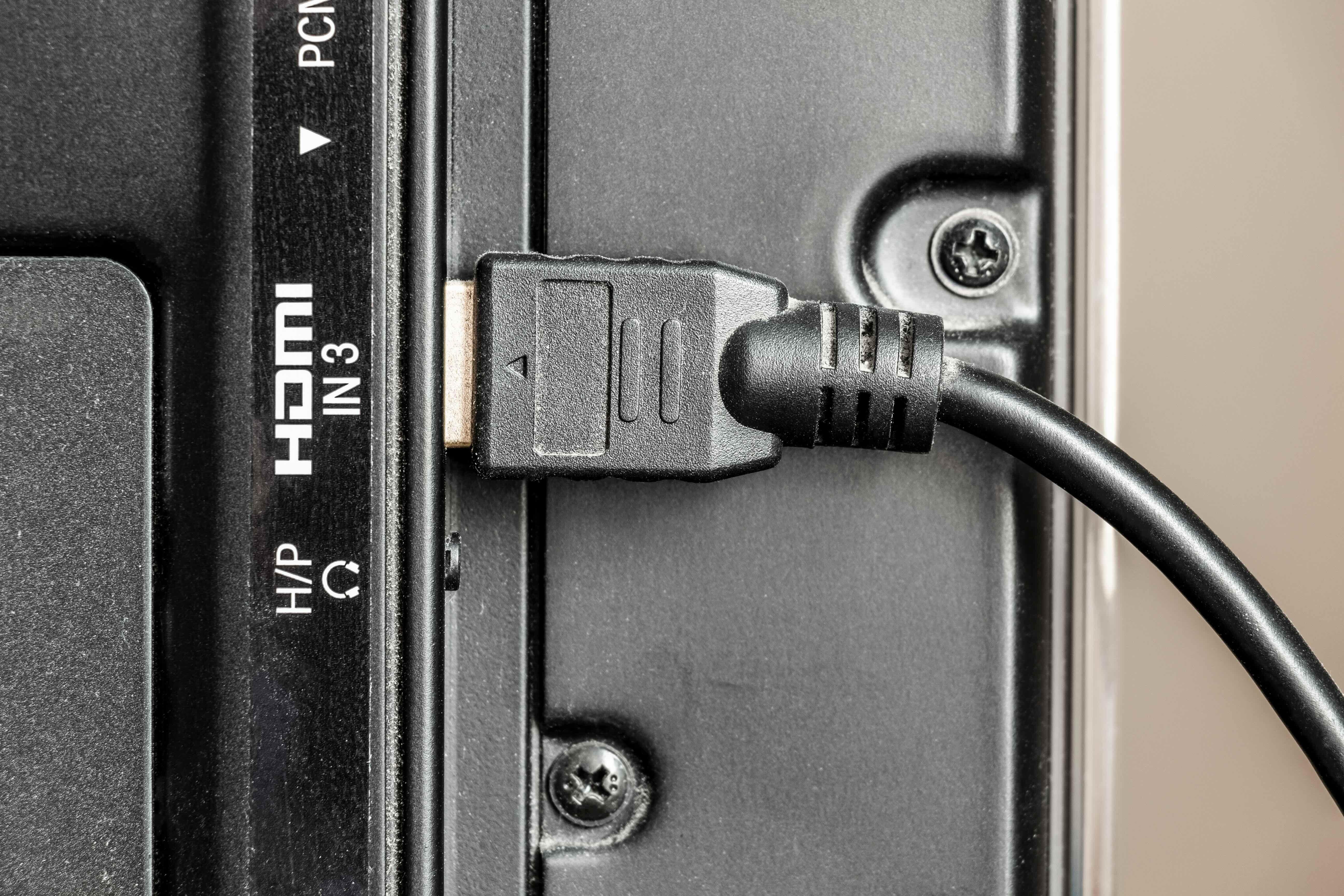
If you have ever set up a TV, plugged in a gaming console, or connected a laptop to a monitor, there is a solid chance you have already used an HDMI cord without giving it much thought. HDMI stands for High-Definition Multimedia Interface, and it is one of the most widely used connection standards in consumer electronics and professional AV environments alike. At its core, an HDMI cord is a single cable that carries both high-definition video and audio signals simultaneously from one device to another. That means no separate audio cables, no extra adapters for most setups -- just one clean connection that handles both jobs efficiently. It is a deceptively simple concept with a lot of depth underneath it, and understanding what HDMI cords actually do helps you make smarter decisions for your home theater, workspace, or professional installation.
How Does an HDMI Cord Actually Work?
Underneath the outer jacket of an HDMI cable is a collection of twisted wire pairs that carry digital data at high speeds between your source device and your display. The cable transmits uncompressed video and audio data using a protocol called Transition Minimized Differential Signaling, or TMDS. Without getting too deep into the technical weeds here -- because honestly, most users do not need to -- what this means practically is that the signal travels cleanly and with minimal interference over the length of the cable. HDMI also supports a return channel called ARC, which stands for Audio Return Channel, allowing audio to flow back from your TV to an AV receiver or soundbar without needing an additional cable. Newer versions introduced eARC, which supports higher-quality audio formats like Dolby Atmos and DTS:X. The point is that HDMI is not just a passive wire; it is an active communication standard designed around the real-world needs of modern AV systems.
The Different Types of HDMI Cables Explained
Not all HDMI cords are the same, and this is where a lot of buyers get confused or end up spending money on the wrong product. There are several cable categories, each designed for different bandwidth and performance levels. Knowing which one you need saves time and avoids compatibility headaches down the road.
- Standard HDMI Cable -- supports up to 1080i or 720p, adequate for older displays and basic setups
- High Speed HDMI Cable -- handles 1080p, 4K at 30Hz, and 3D content; the most common type for most home users
- Premium High Speed HDMI Cable -- certified for 4K at 60Hz with HDR, ideal for streaming devices and gaming consoles
- Ultra High Speed HDMI Cable -- supports 8K at 60Hz and 4K at 120Hz, designed for the latest displays, HDMI 2.1 devices, and next-gen gaming setups
There are also specialty form factors like Mini HDMI and Micro HDMI, which show up in cameras, tablets, and smaller portable devices. The connector type matters as much as the cable spec, so always verify what port your device is using before purchasing.
What Can You Connect With an HDMI Cord?
The range of devices that use HDMI is genuinely impressive. It is one of those standards that became so universal that it is hard to find a modern display-related device that does not include at least one HDMI port. Televisions, computer monitors, projectors, Blu-ray players, streaming sticks, gaming consoles, soundbars, AV receivers, desktop computers, laptops, and even some smartphones with the right adapter -- all of these use HDMI in some configuration. In professional and commercial settings, HDMI is equally common in presentation displays, digital signage systems, and video conferencing setups. The versatility of the standard is one of its greatest strengths, which is also why having a few quality HDMI cords on hand is a practical necessity rather than a luxury for most households and business environments.
Key Advantages of Using HDMI Cables
There are several clear reasons HDMI became the dominant standard for AV connectivity, and understanding those advantages helps reinforce why the right cable matters as much as the right device.
- Single cable for audio and video eliminates cable clutter and simplifies installation significantly
- Supports uncompressed digital signals, meaning no quality degradation during transmission
- Backward compatible across versions, so older devices still work with newer cables in most scenarios
- Consumer Electronics Control (CEC) allows devices connected via HDMI to communicate and control each other
- Supports advanced audio formats including Dolby TrueHD, DTS-HD Master Audio, and Dolby Atmos via eARC
- Widely standardized, making it easy to source cables, adapters, and accessories from trusted manufacturers
These are not abstract features -- they translate directly into a better, more streamlined experience whether you are watching a film in 4K HDR or running a dual-monitor workstation setup.
Common Drawbacks and Limitations to Know
It would be incomplete to talk about HDMI cords without acknowledging where they fall short. Cable length is one of the more practical concerns. Passive HDMI cables tend to lose signal reliability beyond 25 feet, which can be a real obstacle in large rooms or commercial installations where the source and display are far apart. Active HDMI cables and fiber optic HDMI options exist to address this, but they come at a higher cost. Additionally, the sheer number of HDMI versions -- 1.4, 2.0, 2.0b, 2.1 -- can create confusion when matching cables to devices. A cable marketed as supporting 4K may still not meet the bandwidth requirements for 4K at 60Hz with HDR if it is not rated as Premium High Speed. Reading specifications carefully before buying is essential, not optional.
How to Choose the Right HDMI Cord for Your Setup
Choosing the right HDMI cable comes down to three questions: what resolution and refresh rate does your display support, how far apart are your devices, and what specific features like eARC or 4K HDR do you need to enable? If you have a 4K TV connected to a streaming device or modern gaming console, a Premium High Speed HDMI cable rated for 18Gbps is the reliable baseline. If you are running an HDMI 2.1 setup with a TV or monitor capable of 4K at 120Hz or 8K, you need an Ultra High Speed cable rated for 48Gbps. For conference rooms or installations with longer cable runs, look for active HDMI cables or consider fiber HDMI for clean signal delivery over extended distances. Getting these details right upfront prevents performance issues and avoids the frustration of returning cables that technically worked but did not perform as expected.
HDMI Cords in Professional and Commercial AV Environments
While most of the conversation around HDMI happens in the consumer space, its role in professional AV and commercial settings deserves serious attention. System integrators, IT professionals, and AV consultants rely on HDMI as a core component in conference rooms, training facilities, broadcast environments, and digital signage networks. In these contexts, cable quality and certification are not preferences -- they are requirements. Signal reliability over multiple devices and longer runs, compatibility with matrix switchers and distribution amplifiers, and compliance with HDMI licensing standards all factor into professional procurement decisions. The demand for tested, certified cables that perform consistently across hundreds of hours of continuous use is much higher in commercial settings, and sourcing from a manufacturer with a proven track record in this category is a practical necessity.
Why Monoprice Is the Right Source for HDMI Cables
When it comes to selecting HDMI cables that combine performance, certification, and real value, Monoprice has built a reputation that speaks clearly across both consumer and professional markets. Every cable in the Monoprice lineup is engineered to meet or exceed the specifications its category demands, and many are certified by HDMI.org, which is the kind of third-party validation that removes guesswork from the buying decision. Whether you are outfitting a home cinema with 4K HDR-capable cables, building out a multi-room AV system, or sourcing Premium High Speed and Ultra High Speed cables in volume for a commercial installation, the catalog is deep enough and specific enough to meet the requirement precisely. For anyone ready to invest in reliable, high-performance AV infrastructure without overpaying, Monoprice HDMI cables for home theater and professional AV setups represent exactly the kind of cost-effective, quality-first solution that experienced buyers and first-time shoppers alike can count on. The combination of engineering rigor, transparent specifications, and accessible pricing is not an accident -- it is the entire point.
Frequently Asked Questions About HDMI Cords
What is an HDMI cord used for?
An HDMI cord is used to transmit high-definition video and audio signals simultaneously through a single cable between devices such as TVs, monitors, gaming consoles, laptops, projectors, and AV receivers.
Does the quality of an HDMI cable affect picture quality?
For most standard-length connections, a certified HDMI cable will deliver the same digital signal as a more expensive alternative. However, cable quality matters significantly for longer runs, high bandwidth requirements like 8K or 4K at 120Hz, and environments with potential signal interference.
What is the difference between HDMI 2.0 and HDMI 2.1?
HDMI 2.0 supports up to 4K at 60Hz with a bandwidth of 18Gbps. HDMI 2.1 significantly expands that to support 4K at 120Hz, 8K at 60Hz, and up to 48Gbps of bandwidth, along with features like Variable Refresh Rate and enhanced Audio Return Channel.
How long can an HDMI cable be before signal loss occurs?
Passive HDMI cables typically maintain reliable signal quality up to around 25 feet. Beyond that, active HDMI cables or fiber optic HDMI cables are recommended to ensure consistent performance over greater distances.
What does ARC mean on an HDMI port?
ARC stands for Audio Return Channel. It allows audio to be sent from your TV back to a connected soundbar or AV receiver through the same HDMI cable, eliminating the need for a separate optical or analog audio connection.
Can I use any HDMI cable for 4K HDR content?
Not necessarily. For 4K HDR at 60Hz, you need a Premium High Speed HDMI cable rated for at least 18Gbps. Standard or basic High Speed cables may not support the full bandwidth required for HDR content at higher frame rates.
Is there a difference between HDMI cable versions and connector types?
Yes. HDMI version refers to the specification standard the cable supports, which determines bandwidth and feature compatibility. Connector type -- Standard, Mini, or Micro HDMI -- refers to the physical shape of the plug, which must match the port on your device.
Do expensive HDMI cables perform better than affordable ones?
Not inherently. A certified HDMI cable from a reliable manufacturer will perform identically to a high-priced luxury cable for the same application. What matters is that the cable meets the specification for your use case, not the price tag attached to it.
What is eARC and do I need it?
eARC stands for Enhanced Audio Return Channel and is a feature of HDMI 2.1. It supports higher-bandwidth audio formats like Dolby Atmos and DTS:X, which standard ARC cannot carry. If your soundbar or AV receiver supports these formats, eARC-compatible equipment and cables are worth using.
Can HDMI cables be used for gaming?
Absolutely. HDMI is the primary connection standard for gaming consoles and PC gaming monitors. For the best gaming experience on current-generation hardware, an Ultra High Speed HDMI cable supporting HDMI 2.1 is recommended to take full advantage of 4K at 120Hz and Variable Refresh Rate features.