

SDI Video Cable: The Pro Standard for Broadcast Quality
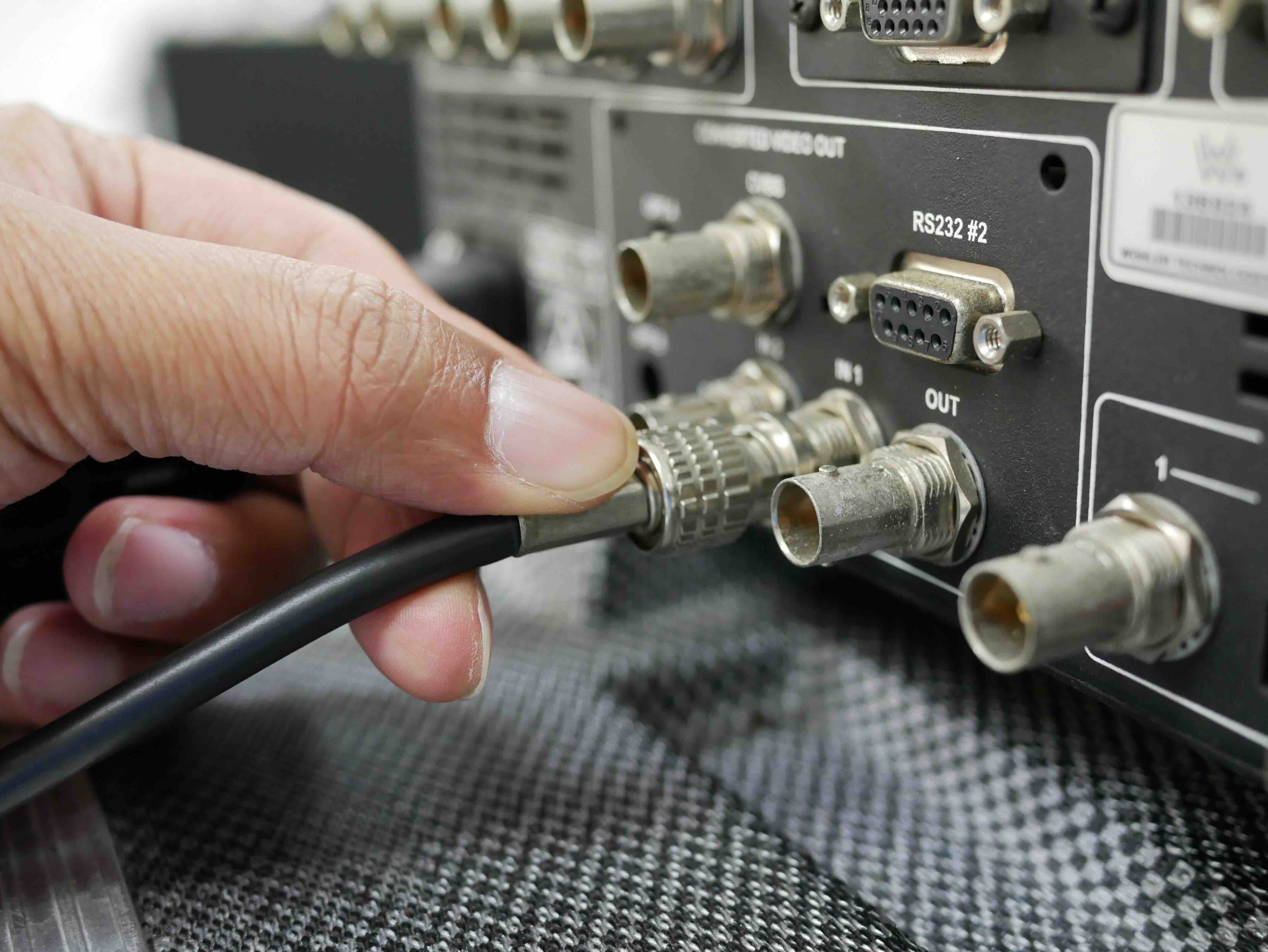
What Is an SDI Video Cable and Why Does It Matter for Professional Video?
If you work in broadcast, live production, or professional video in any capacity, you have almost certainly run into the term SDI. Serial Digital Interface, or SDI, is a family of digital video transmission standards developed by SMPTE -- the Society of Motion Picture and Television Engineers -- and it has been a backbone of professional video infrastructure for decades. The SDI video cable is the physical medium through which that signal travels, and understanding it properly can make a real difference in how you spec, deploy, and maintain a video system. Whether you are setting up a broadcast studio, a live event production environment, or a medical imaging workflow, knowing what SDI cable does and how it works helps you avoid expensive mistakes and plan for the long haul.
How SDI Video Cables Work: The Technical Foundation
At its core, an SDI video cable carries uncompressed, serial digital video over a 75-ohm coaxial cable. The signal is transmitted as a single electrical waveform along the cable's center conductor, shielded by a layer of braided or foil shielding to protect it from electromagnetic interference. That 75-ohm impedance is not arbitrary -- it is precisely matched to maintain signal integrity across long cable runs. The coaxial structure keeps the signal clean even in electrically noisy environments, which is a big reason why SDI has stuck around while other formats have come and gone. The BNC connector at each end locks into place with a quarter-turn, making it mechanically secure in ways that HDMI simply is not. These are cables designed for environments where a loose connection means a dropped broadcast.
SDI Standards Explained: SD-SDI, HD-SDI, 3G-SDI, 6G-SDI, and 12G-SDI
Not all SDI cables are identical, and that is where a lot of confusion tends to creep in. The standard has evolved significantly over the years to accommodate higher resolutions and frame rates. Here is a quick breakdown of the main variants and what each one supports.
- SD-SDI operates at 270 Mbps and handles standard definition video at resolutions like 480i and 576i
- HD-SDI runs at 1.485 Gbps and supports 720p and 1080i high definition video
- 3G-SDI doubles HD-SDI to 2.97 Gbps, enabling 1080p at 60 frames per second
- 6G-SDI reaches 6 Gbps and is capable of 4K video at 30 frames per second
- 12G-SDI pushes to 12 Gbps, supporting 4K at up to 60 frames per second over a single coax cable
The cable itself needs to be rated for the data rate you intend to run. Higher bandwidth signals are more sensitive to cable quality and length limitations, so the spec on the cable packaging actually matters. Running 12G-SDI over a cable not rated for it will cause signal degradation that no piece of downstream equipment can correct.
Key Advantages of SDI Video Cables Over Other Formats
SDI holds its ground in professional environments for several solid reasons. HDMI cables are fine for consumer applications, but they were never designed for the physical demands of a production floor or a broadcast truck. SDI cables, by contrast, are built with those environments in mind from the ground up. The locking BNC connector is a significant advantage in any application where cables get pulled, stepped on, or rearranged repeatedly. Signal distance is another major benefit -- SDI can travel hundreds of feet over a single cable without requiring active amplification, which keeps infrastructure lean and cost-effective. SDI also carries embedded audio within the video signal, eliminating the need for separate audio cabling in many workflows. And because SDI is natively supported by professional routers, switchers, monitors, and cameras, the ecosystem is mature, interoperable, and well-understood.
Common Drawbacks and Limitations Worth Knowing
SDI is not perfect, and it helps to be clear-eyed about where it falls short. The coaxial cable is bulkier and heavier than HDMI or fiber alternatives, which can be a real consideration when you are routing cable through tight spaces or managing large harnesses. SDI does not carry power over the cable, so devices need their own power sources. The format is also largely absent from the consumer market, which means SDI-native gear costs more than comparable HDMI equipment. While 12G-SDI handles 4K, getting to 8K over SDI requires quad-link or octal-link configurations, adding complexity. And unlike fiber-based systems, coaxial SDI is still susceptible to ground loop issues if your system is not properly grounded. These are manageable challenges for experienced professionals, but worth knowing before you commit to a full SDI infrastructure.
Choosing the Right SDI Cable for Your Application
Picking the right SDI cable comes down to a few key factors: the bandwidth you need, the cable run length, the flexibility requirements, and the installation environment. For static installs in a rack room or behind a wall, a stiffer, higher-shielded cable works well. For handheld camera applications or mobile production, you want a flexible, lighter cable that holds up to repeated coiling without damaging the internal conductors. Always verify that the cable's frequency rating exceeds the bandwidth of the SDI standard you plan to use, and pay attention to return loss and structural return loss specs if you are running long distances at high data rates. Connectors matter too -- a well-terminated BNC connection is just as important as the cable itself, and poor crimping or improper termination can undermine an otherwise excellent cable.
SDI vs. HDMI vs. Fiber: Knowing When to Use What
This is a question that comes up constantly in real-world project planning. HDMI is the right call for consumer displays, projectors in conference rooms, and short-run professional applications where locking connectors are not critical. Fiber optic video transport offers serious advantages over very long distances or in environments with extreme electrical interference, and it supports much higher bandwidths than coaxial SDI. But SDI sits in a practical middle ground that makes it the default for most professional video production work. It is durable, standardized, affordable at scale, and deeply integrated into professional broadcast and production infrastructure. If your team is running cameras, routers, and monitors that all speak SDI natively, there is no compelling reason to introduce complexity by converting everything to another format mid-signal-chain.
Practical Tips for Getting the Most Out of Your SDI Setup
A few habits go a long way toward keeping an SDI system reliable over the long term. Test cables before deployment, not after, using a proper cable tester or signal analyzer. Label both ends of every cable at installation, because chasing unlabeled coax in a crowded studio is a genuine productivity drain. Inspect BNC connectors regularly for corrosion or physical damage, especially in outdoor or mobile production environments. Use proper cable management to avoid tight bends that can compromise coaxial geometry and raise impedance. And when buying cables, do not cut corners on quality -- the cable is one of the least expensive components in a video system, but a failing cable can take down an entire signal path at the worst possible moment.
Why Monoprice Is the Right Choice for Professional SDI Video Cables
When it comes to sourcing professional video cables without overpaying, Monoprice consistently delivers on quality and value in ways that matter to real-world installers and production teams. The brand has built a strong reputation in the professional AV and IT market by combining reliable performance with pricing that makes large-scale deployments financially sensible. For anyone building out a studio, outfitting a mobile production unit, or stocking a rack room with infrastructure-grade cabling, that combination is genuinely hard to beat. Monoprice products are designed with practical workflows in mind, not just spec sheets, and that philosophy shows in the physical quality and performance of the cables. If you are ready to source professional-grade cabling for your next project, explore the full range of professional SDI video cables and broadcast-ready AV solutions available through Monoprice and see what value-driven performance actually looks like in practice.
Frequently Asked Questions About SDI Video Cables
What does SDI stand for in video production?
SDI stands for Serial Digital Interface. It is a professional video transmission standard developed by SMPTE that carries uncompressed digital video over coaxial cable with BNC connectors, widely used in broadcast, live production, and professional AV environments.
Can I use a regular coaxial cable for SDI video?
Not reliably. SDI requires a 75-ohm coaxial cable rated for the specific data rate of the SDI standard you are using. Standard coax used for antenna or cable TV is not designed for the high-frequency performance that SDI demands, especially at 3G, 6G, or 12G data rates.
How far can an SDI signal travel over a single cable?
Distance depends on the SDI variant and cable quality. HD-SDI can typically run 100 meters or more over quality cable. Higher bandwidth signals like 12G-SDI have shorter maximum distances, often around 70 to 100 meters, depending on cable specs and environmental conditions.
What connector does an SDI cable use?
SDI cables use BNC connectors, which feature a quarter-turn locking mechanism that provides a secure, reliable connection. This locking design is one of the primary reasons SDI is preferred over HDMI in professional video environments where accidental disconnection is not acceptable.
What is the difference between 3G-SDI and 12G-SDI?
3G-SDI operates at 2.97 Gbps and supports 1080p at up to 60 frames per second. 12G-SDI runs at 12 Gbps and supports 4K resolution at up to 60 frames per second over a single coaxial cable, making it the preferred choice for modern 4K broadcast workflows.
Is SDI better than HDMI for professional video?
For professional and broadcast applications, SDI is generally the better choice. It offers locking connectors, longer cable runs without signal boosting, better resistance to interference, and a mature ecosystem of compatible professional equipment. HDMI is better suited for consumer and short-run applications.
Does an SDI cable carry audio as well as video?
Yes. SDI supports embedded audio within the video signal, which means you can transmit both video and multiple channels of audio over a single SDI cable without requiring a separate audio connection. This simplifies cabling in complex production environments.
Can SDI cables be used for 4K video?
Yes. 6G-SDI supports 4K at 30 frames per second over a single cable, and 12G-SDI supports 4K at 60 frames per second. For 8K or higher frame rate requirements, quad-link SDI configurations using multiple cables running in parallel are typically required.
What causes signal loss in SDI cables?
Signal loss in SDI cables can result from cable length exceeding the rated distance for a given data rate, poor quality BNC terminations, tight bends that compromise coaxial geometry, physical damage to the cable, or using cable not rated for the bandwidth being transmitted.
How do I know if my SDI cable is failing?
Common signs of a failing SDI cable include intermittent video dropouts, pixel errors or sparkling artifacts in the image, complete signal loss at certain cable orientations, and failure to detect signal on a downstream monitor or router. Using a dedicated SDI cable tester or signal analyzer is the most reliable way to diagnose a failing cable.


