SATA Cable Types: What You Need to Know Before Buying
SATA Cable Types Explained: Everything You Need to Know Before You Buy
If you have ever opened up a desktop PC or tried to install a new hard drive, you have probably come across a SATA cable. Small, flat, and sometimes annoyingly easy to accidentally unplug, these cables are genuinely fundamental to how storage devices communicate with your system. But here is the thing -- not all SATA cables are the same, and picking the wrong one can slow you down, cause data errors, or just plain not fit. So let us break this down from the ground up, cover the different types, and help you figure out what actually matters when you are shopping for one.
What Is a SATA Cable and What Does It Actually Do
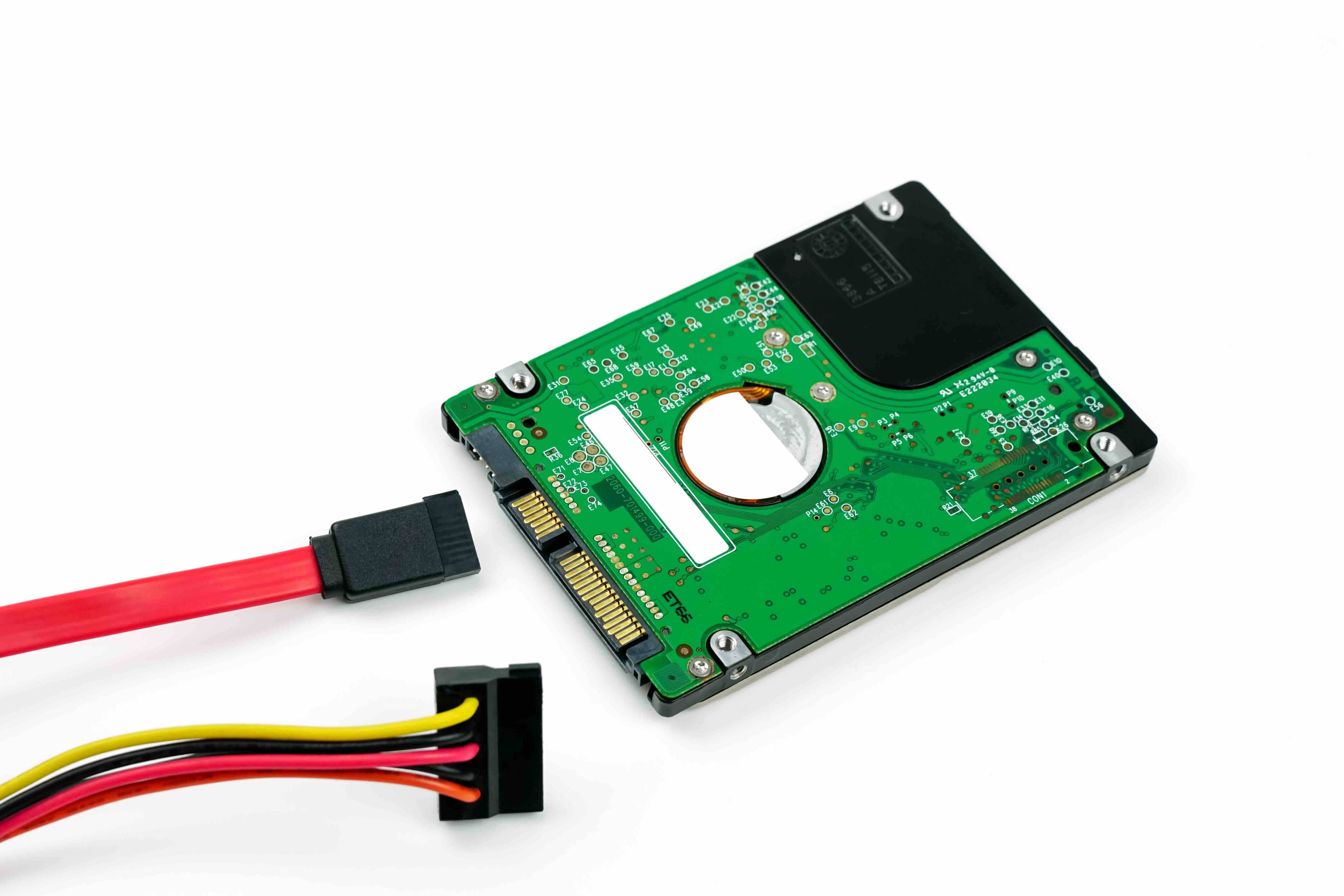
SATA stands for Serial ATA, which is short for Serial Advanced Technology Attachment. It is the standard interface used to connect storage devices -- hard disk drives, solid-state drives, and optical drives -- to a computer's motherboard. The cable carries both data and, depending on the connector type, power. SATA replaced the older, bulkier PATA (Parallel ATA) standard years ago and has been the dominant internal storage interface ever since. The design is intentional: thin, low-profile, and designed to improve airflow inside cases while keeping signal integrity solid. There are two separate cables involved in most setups -- one for data, one for power -- though some configurations combine them.
SATA Generations: SATA I, II, and III Explained
There are three main generations of SATA, and the difference between them comes down to raw throughput. Each generation uses the same physical connector, which is worth noting because it means they are backward and forward compatible. Here is what separates them:
- SATA I (Revision 1.x) -- Introduced in 2003, maximum transfer speed of 1.5 Gb/s (roughly 150 MB/s)
- SATA II (Revision 2.x) -- Released in 2004, doubled the bandwidth to 3 Gb/s (around 300 MB/s)
- SATA III (Revision 3.x) -- The current standard, launched in 2008, supports up to 6 Gb/s (approximately 600 MB/s)
Most modern drives and motherboards ship with SATA III support. If you are running a high-speed SSD, you want to make sure both the drive and the port are SATA III to avoid bottlenecking performance. Using a SATA III drive on a SATA II port works -- it just runs at the slower speed. Worth knowing before you wonder why your new SSD feels sluggish.
SATA Data Cable Types: Connectors, Lengths, and Locking Mechanisms
The data cable is the thin, seven-pin connector you see most often in builds. But even within that category, there are variations that actually matter depending on your use case. Standard straight connectors are the most common and work fine in most builds with good cable management space. Right-angle connectors on one or both ends are useful when drives are mounted near case walls or in tight enclosures -- they reduce strain on the port and keep things tidy. Locking connectors include a small retention clip that snaps into place on the drive or motherboard port, which is genuinely useful in systems that get moved around or in rack-mounted environments where vibration is a factor. Cable length also varies, typically ranging from around six inches up to about three feet. Shorter cables are better for clean builds; longer ones give you routing flexibility in larger cases. Getting the right combination here is less about specs and more about the physical reality of your system layout.
SATA Power Cable Types and Connector Variations
The power side of SATA is handled through a fifteen-pin connector, and this is where things get slightly more varied. Standard SATA power connectors come directly from the power supply unit and deliver three voltage rails -- 3.3V, 5V, and 12V. Most modern drives only use the 5V and 12V rails, but the 3.3V rail is there for compatibility. One important variation to know about: some drives, particularly certain Western Digital models, use the 3.3V pin differently -- applying power to it can actually put the drive into reset mode. It is not common knowledge, but it causes real problems when using certain SATA power adapters or enclosures. Slimline SATA is another variant, used in laptop optical drives and some mobile storage devices. It uses a smaller connector and combines data and power into a single interface. Then there are SATA to Molex adapters, which let older power supplies without SATA connectors connect to SATA drives. These work, but cable quality matters here -- cheap adapters can cause voltage inconsistencies that shorten drive lifespan.
eSATA: The External Version Worth Understanding
eSATA, or external SATA, extends the SATA interface outside the computer case for connecting external storage devices. It uses a physically different connector designed to handle the repeated plugging and unplugging that external use demands -- standard internal SATA connectors are only rated for a limited number of insertion cycles. eSATA delivers the same performance as internal SATA III connections, which made it genuinely competitive with USB 3.0 at the time of its introduction. However, eSATA does not carry power, so external eSATA drives need a separate power source. Some implementations use eSATAp, a combo connector that adds power delivery. eSATA has largely been displaced by USB 3.1 and Thunderbolt in modern setups, but it still shows up in older workstations and enterprise storage enclosures.
Mini-SATA (mSATA) and Its Role in Compact Systems
mSATA was designed specifically for compact devices like ultrabooks, embedded systems, and small form factor PCs. It uses a smaller connector and a different form factor -- the drive itself mounts directly onto the motherboard via an edge connector similar to a PCIe Mini Card slot. mSATA drives look nothing like standard 2.5-inch SSDs; they are small, board-like modules. Performance is the same as standard SATA III, so the speed ceiling is identical. The key advantage is physical size. It is worth mentioning that mSATA has been largely replaced by the M.2 form factor in newer systems, which supports both SATA and the much faster NVMe protocol. If you are working with hardware from around 2012 to 2016, you will likely encounter mSATA. Newer compact builds generally use M.2 SATA instead.
Common Problems with SATA Cables and How to Avoid Them
SATA cables fail more often than people expect, and the failure mode is usually subtle -- intermittent disconnects, data errors, or drives that show up inconsistently in BIOS. A few things accelerate cable degradation: bending cables too sharply near the connector, reusing old cables from drives that have been decommissioned, and using low-quality cables in environments with heat or vibration. The connectors themselves can wear out, especially non-locking types that get removed and reinserted frequently. Cable quality matters more than most people assume. Thicker shielding, tighter tolerances on the connector housing, and solid retention mechanisms make a measurable difference in reliability. In server or NAS environments especially, cutting corners on cables is a false economy.
How to Choose the Right SATA Cable for Your Build
Choosing the right SATA cable comes down to a few practical questions. What generation does your motherboard support -- SATA II or SATA III? What type of drive are you connecting -- 3.5-inch HDD, 2.5-inch SSD, or optical drive? How much space do you have near the connector -- is a right-angle end more practical? Do you need a locking connector for stability? How long does the cable need to be to reach the motherboard without excess slack? Answering those questions first makes the selection process straightforward. Do not overthink the specs; just make sure the generation matches, the length works for your layout, and the build quality is worth trusting.
Why Monoprice Is the Right Source for SATA Cables and Storage Connectivity
When it comes to sourcing reliable SATA cables for home builds, professional workstations, or large-scale deployments, quality and consistency matter. Monoprice has built a well-earned reputation for delivering exactly that -- cables and connectivity products engineered to perform without the inflated price tags that come with larger retail brands. Whether you are putting together a NAS array, building a media server, or upgrading storage in an office environment, having cables you can trust is non-negotiable. For anyone serious about storage performance and system reliability, exploring high-quality SATA cables and storage connectivity solutions from Monoprice is a practical, value-driven choice that holds up in real-world use. The build quality is there. The price point makes sense. And for procurement teams or integrators spec-ing out multiple systems, the consistency across the product line is exactly what you need.
Frequently Asked Questions About SATA Cable Types
What is the difference between SATA II and SATA III cables?
The physical cable and connector are identical for SATA II and SATA III. The difference is the interface speed supported by the drive and motherboard port -- SATA II tops out at 3 Gb/s while SATA III reaches 6 Gb/s. A SATA III cable works in both configurations.
Can I use a SATA III cable on a SATA II port?
Yes. SATA cables are backward compatible. Using a SATA III cable on a SATA II port will function correctly, but the transfer speed will be limited to the SATA II maximum of 3 Gb/s.
What does a locking SATA connector do?
A locking SATA connector has a retention clip that snaps into the drive or motherboard port to prevent accidental disconnection. It is especially useful in servers, rack-mounted systems, or any environment where vibration or movement is a concern.
What is the difference between a right-angle and straight SATA connector?
A right-angle connector bends 90 degrees at the end, which is useful when a drive is positioned close to a case wall or in a tight space. A straight connector goes directly into the port. Some cables have a right-angle end on one side and a straight end on the other for maximum routing flexibility.
Do SATA cables carry power?
Standard SATA data cables carry data only. Power is delivered through a separate 15-pin SATA power cable connected from the power supply. Some specialty connectors like slimline SATA combine both functions, but this is the exception rather than the rule.
What is eSATA and when should I use it?
eSATA is the external version of the SATA interface, designed for connecting external storage drives at full SATA III speeds. It is most relevant in older workstations and storage enclosures. Modern setups typically use USB 3.1 or Thunderbolt for external storage instead.
How long can a SATA cable be before signal quality degrades?
The SATA specification supports cable lengths up to one meter (approximately 3.3 feet) for reliable signal integrity. Most internal cables range from six inches to about three feet. Staying within that range ensures consistent performance.
What is the difference between mSATA and M.2 SATA?
mSATA and M.2 SATA both deliver SATA III performance, but they use different physical connectors and form factors. M.2 is the newer, more versatile standard and also supports the faster NVMe protocol depending on the drive. mSATA is primarily found in older compact hardware from roughly 2012 to 2016.
Why does my SATA drive show up inconsistently in BIOS?
Intermittent detection is often caused by a faulty or worn SATA data cable, a loose connection at either end, or a failing drive. Swapping the cable is usually the fastest first diagnostic step. Locking connectors can help prevent this issue going forward.
Are all SATA cables the same quality?
No. Cable quality varies significantly across manufacturers. Differences in shielding, connector housing tolerance, and contact plating affect both signal reliability and long-term durability. In high-demand environments like NAS arrays or servers, investing in quality cables reduces the risk of data errors and connection failures.