Over-the-Air TV Antennas: Free HD Channels Explained
What Is an Over-the-Air TV Antenna and Why Does It Still Matter?
There is something almost counterintuitive about recommending an antenna in 2024. Streaming is everywhere, subscriptions are multiplying, and yet -- here we are -- talking about broadcast television like it never went anywhere. Because honestly, it did not. Over-the-air television remains one of the most reliable, zero-cost methods of receiving high-definition content available to consumers today. No monthly fee. No buffering. No compression artifacts from a server farm halfway across the country. Just a clean, direct signal coming off a local tower, decoded by your television in real time. If you have never seriously considered cutting the cord and pairing a quality antenna with your existing TV setup, this is the right time to think it through.
How Over-the-Air TV Signals Actually Work
The basic principle here has not changed dramatically since broadcast television launched. TV stations transmit signals from towers, typically positioned at high elevation points within a metro area or region. Your antenna receives those radio frequency signals -- specifically in the VHF (Very High Frequency) and UHF (Ultra High Frequency) bands -- and passes them to your TV's built-in tuner. Modern televisions manufactured after 2007 include an ATSC tuner, which is the digital broadcast standard used in the United States. That tuner decodes the digital signal and outputs it as picture and audio. What makes this genuinely impressive today is that the signal being transmitted is often full 1080i or even 1080p high definition, sometimes better in raw quality than what streaming services deliver at comparable bitrates. The signal is uncompressed relative to internet delivery, so what you are watching is as close to broadcast quality as it gets.
The Different Types of TV Antennas You Should Know About
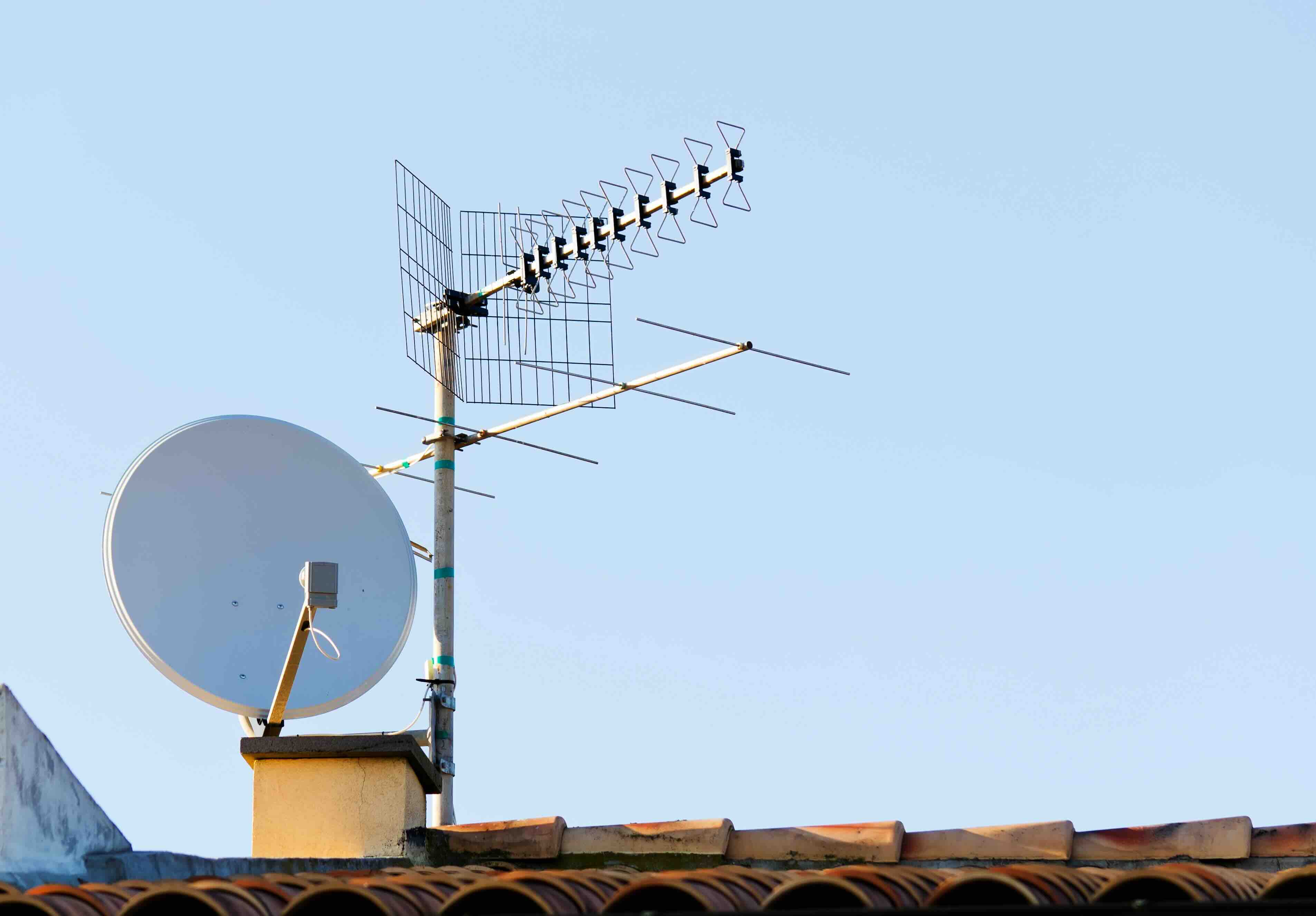
Not all antennas are the same, and understanding the categories helps you make a smarter purchase decision from the start. The main distinctions come down to indoor versus outdoor, directional versus omnidirectional, and amplified versus passive.
- Indoor antennas are compact units designed to sit on a shelf, mount near a window, or attach to a wall. They work well in urban and suburban environments where broadcast towers are within 20 to 35 miles.
- Outdoor antennas are larger, mounted on rooftops or exterior walls, and designed to pull in signals from significantly greater distances -- often 50 to 70 miles or more depending on terrain.
- Directional antennas focus their reception in a single direction, maximizing gain toward towers that are clustered in one area. These are best when your local stations all broadcast from a similar bearing.
- Omnidirectional antennas receive signals from 360 degrees, making them practical when towers are spread across multiple directions from your location.
- Amplified antennas include a signal booster to compensate for long cable runs or weak signal environments. Passive antennas have no amplification and work best in strong-signal zones where amplification would cause overload rather than improvement.
Key Advantages of Using an Over-the-Air Antenna
Let's be direct about the upside here because it is substantial. First, the cost. After the one-time purchase of an antenna and potentially a distribution amplifier if you are splitting the signal to multiple TVs, you are done spending. The content is free. Major networks -- ABC, NBC, CBS, FOX, PBS, and a growing number of subchannels -- broadcast without a paywall. Second, the picture quality genuinely holds up against and often surpasses streaming equivalents. The bitrate on over-the-air HD signals runs higher than what most streaming platforms push for standard tier subscriptions. Third, live content -- sports, local news, emergency broadcasts -- is handled without the delay that internet streaming introduces. That latency gap, even if it is just a few seconds, matters more than people expect once they notice it.
Common Drawbacks to Consider Before You Buy
Fairness demands acknowledging the limitations. Reception quality is entirely dependent on geography, distance from towers, physical obstructions like hills and buildings, and even atmospheric conditions. An antenna that works perfectly in one neighborhood can pull almost nothing two miles away. Multipath interference -- signals bouncing off structures before reaching your antenna -- can cause pixelation or signal dropouts. Antenna placement becomes a real variable you have to work with, sometimes iteratively. Additionally, over-the-air reception only covers local and network programming. Cable-exclusive channels, premium content, and on-demand libraries require streaming or a cable subscription regardless of your antenna setup. This is not a complete replacement for all content, but rather a complement to a leaner entertainment strategy.
How to Choose the Right Antenna for Your Home
Start by checking what signals are actually available in your area. Tools like the FCC's DTV reception map or sites like antennaweb.org allow you to enter your address and see which channels are broadcast within range, the direction of the towers, and the signal strength you can realistically expect. From there, match your antenna to the situation. If you are within 25 miles of all your major towers and living in a flat suburban area, a well-built indoor flat antenna will cover you. If towers are 40 to 60 miles out, or if you are dealing with significant obstructions, consider an outdoor or attic-mounted directional antenna. Pay attention to whether your towers are clustered directionally or spread out -- that influences whether directional or omnidirectional is the right call. And if you are running coax cable longer than 25 feet to reach your TV, factor in signal loss and consider whether a distribution amplifier makes sense in your setup.
Installation Tips That Actually Make a Difference
Antenna placement is not something to rush. Height matters -- signals travel line-of-sight, so elevation almost always improves reception. Placing an indoor antenna near a window facing the broadcast tower direction is a proven starting point. Avoid locations near large metal objects, microwaves, or behind thick walls with metal studs. For outdoor installs, secure mounting and proper grounding are non-negotiable -- both for reception consistency and for electrical safety. Use RG6 coaxial cable rather than older RG59 for better shielding and lower signal loss over longer runs. If you are distributing the signal to multiple TVs through a splitter, remember that each split reduces signal strength, which is where a distribution amplifier earns its place in the system.
Pairing Your Antenna With a DVR or Streaming Device
One underappreciated upgrade is pairing your antenna with a digital video recorder designed for over-the-air content. Devices like Tablo or TiVo Edge for Antenna integrate directly with your antenna feed and give you the ability to record live broadcast content, pause live TV, and even stream recordings to other devices in your home. This combination effectively recreates much of what cable offers -- minus the subscription fee for the base channel lineup. Some smart TVs also support recording to an external USB drive directly through the ATSC tuner. It is a practical expansion of what a standalone antenna setup can do, and it removes one of the key complaints about over-the-air viewing, which is the inability to time-shift content.
Why Monoprice Belongs in Your Antenna and Home Entertainment Setup
When you are building out a reliable, high-performance home entertainment system around an over-the-air antenna, every component in the signal chain matters -- from the antenna itself to the coaxial cables, splitters, amplifiers, and wall mounts that support the full installation. Monoprice has spent years earning the trust of both everyday consumers and professional AV integrators by delivering exactly the kind of quality infrastructure those setups demand, without the inflated price tags that major retail brands attach to comparable products. The coaxial cables, wall plates, signal amplifiers, and mounting hardware in the Monoprice catalog are built to real performance standards, not marketing standards. If you are looking for high-performance home entertainment cables and AV accessories that complement a serious antenna installation, Monoprice offers the depth of selection and value that makes it the practical choice for both first-time cord-cutters and experienced home theater builders. The quality is there. The price is right. And the product range covers the full scope of what a well-executed antenna setup requires.
Frequently Asked Questions About Over-the-Air TV Antennas
Do I need an internet connection to use an over-the-air TV antenna?
No. Over-the-air antennas receive broadcast signals transmitted from local towers and require no internet connection. Your TV's built-in ATSC tuner handles all signal decoding independently.
Will an indoor antenna work if I live far from broadcast towers?
It depends on your specific distance and terrain. Most indoor antennas perform reliably within 25 to 35 miles of towers. Beyond that range, an outdoor or attic-mounted antenna with higher gain is a more dependable solution.
Is over-the-air HD better quality than streaming HD?
In many cases, yes. Over-the-air ATSC broadcasts transmit at higher bitrates than most standard-tier streaming services, resulting in sharper images with fewer compression artifacts, particularly during fast-motion content like live sports.
Can I connect one antenna to multiple televisions?
Yes, using a coaxial splitter. However, each split reduces signal strength. For two or more TVs, a distribution amplifier placed before the splitter helps compensate for signal loss across the runs.
What channels can I receive with an over-the-air antenna?
You can receive local and network broadcast channels including ABC, NBC, CBS, FOX, PBS, The CW, and numerous subchannels like MeTV, Comet, and Ion. Available channels vary by market and location.
Does weather affect over-the-air antenna reception?
It can. Severe storms, heavy rain, and atmospheric conditions can temporarily degrade signal quality, particularly for stations at the edge of your antenna's effective range. Outdoor antennas with proper mounting tend to handle weather variability better than indoor units.
Do amplified antennas always perform better than passive ones?
Not always. In strong signal areas, amplification can overload the tuner and actually reduce picture quality. Amplified antennas are most beneficial when signal levels are marginal or when compensating for long coaxial cable runs or signal splitting.
What type of coaxial cable should I use with my antenna?
RG6 coaxial cable is the recommended standard for antenna installations. It offers better shielding and lower signal attenuation over longer runs compared to the older RG59 specification.
Can I use an over-the-air antenna with a smart TV?
Yes. Most smart TVs manufactured after 2007 include an ATSC tuner with a coaxial input. Simply connect your antenna to that input, run a channel scan from the TV's settings menu, and your available broadcast channels will be detected automatically.
Is it worth buying an antenna if I already pay for a streaming service?
For most households, yes. An antenna provides free access to local news, live sports, and network programming that streaming services often do not include or charge a premium tier to access. It is a one-time purchase that reduces ongoing subscription costs.