

Mini HDMI Explained: Uses, Compatibility, and Tips
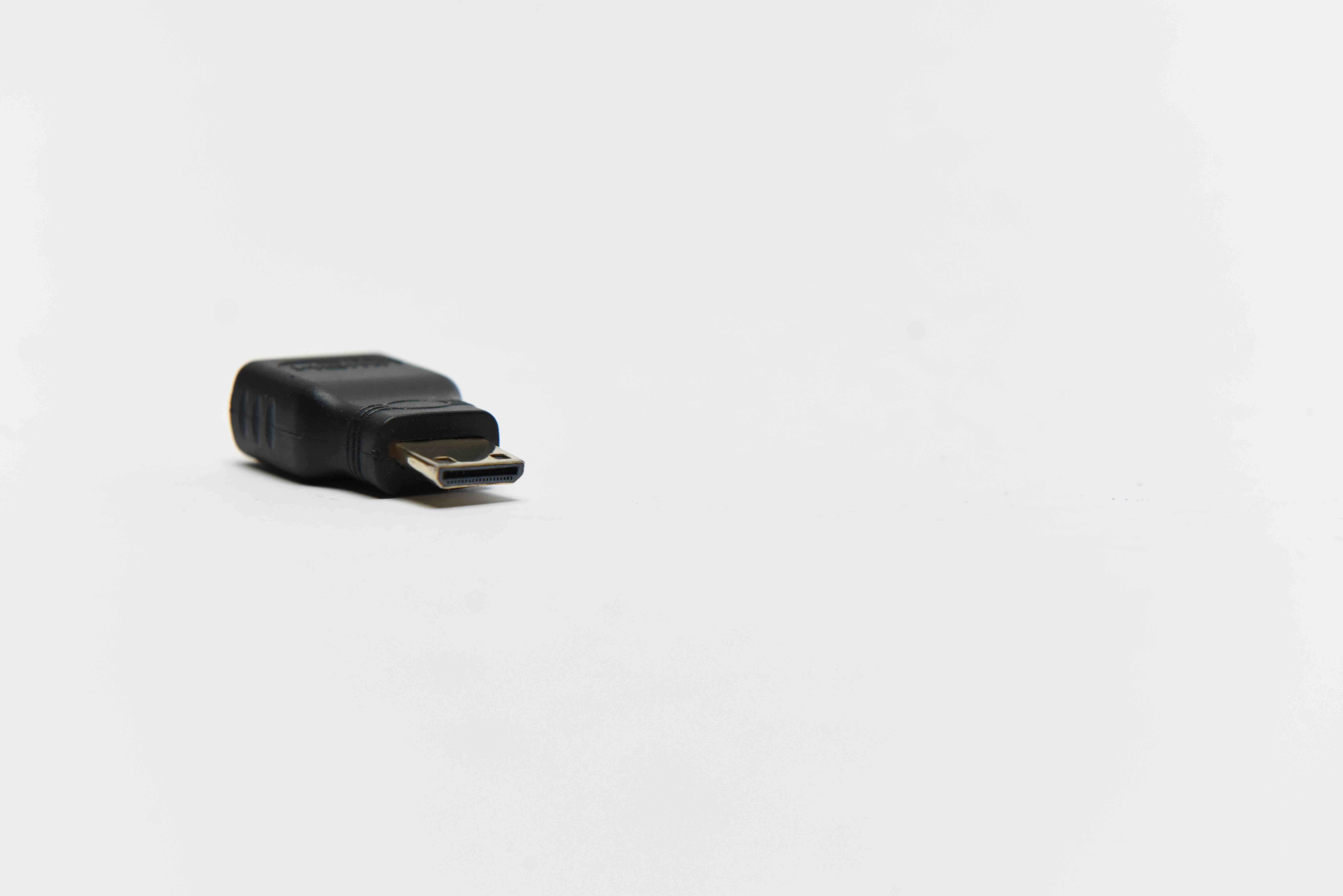
What Is Mini HDMI? A Complete Guide to the Smaller HDMI Connector
If you have ever pulled a cable out of a box and thought — wait, this doesn't fit — there's a decent chance you ran into a Mini HDMI situation. It happens more than people expect. HDMI as a standard has been around long enough that most people recognize the full-size connector on a TV or monitor. But Mini HDMI? That one trips people up. It's smaller, it shows up in less obvious places, and the naming alone creates confusion when you're standing in a cable aisle trying to figure out what you actually need. This guide breaks it all down in plain terms — what Mini HDMI is, how it works, where it's used, and whether it's the right connection for your setup.
The HDMI Family: Full-Size, Mini, and Micro Explained
HDMI stands for High-Definition Multimedia Interface. It's a single-cable solution that carries both audio and video signals simultaneously — a significant improvement over the older setups that required separate cables for each. The HDMI specification actually defines several connector types, and this is where people start to get confused. Type A is the standard HDMI connector most people are familiar with — the wide, trapezoidal plug used on TVs, gaming consoles, and home theater receivers. Type C is Mini HDMI. Type D is Micro HDMI. Each form factor serves a different device category based on physical size constraints, but they all transmit the same signal. That part is important. The connector changes. The capability does not — assuming the cable and devices support the same HDMI version.
What Makes Mini HDMI Different From Standard HDMI
Mini HDMI, designated as HDMI Type C, is physically smaller than the standard Type A connector but larger than the Micro HDMI Type D. The dimensions matter here. A standard HDMI connector measures approximately 13.9mm by 4.45mm. A Mini HDMI connector comes in at roughly 10.42mm by 2.42mm. That reduction in size is exactly why it exists — it's designed to fit into devices where a full-size port simply wouldn't be practical. The pin count remains at 19 pins, which means Mini HDMI carries the same data as a full-size connector. The physical size is the only meaningful difference. Same signal, smaller footprint. Which is honestly kind of impressive when you think about how much gets packed into that smaller form factor.
Where You'll Find Mini HDMI Ports
Mini HDMI shows up most often in portable and compact devices where space on the chassis is at a premium. It became a popular choice for manufacturers who needed to include HDMI output without sacrificing too much real estate on the device housing. Common devices that use Mini HDMI include:
- DSLR and mirrorless cameras
- Camcorders and video recorders
- Older tablet computers and 2-in-1 laptops
- Field monitors used in video production
- Portable projectors and compact displays
- Certain Raspberry Pi configurations and single-board computers
- Some older laptops and ultrabooks
If you're working in video production or photography and need to output a live feed from a camera to a monitor or capture card, there's a strong chance Mini HDMI is involved. It's practically a standard on DSLR bodies and mirrorless systems from most major manufacturers.
How Mini HDMI Works: Signal and Compatibility
Functionally, Mini HDMI operates identically to full-size HDMI. The signal path carries uncompressed digital video and multi-channel audio through the same 19-pin configuration. This means Mini HDMI supports all the same features available through the HDMI version the device and cable are rated for — including 4K resolution, HDR content, Audio Return Channel, and Ethernet capability, depending on the version. Connecting a Mini HDMI device to a full-size HDMI display is straightforward. You use either a Mini HDMI to HDMI cable — one end is Mini HDMI, the other is standard HDMI — or an adapter that bridges the two connector types. Passive adapters work fine here because no signal conversion is happening. It's purely a physical form factor change.
Key Advantages of Mini HDMI
There are a few reasons why Mini HDMI remains relevant even as the industry has pushed toward newer connection standards. The most obvious one is size. Compact devices need compact ports, and Mini HDMI delivers full HDMI performance without demanding the physical space a standard connector requires. For photographers and videographers working with camera bodies, this matters a lot. Another advantage is compatibility. Mini HDMI to HDMI cables are widely available and affordable. There's no special hardware or active conversion required. You plug one end into the camera or tablet, the other end into a monitor or TV, and the signal passes through cleanly. It's also worth noting that Mini HDMI cables tend to be straightforward and reliable when built to spec — signal quality holds up well, especially for runs that aren't extreme in length.
Common Drawbacks and Limitations to Know
Mini HDMI is not without its friction points. One of the biggest issues is that the smaller connector can feel less secure than a full-size HDMI plug. In production environments where cables get bumped or shifted, that can be a real concern — especially on a camera mounted to a rig. The port itself can also be more susceptible to wear over time with frequent connect and disconnect cycles. Another thing to be aware of: not all Mini HDMI cables are built the same. Poorly constructed cables can cause signal issues, especially at higher resolutions. Always verify the HDMI version rating on any cable you purchase to make sure it supports the bandwidth your application requires. And of course, Mini HDMI is a niche connector — you're less likely to find one in a random cable drawer the way you might find a standard HDMI, which can make last-minute sourcing frustrating in a production environment.
Mini HDMI vs. Micro HDMI: Clearing Up the Confusion
These two get mixed up constantly, and honestly it makes sense — the names are similar and neither one is as universally recognizable as standard HDMI. The key difference is size. Micro HDMI, or Type D, is smaller than Mini HDMI and shows up in even more compact devices like smartphones and action cameras. If you have a GoPro-style camera, there's a good chance it uses Micro HDMI, not Mini. Mini HDMI is the middle ground — larger than Micro, smaller than standard. When ordering cables or adapters, double-check the specific port type on your device before purchasing. The connectors are not interchangeable, and using the wrong adapter simply won't work physically. Taking thirty seconds to look up your device's port spec can save a lot of return shipping.
Practical Tips for Working With Mini HDMI Cables
Getting reliable performance out of Mini HDMI comes down to a few practical considerations. First, inspect the connector on both the cable and the device port before connecting — debris or bent pins can cause signal issues that look like cable failures but aren't. Second, for video production applications, consider using a cable with a secure locking mechanism or a strain relief design to prevent accidental disconnection. Third, match the HDMI version of your cable to what your devices support. Using an older HDMI 1.4 cable with a device capable of 4K output will bottleneck your performance. Fourth, keep a spare Mini HDMI cable in your kit if you work with cameras regularly. It's a small investment that prevents major headaches on location.
Why Monoprice Is the Right Source for Mini HDMI Cables and Adapters
When it comes to sourcing reliable Mini HDMI cables and adapters, quality and value have to go hand in hand. Cutting corners on a cable that carries your video signal — especially in a professional production context — is a risk that doesn't pay off. Monoprice has built a trusted reputation for delivering high-performance cables and connectivity solutions at pricing that makes sense, whether you're an individual content creator or a procurement team equipping a fleet of devices. The cables are built to spec, the connector tolerances are consistent, and the range covers the configurations that professionals actually need. If you're looking for dependable Mini HDMI connectivity solutions without overpaying, exploring the full lineup of Mini HDMI cables and HDMI connectivity products at Monoprice is a smart starting point for any setup. The combination of build quality and accessible pricing is exactly what the category calls for.
Frequently Asked Questions About Mini HDMI
What is Mini HDMI used for?
Mini HDMI is used to output audio and video signals from compact devices like DSLR cameras, camcorders, tablets, and portable projectors to larger displays or monitors. It performs the same function as standard HDMI but in a smaller physical form factor.
Is Mini HDMI the same as Micro HDMI?
No. Mini HDMI and Micro HDMI are two different connector types. Mini HDMI, or Type C, is larger than Micro HDMI, which is Type D. They are not interchangeable and require different cables or adapters.
Can Mini HDMI support 4K resolution?
Yes, Mini HDMI can support 4K resolution if the cable is rated for HDMI 2.0 or higher and the connected devices also support 4K output and input. The connector type itself does not limit resolution — the HDMI version does.
Do I need a special adapter to connect Mini HDMI to a standard HDMI port?
You need either a Mini HDMI to HDMI cable or a passive adapter. No active conversion is required because both connectors carry the same signal. A passive adapter or direct cable is all that is needed.
Which devices commonly use Mini HDMI?
Devices that commonly use Mini HDMI include DSLR cameras, mirrorless cameras, camcorders, older tablets, portable projectors, field monitors, and some single-board computers like certain Raspberry Pi models.
Is Mini HDMI as reliable as standard HDMI?
A quality Mini HDMI cable built to specification performs as reliably as a standard HDMI cable. However, the smaller connector can feel less mechanically secure and may experience more wear with frequent use. Choosing a well-constructed cable minimizes these concerns.
Can I use a Mini HDMI cable for live video streaming from a camera?
Yes. Many content creators and videographers use Mini HDMI to connect cameras to capture cards or monitors for live streaming. Verify that your camera's HDMI output and your capture card's HDMI input are compatible in terms of resolution and signal format.
Does the length of a Mini HDMI cable affect signal quality?
Cable length can affect signal quality at greater distances. For most standard applications under 15 feet, a quality passive Mini HDMI cable performs reliably. For longer runs, look for cables rated for extended distances or consider an active cable solution.
How do I know if my device uses Mini HDMI or Micro HDMI?
Check your device's manual or the manufacturer's specifications page. Visually, Mini HDMI ports are slightly wider than Micro HDMI ports. When in doubt, look up the exact model number to confirm the port type before purchasing a cable or adapter.
Are Mini HDMI cables backward compatible with older HDMI versions?
Yes. HDMI is designed to be backward compatible, so a Mini HDMI cable rated for a higher version will work with devices running older HDMI versions. The connection will operate at the capabilities of the lower-version device in the chain.


