

Mini DisplayPort to VGA Adapter for Legacy Display Support
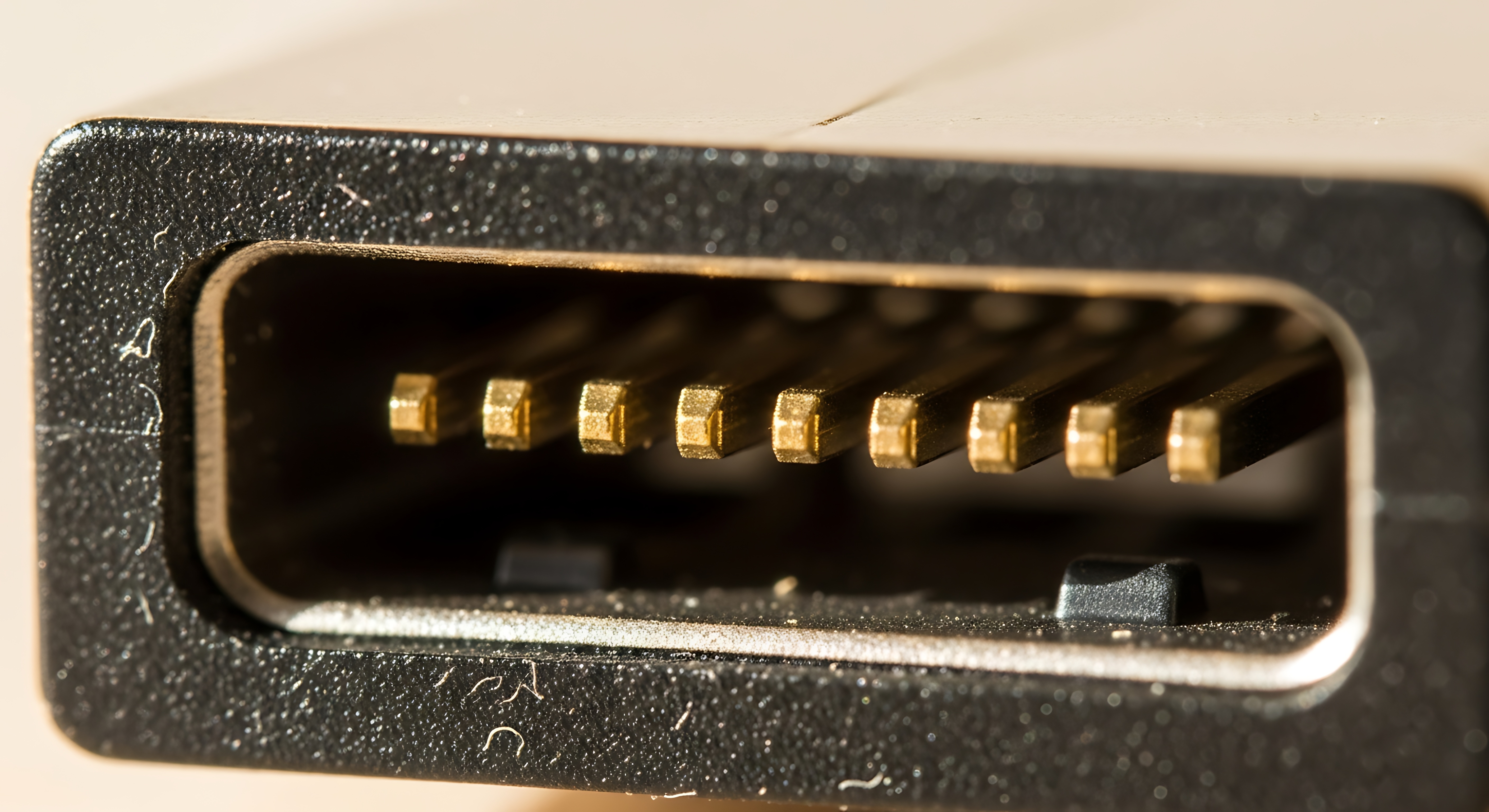
Mini DisplayPort to VGA: What It Is and Why It Still Matters
So you have a MacBook, a Surface Pro, or some other device with a Mini DisplayPort — and the monitor or projector you need to connect to only has a VGA input. That gap right there, that mismatch between a modern output and a legacy input, is exactly where the Mini DisplayPort to VGA adapter earns its place. It is not a glamorous product. It does not promise 8K resolution or HDR passthrough. What it does promise is a simple, reliable bridge between two generations of display technology, and honestly, that is worth more than people give it credit for. This guide breaks down how these adapters work, what you should know before buying one, and why having a quality option from a brand like Monoprice in your bag can save you from a frustrating situation at the worst possible moment.
Understanding Mini DisplayPort: A Quick Primer
Mini DisplayPort, commonly abbreviated as mDP, was introduced by Apple in 2008 and later adopted by other manufacturers, particularly in laptops and ultrabooks. It is a compact digital video interface capable of transmitting high-definition audio and video signals. The connector is small, roughly the size of a USB Micro-B plug, and for a while it was one of the more common output options found on professional-grade laptops. Now, Thunderbolt ports have largely taken its place since they share the same physical connector, but Mini DisplayPort is still alive and active in plenty of devices that have not been retired yet. Understanding what it is helps clarify why an adapter is sometimes the only practical option.
What Is VGA and Why Is It Still Around
VGA stands for Video Graphics Array, and it has been around since 1987. That is not a typo. It is a fully analog signal standard that became the universal display interface for decades of monitors, projectors, televisions, and presentation screens. Despite being technically outclassed by HDMI, DisplayPort, and USB-C, VGA is still found everywhere — in conference rooms, classrooms, training facilities, older office setups, and certain industrial environments where infrastructure upgrades just have not happened yet. The monitors still work. The projectors still function. Replacing them represents a cost that many organizations are simply not ready to absorb. So VGA persists, and adapters that speak both languages remain genuinely useful.
How a Mini DisplayPort to VGA Adapter Actually Works
Here is where it gets a little technical, but stay with it. Mini DisplayPort outputs a digital signal. VGA requires an analog signal. That means a passive adapter — just a physical connector conversion with no active circuitry — is not going to cut it here. A proper Mini DisplayPort to VGA adapter includes internal conversion circuitry that takes the digital signal coming out of the mDP port and translates it into the analog signal that the VGA display expects. This conversion happens inside the adapter itself, which is why build quality matters. A poorly constructed adapter with weak conversion components will produce a fuzzy, unstable, or color-shifted image. A well-built one, like what Monoprice delivers, produces a clean and stable output that is perfectly usable for presentations, extended desktop work, and secondary display setups.
Key Advantages of Using a Mini DisplayPort to VGA Adapter
There are real, practical reasons to keep one of these in your gear kit, and they go beyond just emergency compatibility fixes.
Instant legacy compatibility with projectors and monitors that have no modern inputs No software or driver installation required — plug and play operation Compact and lightweight enough to carry in a laptop bag without thinking about it More affordable than replacing display hardware or purchasing new monitors Supports standard resolutions up to 1920x1200, which is more than adequate for most presentations and general productivity work Works across a range of Mini DisplayPort equipped devices including older MacBooks, Microsoft Surface products, and select PC laptopsThat list covers the honest value here. It is practical, it is accessible, and it solves a real problem without adding complexity to your workflow.
Common Drawbacks to Be Aware Of
No product is without limitations, and being upfront about those is just as important as highlighting benefits. Mini DisplayPort to VGA adapters do not support audio transmission — VGA is a video-only standard, so audio will need to be handled through a separate channel. Resolution is also capped by the VGA specification, meaning you are not going to push ultra-high-definition content through this connection. If you are doing video editing or color-critical design work, this is not the right signal path. Additionally, since signal conversion is happening inside the adapter, cable length between the adapter and the monitor does matter — longer VGA cables can introduce signal degradation. For typical desktop or conference room distances, though, this is rarely a problem in practice.
Who Should Keep This Adapter in Their Kit
This is less about a specific type of person and more about a specific type of situation. Anyone who regularly presents in environments they do not control — schools, boardrooms, older offices, training rooms — should have a Mini DisplayPort to VGA adapter on hand. IT professionals and AV integrators supporting mixed hardware environments will find these essential for maintaining compatibility without forcing infrastructure upgrades. Educators who connect to classroom projectors, field technicians working in legacy AV installations, and even traveling professionals who cannot always predict what display inputs will be available at their destination — all of these users benefit from having this adapter ready to go. It is the kind of product that you do not need every day until you suddenly need it urgently.
Tips for Getting the Best Performance from Your Adapter
A few straightforward practices will help you get consistent, reliable output from a Mini DisplayPort to VGA adapter.
Always connect the VGA cable to the display before plugging the adapter into the Mini DisplayPort port Use a shorter VGA cable when possible to minimize analog signal degradation Check your display settings after connecting to confirm resolution and refresh rate are set correctly for the output device Avoid bending or stressing the adapter connection — the mDP port is small and can be sensitive to lateral force If the image appears dim or washed out, check the monitor brightness and contrast settings before assuming the adapter is at fault Store the adapter in a protective case or pocket to prevent the gold-plated contacts from being scratchedMini DisplayPort to VGA vs. Other Adapter Options
If your device has both Mini DisplayPort and HDMI outputs, and the display you are connecting to supports HDMI, that is going to be a stronger signal path since HDMI is fully digital end to end. But that scenario assumes you have options. In environments where VGA is the only available input on the display side, the Mini DisplayPort to VGA adapter is the right and sometimes only practical answer. Compared to buying a Thunderbolt dock or a multi-port hub just to gain VGA output, a dedicated adapter is faster to deploy, easier to carry, and significantly more affordable. For the specific use case it addresses, it is genuinely the most efficient solution.
Why Monoprice Is the Right Choice for Your Mini DisplayPort to VGA Needs
Monoprice has spent years building a reputation grounded in one straightforward principle — deliver professional-grade performance at prices that make sense for real budgets. That philosophy applies directly to something like a Mini DisplayPort to VGA adapter, which is exactly the kind of product where quality variation between brands is noticeable and matters in the field. The Monoprice adapter is built with reliable internal conversion circuitry, gold-plated contacts for stable signal transmission, and a durable construction that holds up to regular use. Whether you are an IT manager standardizing adapters across a fleet of devices, an integrator stocking up for a multi-room AV installation, or a professional who just needs a dependable connection at a client site, Monoprice delivers without making you overpay for it. For anyone sourcing reliable Mini DisplayPort to VGA display adapters for professional or enterprise use, Monoprice Mini DisplayPort adapters and legacy display connectivity solutions represent a smart, budget-conscious choice backed by a brand that the AV and IT industries have trusted for years. This is not about settling for less — it is about getting exactly what the job requires at a price that respects your budget.
Frequently Asked Questions About Mini DisplayPort to VGA Adapters
What does a Mini DisplayPort to VGA adapter do?
It converts the digital video signal from a Mini DisplayPort output into an analog VGA signal, allowing you to connect a modern laptop or device to a legacy VGA monitor or projector.
Does a Mini DisplayPort to VGA adapter carry audio?
No. VGA is a video-only interface and does not support audio transmission. You will need a separate audio connection such as a 3.5mm headphone output or Bluetooth if audio is required.
What resolution does a Mini DisplayPort to VGA adapter support?
Most Mini DisplayPort to VGA adapters support resolutions up to 1920x1200 at 60Hz, which is suitable for the majority of presentations, productivity tasks, and general display use.
Is a Mini DisplayPort to VGA adapter plug and play?
Yes. In most cases, no driver installation is required. Simply connect the adapter to your Mini DisplayPort device and connect a VGA cable from the adapter to your monitor or projector.
Will this adapter work with Thunderbolt ports?
Yes, in most cases. Thunderbolt 1 and Thunderbolt 2 ports use the same physical connector as Mini DisplayPort and are backward compatible with Mini DisplayPort adapters, including Mini DisplayPort to VGA.
Why is my image blurry or unstable when using a Mini DisplayPort to VGA adapter?
This can result from a low-quality adapter with weak conversion circuitry, a long VGA cable introducing signal degradation, or incorrect resolution settings on your device. Try a shorter cable and verify your display output resolution settings.
Can I use a Mini DisplayPort to VGA adapter with a projector?
Yes. Many projectors, especially in educational and corporate environments, still use VGA inputs. A Mini DisplayPort to VGA adapter is a reliable way to connect your laptop to these projectors.
Does the adapter work with Apple MacBooks?
Yes. Older MacBook, MacBook Pro, and MacBook Air models with Mini DisplayPort outputs are fully compatible with Mini DisplayPort to VGA adapters.
Is a Mini DisplayPort to VGA adapter the same as a DisplayPort to VGA adapter?
No. Mini DisplayPort and full-size DisplayPort are different connector sizes. They carry the same signal type, but the adapters are physically different and are not interchangeable without an additional connector adapter.
What should I look for when buying a Mini DisplayPort to VGA adapter?
Look for gold-plated contacts for stable signal transmission, active conversion circuitry for reliable digital to analog conversion, a durable build quality, and a brand with a proven track record in AV and connectivity products.


