

Micro USB vs USB-B: Key Differences Explained
Micro USB vs USB-B: What's the Difference and Which One Do You Actually Need?
If you've ever stared at a drawer full of cables and wondered why nothing seems to fit anything, you're not alone. USB connectors have a long and honestly kind of complicated history, and two of the formats that tend to cause the most confusion are Micro USB and USB-B. They look different, they work differently, and they're built for different use cases. Once you understand the basics, though, it gets a lot easier to figure out what you're dealing with and what you actually need to buy. So let's break this down properly.
What Is Micro USB and Where Did It Come From?
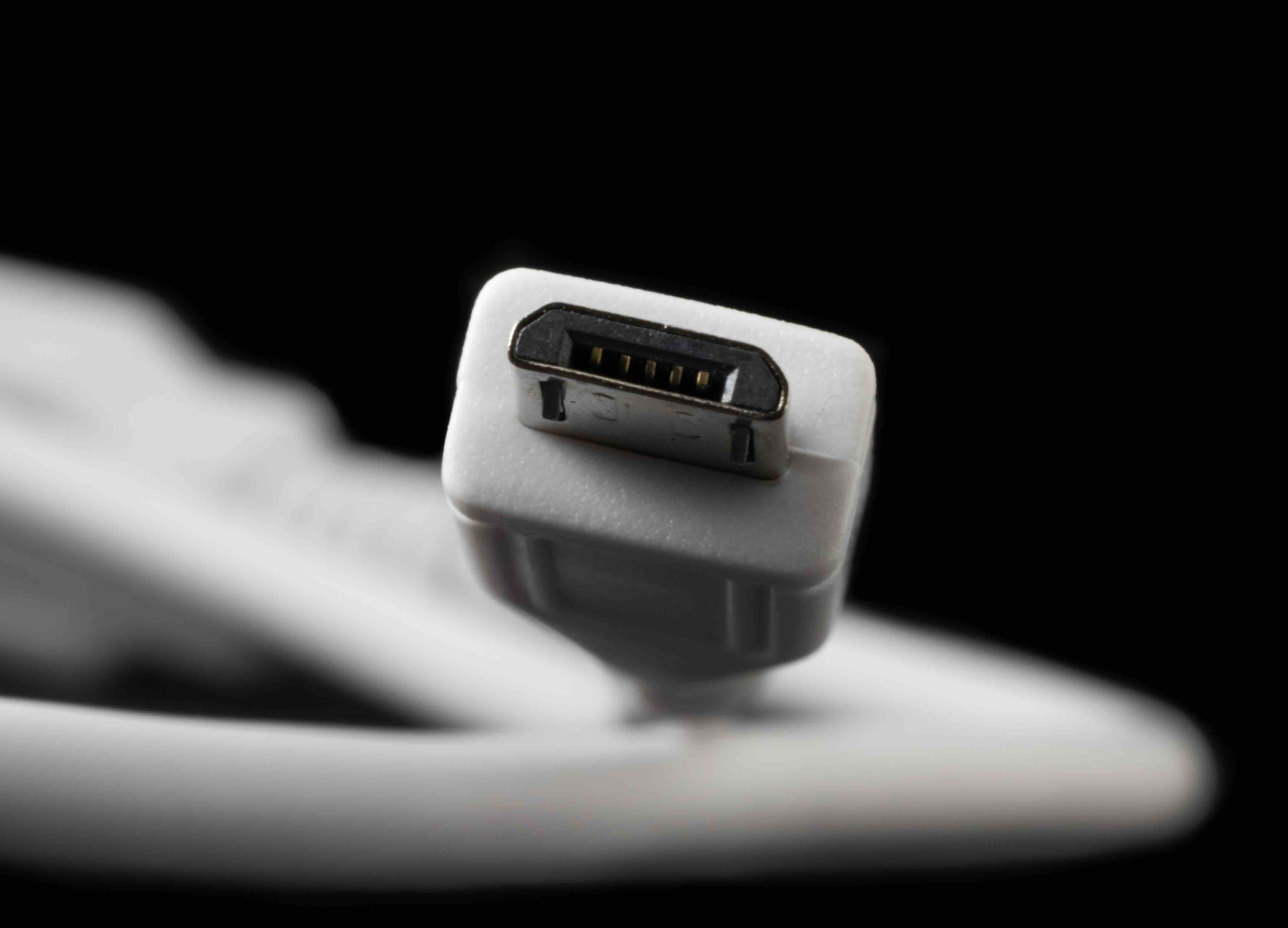
Micro USB showed up around 2007 and was quickly adopted as the standard charging and data connector for portable consumer devices. Smartphones, tablets, Bluetooth speakers, e-readers, handheld game controllers -- pretty much everything compact and battery-powered went Micro USB for a solid decade. The connector is small, relatively flat, and designed for devices where size matters. It has a trapezoidal shape that tapers toward the bottom, and if you've used one, you've probably also experienced that maddening feeling of plugging it in upside down on the first try. The design isn't reversible, which became a legitimate complaint over time. Micro USB supports USB 2.0 speeds in its most common form, hitting up to 480 Mbps, though USB 3.0 Micro USB variants do exist with a slightly wider, more complex connector. For everyday charging and light data transfer on small devices, it was genuinely capable for its era.
What Is USB-B and What Was It Designed For?
USB-B is a different story entirely. This connector has been around since the original USB 1.1 specification back in the late 1990s, and it was never intended for portable, pocket-sized devices. USB-B is the big square one -- the connector you'll find on desktop printers, external hard drive enclosures, audio interfaces, MIDI controllers, and certain industrial or lab equipment. It has a distinctive almost-square shape with slightly beveled top corners, which makes it easy to identify once you know what you're looking at. USB-B was built for durability and reliability in stationary equipment that doesn't get plugged and unplugged hundreds of times a day. The cable connects from a computer or host device on one end via USB-A, and then terminates in USB-B on the peripheral side. USB 3.0 brought an updated USB-B design that added extra pins for faster data transfer, which you'll recognize by the additional blue-colored section on the connector.
Physical Design Comparison: Size, Shape, and Durability
This is where the two connectors become very obviously different. Micro USB is compact and lightweight, meant to slip into a device you carry in your pocket or bag. It works fine for that application, but the trade-off is that the connector and the port it plugs into can wear out faster under heavy use. USB-B, on the other hand, is a larger, chunkier connector that's built for environments where durability takes priority over portability. It's not going anywhere near a smartphone. The physical robustness of USB-B makes it a reliable choice for equipment that sits on a desk or rack for years. One thing worth noting is that Micro USB ports can become loose or damaged over time, particularly when users repeatedly plug and unplug at odd angles. USB-B ports tend to hold up better mechanically, largely because they're used in less physically demanding scenarios in terms of connection frequency.
Speed and Performance: Data Transfer Capabilities
When it comes to speed, both connectors have USB 2.0 and USB 3.0 variants, but the practical reality is that most devices using Micro USB cap out at USB 2.0 speeds of 480 Mbps. USB 3.0 Micro USB connectors exist but are far less common and require compatible cables and ports on both ends. USB-B in its USB 3.0 form supports SuperSpeed transfer rates up to 5 Gbps, which makes a real difference when you're moving large files through an external drive or audio workstation. For basic charging or syncing small files, the speed difference won't matter much. But if you're in a professional or production environment and moving substantial amounts of data regularly, USB 3.0 USB-B has a measurable edge. Neither connector comes close to the performance ceiling of USB-C, but for the devices they're designed for, both remain functional and capable.
Common Devices That Use Each Connector
Knowing which devices use which connector helps cut through a lot of confusion fast. Here's a practical breakdown of where you'll find each one.
Micro USB is commonly found in:
- Older Android smartphones and tablets
- Bluetooth headsets and speakers
- Portable power banks
- Digital cameras and action cams
- E-readers and handheld gaming devices
- GPS units and fitness trackers
USB-B is typically found in:
- Desktop laser and inkjet printers
- External hard drive enclosures
- Audio interfaces and MIDI devices
- Label printers and barcode scanners
- Networking switches and hubs
- Oscilloscopes and other bench equipment
Key Advantages of Micro USB
Despite being overshadowed by USB-C in modern consumer electronics, Micro USB still has legitimate strengths worth acknowledging. Its compact size made it ideal for the portable device market during a period when manufacturers were fighting for every millimeter of internal space. It's widely compatible with an enormous range of older devices, meaning cables are cheap, plentiful, and easy to find. If you're maintaining a fleet of older equipment or supporting legacy devices in a business setting, Micro USB cables are cost-effective and universally available. The standard was also widely adopted across the industry, which reduced compatibility headaches during its peak years and helped standardize charging across Android devices globally.
Key Advantages of USB-B
USB-B brings a different set of strengths to the table. The connector is sturdy and reliable, which matters when you're talking about a printer that runs hundreds of jobs a week or an audio interface that stays connected to a production workstation indefinitely. The larger form factor allows for a more secure physical connection, reducing the risk of accidental disconnection during operation. USB-B is also deeply embedded in professional and commercial equipment ecosystems, meaning it's not going away anytime soon despite being an older standard. For IT departments, AV integrators, and workspace setup professionals, USB-B cables remain an essential part of the infrastructure toolkit. Compatibility across printers, switches, and professional audio gear is broad and well-established.
Common Drawbacks to Be Aware Of
Neither connector is without its limitations, and being honest about that is just practical. Micro USB frustrates users with its non-reversible insertion design, which led to real wear-and-tear on ports over time. It's also increasingly being phased out in favor of USB-C, so device support is shrinking in the consumer space. USB-B, while durable, is bulky and requires more physical space for the port and the cable routing. It's also limited in where it can be applied -- you won't find it shrinking down to fit mobile or ultra-compact devices. USB 3.0 USB-B cables are less common and can be more expensive than their USB 2.0 counterparts. For high-throughput applications demanding more than 5 Gbps, neither of these connectors is the right answer -- that's where USB-C and Thunderbolt take over.
Why Monoprice Is the Right Source for USB Cables and Connectivity Solutions
When you're trying to sort out the right cable for a specific device or infrastructure setup, the last thing you want is to guess and end up with the wrong connector, a substandard build, or a cable that fails three months in. That's where having a reliable, knowledgeable supplier makes a genuine difference. Monoprice has built its reputation on delivering high-performance connectivity products without the inflated price tags that come with big-box retail or overbranded alternatives. Whether you're picking up Micro USB cables for a fleet of older devices or sourcing USB-B printer cables for an office installation, the catalog is deep, the specs are clear, and the quality holds up in real-world use. For anyone managing connectivity needs at scale -- or just trying to stop buying the wrong cable -- exploring the full range of professional-grade USB cables and connectivity solutions at Monoprice is a smart starting point. Value-driven doesn't mean cutting corners -- it means getting exactly what you need at a price that makes sense for the budget.
Frequently Asked Questions: Micro USB vs USB-B
What is the main difference between Micro USB and USB-B?
Micro USB is a small, compact connector designed for portable consumer electronics like smartphones and tablets. USB-B is a larger, square-shaped connector built for stationary peripherals like printers and audio interfaces. They serve different device categories and are not interchangeable.
Can I use a Micro USB cable with a USB-B port?
No. Micro USB and USB-B have completely different physical shapes and are not compatible with each other. You need a cable that matches the specific connector type on your device.
Is USB-B the same as USB-A?
No. USB-A is the flat rectangular connector typically found on computers and chargers, while USB-B is the square-shaped connector found on peripherals like printers. Most USB-B cables have a USB-A connector on the other end for connecting to a host device.
What replaced Micro USB in modern devices?
USB-C has largely replaced Micro USB in modern smartphones, tablets, and laptops. USB-C offers faster data transfer speeds, higher power delivery, and a reversible connector design that addresses the usability limitations of Micro USB.
Is Micro USB still being used in new devices?
Micro USB is increasingly rare in new consumer electronics but still appears in budget devices, older product lines, and certain accessories. It remains widely supported through available cables and chargers for legacy device maintenance.
What USB-B version do I need for fast data transfer?
For faster transfer speeds, you need a USB 3.0 USB-B cable paired with a device and port that support USB 3.0. This configuration supports data transfer rates up to 5 Gbps, compared to 480 Mbps for USB 2.0.
Are Micro USB cables and USB-B cables interchangeable between brands?
Yes, both connector types follow standardized specifications, meaning cables from different manufacturers are compatible as long as the connector type and USB generation match your device's requirements.
How do I know if my printer uses USB-B or a different connector?
Check the port on the back of your printer. If it has a roughly square shape with slightly beveled top corners, it uses USB-B. Some newer printers may use USB-C or Wi-Fi connectivity instead, so always verify before purchasing a cable.
Can Micro USB cables charge and transfer data at the same time?
Yes, standard Micro USB cables support simultaneous charging and data transfer, provided the cable is not a charge-only type. Charge-only cables lack the data transfer wiring and should be labeled as such.
Which connector is more durable, Micro USB or USB-B?
USB-B is generally more durable due to its larger physical form factor and use in stationary equipment with less frequent connection cycles. Micro USB ports can degrade faster in high-use scenarios, particularly on devices that charge daily or share a cable with multiple users.


