

Micro USB Type-C Charger Guide: What You Need to Know
What Is a Micro USB Type-C Charger and Why Does It Matter?
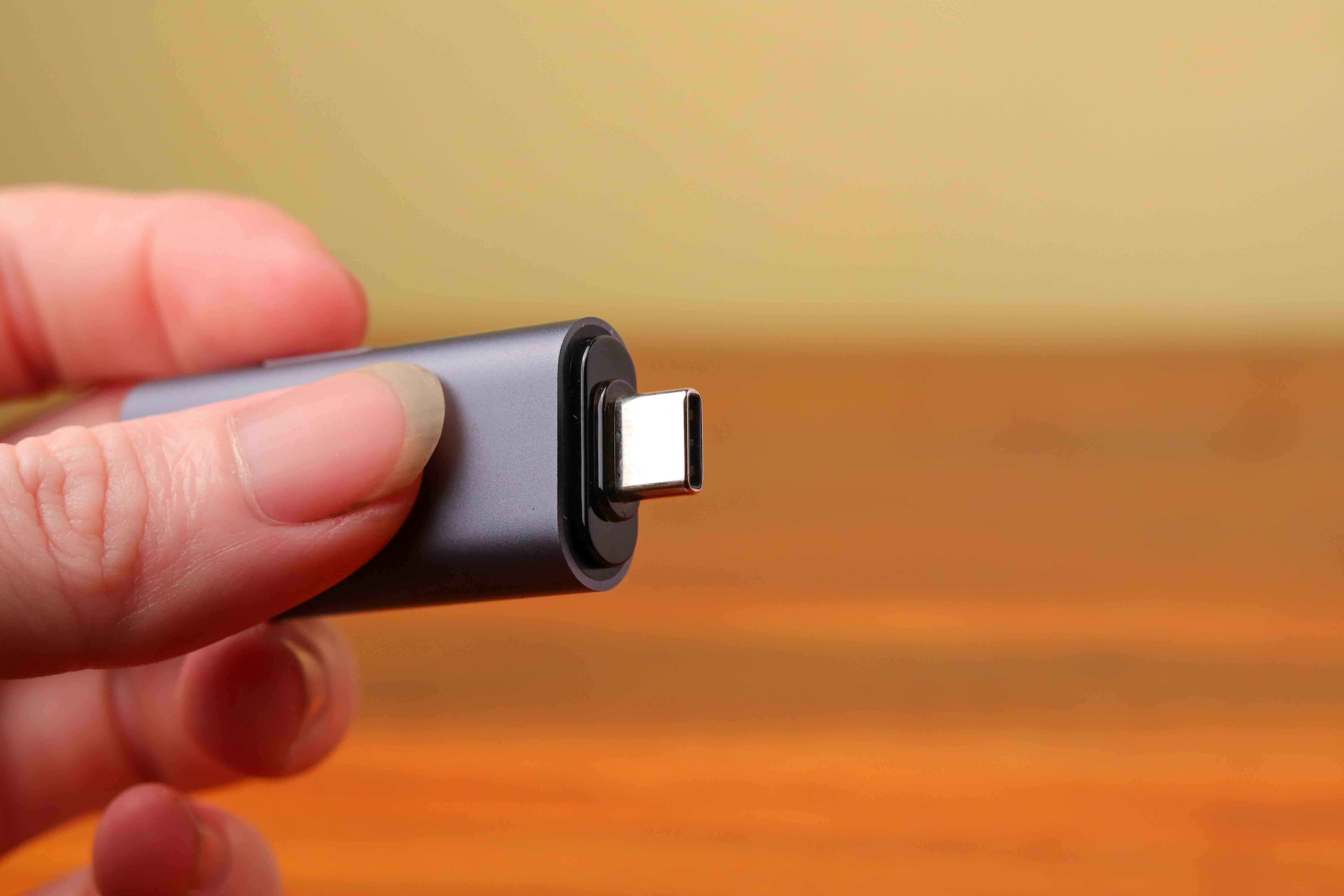
If you have bought a new phone, laptop, tablet, or really almost any modern device in the last few years, you have probably run into USB-C. It is that small, oval-shaped port that -- and this is kind of the point -- you can plug in either way. No more flipping the cable around three times before it fits. The micro USB Type-C charger, or more precisely the USB-C charger, has become the standard connector across consumer electronics, and for good reason. It handles charging, data transfer, and even video output all through a single port. That is a meaningful shift in how we think about device connectivity, and honestly it simplifies a lot of the cable clutter that used to come with managing multiple devices.
Understanding the Difference Between Micro USB and USB-C
There is a distinction worth making here because people search for this all the time and the naming can get confusing fast. Micro USB was the dominant charging standard for Android phones and accessories throughout most of the 2010s. It is the small, slightly trapezoidal connector -- you know the one, the one that always seemed to break eventually. USB-C is the newer format, and it supersedes micro USB in almost every measurable way. The connector is symmetrical, more durable by design, and capable of significantly higher power delivery and data speeds. When someone searches for a micro USB Type-C charger, they are often looking for either a USB-C charger specifically or a cable that bridges micro USB devices to USB-C power sources. Either way, knowing the difference helps you buy the right thing the first time.
How USB-C Charging Actually Works
USB-C charging is not magic, though it can feel like it when you watch a laptop go from nearly dead to fully charged in under an hour. The technology behind it relies on a protocol called USB Power Delivery, or USB-PD. This allows the charger and device to communicate with each other and negotiate the optimal voltage and current for the fastest, safest charge possible. Standard USB connections top out at around 5 watts. USB-C with Power Delivery can go well beyond that -- 45W, 65W, even 100W or higher depending on the charger and device. There is also a competing fast-charge standard called Programmable Power Supply, or PPS, which allows even finer control over the charging parameters. The result is a system that is adaptive, efficient, and genuinely faster than what most people were using five years ago.
Key Advantages of USB-C Chargers
The benefits here are real and they compound over time, especially if you are managing multiple devices. A few things stand out as particularly worth noting.
- Universal compatibility across modern devices
- Reversible connector design eliminates orientation frustration
- Supports high-wattage charging for laptops, tablets, and phones simultaneously
- Capable of data transfer speeds up to 40Gbps with Thunderbolt 4
- Backwards compatible with older USB standards using appropriate adapters
- Single cable can handle power, data, and display output
That last point is worth expanding on. A single USB-C cable connected to a laptop can charge the device, transmit data to an external drive, and push a 4K signal to a monitor -- all at the same time, depending on the cable rating and port capabilities. That kind of consolidation is genuinely useful in professional and home office environments where desk space and cable management matter.
Common Drawbacks and Things to Watch For
USB-C is not without its complications, and it would be doing readers a disservice to skip over them. First, not all USB-C cables are equal. A cable that looks identical to a high-quality one might only support 5W charging and USB 2.0 data speeds. Cable quality varies wildly across the market, and this is where buying from a reputable source becomes important. Second, wattage ratings on chargers need to match the device requirements. Using a 20W charger on a device that supports 65W fast charging will work, but it will charge slowly. Third, the proliferation of USB-C has not completely eliminated compatibility confusion -- older devices still use micro USB or Lightning connectors, meaning you may still need adapters in certain situations. Understanding these nuances upfront saves frustration later.
What to Look for When Buying a USB-C Charger
Buying a USB-C charger is not complicated once you know what to check. The wattage output is the most immediate spec to verify -- match it to your device's recommended input or go higher for faster charging headroom. Look for chargers that explicitly support USB Power Delivery if you are charging laptops or flagship smartphones. GaN, or Gallium Nitride, chargers are worth considering because they run cooler and pack more power into a smaller form factor than traditional silicon-based chargers. Multi-port chargers are efficient for households or travel kits with multiple devices. And always check for safety certifications -- look for UL listing or compliance with relevant safety standards to protect your devices from voltage irregularities.
USB-C Chargers for Specific Use Cases
Different setups call for different charger configurations, and this is where things get practical. For everyday smartphone use, a 20W to 30W USB-C charger is sufficient for fast charging most current flagship phones. For laptop users, particularly those running power-hungry machines, a 65W to 100W charger is a reasonable minimum. For travel, compact GaN chargers with foldable prongs are a strong choice -- they take up minimal bag space without sacrificing output. For desk setups, a multi-port USB-C hub or docking station with built-in Power Delivery gives you charging and connectivity in one unit. Matching the charger to the actual use case is one of the more straightforward ways to get real value out of the purchase.
The Future of USB-C and Universal Charging Standards
USB-C has essentially won the standardization debate at the regulatory level. The European Union has mandated USB-C as the common charging standard for consumer electronics, which means manufacturers are aligning their product lines accordingly. Apple, which long held out with Lightning, moved its iPhone lineup to USB-C with the iPhone 15 series. USB4, which runs on the USB-C connector format, supports speeds up to 40Gbps and will continue to evolve the performance ceiling. What this means practically is that investing in a quality USB-C charging ecosystem now is not a short-term decision -- it is infrastructure that will remain relevant for the foreseeable future. The standard is mature, widely adopted, and actively being developed further.
Why Monoprice Is the Right Source for Your USB-C Charging Needs
When you are building out a reliable charging setup -- whether for a home office, a commercial installation, or just daily carry -- the quality of your cables and chargers directly affects your device health and charging performance. Monoprice has spent years building a reputation as a trusted source for high-performance electronics at prices that make sense. The product lineup includes rigorously tested USB-C cables, multi-port GaN chargers, and accessories designed to meet real-world demands without unnecessary markup. If you are ready to stop second-guessing cable quality and start trusting your charging setup, browsing the full range of USB-C chargers and charging accessories at Monoprice is a practical first step toward a more organized, efficient tech environment. The combination of verified performance specs, accessible pricing, and consistent product quality makes Monoprice a logical choice for both individual buyers and procurement teams sourcing equipment at scale.
Frequently Asked Questions About USB-C Chargers
What is the difference between a micro USB and a USB-C charger?
Micro USB is an older connector standard with a non-reversible, trapezoidal design. USB-C is the newer format featuring a symmetrical, reversible connector that supports higher power delivery, faster data transfer, and broader device compatibility.
Can I use a USB-C charger on a device that has a micro USB port?
Yes, with the appropriate adapter or cable. A USB-C to micro USB adapter allows you to connect a USB-C charger to a device with a micro USB port, though charging speeds will be limited by the older port's specifications.
Does a higher wattage USB-C charger damage my phone?
No. Modern devices regulate the amount of power they draw from a charger. A 65W charger connected to a phone that supports 25W fast charging will only deliver what the phone requests, making overpowered chargers safe to use.
What is USB Power Delivery and do I need it?
USB Power Delivery is a fast-charging protocol that allows a charger and device to negotiate optimal voltage and current. If you use a laptop, tablet, or flagship smartphone, a charger that supports USB-PD will significantly reduce charge times.
What does GaN mean in a USB-C charger?
GaN stands for Gallium Nitride, a semiconductor material used in newer charger designs. GaN chargers run cooler, are more energy-efficient, and deliver high wattage in a significantly smaller physical footprint compared to traditional chargers.
Is it safe to charge multiple devices from the same USB-C charger?
Yes, provided the charger has adequate total wattage output and multiple ports. When multiple devices are connected simultaneously, the total output is distributed among them, so charging speeds may be reduced for each device.
How do I know if my USB-C cable supports fast charging?
Check the product specifications for wattage rating and USB standard compliance. Cables rated for USB 3.1 or higher with Power Delivery support are generally capable of fast charging. Low-quality cables may only support basic 5W charging despite looking identical.
Will USB-C be the universal standard going forward?
Yes. Regulatory mandates in the European Union and broad industry adoption have positioned USB-C as the long-term universal charging standard for consumer electronics. Most new devices from major manufacturers now ship with USB-C ports.
Can a USB-C charger be used to charge a laptop?
Yes, provided the charger outputs sufficient wattage and the laptop supports USB-C charging. Most laptops require between 45W and 100W for effective charging, so verifying the wattage specifications of both the charger and the laptop is recommended before purchasing.
What safety certifications should I look for in a USB-C charger?
Look for UL listing, CE marking, and compliance with relevant IEC standards. These certifications indicate that the charger has been tested for electrical safety and is less likely to cause damage to your devices through voltage irregularities or overheating.


