

Micro USB A vs B: Key Differences Explained Simply
Micro USB A vs Micro USB B: What Is the Actual Difference and Why Does It Matter
If you have ever reached for a charging cable and wondered why it does not fit, or grabbed what looked like the right connector only to find it is slightly off, you are not alone. The micro USB world is genuinely confusing, and the difference between Micro USB A and Micro USB B is one of those things that sounds minor until it actually is not. These two connector types look similar at a glance but are technically distinct, and understanding what separates them can save you a lot of frustration, especially if you work with legacy hardware, embedded systems, or just have a drawer full of cables that all look roughly the same.
A Quick History of USB Connectors and Why Micro Formats Exist
USB, or Universal Serial Bus, was designed to standardize the way devices connect to computers and power sources. Over time, as devices got smaller, the full-size USB A and USB B connectors became impractical for compact hardware. That is where the micro formats came in. The USB Implementers Forum introduced micro USB as part of the USB 2.0 specification to support thinner, lighter devices like phones, cameras, GPS units, and portable storage. The goal was a smaller footprint without sacrificing data transfer or power delivery performance. And for a while, micro USB became the dominant standard, particularly in the Android ecosystem before USB-C took over. Both Micro USB A and Micro USB B were part of that rollout, but they were never treated the same way by the market.
What Is Micro USB A and How Does It Work
Micro USB A is the less commonly seen of the two connectors. It is technically defined in the USB specification but was almost never widely adopted in consumer products. Micro USB A connectors were designed for use on host-side devices in USB On-The-Go, or OTG, configurations. In an OTG setup, a mobile device like a smartphone can act as a USB host, allowing it to connect directly to peripherals like keyboards or flash drives. The Micro USB A plug is slightly wider and has a white or off-white color coding in some specifications to differentiate it from its counterpart. Because of how rarely this connector type appeared in actual retail products, most people have never encountered a true Micro USB A cable in practice, even if they have heard the term.
What Is Micro USB B and How Does It Work
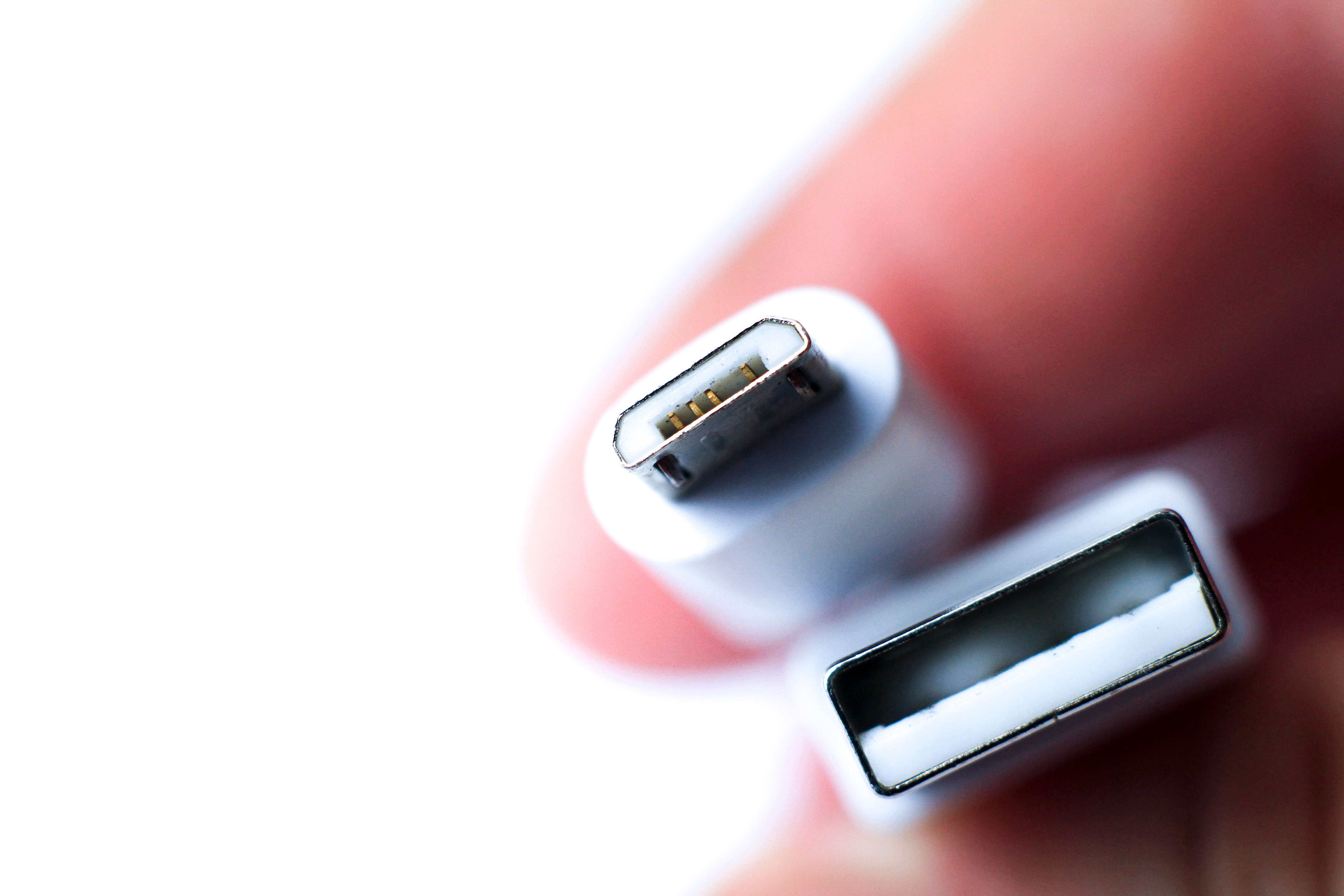
Micro USB B is the connector you almost certainly have used. It is the standard micro USB port found on older Android smartphones, Bluetooth speakers, e-readers, portable battery packs, game controllers, and hundreds of other consumer devices. The connector has a distinctive trapezoidal shape that is slightly asymmetrical, with one flat side and one angled side, which makes it directional. You have to orient it correctly to plug it in. Micro USB B supports USB 2.0 data transfer speeds up to 480 Mbps and can handle power delivery up to 5 volts at 1.8 amps under standard configurations. It is durable enough for everyday use but does have a rated insertion cycle that is lower than USB-C, which contributes to port wear over time with heavy use.
The Key Physical and Technical Differences Between Micro USB A and Micro USB B
Looking at these two connectors side by side, if you can actually find a Micro USB A in the wild, the differences become clearer. Here is what separates them at a glance:
- Micro USB A has a slightly larger, more rectangular profile
- Micro USB B is trapezoidal and asymmetrical
- Micro USB A is intended for OTG host roles
- Micro USB B is intended for device or peripheral roles
- Micro USB A uses 5 pins and was coded white in some early specifications
- Micro USB B also uses 5 pins but includes a mechanical ID pin configuration for device identification
- Micro USB A is rarely found in consumer retail products
- Micro USB B was the global standard for Android and small electronics for over a decade
The distinction between host and device roles is really the functional core of this difference. In a standard USB connection, one side is the host, typically a computer or charger, and the other side is the device, typically a phone or peripheral. Micro USB A was meant for the host side in mobile OTG setups, while Micro USB B handled the device side consistently across nearly all retail applications.
Common Use Cases and Where You Still Encounter Micro USB B
Even as USB-C continues to replace micro USB in newer devices, Micro USB B is far from extinct. It persists across a wide range of applications where older hardware is still in service or where low-cost devices are still shipping with legacy connectors. You will find Micro USB B on older wireless headsets, point-of-sale terminals, barcode scanners, industrial sensors, entry-level fitness trackers, older smart home hubs, and budget Android tablets. For IT professionals and AV integrators managing mixed environments, this matters. Having reliable Micro USB B cables on hand is still a practical necessity, not just a niche concern.
Key Advantages and Drawbacks of Micro USB B
Micro USB B earned its dominant position for real reasons, and while it has been succeeded by newer standards, it still holds up in the right context. Understanding both sides helps you make smarter decisions about your cable inventory and device compatibility.
- Advantages of Micro USB B:
- Extremely widespread compatibility across legacy devices
- Low cost and broadly available from multiple manufacturers
- Adequate for charging and standard data sync tasks
- Proven durability in everyday consumer applications
- Still actively used in industrial and commercial hardware
- Drawbacks of Micro USB B:
- Directional insertion increases wear and potential for port damage
- Lower power delivery ceiling compared to USB-C
- Data transfer speeds cap at USB 2.0 levels in most implementations
- Gradually being phased out, reducing long-term availability of compatible accessories
- Not reversible, which creates friction in low-light or quick-connect situations
Micro USB B vs USB-C: Understanding the Transition
USB-C has become the modern successor to Micro USB B, and the reasons are straightforward. USB-C is reversible, supports higher power delivery, and enables substantially faster data transfer through USB 3.1 and above. For any new device purchase or infrastructure deployment, USB-C is the forward-looking choice. That said, the transition is not complete, and anyone managing real-world hardware environments knows that. Micro USB B devices remain in active use across millions of installations, and the practical need for quality Micro USB B cables is not going anywhere in the near term. The smart move is to stock both, understand what you have in your environment, and choose cables that are built to perform reliably regardless of the connector type.
Practical Tips for Buying and Managing Micro USB Cables
Whether you are outfitting a home setup, a small business, or a larger AV or IT deployment, buying the right micro USB cables comes down to a few practical considerations. Check the device spec first and confirm whether it uses Micro USB B, which is almost always the case for consumer electronics, before ordering in bulk. Look for cables with reinforced strain relief at the connector junction, since that is where failure typically starts. Pay attention to wire gauge if you need cables primarily for charging rather than data, because thicker gauge supports more efficient power delivery. Avoid extremely cheap cables that skip proper shielding, especially in environments with other signal-sensitive equipment nearby. And if you are dealing with OTG use cases on older mobile hardware, confirm whether you need a Micro USB OTG adapter rather than a standard Micro USB B cable.
Why Monoprice Is the Right Source for Micro USB Cables and Connectivity Solutions
When you are sourcing cables for a professional environment or even just trying to build a reliable personal kit, the quality of what you buy matters more than most people realize. Monoprice has spent years building a reputation as a trusted supplier for exactly this kind of fundamental connectivity hardware. The cables are engineered to perform, not just to fill a spec sheet, and the pricing reflects a genuine commitment to value without cutting corners on build quality. Whether you need Micro USB B cables for a fleet of legacy devices, OTG adapters for mobile applications, or a broader assortment of USB connectivity solutions, you can find dependable options built to last at Monoprice micro USB cables and USB connectivity accessories. For IT teams, integrators, and everyday users who are tired of replacing cheap cables that fail under normal use, Monoprice offers the kind of straightforward, performance-focused product lineup that actually solves the problem.
Frequently Asked Questions About Micro USB A vs Micro USB B
What is the main difference between Micro USB A and Micro USB B?
Micro USB A is designed for host-side connections in USB On-The-Go configurations and is rarely found in consumer products. Micro USB B is the standard device-side connector used in smartphones, cameras, and other consumer electronics for over a decade.
Can I use a Micro USB B cable with a Micro USB A port?
No. Micro USB A and Micro USB B connectors are physically different and are not interchangeable. Attempting to force a mismatch can damage the port or the connector.
Is Micro USB B still relevant in 2024 and beyond?
Yes. While USB-C has become the modern standard for new devices, Micro USB B remains in active use across legacy consumer electronics, industrial hardware, and budget devices that have not yet transitioned to newer connector types.
What devices commonly use Micro USB B?
Older Android smartphones, Bluetooth headsets, portable battery packs, game controllers, e-readers, barcode scanners, and various point-of-sale and industrial devices commonly use Micro USB B connectors.
What is USB On-The-Go and how does Micro USB A relate to it?
USB On-The-Go, or OTG, is a specification that allows a mobile device to act as a USB host and connect directly to peripherals. Micro USB A was defined as the host-side connector in OTG configurations, though most modern OTG setups use adapters rather than native Micro USB A ports.
How do I know if my device uses Micro USB B and not a different connector type?
Micro USB B connectors have a distinctive trapezoidal shape that is asymmetrical. If your device port has one flat side and one angled side and is smaller than a standard USB port, it is almost certainly Micro USB B.
Why did USB-C replace Micro USB B as the dominant standard?
USB-C offers a reversible connection, higher power delivery capacity, and significantly faster data transfer speeds compared to Micro USB B. These practical advantages made it the preferred choice for new device development starting around 2016 and accelerating through the early 2020s.
Are there data transfer speed differences between Micro USB A and Micro USB B?
Both Micro USB A and Micro USB B operate within the USB 2.0 specification, which supports transfer speeds up to 480 Mbps. Neither connector type supports the higher speeds available through USB 3.0 or USB-C.
What should I look for when buying a Micro USB B cable for charging?
Look for cables with adequate wire gauge for power delivery, reinforced strain relief at both ends, proper shielding to minimize interference, and a build quality that supports repeated insertion cycles without port damage.
Can a Micro USB B cable be used for both charging and data transfer at the same time?
Yes. Micro USB B cables that carry both power and data lines can handle simultaneous charging and data sync, provided the cable and connected hardware support both functions. Some cheaper cables are charge-only and do not include data wiring.


