

Lightning vs Thunderbolt Cables: Key Differences Explained
Lightning vs Thunderbolt Cables: What You Actually Need to Know
So here is the thing -- people mix these up constantly, and honestly, it makes sense. Both names sound fast, both are associated with Apple products at different points in time, and both involve small connectors that look deceptively similar in certain contexts. But Lightning and Thunderbolt are fundamentally different technologies. Different protocols, different use cases, wildly different performance ceilings. If you have ever grabbed the wrong cable and wondered why your device is not doing what you expected -- this is exactly the kind of breakdown you need. Let us get into it properly.
What Is a Lightning Cable and How Does It Work
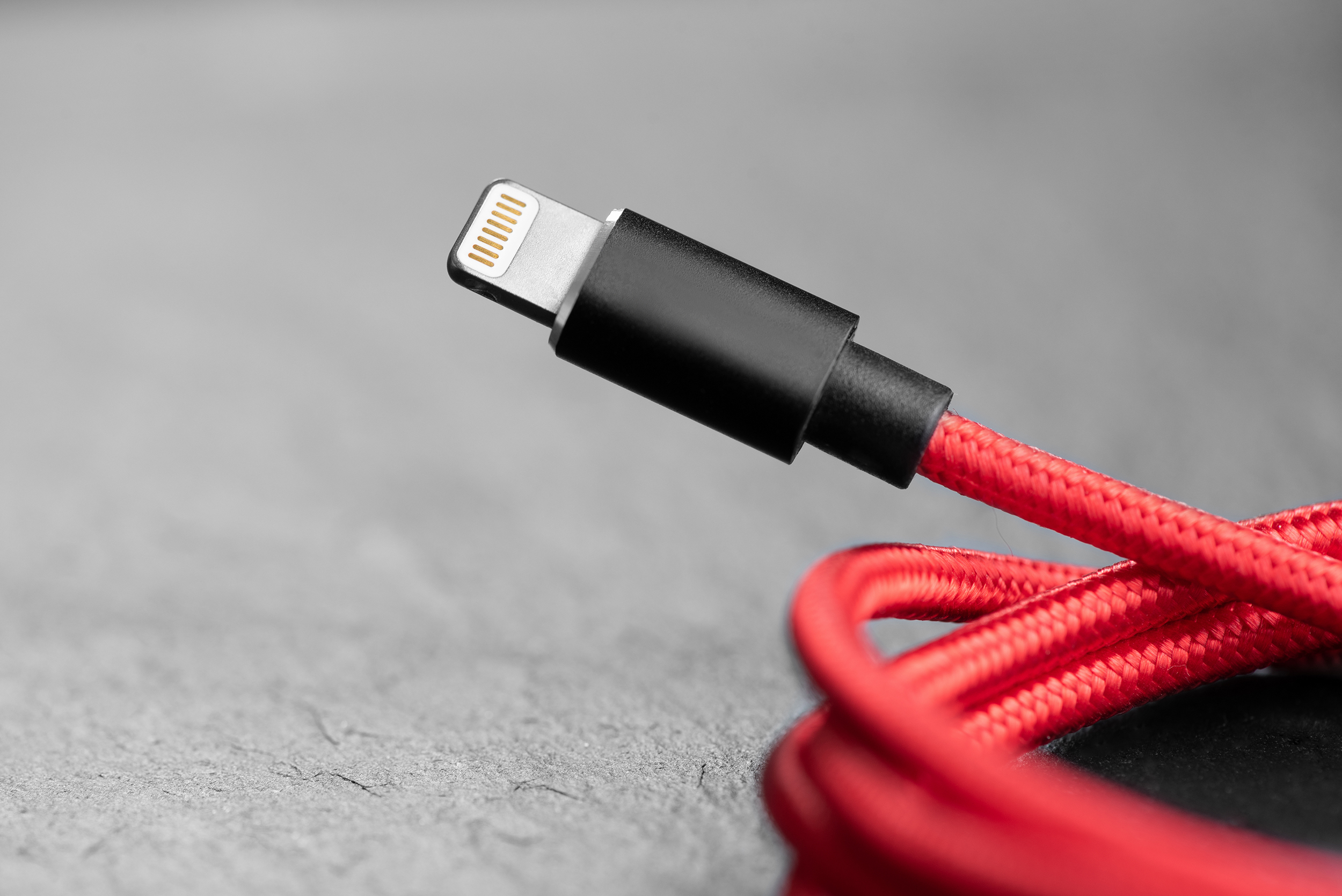
Apple introduced the Lightning connector back in 2012, and for a decade-plus it was the standard port on iPhones, iPads, AirPods, and a range of accessories. The connector itself is small, reversible, and -- at the time -- genuinely clever compared to what came before it. Lightning cables transfer data and deliver power, which covers most of what everyday users need. Data transfer speeds on Lightning top out around USB 2.0 speeds in most consumer applications, which is roughly 480 Mbps. That is perfectly fine for syncing your phone, charging your device, or connecting accessories. It is not designed for high-bandwidth professional applications. Apple has been phasing Lightning out in favor of USB-C following regulatory pressure in Europe, but Lightning cables are still very much in use across millions of devices globally.
What Is a Thunderbolt Cable and How Does It Work
Thunderbolt is a completely different animal. Developed jointly by Apple and Intel, Thunderbolt is a high-speed hardware interface that uses the USB-C connector form factor in its more recent versions -- which is part of where the confusion creeps in. Thunderbolt 3 and Thunderbolt 4 both use USB-C connectors but deliver performance that standard USB-C cables simply cannot match. Thunderbolt 4 supports data transfer speeds up to 40 Gbps, can drive dual 4K displays or a single 8K display, and supports daisy-chaining up to six devices through a single port. It also carries power delivery and DisplayPort signal simultaneously. This is professional-grade infrastructure in a cable format, used in workstations, video editing suites, high-resolution display setups, and enterprise environments.
Key Differences Between Lightning and Thunderbolt
Once you lay them out side by side, the differences are substantial. These are not two versions of the same thing -- they target entirely different users with entirely different needs. Here is where they diverge most sharply:
Data Transfer Speed Lightning maxes out near 480 Mbps in standard configurations Thunderbolt 4 delivers up to 40 Gbps, over 80 times faster Thunderbolt 3 also reaches 40 Gbps; earlier versions hit 10 or 20 Gbps Connector Type Lightning uses a proprietary Apple connector not found elsewhere Thunderbolt 3 and 4 use the USB-C physical connector Thunderbolt cables have a small lightning bolt icon near the connector for identification Display Output Lightning does not natively output video without adapters, and even then, resolution is limited Thunderbolt supports multiple high-resolution displays directly from a single port Device Compatibility Lightning works with Apple consumer devices exclusively Thunderbolt is supported across Mac, PC, and professional peripherals from multiple manufacturersWhen Should You Use a Lightning Cable
Lightning cables remain completely valid for their intended purpose. If you are charging an iPhone 14 or older, syncing an iPad with a Lightning port, connecting AirPods to a charging case, or using a Lightning-compatible accessory, this is the right cable. There is no reason to overthink it. Lightning handles everyday consumer tasks reliably and the connector is durable enough for daily plugging and unplugging cycles. Where people run into problems is when they expect Lightning to do things it was never built for -- large file transfers at high speed, video output at 4K resolution, or driving an external display for creative work. For those applications, you need something with more bandwidth under the hood.
When Should You Use a Thunderbolt Cable
Thunderbolt is built for scenarios where performance is non-negotiable. Video editors moving raw 4K or 6K footage between a camera and a workstation, creative professionals running dual displays from a single laptop port, developers who need fast NVMe storage over an external enclosure, enterprise IT teams daisy-chaining docks and peripherals -- this is the Thunderbolt use case. It is also worth noting that Thunderbolt cables are backward compatible with USB-C devices in most configurations, though you will not get Thunderbolt-level speeds unless both ends of the connection support the protocol. If your workflow demands speed, external GPU support, or multi-display output, a Thunderbolt cable is not optional -- it is the baseline.
Common Mistakes People Make With These Cables
The number one mistake is assuming that because a cable fits, it works correctly. A USB-C cable will physically connect to a Thunderbolt port without issue. But most USB-C cables are not Thunderbolt certified, meaning you lose most of the performance benefit. Similarly, people sometimes buy Thunderbolt cables expecting them to charge their iPhone -- which will not work because Lightning is a completely different physical connector. Another frequent issue is buying unlicensed or uncertified Lightning cables that may charge slowly, fail intermittently, or in some cases damage devices. Always check cable certification, rated transfer speeds, and whether the product meets the standards required by your specific device and workflow.
How to Identify Which Cable You Have
This is genuinely useful to know. Lightning cables have the distinctive small, oval-shaped proprietary connector that only fits Apple Lightning devices. Thunderbolt cables use the USB-C connector shape but are typically labeled with a lightning bolt symbol directly on the cable or connector housing. If you are unsure whether a USB-C cable is Thunderbolt certified, check the packaging for explicit Thunderbolt branding or the specification sheet for the maximum data transfer rate. A standard USB-C cable rated at 5 Gbps or 10 Gbps is not a Thunderbolt cable. A true Thunderbolt 3 or Thunderbolt 4 cable will be rated at 40 Gbps and should carry Intel or Apple certification markings. When in doubt, source cables from verified, reputable suppliers and confirm the spec sheet before purchasing.
The Future of These Connectors in the Tech Landscape
Lightning is in a clear decline trajectory. Apple has already transitioned the iPhone 15 lineup and newer iPad models to USB-C, a move partly driven by European Union regulations requiring standardized charging ports across consumer electronics. That said, Lightning will remain relevant for years as a massive installed base of devices still uses it. Thunderbolt, meanwhile, is expanding. Thunderbolt 5 is now entering the market with speeds up to 120 Gbps for data-intensive transfers and bandwidth that supports next-generation display and storage technologies. USB4, which shares considerable overlap with Thunderbolt 4 at the protocol level, is also becoming more prevalent. The convergence around USB-C as a physical standard is real, but the performance gap between a basic USB-C cable and a Thunderbolt cable remains enormous and should not be overlooked when speccing out a professional setup.
Why Monoprice Is a Smart Choice for Your Cable Needs
When you understand what separates Lightning from Thunderbolt, the next step is sourcing cables that actually perform to spec without paying a premium for branding you do not need. That is where Monoprice delivers real value. Monoprice engineers and tests cables for the performance metrics that matter -- rated transfer speeds, certified compatibility, build quality, and durability. Whether you are looking for a reliable Lightning cable for everyday Apple device use or a high-performance Thunderbolt cable for your professional workstation, the product lineup is built to meet those requirements honestly. For anyone building out a home office, a studio, or an enterprise workspace, exploring high-performance Lightning and Thunderbolt cables from Monoprice is a practical first step toward a properly specced, cost-effective cable infrastructure that does not compromise on quality.
Frequently Asked Questions About Lightning vs Thunderbolt Cables
Are Lightning and Thunderbolt cables the same thing?
No. Lightning is a proprietary Apple connector used for consumer devices like iPhones and older iPads. Thunderbolt is a high-speed hardware interface developed by Apple and Intel, using a USB-C connector, and is designed for professional-grade data transfer, display output, and peripheral connectivity.
Can I use a Thunderbolt cable to charge my iPhone?
Not if your iPhone has a Lightning port. Thunderbolt cables use USB-C connectors, which are physically incompatible with Lightning ports. If your iPhone uses USB-C, such as the iPhone 15 or newer, a Thunderbolt cable can charge it, though a standard USB-C cable will also work for charging.
Is Thunderbolt faster than Lightning?
Yes, significantly. Lightning supports data transfer speeds up to approximately 480 Mbps. Thunderbolt 4 supports up to 40 Gbps, making it over 80 times faster in raw throughput. Thunderbolt 5 pushes that ceiling even higher.
Will a Thunderbolt cable work in a USB-C port?
A Thunderbolt cable will physically fit into a USB-C port and function as a USB-C cable, but it will only operate at USB-C speeds unless the port also supports the Thunderbolt protocol. You need both a Thunderbolt-certified cable and a Thunderbolt-enabled port to get full performance.
How do I know if my cable is Thunderbolt certified?
Look for a small lightning bolt symbol printed on the cable connector or housing. Thunderbolt cables will also specify 40 Gbps data transfer speeds on their packaging. Certification details should be listed clearly on the product specification sheet.
Is Lightning being discontinued?
Apple is transitioning away from Lightning in favor of USB-C across its product lineup, driven partly by EU regulations requiring standardized charging ports. While newer iPhones and iPads have moved to USB-C, many devices still use Lightning and the connector will remain in use for years.
Can I use any USB-C cable as a Thunderbolt cable?
No. USB-C is a connector shape, not a performance specification. Most USB-C cables support 5 Gbps or 10 Gbps and lack the certification needed to operate at Thunderbolt speeds. Always verify the rated transfer speed and Thunderbolt certification before purchasing.
What devices use Thunderbolt cables?
Thunderbolt is commonly used with MacBooks, Mac desktops, Windows laptops with Thunderbolt ports, external NVMe storage drives, Thunderbolt docking stations, high-resolution monitors, and professional audio and video equipment requiring high-bandwidth connections.
Is Thunderbolt worth the extra cost compared to a standard USB-C cable?
For professional workflows involving large file transfers, external displays, or daisy-chained peripherals, yes. The performance difference is substantial. For everyday charging or basic data sync, a standard USB-C cable is sufficient and Thunderbolt certification is not necessary.
What is Thunderbolt 5 and should I consider it?
Thunderbolt 5 is the latest generation, supporting up to 120 Gbps for bandwidth-intensive transfers and improved display output capabilities. It is worth considering for future-proofing a professional workstation, though most current setups are well-served by Thunderbolt 4 hardware.


